2025: Momentum, Milestones, and Meaning


.png)

Quick Summary
2025 was our biggest year yet. We launched an AI that automatically books meetings, overhauled our analytics and workflows, and expanded Salesmsg to 200+ countries. Our goal was to help you text smarter and save more time. Here's how it all came together.
Everything We Shipped to Help You Text Smarter
Every year starts in the same place. Listening to what our customers need next. Then building it.
This year, we heard the same thing over and over. Your team needs more time. Leads slip through. Follow-ups get missed. Reps spend hours on tasks that should take minutes.
So we built AI that actually takes work off your plate. We rebuilt entire sections of the platform to help you move faster. And we opened up new channels, so you can reach customers wherever they are.
Here's what 2025 looked like inside Salesmsg.
AI That Takes Work Off Your Plate
Most "AI features" are gimmicks. A chatbot here. An autocomplete there. Nothing that changes how you actually work.
We wanted something different. AI that handles real tasks so your team can focus on closing deals and helping customers.
AI Agents That Work While You Sleep
It started with a simple problem. Leads go quiet.
Someone fills out a form. Your team follows up. Nothing. Now what? You could manually chase them down. Or you could let your AI Agent handle it.
Set a follow-up window and choose how persistent you want the agent to be, then walk away.
Your AI Agent automatically texts unresponsive leads on your schedule.
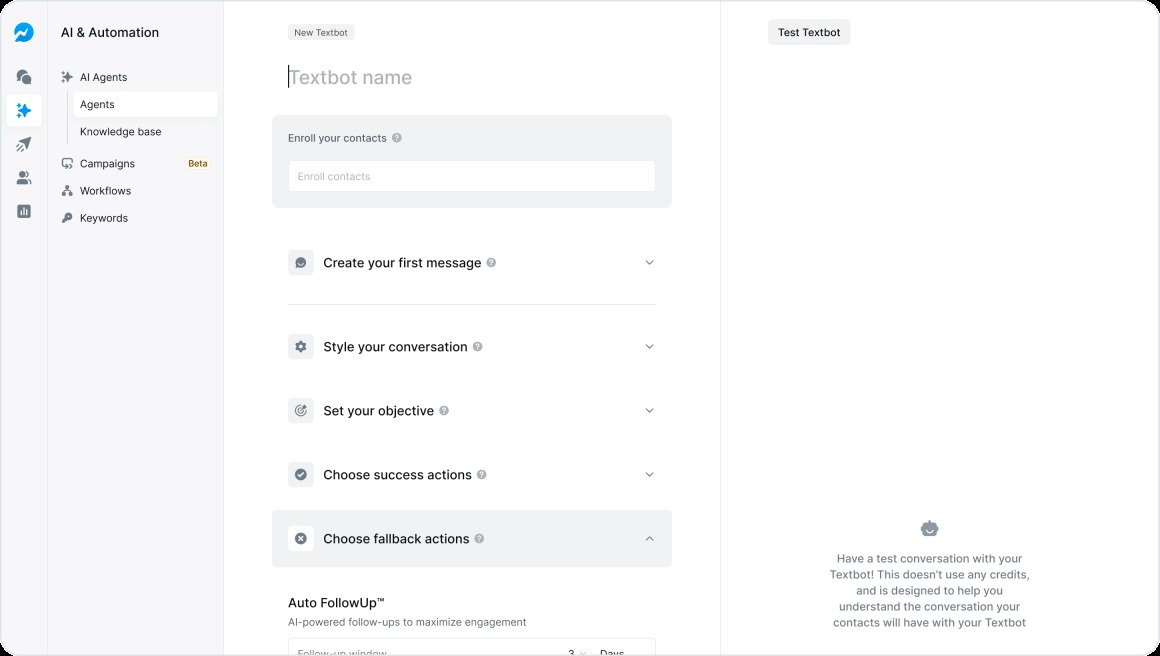
It then takes the next steps—like sending reminders or logging outcomes—if they still don’t reply. This saves your team hours and helps ensure leads don’t fall through the cracks.
But follow-ups were just the beginning.
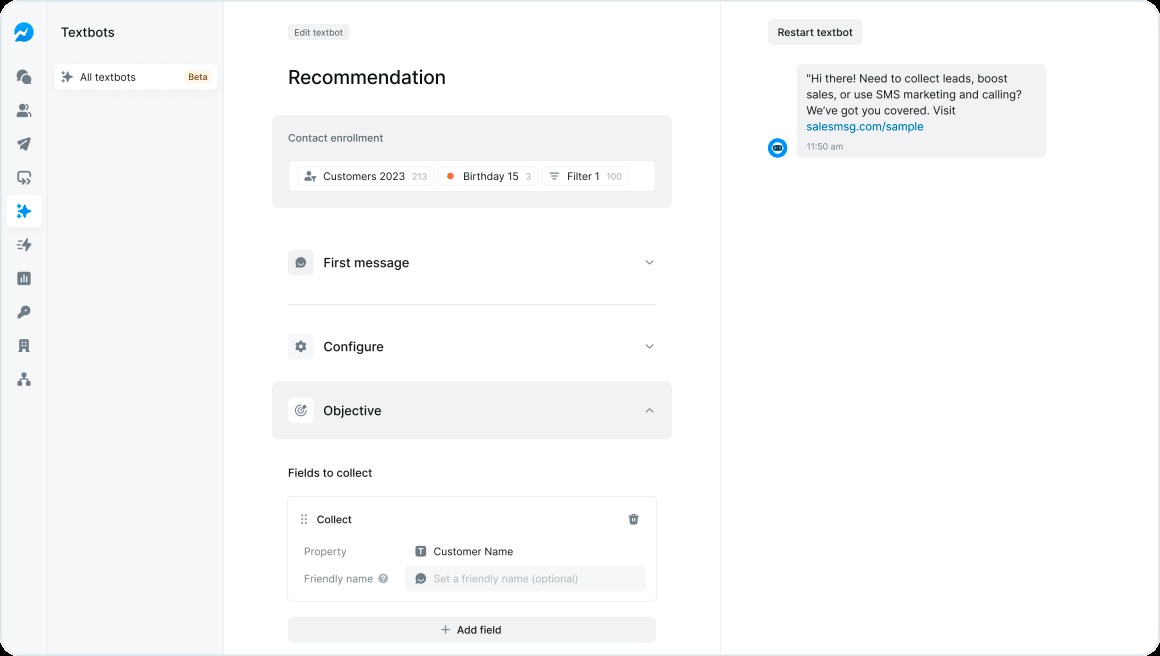
We taught AI Agents to skip questions they already know the answer to.
If a contact's name, email, or company is already in your CRM, the agent won't ask again. Conversations stay short. Customers don't get annoyed when they have to repeat themselves.
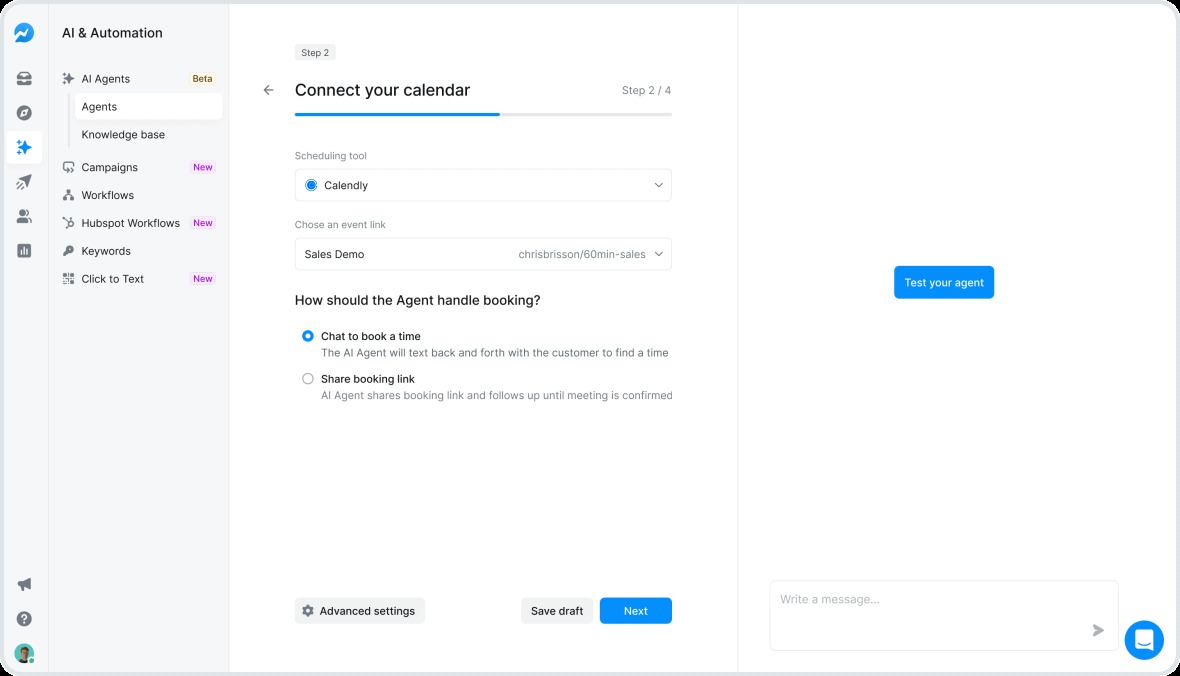
Then we built the AI Booking Agent.
Your AI Agent books Calendly appointments over text, collecting details, finding open slots, confirming meetings, and sending reminders.
By automating this process, your calendar fills with booked calls while you focus on other tasks, reducing manual scheduling and missed appointments.
And if you need to jump in? Pause the agent, send your own message, then hand it back. The agent picks up with full context. So, you stay in control without breaking the flow.
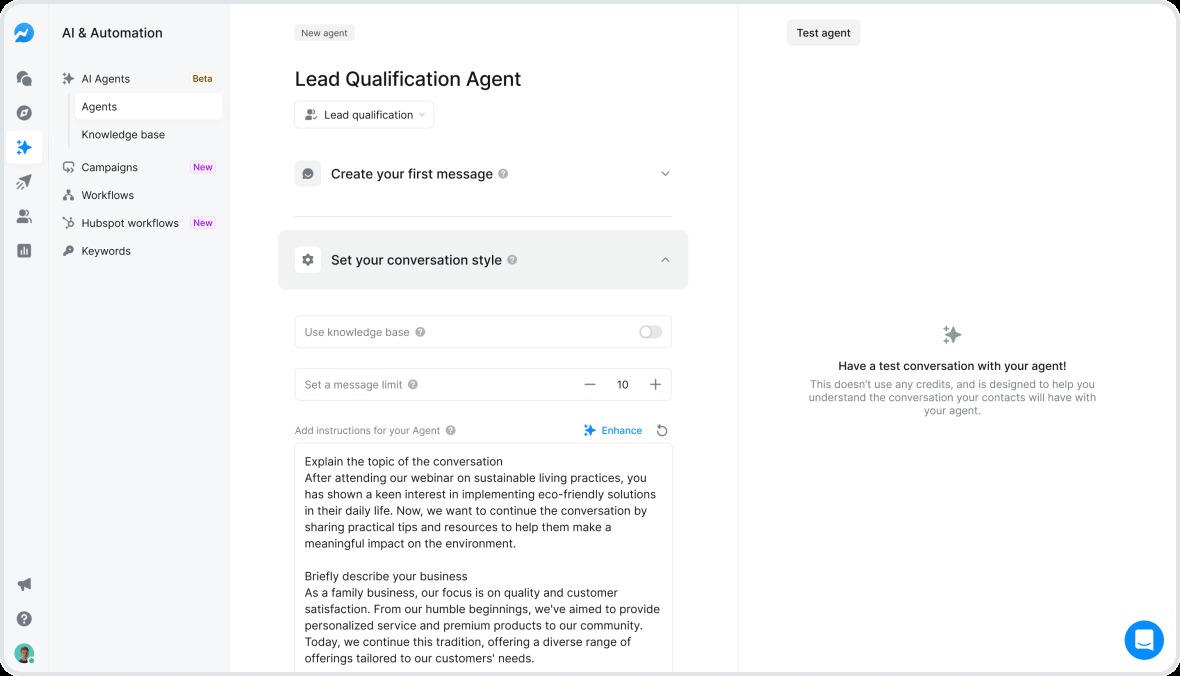
We also made it easier to build smarter agents. Not sure how to write a good prompt?
Describe what you want, and Salesmsg generates an optimized version for you. Better prompts mean better conversations.
Your AI Agents also got access to more of your business knowledge.
Upload documents, add your website, paste in webpages, or create content directly inside the AI Knowledge Base. The more your agent knows, the better it performs.
AI Agents for Broadcasts and Inboxes
AI Agents can now manage broadcast replies for you.
When contacts respond to your campaigns, your agent handles the conversation in real time with accurate, on-brand messages. Your team focuses on strategy instead of manual follow-ups.
We also brought AI Agents directly into your inbox.
They handle common replies, qualify contacts, and forward important messages to the right person. Every conversation moves faster and stays consistent from start to finish.
And with Inbox Independent AI Agents, you can enroll contacts into any active agent from any inbox. Your team stays connected and never misses a lead, no matter where the conversation started.
AI for Calling
We brought AI to calling. Every recorded call now generates an automatic summary with key points and next steps.
Transcripts are broken down by speaker, so you can scan them quickly. Plus, everything syncs to your CRM.
And for broadcasts, we added ringless voicemails with AI voice cloning.
Record your voice once. Then use text-to-speech to generate voicemails that sound like you. Pair it with dynamic sender and local presence, and your ringless broadcasts feel personal at scale.
Broadcasts, Campaigns, and Workflows That Scale
Sending a text is easy. Reaching your entire list with the right message at the right time? That's where most tools fall apart.
Broadcasting at Scale
Toll-free numbers now support up to 1 million SMS per day. No throttling, no interruptions. Just scale when you need it.
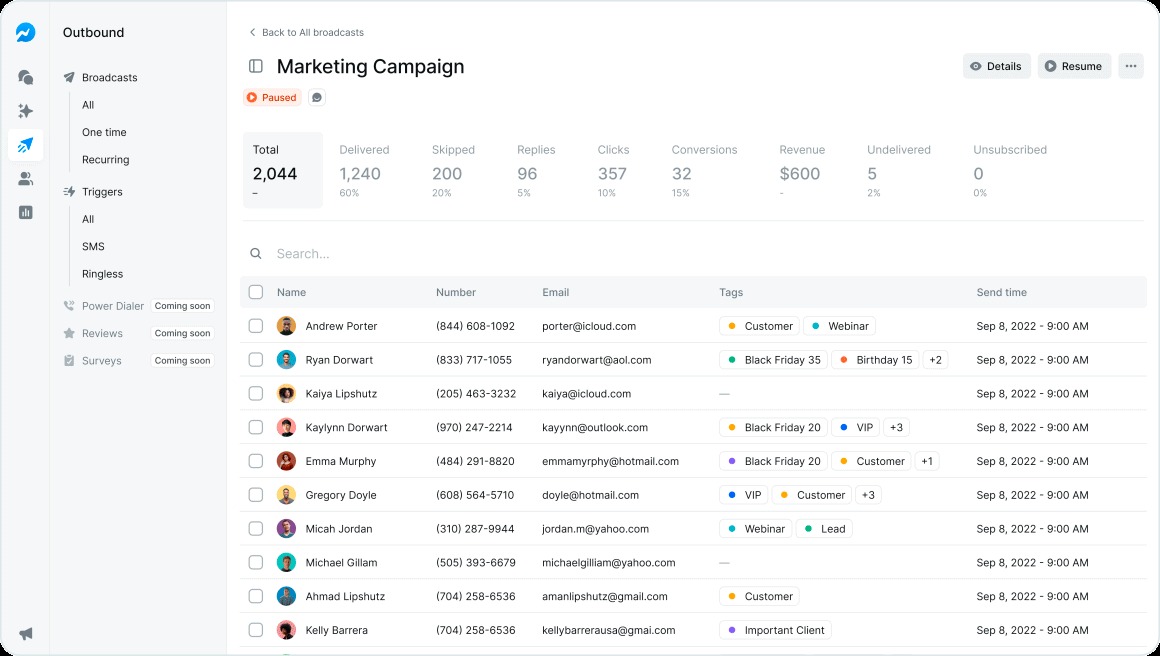
To boost engagement, follow-up broadcasting now lets you easily target contacts who didn't reply.
Your dashboard highlights non-responders, and with one click, you can create a campaign just for them, eliminating manual effort.
Timing matters too.
The new restrict sending hours feature lets you set a window for when broadcasts go out.
Messages that fall outside that window either roll over to the next day or get skipped.
No more texts landing at 2am.

We also made mass texts feel less like mass texts.
Choose "Contact Owner" as the sender, and each message goes out from the rep already assigned to that contact.
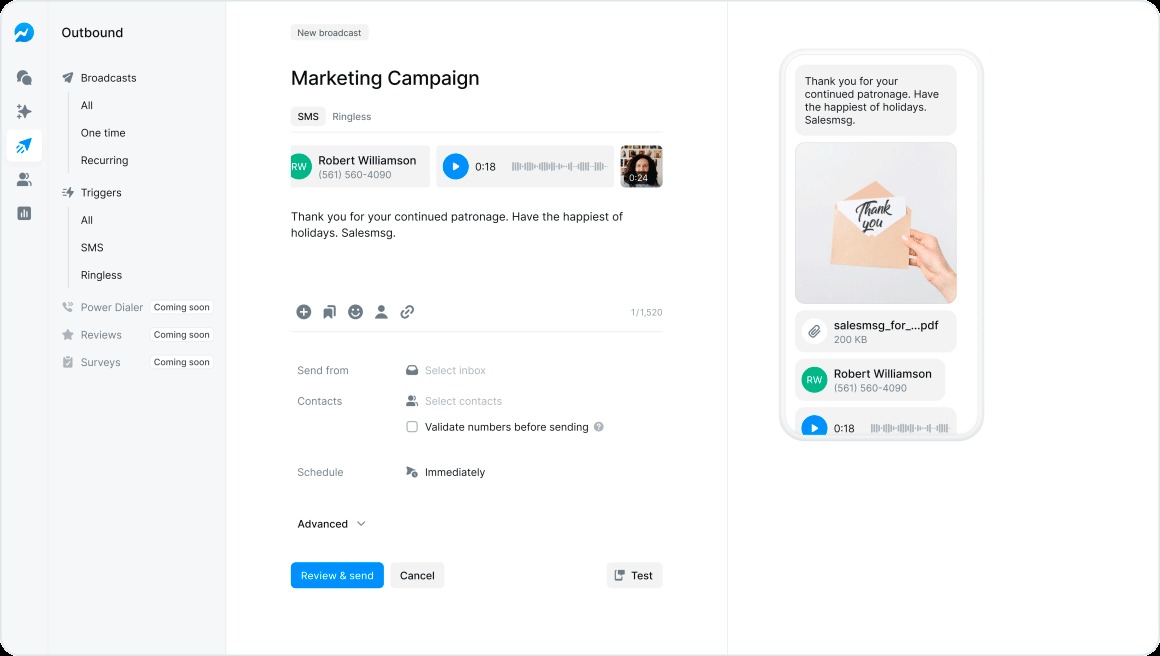
It uses their inbox and their number. To the customer, it feels like a personal text because it is.
When replies come in, you decide who handles them. Assign responses to yourself, a specific teammate, or leave them unassigned so your team can grab them.
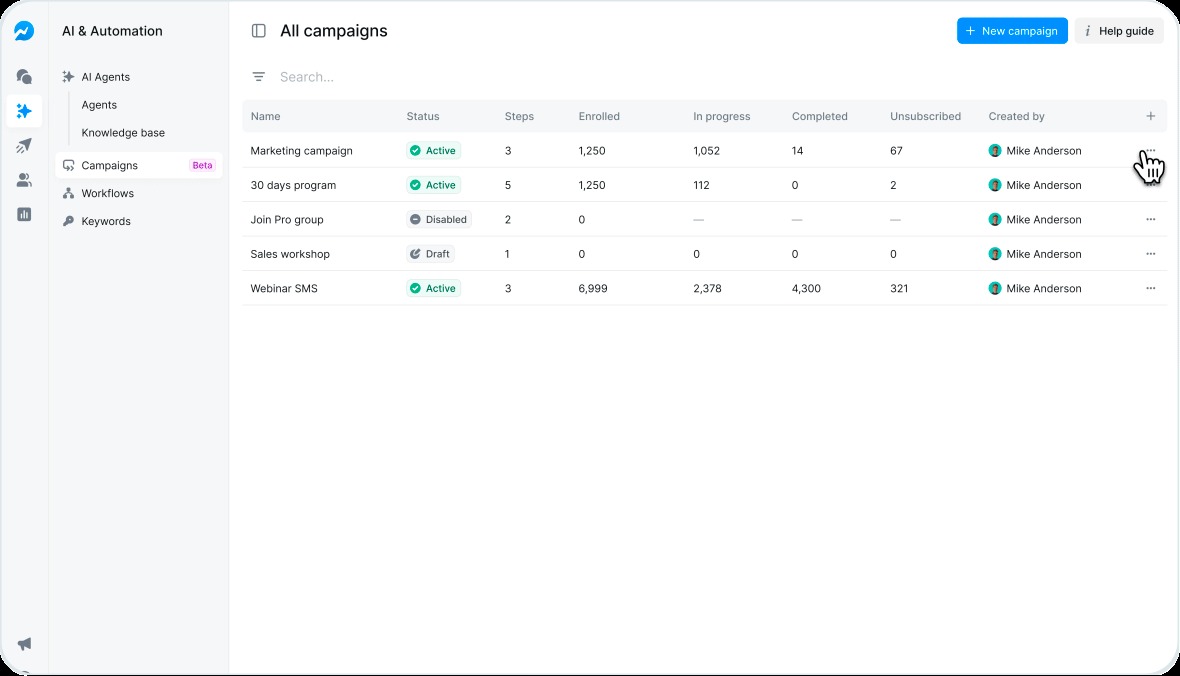
Finally, campaigns are now more transparent than ever.
The new details view shows enrollment stats, step performance, and who’s in each campaign.
You can pull someone out of an active campaign with one click, making it easier to adapt messaging and keep communication relevant.
Workflows 2.0
We rebuilt workflows from the ground up!
Workflows 2.0 is a completely new builder and there’s a lot you can do:
- Create triggers based on tags, keywords, or inbound messages
- Add if/else logic to branch based on responses
- Set delays between steps
- Send texts, ringless voicemails, or hand off to an AI Agent
We even added templates so you don't have to start from scratch.
These templates let you do things like: re-engage cold leads, collect reviews, and automate onboarding.
All you need to do is pick a template, customize it, and you're live in minutes.
Already have workflows running? The new conversion tool migrates your existing workflows to 2.0 instantly. All your logic and triggers stay intact, so you can keep automating without missing a beat.
Calling That Keeps Your Team Accountable
Texting gets the headlines. But for many businesses, calling is where deals close and problems get solved.
This year, we made calling inside Salesmsg way more powerful.
Visibility and Notes
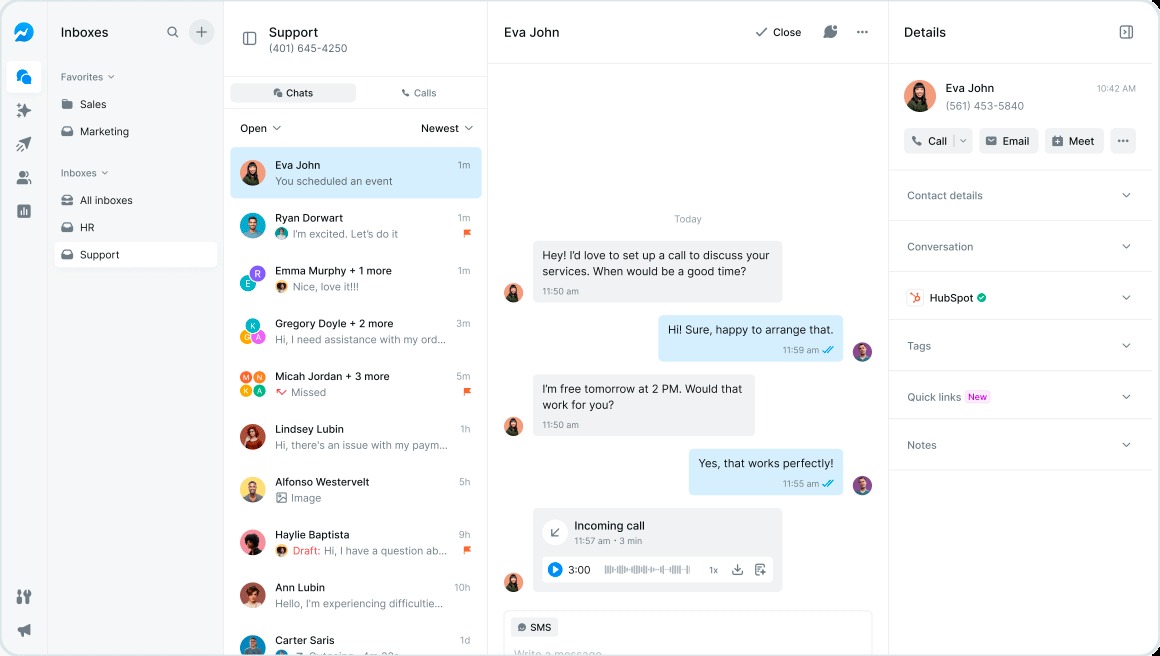
It starts with visibility. When a call comes in, you now see everything you need right in the pop-up. Salesmsg fields, CRM data, and associated deals.
No switching tabs. No scrambling to figure out who's on the line.
Take notes while you're talking. When the call ends, those notes are saved to the conversation timeline and automatically synced to your CRM.
No more forgetting what you discussed or spending five minutes logging it after the fact.
Transcripts got an upgrade. Every line now shows who's speaking.
No more guessing who said what. This also improves the quality of your AI summaries.
Routing and Accountability
For teams that need accountability, admins can now require call recording for everyone.
One toggle locks it in. Individual settings get overridden. Every call gets captured for training, compliance, or quality review.

We also built smarter routing.
Inbound calls go to the contact owner or the teammate already assigned to the conversation.
If they're unavailable, Salesmsg sends it to the next person. The right rep answers every time.
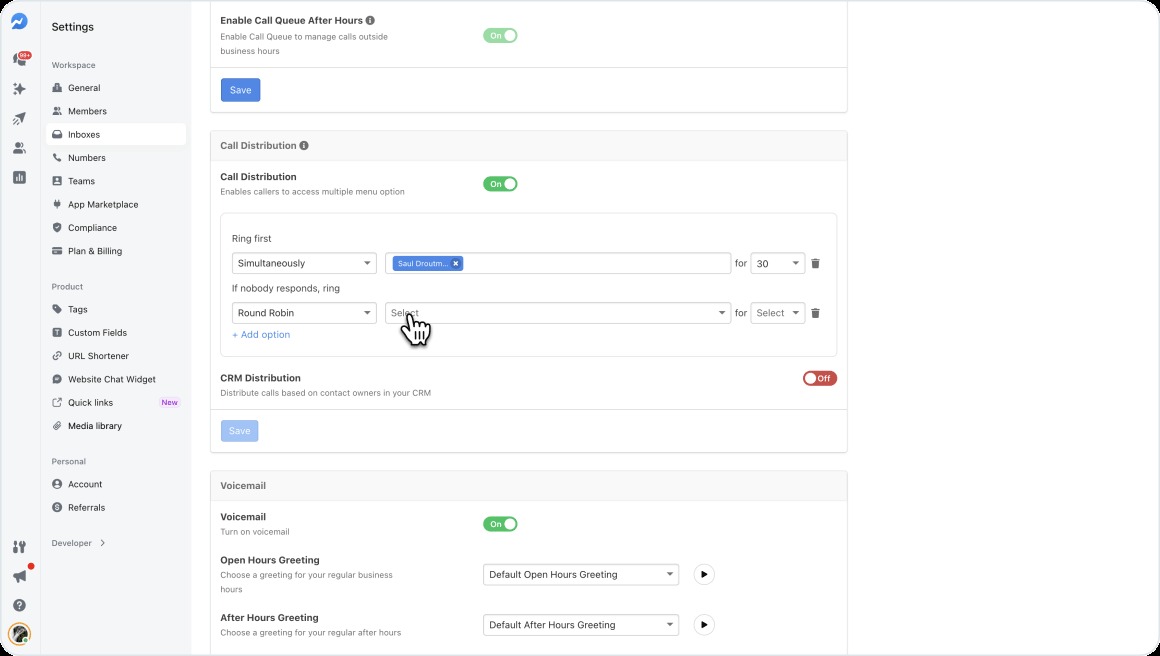
Using IVR?
You can now see exactly which options each caller selected. Know where they dropped off or got stuck. Fix your phone tree based on real behavior, not guesses.
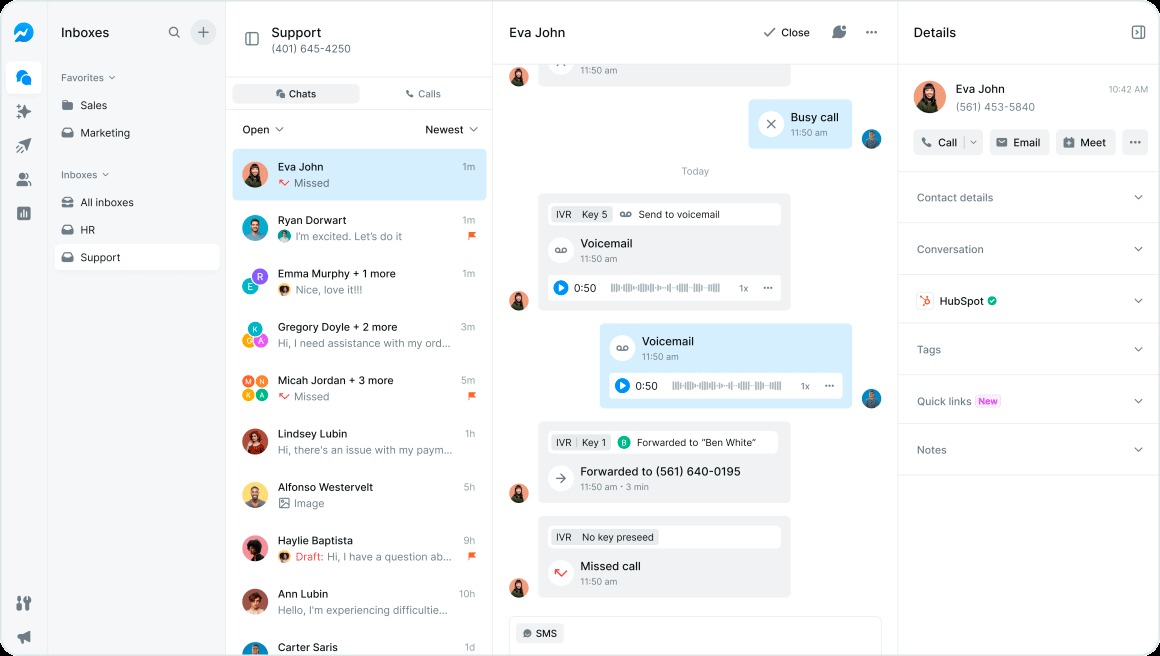
Miss a call?
You'll get an email notification with the contact info and a link to follow up.
A new counter in the navigation shows missed calls across all inboxes, so nothing slips through the cracks.
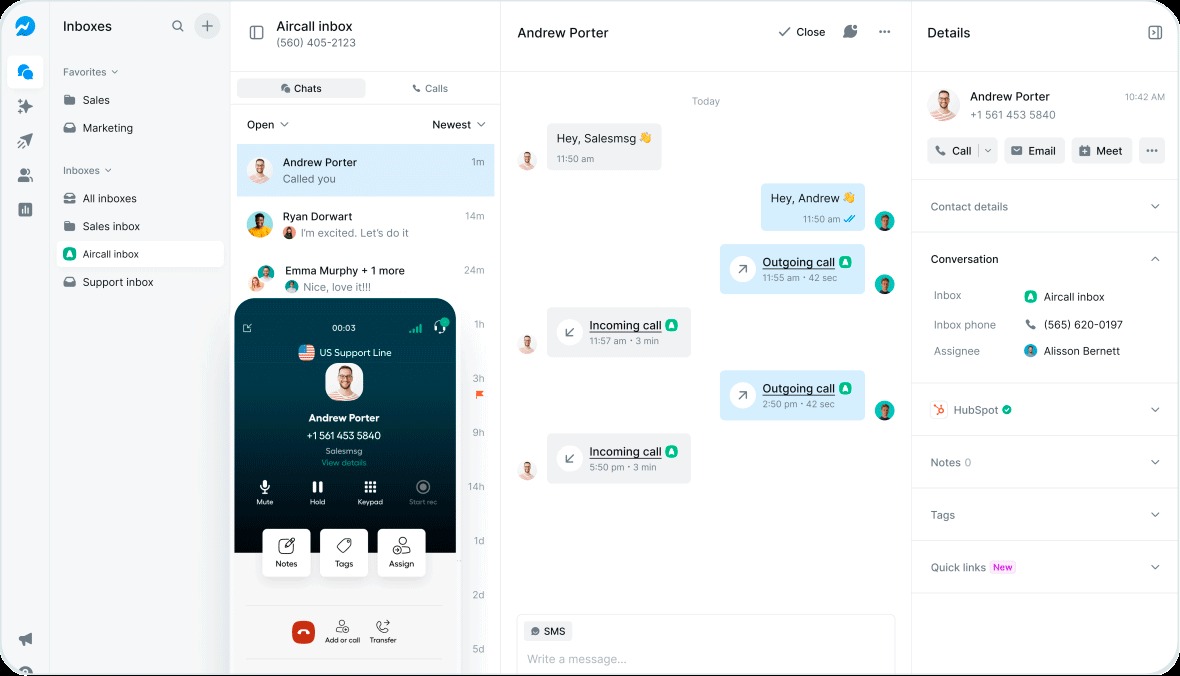
For HubSpot users, you can now set call outcomes and capture notes directly in the calling widget. Everything syncs without extra work.
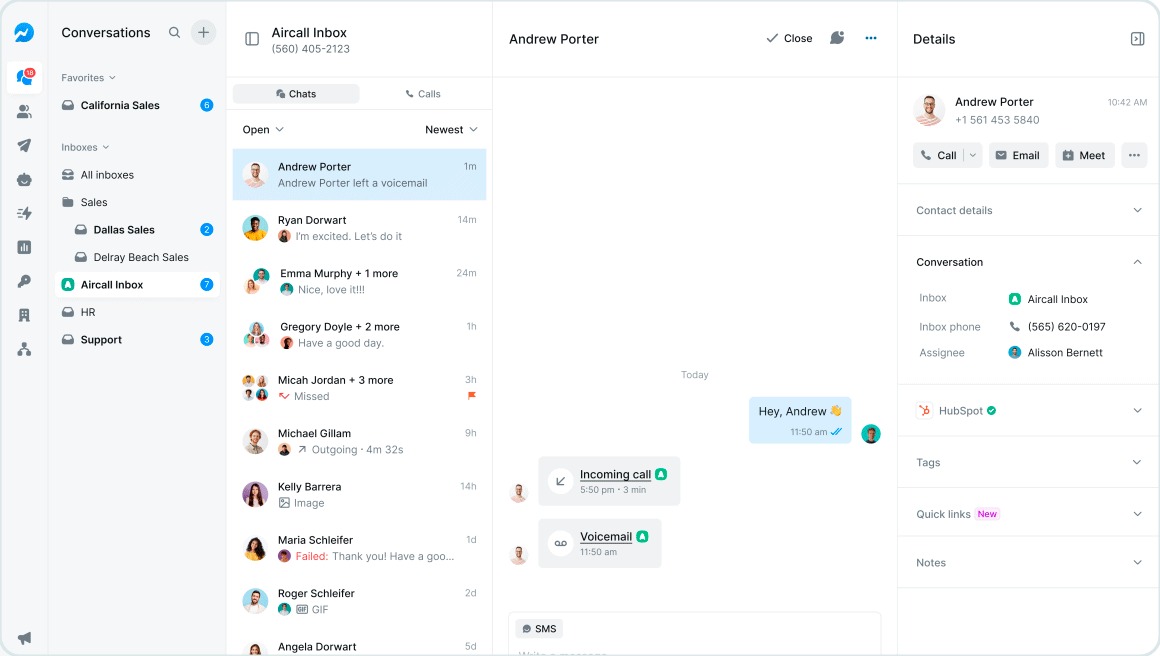
And if you use Aircall, transferred calls now show up in both inboxes with a direct link back to Aircall. No more lost handoffs.
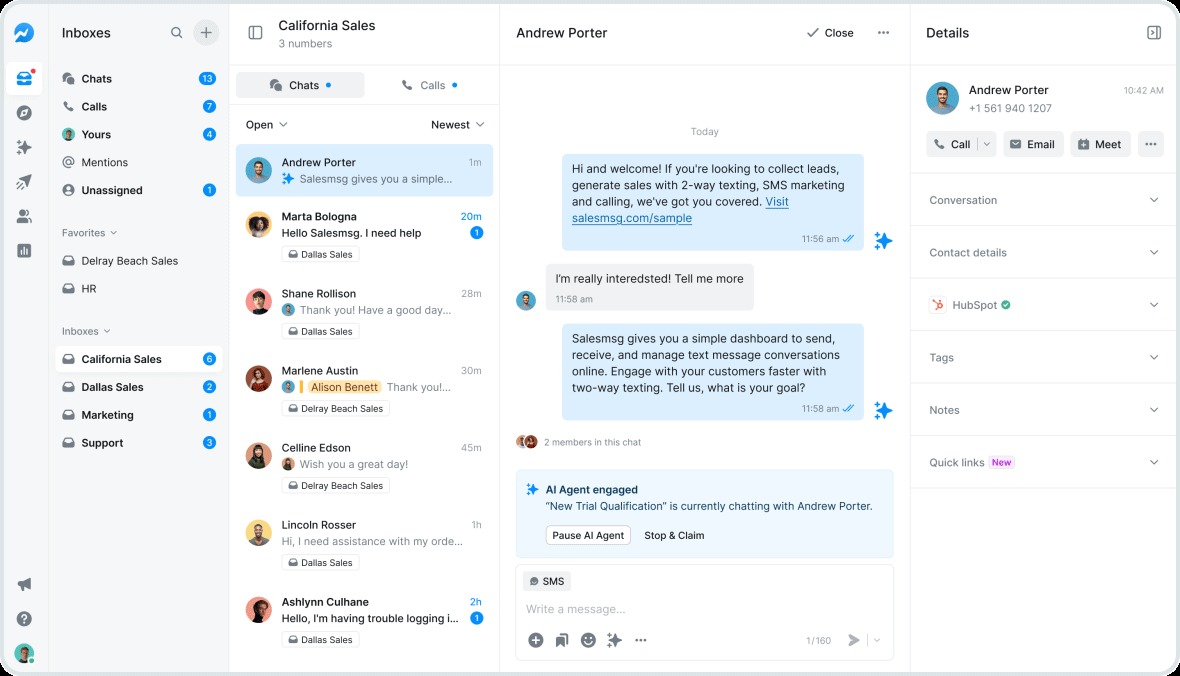
Team Collaboration Without the Chaos
Shared inboxes are great until two people reply to the same message. Or someone forgets to follow up. Or a conversation gets stuck in the wrong inbox.
We tackled it all this year.
Collision prevention shows when teammates are viewing or typing in the same conversation. You see names and avatars, so you know exactly who's active. No more duplicate replies.
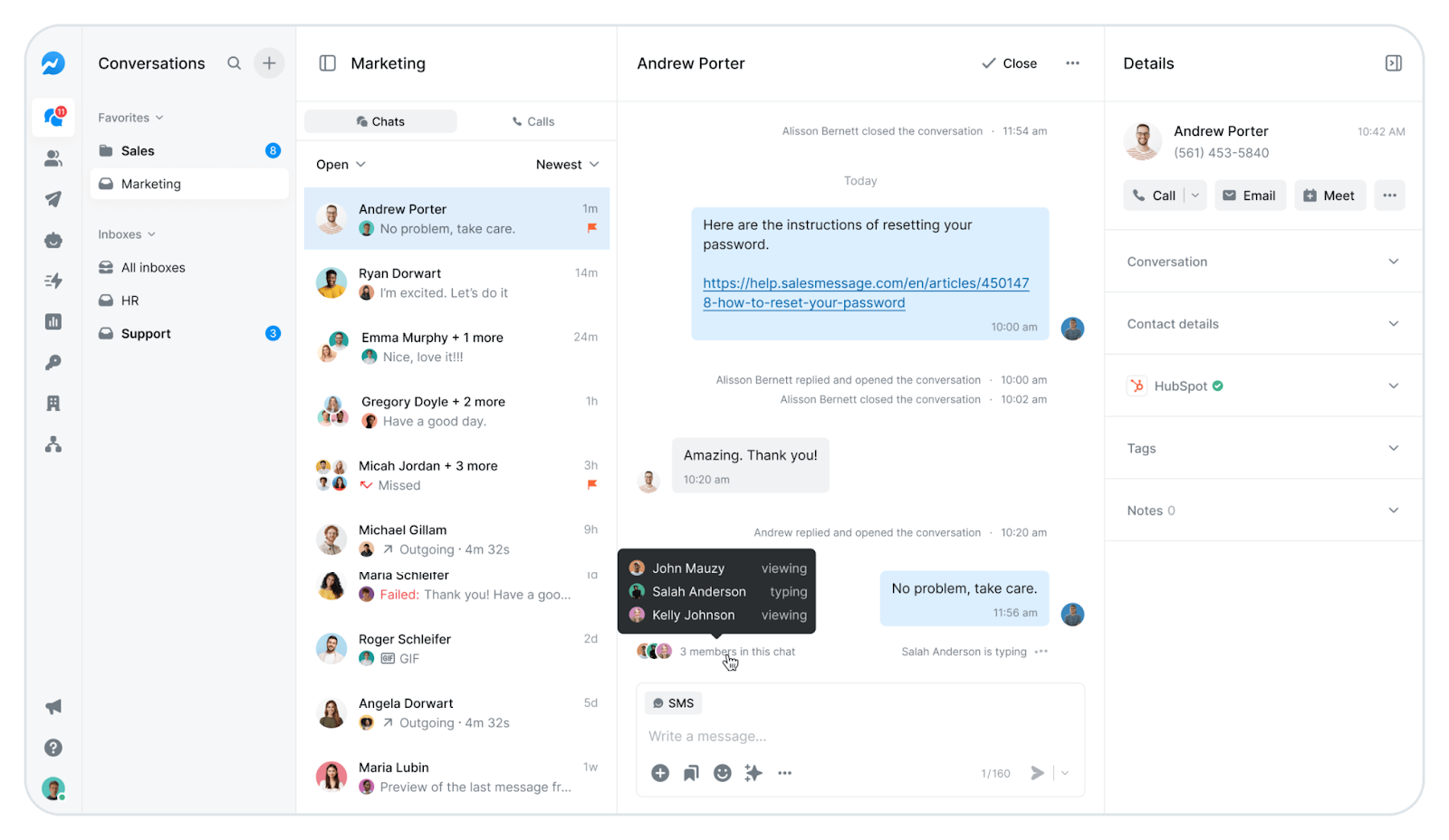
Need to loop someone in? Type @ to mention a teammate.
The chat automatically switches to a note so the customer doesn't see it. Tag the right person, add context, and keep moving.
Conversations can now be transferred between inboxes with a single click.
Sales closes a deal and needs to hand off to onboarding? The full thread moves with all the context. The next team steps in without missing a beat.
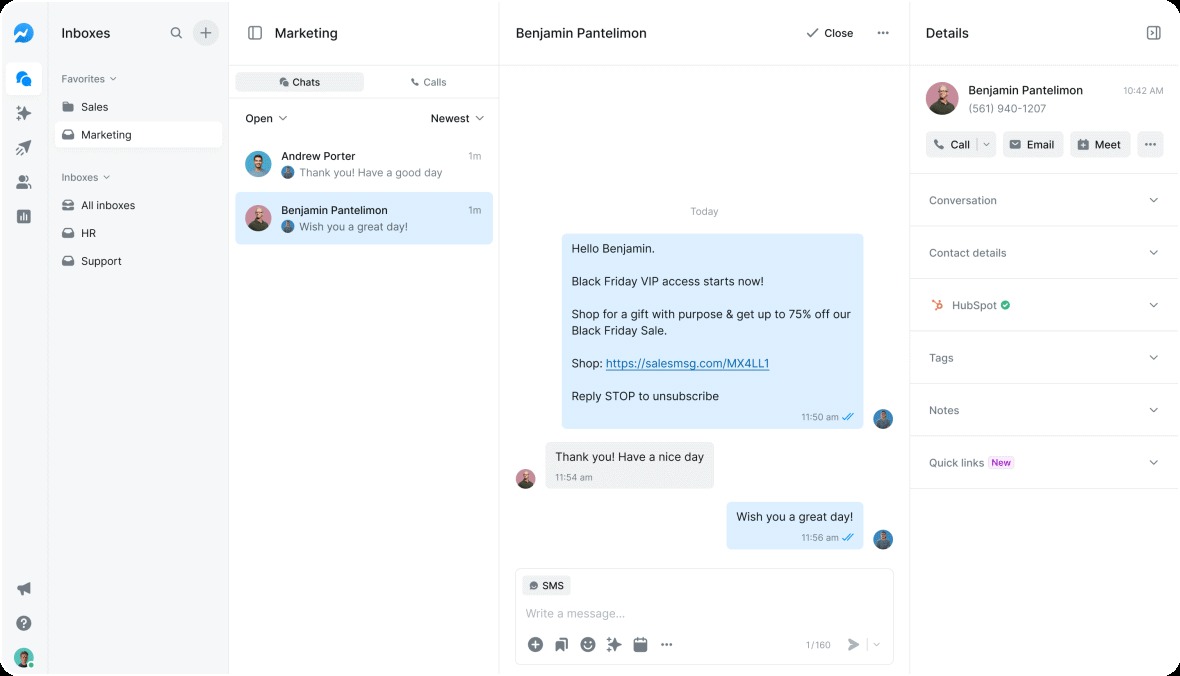
We also made inbox management faster.
Spin up multiple inboxes at once, each with its own phone number. Assign new team members to multiple inboxes right when you send the invite. No more adding people one by one.
Plus, your conversations page got a complete redesign. New views let you see all inboxes at once, just your conversations, places you've been mentioned, and drafts you haven't finished. Filter by unassigned to catch anything slipping through the cracks.
Admins and managers can now edit or delete any inbox in the organization, even ones they're not a member of. Full control when you need it.
Integrations That Actually Save Time
Your CRM should make texting easier. Too often, it's the opposite. Disconnected data. Manual syncing. Jumping between tabs.
We spent a lot of 2025 making integrations tighter.
CRM Integrations
Zoho CRM was one of our most requested. It's live now with two-way contact sync, searchable contacts from inside Salesmsg, and automatic record linking. If you're on Zoho, you're finally covered.
Calendly connects in a few clicks. All your meeting links show up right in the chat interface. Grab one, drop it in a text, done. No copying and pasting from another tab.
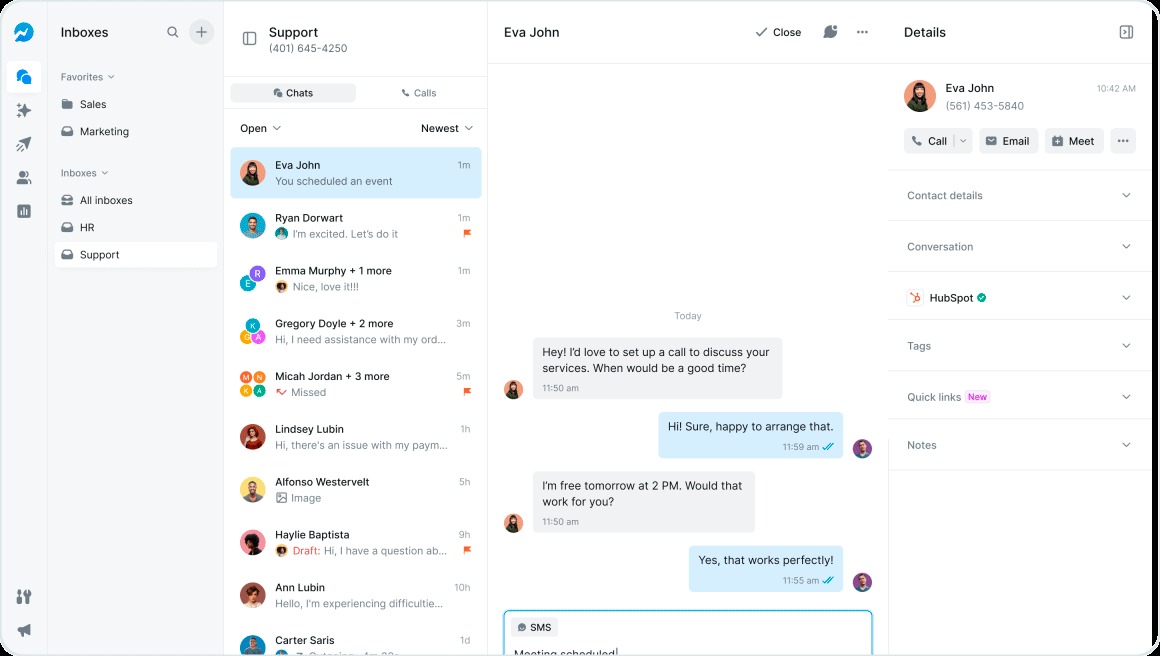
Setting up your CRM got easier.
When you connect your CRM, Salesmsg auto-matches your users to the right accounts. No manual mapping.
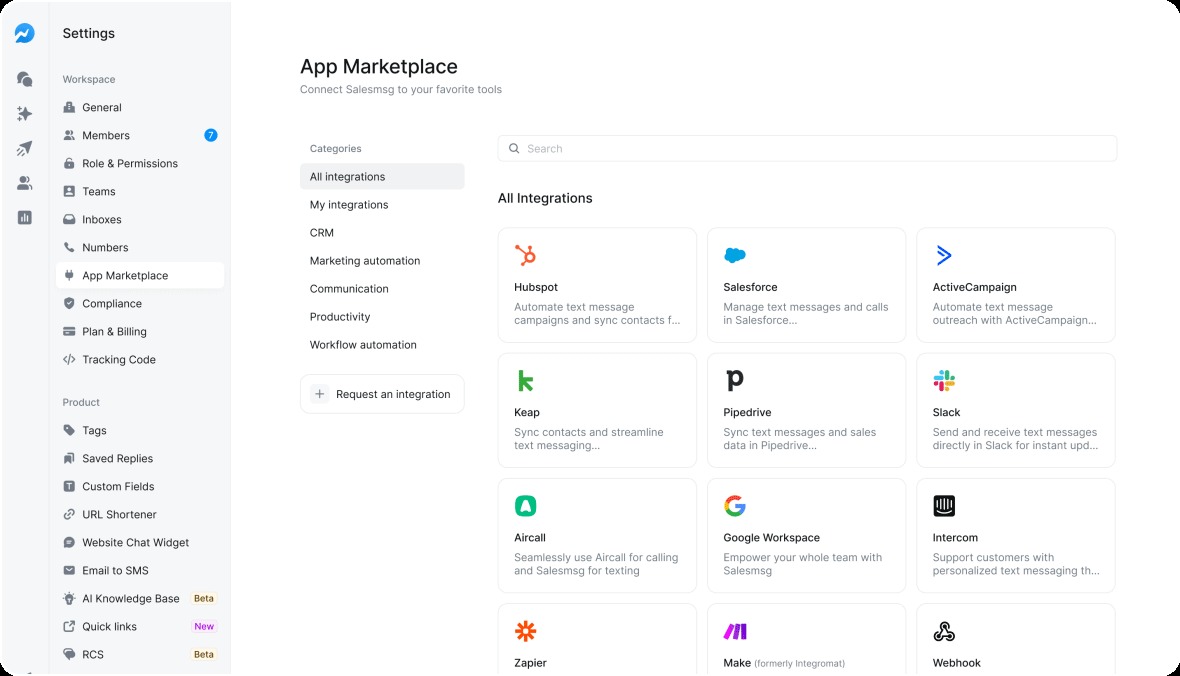
And when you need to refresh an integration or enable new features, just hit reconnect. No disconnecting and starting over.
For Aircall users, MMS now works. Send images, videos, and audio through your Aircall numbers.
HubSpot Upgrades
HubSpot got a ton of attention this year.
If you work in HubSpot, you shouldn't have to leave HubSpot to text your contacts.
That was the goal this year. We rebuilt the experience so your team can send texts, make calls, view AI suggestions, enroll contacts in campaigns, and queue up Power Dialer calls without ever switching tabs.
App Cards and Calling Cards put everything in the contact record sidebar where you're already working.
We also added HubSpot Workflows Analytics. Now you can see exactly how your automated texts perform and troubleshoot issues when something breaks.
Major Salesforce Updates
We overhauled our full native Salesforce integration this year. If your team lives in Salesforce, you can now text, call, and automate messaging without ever leaving your CRM.
The Salesmsg widget works on any Salesforce record.
Leads, contacts, opportunities, cases, campaigns, and custom objects. Send SMS, MMS, and ringless voicemails right from the record you're already looking at. Every interaction syncs to Salesforce Activities automatically.
Calling works the same way.
Click to call from any record, log recordings and voicemails, and use the same numbers for both SMS and voice. One unified communication workflow inside your CRM.
For automation, we built native Salesforce Flow actions.
Trigger personalized texts from any flow, send as the record owner, enroll contacts into Salesmsg campaigns, apply tags, and sync contact updates. Your Salesforce workflows now power your outreach without extra steps.
Analytics, Numbers, and Control
You can't improve what you can't measure. And you can't scale what you can't control.
We rebuilt both.
Analytics 2.0 is a complete redesign. New dashboards show conversations, messages, calls, and team performance at a glance.
Track SLA metrics, such as time to first response and time to close. See exactly how your credits are being used. Filter everything by member, inbox, or time of day.
The new performance tracking lets you analyze data side-by-side. Compare any combination of inboxes, team members, phone numbers, tags, or outbound sources to see what's working.
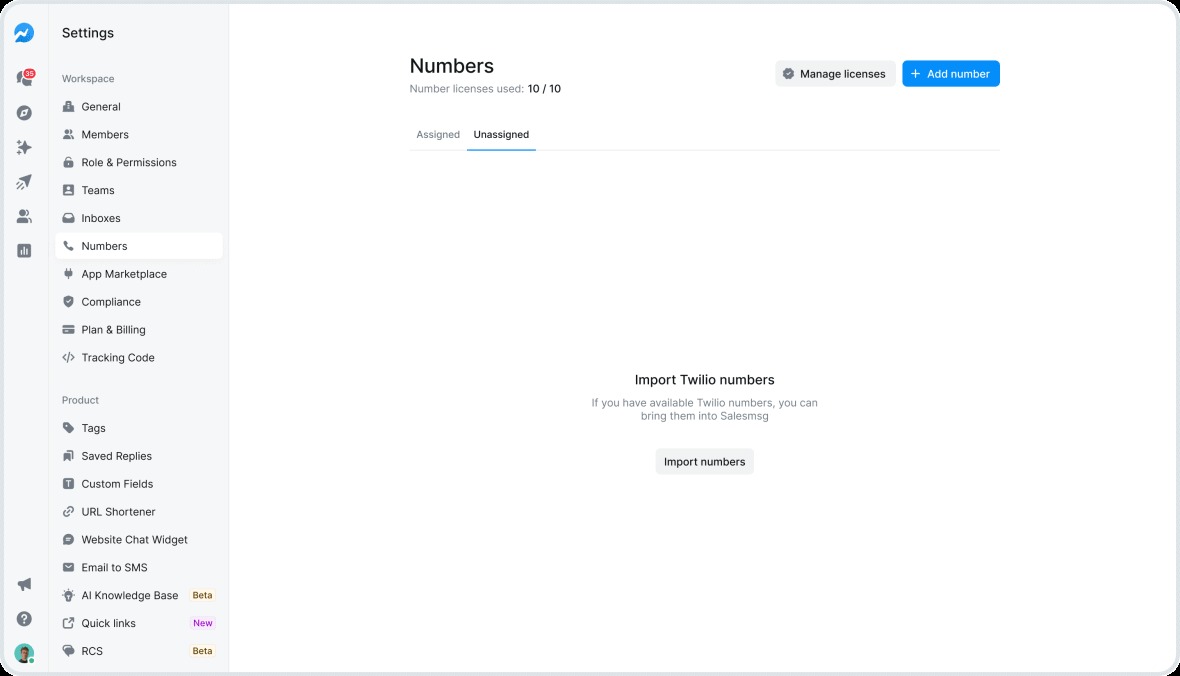
The numbers page got the same treatment. Numbers 2.0 consolidates everything into a single view, including license tracking, assignment status, and toll-free verification.
Here's what you can do now:
- Buy new local or toll-free numbers directly in the app
- Import numbers from Twilio with one click
- Text-enable your existing landline
- Port your number to Salesmsg for texting and calling
- Bulk assign numbers to inboxes in seconds
Permission controls got more granular. Decide who can create contacts, perform manual opt-ins, and access Phonecheckr. Keep your lists clean and your compliance tight.
Swapping phone numbers used to be stressful. Now there's a grace period. Both numbers stay active temporarily at no extra cost. No lost messages during the transition.
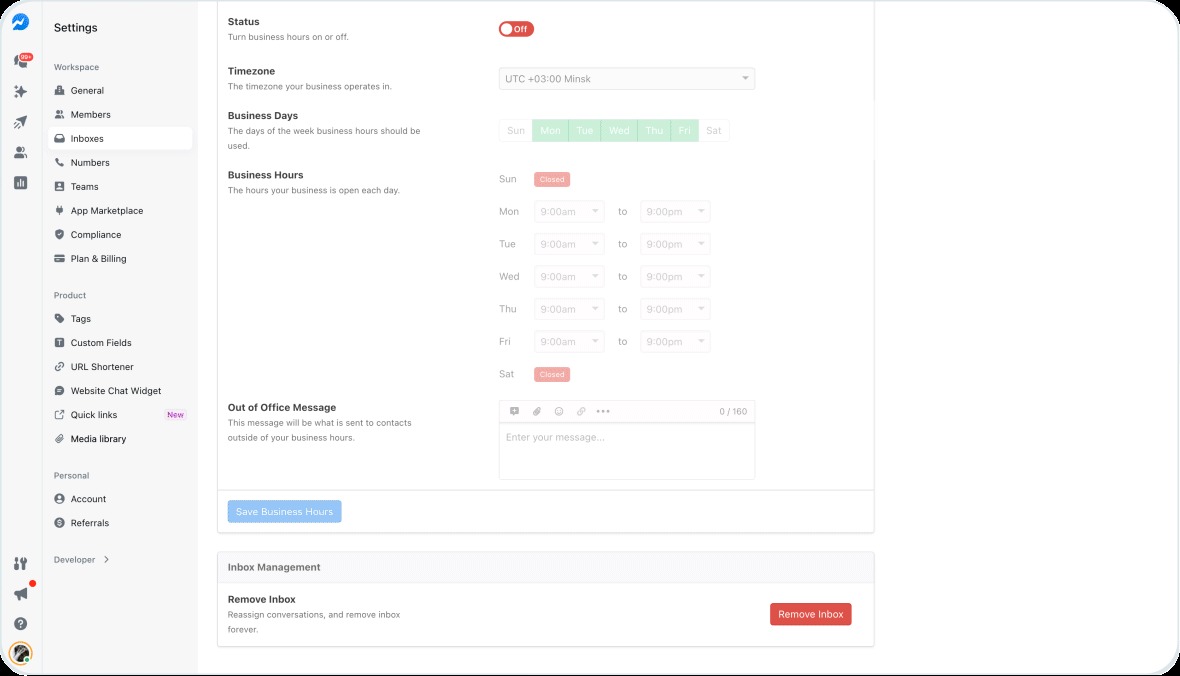
And the new business hours filter lets you see analytics only from your actual operating hours. No off-hour noise in your reports.
New Channels, New Reach
2025 was the year Salesmsg went global.
You can now text customers in over 200 countries using your existing U.S. or Canadian number. No new tools. No complicated setup. Just a wider reach from the same inbox you already use.
We added transparent, country-specific pricing so you see exactly how many credits each international text costs before you hit send. No hidden fees. No surprises.
MMS and calling stay available in the U.S., Canada, the U.K., and Australia. Everywhere else, Salesmsg focuses on reliable SMS delivery. Your core communication works no matter where your customers are.
Adding and searching international contacts is just as easy. Salesmsg handles country codes and formatting automatically. Find contacts by name, number, or country code without fighting with formats.
We also launched UK phone numbers with full compliance, so you can buy local UK numbers and text or call customers there directly. And Mexico is live with +52 support.
RCS is in Beta
RCS is now in beta. It's a richer messaging experience with your logo, colors, and business name built into the conversation.
Run RCS Broadcasts with branded layouts and media right from your existing workflow.
Use the RCS Configurator to design templates that match your brand's look and feel.
SMS fallback handles contacts who aren't RCS-compatible yet. Your customers are everywhere. Now you can reach them.
What's Next for You and Salesmsg in 2026?
Every feature on this list started with listening. You told us what you needed. We built it.
That's how 2025 happened. That's how 2026 will happen too.
Thanks for making Salesmsg part of how you connect with your customers. We don't take it for granted.
Thanks for building with us.
See you next year.
Sign up for a free demo or get started with a 14-day free trial today.
_Inc.%205000.webp)

%20(9).png)

_Salesmsg%20%20by%20the%20numbers.webp)