20 Best Call Transcription Software Tools for 2026




Quick summary
The best call transcription software for sales and support teams in 2026 is Salesmsg, followed by Dialpad, Gong, CloudTalk, and Fireflies.ai. Which one fits depends on whether you want transcripts tied to your CRM and follow-up motion, deep conversation intelligence for coaching, or a lightweight notetaker for video meetings.
Most tools in this category stop at the transcript. The best ones generate an AI summary, log it to the CRM, and let you act on the call before the buyer moves on.
This guide compares 20 call transcription tools by what they actually do, how well they sync to HubSpot and Salesforce, real pricing, and where each one falls short. Written for sales, support, and CS teams choosing software in 2026.
Comparison: call transcription software at a glance
Check the table for a quick overview before the individual reviews. Pricing reflects monthly rates as of publishing. Always verify with the vendor before making a decision.
If you want transcripts and AI summaries tied to a follow-up motion in HubSpot or Salesforce, Salesmsg is worth checking first.
What is call transcription software
Call transcription software converts recorded phone calls and voicemails into written text using speech-to-text AI. Most modern tools add an AI-generated summary and a next steps note on top of the raw transcript, and push both to a CRM contact record so your team does not have to copy and paste.
The category covers three overlapping types of product. Phone systems with transcription built in, meeting notetakers that join video calls, and dedicated transcription services that turn audio files into text. This list covers all three so you can compare them side by side.
The 20 best call transcription software tools
1. Salesmsg
.webp)
Best for: B2B sales, support, and CS teams running HubSpot or Salesforce that want calls, transcripts, AI summaries, and text follow-up on the same number and in the same thread.
The top complaint about most call transcription tools is that the transcript ends where the workflow starts. You get a summary, but logging it to the CRM and sending the next message is still a manual, tool-switching job. By the time you finish, the buyer has cooled off.
Salesmsg was built to fix that specific gap. Calls and texts share the same number, so the moment a call ends, the AI summary lands in the contact record and you can reply by SMS in the same thread. For teams working on speed-to-lead follow-up, the workflow is one click, not five.
Key features:
- Auto transcription for calls and voicemails
- AI summary and next steps in CRM
- One number for calls and texts
- Native HubSpot and Salesforce sync
- AI Agents for inbound calls and texts
- Built-in 10DLC and TCPA compliance
Transcription details: Automatic on every recorded call and voicemail, with speaker labels. AI generates a summary and next-step note as soon as the call ends. Both push to the HubSpot or Salesforce contact timeline without Zapier.
CRM integration: Native two-way sync with HubSpot, Salesforce, Pipedrive, and ActiveCampaign, plus 30+ more integrations. Reps can call, text, and see transcripts from inside the CRM record.
Pricing: Basic starts at $25/month for 500 message credits. Pro is $277/month. Calls run 1 credit per minute, transcription adds 1 credit per minute. Additional seats at graduated pricing. 14-day free trial, 30-day money-back guarantee.
Pros:
- Transcript, summary, and SMS in one thread
- Native CRM sync with no Zapier
- Compliance guided by real support reps
Cons:
- Best fit for US and Canada
- Credit-based pricing needs modelling
- Focused on SMB and mid-market
.webp)
G2: 4.7/5 (370+ reviews) | Capterra: 4.6/5 (75+ reviews)
Try Salesmsg free for 14 days.
2. Dialpad
.webp)
Best for: Sales managers who want live transcription running during calls, coaching prompts, and automated post-call summaries synced to the CRM.
Dialpad has invested more in AI call features than most phone systems in this category. Ai Voice Intelligence transcribes live and flags action items during the call rather than after. Post-call summaries generate automatically and push to the CRM record.
For managers trying to coach reps without listening to hours of recordings, that is genuinely useful. The catch is that HubSpot and Salesforce integrations require the Pro plan, which is a step up from Standard.
Key features:
- Real-time transcription on every call
- Live coaching prompts during calls
- Auto post-call summaries synced to CRM
- HubSpot and Salesforce native sync
- Video meetings included on all plans
Transcription details: Real-time transcription and post-call summaries on every plan. Some advanced AI analytics sit on higher tiers.
CRM integration: HubSpot and Salesforce require the Pro plan at $35/user/month. The Standard plan does not include CRM sync.
Pricing: Standard from $27/user/month billed annually. Pro at $35/user/month adds CRM integrations and additional AI features.
Pros:
- Best live transcription on this list
- Post-call summaries reduce manual logging
- Useful for coaching new reps at scale
Cons:
- CRM sync locked behind Pro plan
- SMS features are limited
- Some users report mobile call quality issues
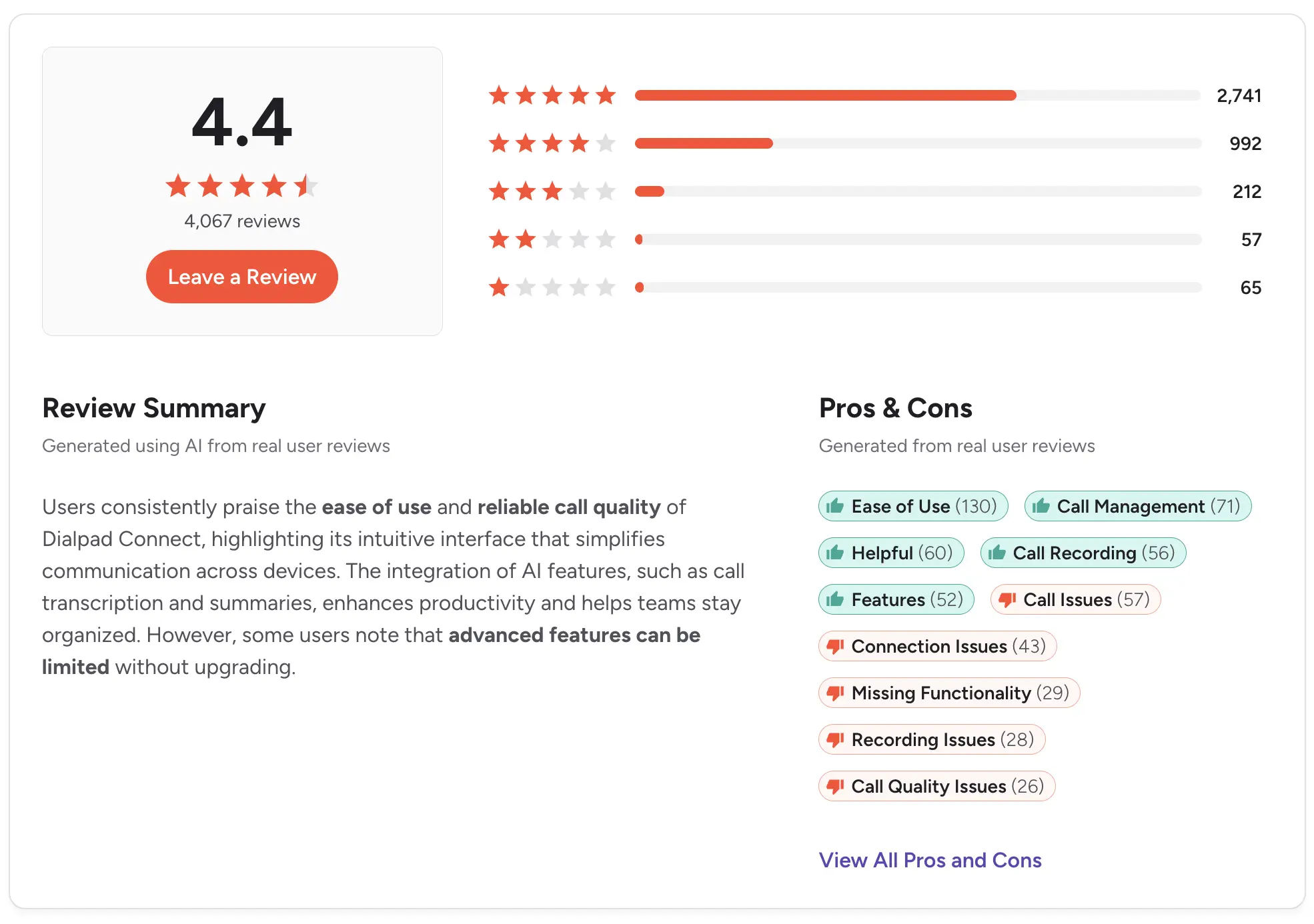
G2: 4.4/5 (4,000+ reviews) | Capterra: 4.2/5 (550+ reviews)
3. CloudTalk
.webp)
Best for: Support and inside sales teams running a call center that need call recording, transcription, and analytics in one dashboard.
CloudTalk is cloud call center software with automatic recording, transcription, and AI summaries on higher plans. Its dashboard tracks average call time, missed calls, and CSAT for support teams, and its 160+ international phone numbers make it a common pick for global teams.
Transcription and AI summaries live on the Expert plan at $50/user/month, so the entry price is misleading if AI is part of what you need.
Key features:
- Auto call recording on all plans
- Transcription and AI summaries on higher tiers
- Local numbers in 160+ countries
- HubSpot, Salesforce, Pipedrive, Intercom sync
- Power dialer and call routing
Transcription details: Automatic transcription available on Expert plan and up, with AI summaries on the same tier.
CRM integration: HubSpot on the Essential plan. Salesforce requires the Expert plan. Pipedrive and Intercom on Essential and up.
Pricing: Lite from $25/user/month billed annually. Essential at $39/user/month. Expert at $50/user/month with a three-user minimum.
Pros:
- Strong international coverage
- Solid analytics for support teams
- Power dialer for outbound volume
Cons:
- Transcription only on the Expert plan
- Salesforce sync doubles the entry cost
- Three-user minimum on higher tiers
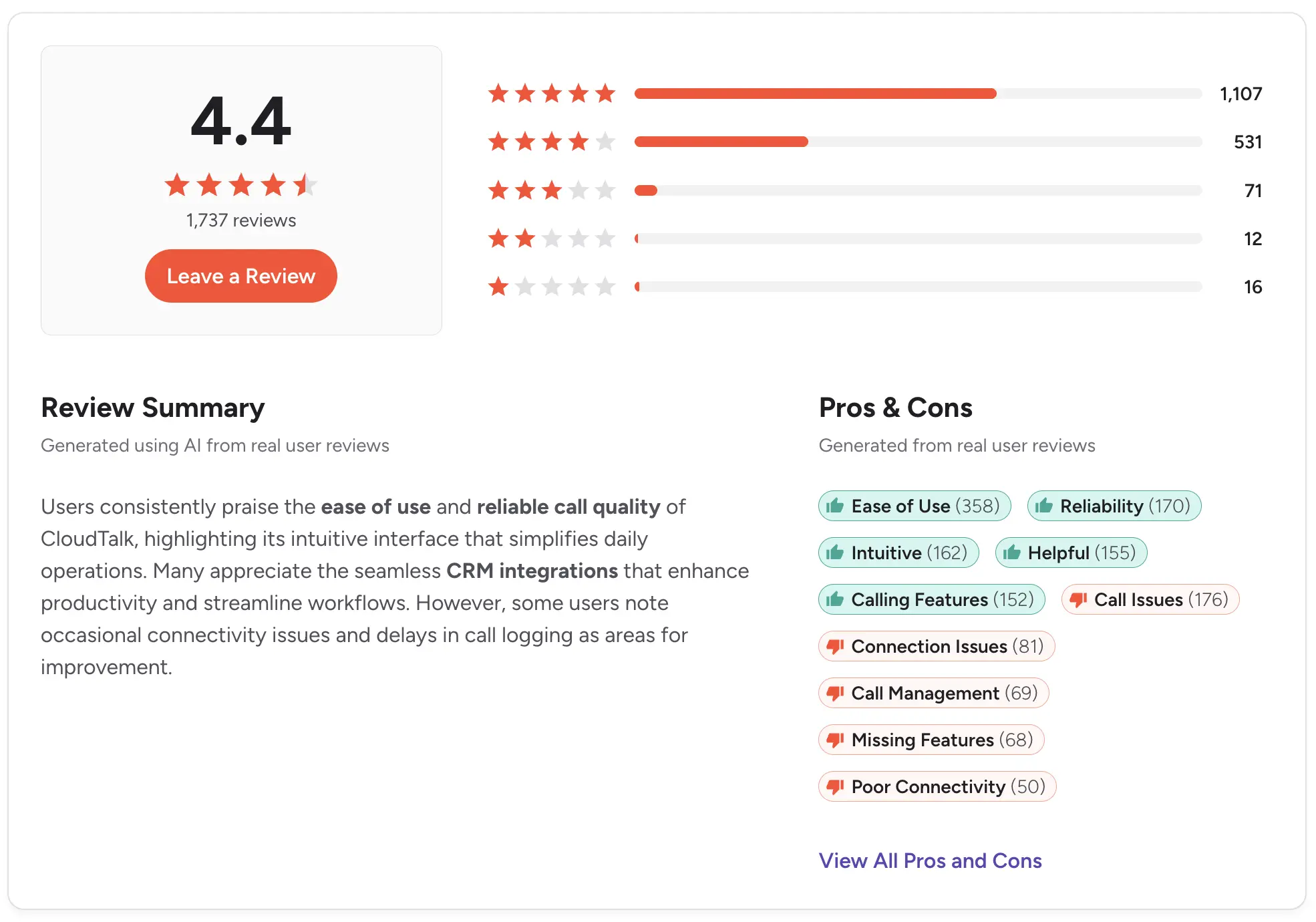
G2: 4.4/5 (1,700+ reviews) | Capterra: 4.4/5 (260+ reviews)
4. Aircall
Best for: Sales and support teams that need a reliable cloud phone system with native HubSpot, Salesforce, and Pipedrive sync.
Aircall is a cloud phone system focused on sales and support. Call recording is standard on all plans, and transcription plus AI summaries come through the Aircall AI add-on. The CRM integrations are among the deepest on this list, with call activity logged automatically to contact and deal records.
The pricing model catches teams off guard. Aircall requires a three-user minimum, and AI features sit on top of the base plan. For teams evaluating options, see our roundup of Aircall alternatives.
Key features:
- Cloud calling with local presence dialing
- Call recording on all plans
- Transcription via Aircall AI add-on
- Native HubSpot, Salesforce, Pipedrive, Zendesk sync
- Power dialer on Professional plan
Transcription details: Aircall AI adds transcription, AI summaries, and talk-to-listen ratios. Not included in base plans.
CRM integration: Native HubSpot, Salesforce, Pipedrive, and Zendesk sync from the Essentials plan. Call activity and recordings log automatically to contact records.
Pricing: Essentials from $30/user/month with a three-user minimum, so $90/month floor. Professional at $50/user/month. Aircall AI add-on runs $9/user/month on top.
Pros:
- Deep native CRM integrations
- Reliable call quality and infrastructure
- Good analytics for sales managers
Cons:
- Three-user minimum inflates entry cost
- AI features cost extra on top of plan
- SMS support is basic
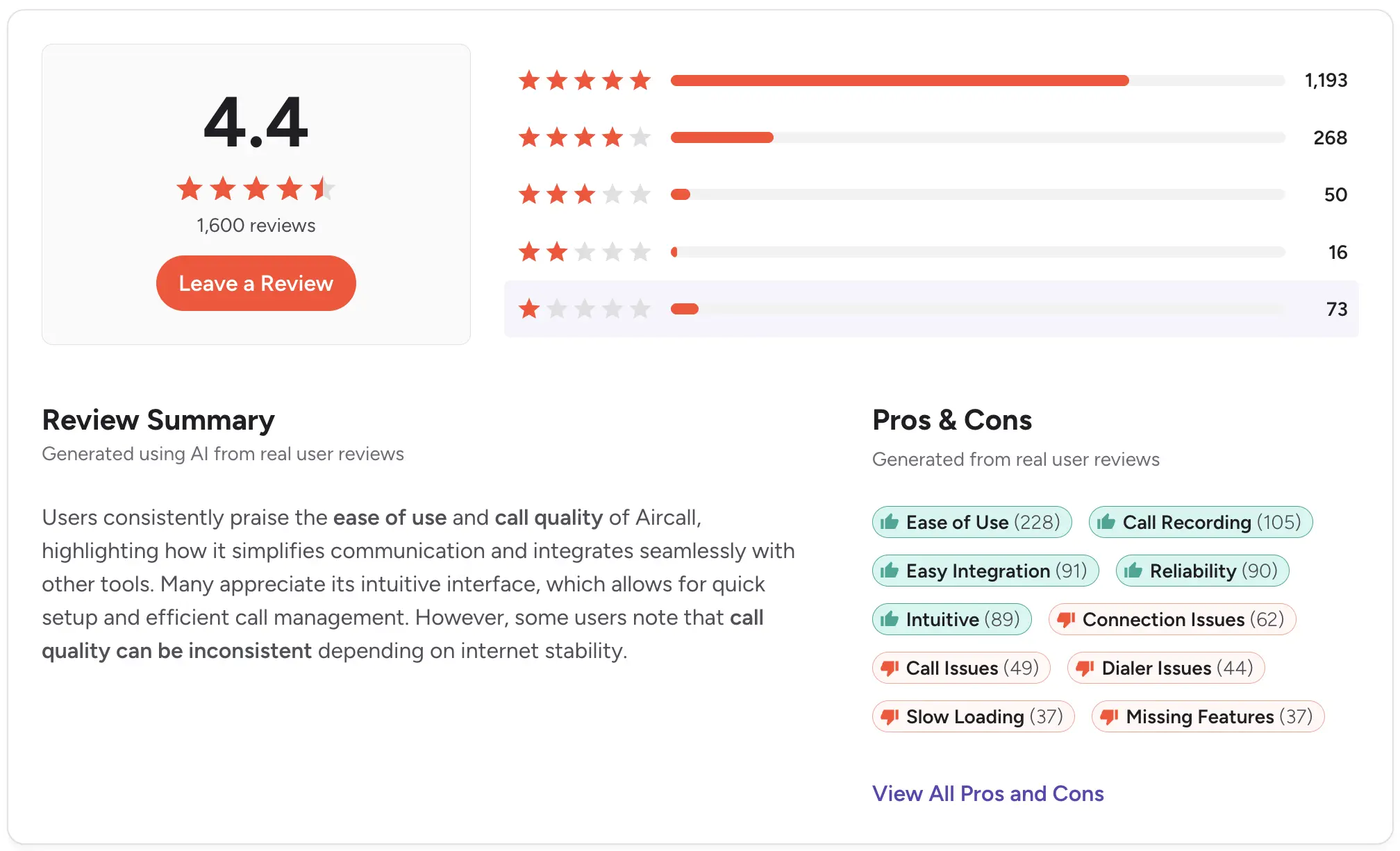
G2: 4.4/5 (1,000+ reviews) | Capterra: 4.5/5 (400+ reviews)
5. JustCall

Best for: High-volume outbound sales teams that need a power dialer, SMS, and call transcription in one cloud phone system.
JustCall is a cloud phone with a power dialer, SMS, and call recording built in. JustCall iQ handles transcription, AI call summaries, and sentiment scoring on Business plans and up. Native integrations cover HubSpot, Salesforce, Pipedrive, and ActiveCampaign.
The AI features sit behind a higher tier, and pricing gets steep once you add multiple seats. For a side-by-side comparison, see our roundup of JustCall alternatives, and for dialer-specific tools see our guide to the best power dialer software.
Key features:
- Power dialer with local presence
- Two-way SMS and call recording
- JustCall iQ transcription and AI summaries
- HubSpot, Salesforce, Pipedrive, ActiveCampaign sync
- Sentiment scoring and conversation intelligence
Transcription details: JustCall iQ transcribes calls, generates summaries, and scores sentiment. Available on the Pro plan and up.
CRM integration: Native two-way sync with HubSpot, Salesforce, Pipedrive, and ActiveCampaign. Calls and texts log automatically to contact records.
Pricing: Team from $29/user/month billed annually. Pro at $49/user/month (custom) adds iQ features. Business tier available for larger teams.
Pros:
- Combines power dialer, SMS, and transcription
- Solid CRM integrations across the stack
- Sentiment analysis useful for coaching
Cons:
- Best AI features locked behind Pro plan
- Some users report inconsistent SMS deliverability
- Support responsiveness varies
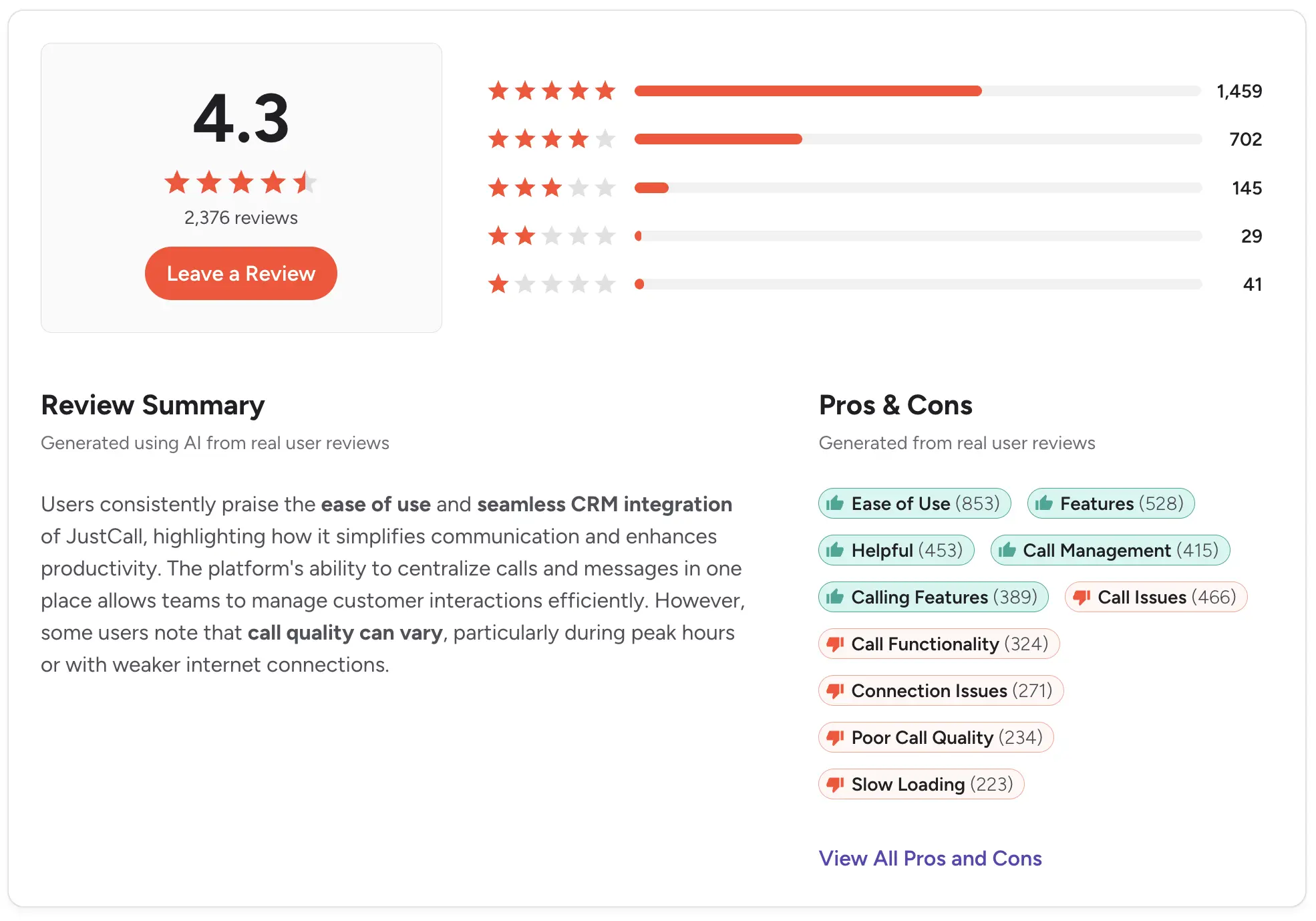
G2: 4.3/5 (2,000+ reviews) | Capterra: 4.1/5 (200+ reviews)
6. Fireflies.ai

Best for: Sales and CS teams that run most calls on video and want an AI notetaker that joins meetings, transcribes, and pushes summaries to the CRM.
Fireflies.ai is an AI notetaker that joins video calls to transcribe, summarize, and surface action items. It works on video calls specifically, not inbound phone calls, so it fits teams whose customer conversations happen on Zoom, Google Meet, or Teams rather than a dialer.
Its integration library is broad, with 40+ tools including HubSpot, Salesforce, Slack, Notion, and Asana.
Key features:
- Auto-join for Zoom, Meet, Teams
- Transcription with speaker separation
- AI summaries and action items
- Search across all past meeting transcripts
- 40+ tool integrations including HubSpot and Salesforce
Transcription details: Real-time transcription for video calls, with AI summary and action items after the call ends.
CRM integration: HubSpot, Salesforce, Copper, and Zoho, plus Zapier for others.
Pricing: Free plan for individuals. Pro from $10/user/month billed annually. Business at $19/user/month. Enterprise custom.
Pros:
- Strong free plan for individual reps
- Wide integration library
- Search across meeting history is fast
Cons:
- Video only, no phone call support
- Admin controls lighter than dedicated sales tools
- Summary quality varies by call length
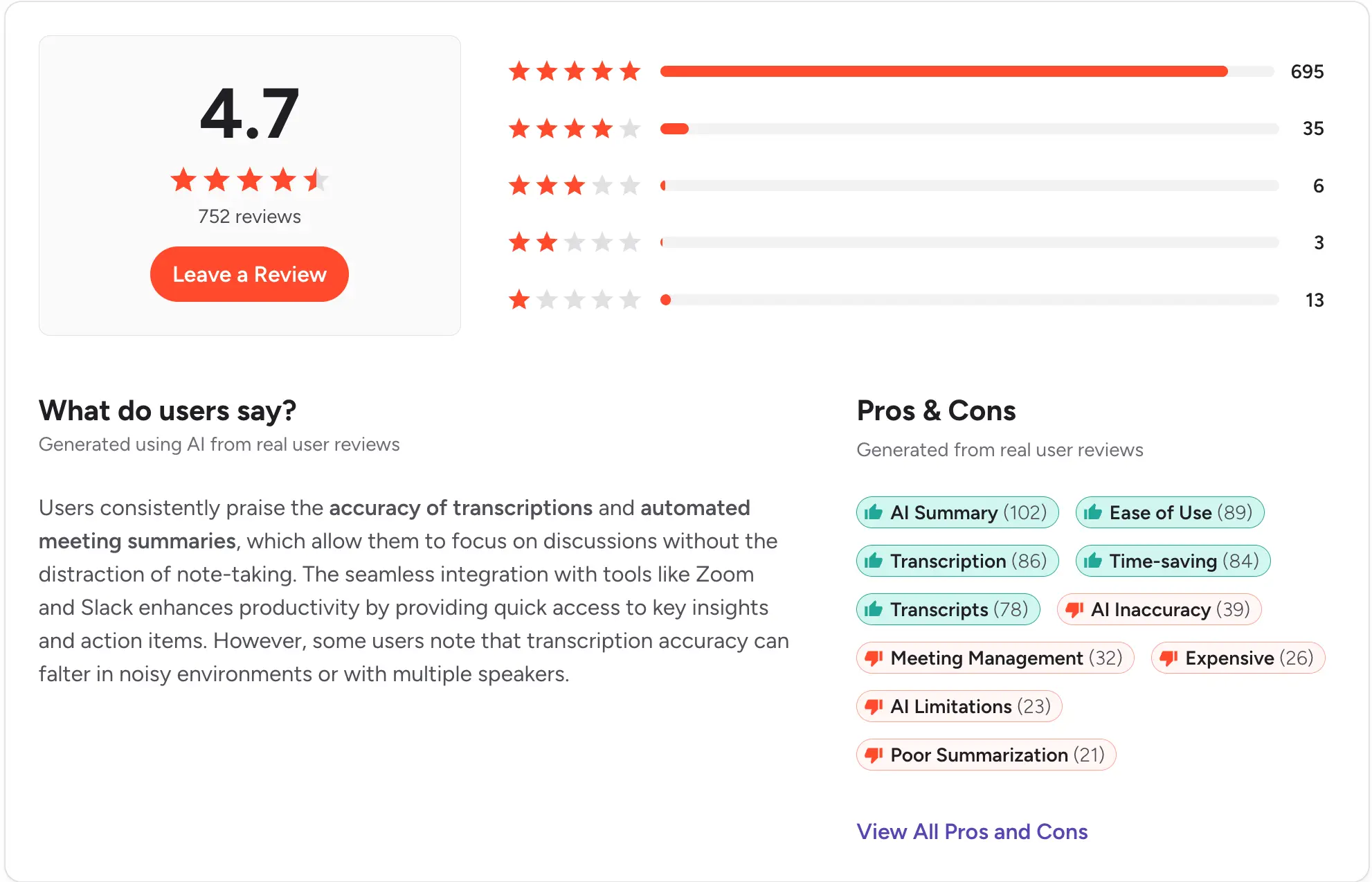
G2: 4.6/5 (500+ reviews) | Capterra: 4.4/5 (30+ reviews)
7. Otter.ai

Best for: Individuals and small teams that need transcription for meetings, interviews, and live conversations across multiple use cases.
Otter.ai does real-time transcription for meetings, interviews, and live conversations, and its AI Chat feature lets you query transcripts after the fact. It is one of the most widely used voice-to-text tools outside sales, so CRM integrations are lighter than dedicated sales platforms.
For teams that live in HubSpot or Salesforce, the sales-focused tools on this list offer deeper workflows. Otter shines when the primary use case is capturing conversation content, not converting it into pipeline activity. For broader AI tool selection, see our roundup of the best AI tools for sales teams.
Key features:
- Real-time transcription for meetings
- AI Chat to query past transcripts
- Auto-join for Zoom, Meet, Teams
- Automated summaries and action items
- HubSpot and Salesforce integrations
Transcription details: Real-time transcription with speaker separation. Summaries and highlights generated automatically after the meeting.
CRM integration: HubSpot and Salesforce via direct integration on higher plans. Zapier available for other CRMs.
Pricing: Free tier with 300 monthly transcription minutes. Pro from $8.33/user/month. Business at $20/user/month billed annually.
Pros:
- Generous free tier
- Strong AI Chat for querying transcripts
- Fast setup with no technical requirements
Cons:
- CRM sync less deep than sales tools
- No native phone call transcription
- Monthly transcription minutes capped
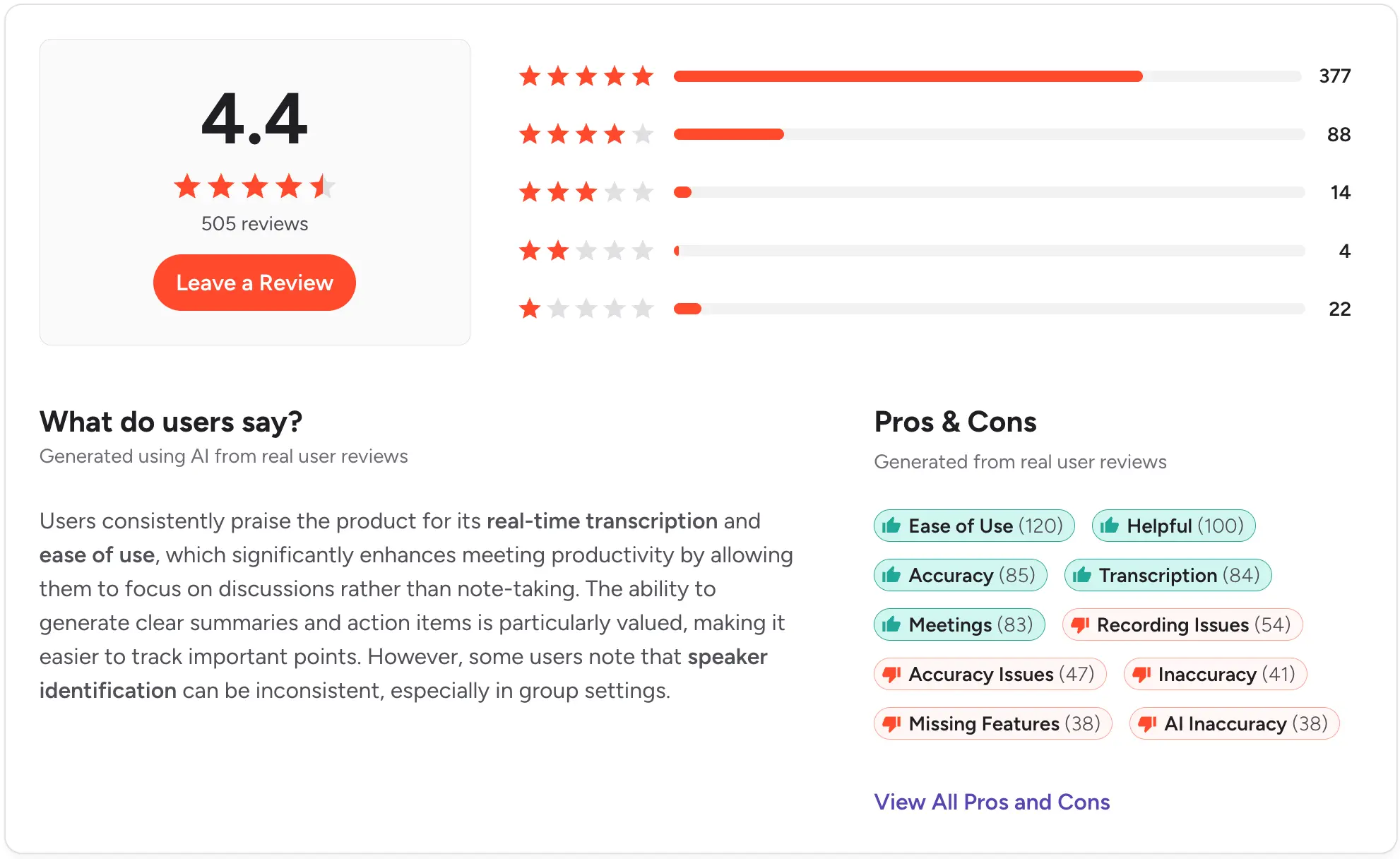
G2: 4.3/5 (250+ reviews) | Capterra: 4.5/5 (80+ reviews)
8. Gong
Best for: Revenue teams where call analysis drives pipeline decisions, and where a full conversation intelligence platform justifies the price.
Gong is a full conversation intelligence platform that records, transcribes, and analyzes sales calls for coaching and deal risk signals. Its AI flags competitor mentions, pricing objections, and next steps across the entire pipeline. Native Salesforce and HubSpot sync, plus 100+ other integrations.
Gong is priced for teams that treat call analysis as a strategic layer, not a feature. Typical spend is $1,200 or more per user per year, and the vendor does not publish public pricing.
Key features:
- Records and transcribes every sales call
- AI flags deal risk and competitor mentions
- Coaching library and rep scorecards
- Native Salesforce and HubSpot sync
- Revenue forecasting from call signals
Transcription details: Every call transcribed automatically, with searchable keyword tagging and speaker separation.
CRM integration: Deep native Salesforce and HubSpot integration. Data flows both ways for forecasting and pipeline signals.
Pricing: Custom quote only. Generally $1,200+ per user per year based on team reports.
Pros:
- Best conversation intelligence on the market
- Genuinely useful for pipeline forecasting
- Strong coaching workflows
Cons:
- Priced for enterprise, not SMB
- Requires internal analyst to get full value
- Long implementation for smaller teams
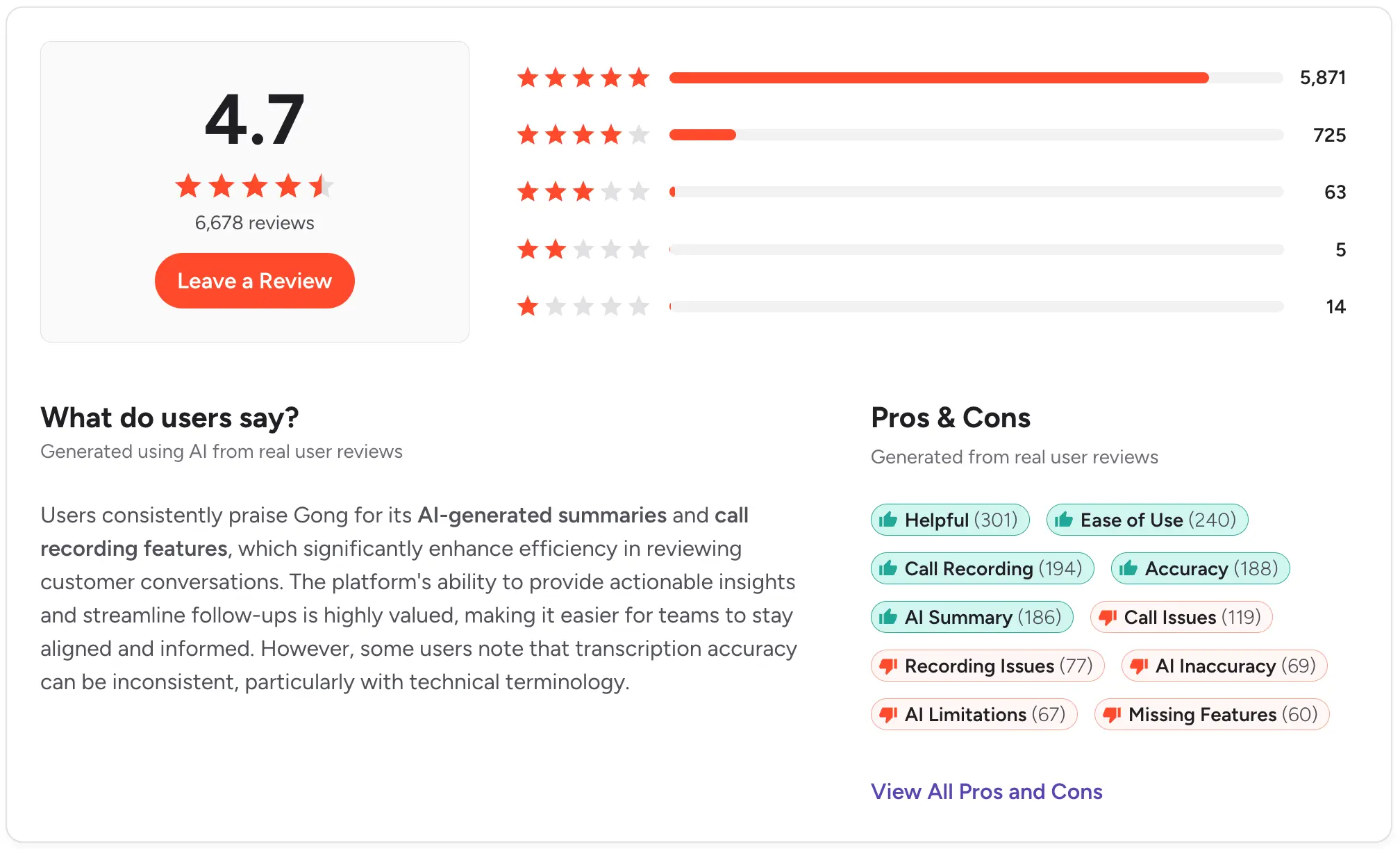
G2: 4.7/5 (6,000+ reviews) | Capterra: 4.8/5 (500+ reviews)
9. Chorus by ZoomInfo
Best for: Sales teams already inside the ZoomInfo ecosystem that want conversation intelligence bundled with prospecting data.
Chorus records and transcribes sales calls, tags key moments, and builds coaching libraries. It sits inside ZoomInfo's broader revenue platform, so it fits teams already using ZoomInfo for prospecting.
Standalone, Chorus is a smaller purchase than Gong. Bundled with ZoomInfo, the pricing quickly scales to enterprise numbers.
Key features:
- Records and transcribes sales calls
- Tags key moments and topics
- Coaching libraries and rep scorecards
- Salesforce and HubSpot native sync
- Outreach integration
Transcription details: Auto transcription with keyword tagging. Integrates with the wider ZoomInfo data set for context.
CRM integration: Native Salesforce and HubSpot sync, plus Outreach.
Pricing: Custom quote. Bundled pricing with ZoomInfo typically enterprise range.
Pros:
- Bundles well with ZoomInfo prospecting
- Solid coaching workflows
- Strong Salesforce integration
Cons:
- Standalone value harder to justify
- Enterprise pricing without transparency
- Feature gap vs Gong on deal intelligence
Capterra: 4.7/5 (60+ reviews)
10. Fathom

Best for: Individual reps and small teams that want unlimited free AI meeting recording, transcription, and summaries for video calls.
Fathom is a free AI meeting assistant for Zoom, Google Meet, and Teams. It transcribes calls, generates summaries, and syncs highlights to Salesforce, HubSpot, and Close. The free plan covers unlimited recording and transcription for individual users, which is unusual in this category.
For team-level admin controls, coaching workflows, and reporting, the paid Team Edition is required.
Key features:
- Free unlimited recording for individuals
- Auto transcription with speaker labels
- AI summaries and action items
- Salesforce, HubSpot, Close sync
- One-click clip sharing
Transcription details: Real-time transcription during video calls, with summaries and highlights after the meeting.
CRM integration: Native Salesforce, HubSpot, and Close sync. Zapier for others.
Pricing: Free for individuals. Team Edition from $32/user/month billed annually.
Pros:
- Best free plan in this category
- Native CRM sync even on paid tier
- Fast setup with no technical requirements
Cons:
- Video only, no phone call support
- Team admin features locked to paid plan
- Coaching workflows lighter than Gong or Chorus
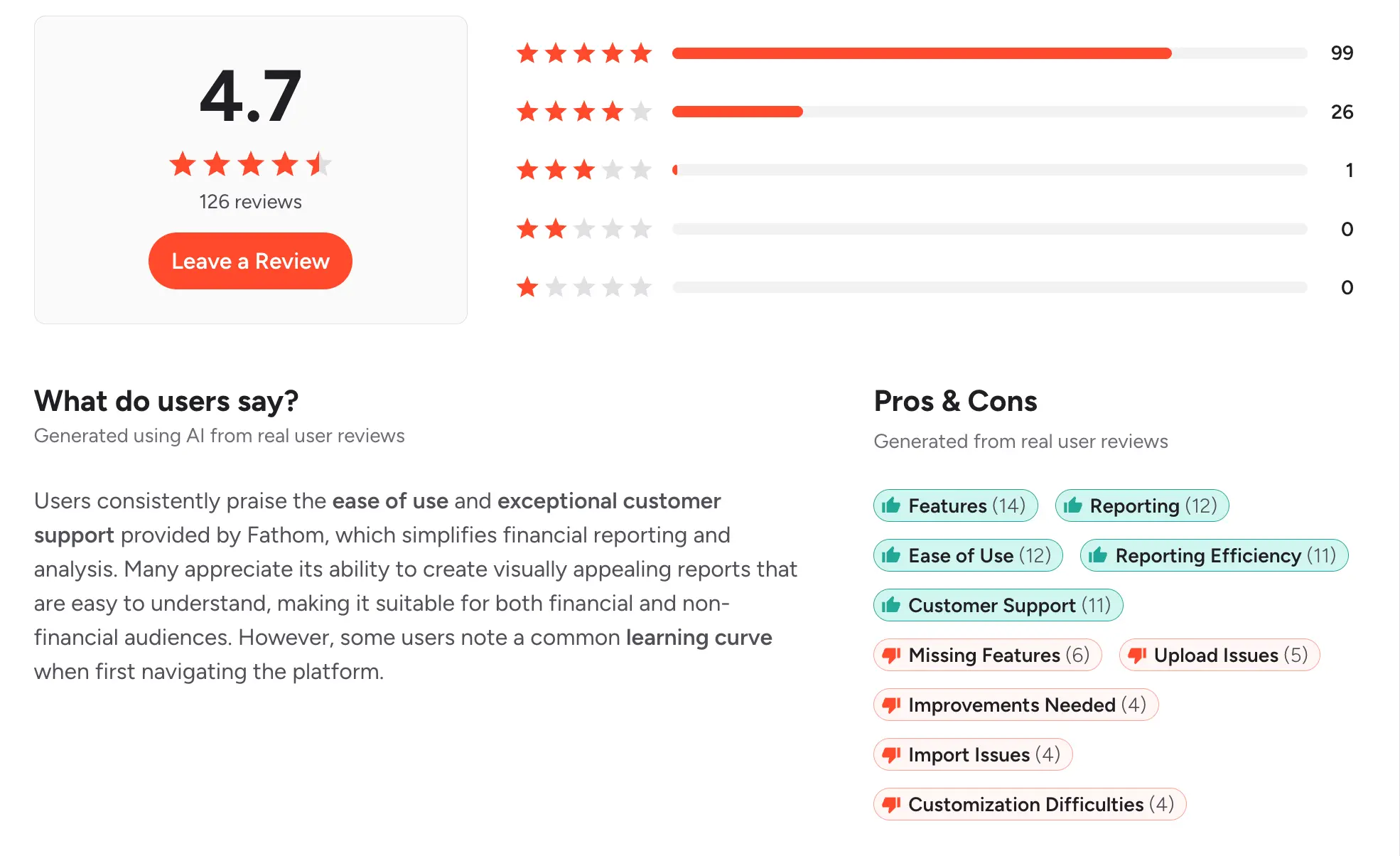
G2: 5.0/5 (3,500+ reviews) | Capterra: 5.0/5 (500+ reviews)
11. tl;dv
Best for: Distributed teams that meet across languages and need time-stamped transcripts, clip sharing, and translation.
tl;dv is an AI notetaker for Zoom, Meet, and Teams with time-stamped transcripts, clip sharing, and 30+ language support. Its language breadth makes it a common pick for distributed and international teams.
Integrations cover HubSpot, Salesforce, and Notion, and the free plan is generous for individual users.
Key features:
- Auto-join for Zoom, Meet, Teams
- Transcription in 30+ languages
- Time-stamped highlights and clip sharing
- HubSpot, Salesforce, Notion sync
- AI summaries and action items
Transcription details: Real-time transcription with automatic translation and multi-speaker separation.
CRM integration: HubSpot, Salesforce, and Notion via direct integration. Zapier for others.
Pricing: Free plan available. Pro from $18/user/month billed annually. Business at $59/user/month for larger teams.
Pros:
- Strong multi-language support
- Free plan is genuinely useful
- Clip sharing helps async teams
Cons:
- Video only, no phone call support
- Some CRM features on paid tier only
- Summary depth varies by call type
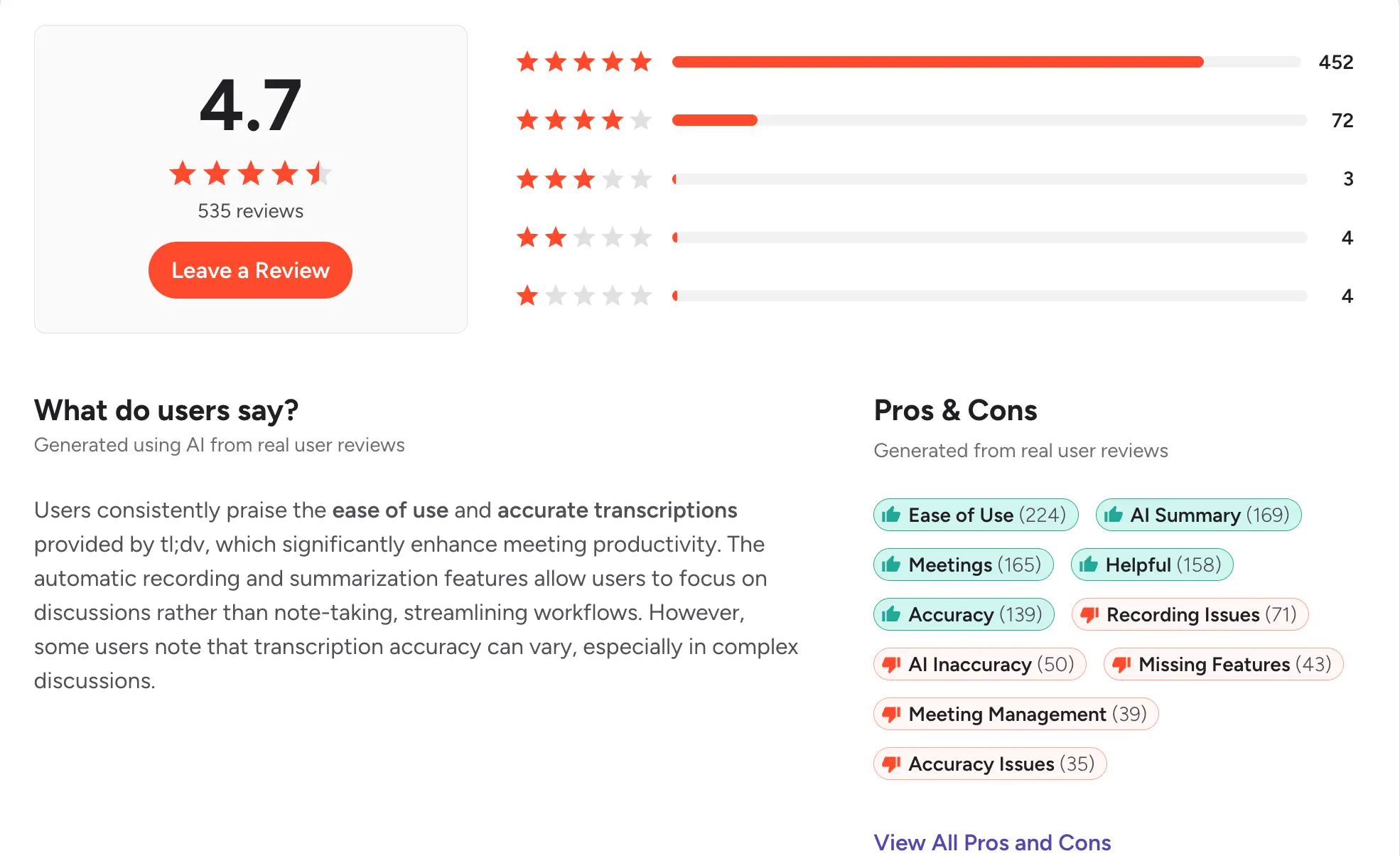
G2: 4.7/5 (300+ reviews) | Capterra: 4.8/5 (50+ reviews)
12. Grain
Best for: CS and product teams that record customer calls to share themes, feedback, and highlights across the company.
Grain records and transcribes video calls, then lets your team clip and share highlights internally. Its tagging system helps organize customer feedback by theme, which suits CS and product teams collecting Voice of Customer data.
Integrations include HubSpot, Salesforce, and Slack, and the free plan works for individual use.
Key features:
- Auto-record and transcribe video calls
- Clip and share highlights internally
- Tag conversations by theme or product
- HubSpot, Salesforce, Slack sync
- Story boards for feedback themes
Transcription details: Transcription with speaker separation. Highlights and clips can be shared with a link.
CRM integration: HubSpot and Salesforce via direct integration. Slack for team sharing.
Pricing: Free plan for individuals. Starter from $15/user/month billed annually. Business at $29/user/month.
Pros:
- Best highlight-sharing workflow on this list
- Solid free plan for individuals
- Tag system useful for VoC collection
Cons:
- Video only, no phone call support
- Sales-specific workflows lighter than Gong
- Less useful outside CS and product
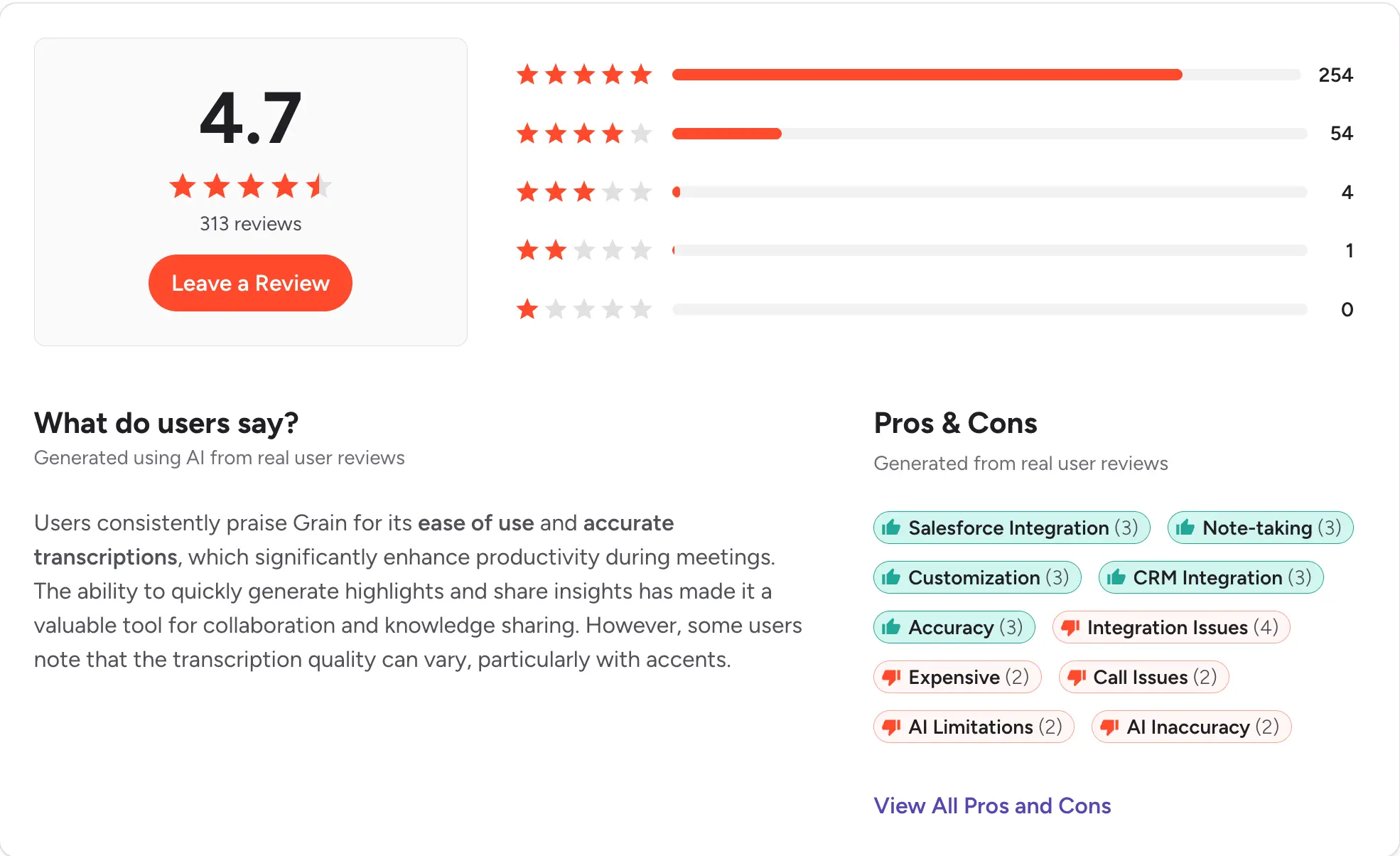
G2: 4.6/5 (200+ reviews) | Capterra: 4.6/5 (30+ reviews)
13. Rev

Best for: Teams that need occasional high-accuracy transcripts of specific calls or interviews, not an always-on workflow tool.
Rev combines AI transcription with optional human review for accuracy up to 99%. Turnaround varies from minutes for AI to hours for human. There are no native CRM integrations, so this is a pay-as-you-need service rather than an ongoing workflow tool.
If your team occasionally needs a legal-grade or court-quality transcript, Rev is the standard. For daily call logging, it is not the fit.
Key features:
- AI transcription at $0.25 per minute
- Human transcription at $1.99 per minute
- 99% accuracy on human review
- Captions and subtitles available
- API for developers
Transcription details: AI-only for fast turnaround, or human review for high-stakes accuracy. Export as text, DOCX, or SRT.
CRM integration: None native. API available for custom builds.
Pricing: Pay per minute: $0.25 for AI, $1.99 for human. Subscription plans also available for regular volume.
Pros:
- Highest accuracy option on this list
- Human review for legal-grade transcripts
- Pay only for what you use
Cons:
- No CRM integrations
- Not a workflow tool for daily calls
- Human review turnaround takes hours
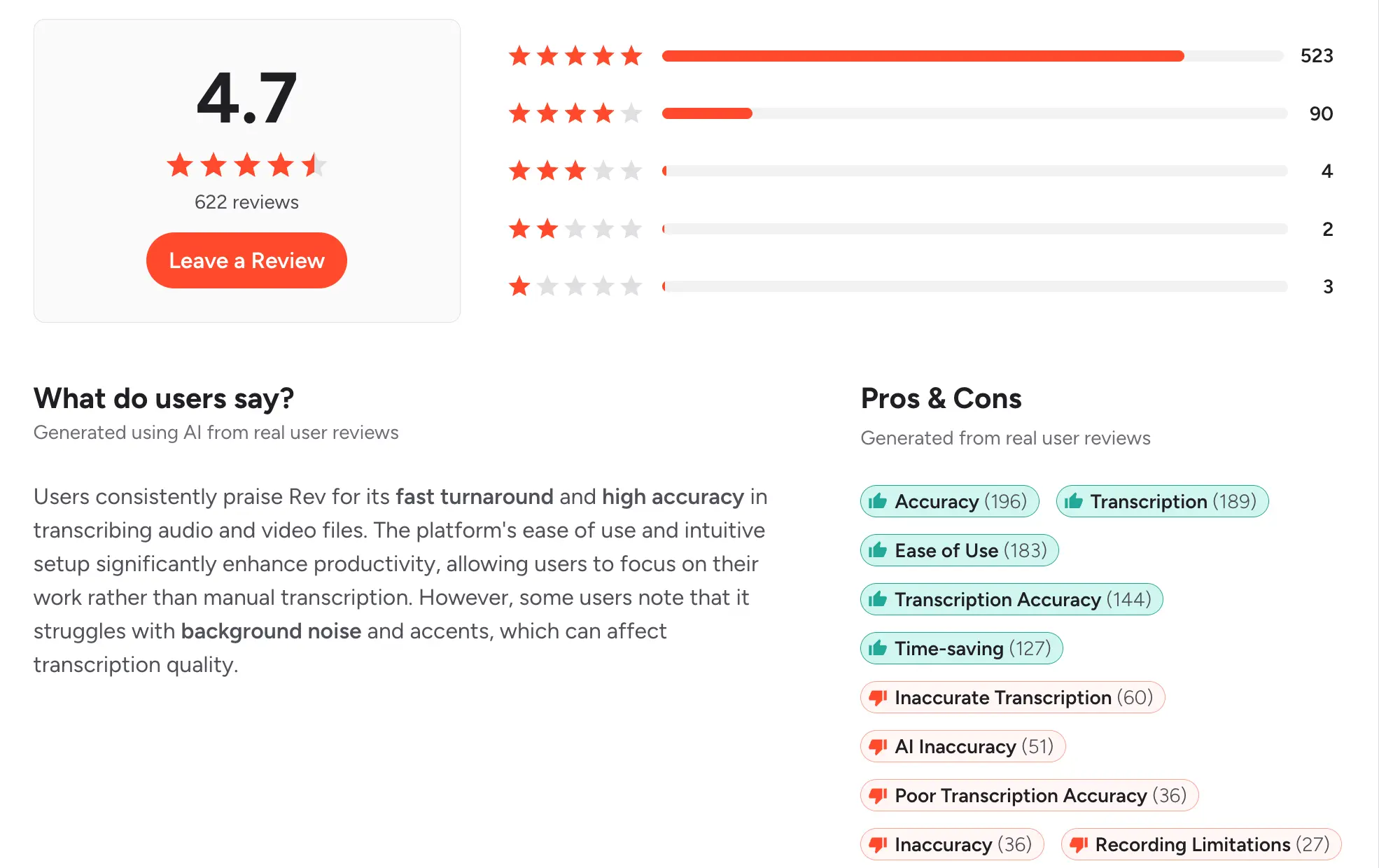
G2: 4.6/5 (400+ reviews) | Capterra: 4.4/5 (80+ reviews)
14. Sonix
Best for: Teams transcribing recorded audio across 40+ languages, especially for research, interviews, or podcast production.
Sonix is cloud transcription for 40+ languages with speaker separation, timestamp navigation, and a built-in editor. It fits teams handling multilingual research, interviews, or podcast audio more than live sales calls.
CRM sync is Zapier only, so this is not a sales workflow tool.
Key features:
- Transcription in 40+ languages
- Speaker separation and timestamps
- Built-in web editor
- Automated translation
- API for developers
Transcription details: Upload audio or video files, or connect via API. Output includes text, subtitles, and translation.
CRM integration: Zapier only.
Pricing: Pay-as-you-go from $10 per audio hour. Premium subscription from $22/user/month with volume included.
Pros:
- Wide language coverage
- Solid web editor for cleanup
- Flexible pay-as-you-go model
Cons:
- No native CRM integrations
- Not built for real-time calls
- Priced per hour of audio, not per seat
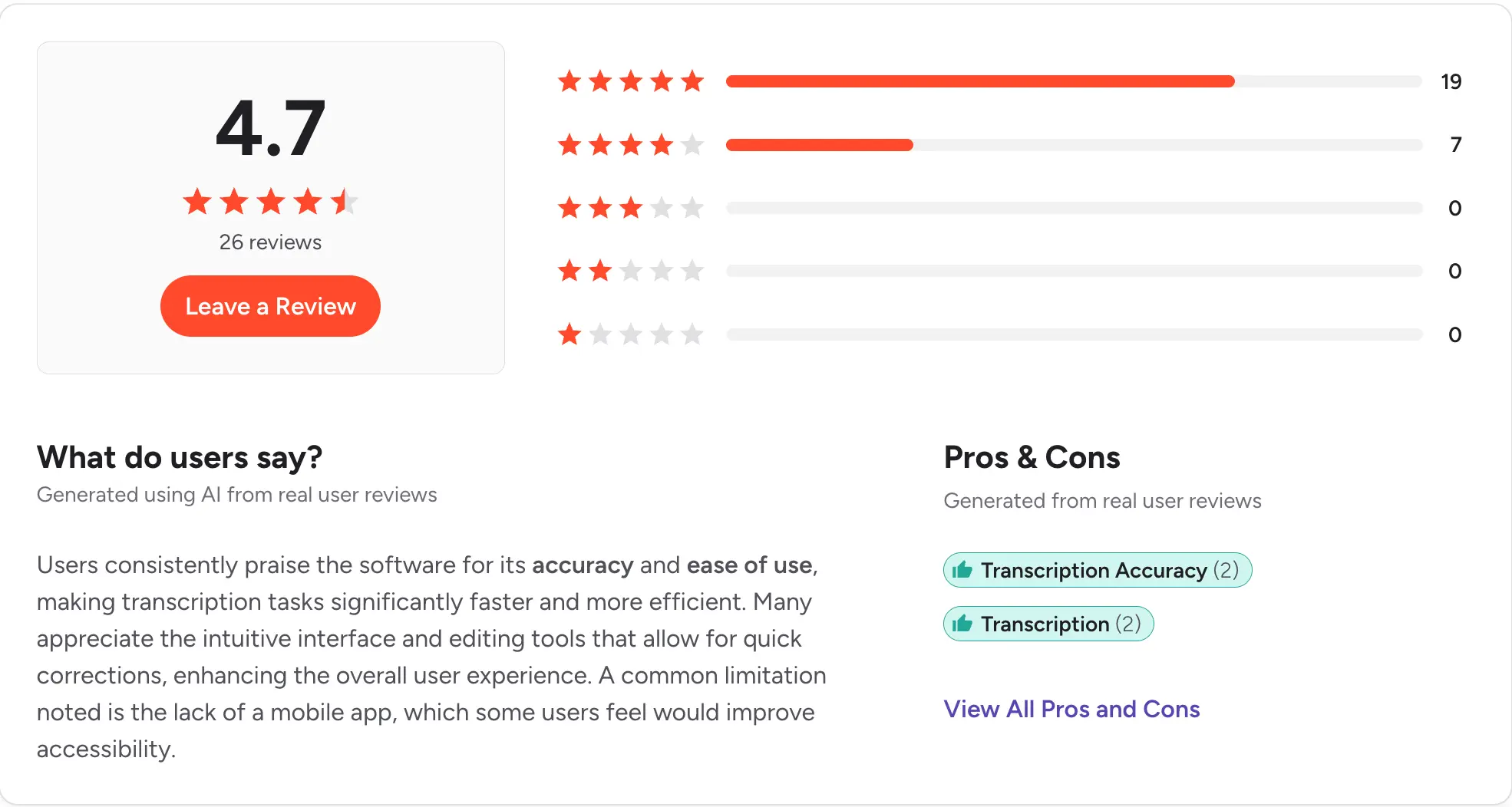
G2: 4.6/5 (200+ reviews) | Capterra: 4.7/5 (30+ reviews)
15. Trint
Best for: Newsrooms, researchers, and content operations teams that transcribe interviews collaboratively.
Trint is a web-based transcription tool with a collaborative editor for cleaning up transcripts. It supports 40+ languages and is aimed at newsrooms and content operations rather than sales workflows.
Priced higher than sales-focused tools because of the human review options and collaborative editing environment.
Key features:
- Transcription in 40+ languages
- Collaborative editor for team cleanup
- Vocabulary training for accuracy
- Export to text, SRT, or DOCX
- Team workspaces and permissions
Transcription details: Upload audio or video, or use the mobile app to record and transcribe on the go.
CRM integration: Zapier only.
Pricing: Starter from $80/user/month billed annually. Advanced at $100/user/month. Enterprise custom.
Pros:
- Strong collaborative editor
- Custom vocabulary boosts accuracy
- Good for newsroom workflows
Cons:
- Priced above sales-focused tools
- Not built for CRM workflows
- Overkill for daily sales calls
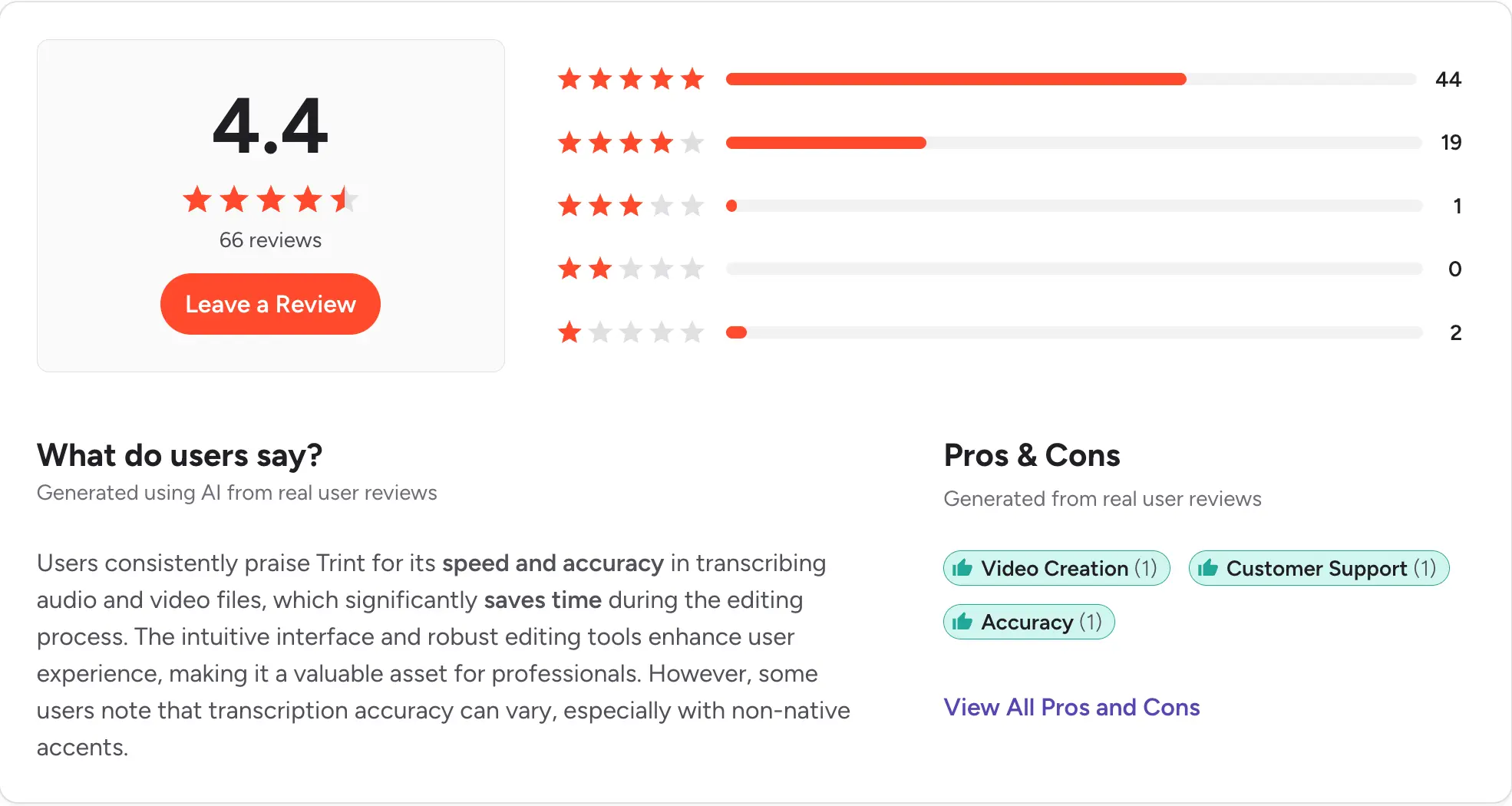
G2: 4.3/5 (100+ reviews) | Capterra: 4.5/5 (30+ reviews)
16. Descript
Best for: Podcasters, marketers, and content creators who need transcription tied to an editor that removes filler words and edits audio by editing text.
Descript is a transcription-first audio and video editor. You edit the text, and the underlying recording edits with it. That is why podcasters and marketers use it heavily to repurpose calls into content.
Less relevant for live call workflows, more for turning recorded calls into blog posts, clips, or podcast episodes.
Key features:
- Edit audio by editing the transcript
- Overdub AI voice cloning
- Removes filler words automatically
- Screen recording included
- Video editing on the same timeline
Transcription details: Auto transcription with speaker labels. Editor treats transcript and audio as one document.
CRM integration: Zapier only.
Pricing: Free plan for individuals. Hobbyist from $12/user/month billed annually. Creator at $24/user/month. Business at $40/user/month.
Pros:
- Unique text-based editing workflow
- Great for repurposing calls into content
- Free plan for individuals
Cons:
- Not built for sales workflows
- No CRM integrations
- Overkill for straight transcription
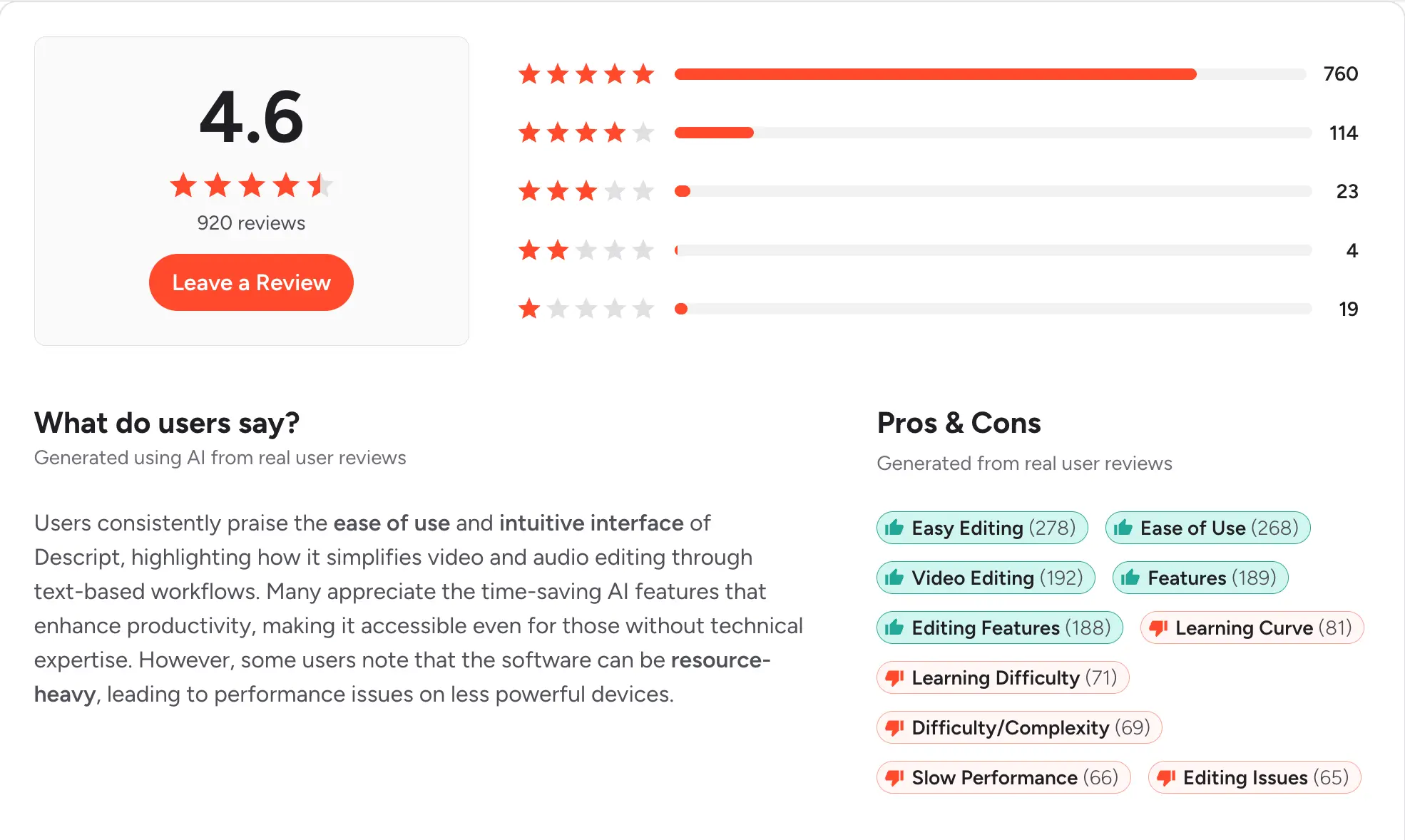
G2: 4.5/5 (600+ reviews) | Capterra: 4.6/5 (150+ reviews)
17. Notta
Best for: Users who need real-time transcription on their phone, tablet, or browser across multiple languages.
Notta does real-time transcription across web, mobile, and desktop, with 58 supported languages. It integrates with Zoom and Google Meet directly, and with Salesforce via Zapier.
Better suited to individual professionals and small teams than to sales orgs running CRM-native workflows.
Key features:
- Real-time transcription on mobile
- 58 supported languages
- Auto-join for Zoom and Meet
- AI summaries and action items
- Multi-device sync
Transcription details: Live transcription with speaker labels. Summaries after the meeting.
CRM integration: Salesforce via Zapier. No native CRM sync.
Pricing: Free plan available. Pro from $8.25/user/month billed annually. Business at $17.42/user/month.
Pros:
- Best mobile transcription experience
- Wide language coverage
- Affordable paid tier
Cons:
- No native CRM integrations
- Not built for phone call workflows
- Admin features lighter than sales tools
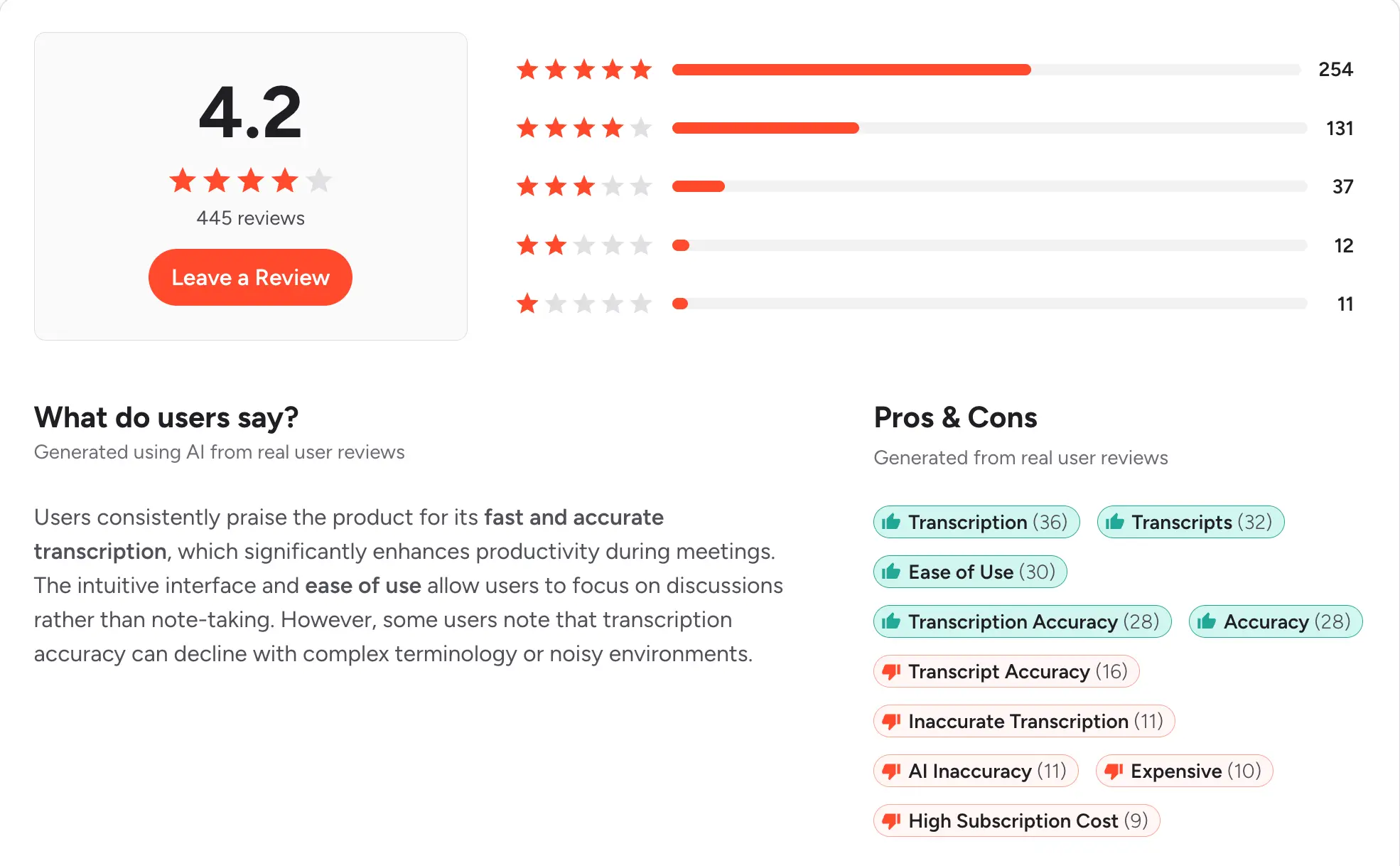
G2: 4.6/5 (200+ reviews) | Capterra: 4.6/5 (30+ reviews)
18. Verbit
Best for: Legal, education, and media teams that need transcription plus captioning built for regulated environments.
Verbit combines AI and human transcription built for accessibility, legal filings, and media captioning. It includes closed captions and audio descriptions, and is priced for enterprise deployment.
This is not a sales tool. It fits when compliance and accessibility are the reasons you need transcription in the first place.
Key features:
- AI plus human transcription
- Closed captions and audio descriptions
- Legal and court transcript quality
- Education lecture captioning
- Compliance controls for regulated industries
Transcription details: Upload audio or video for AI processing followed by optional human review.
CRM integration: None native.
Pricing: Custom quote based on volume and industry.
Pros:
- Built for compliance from day one
- High accuracy on court and legal audio
- Accessibility features built in
Cons:
- Enterprise sales motion only
- No CRM integrations
- Not built for sales workflows
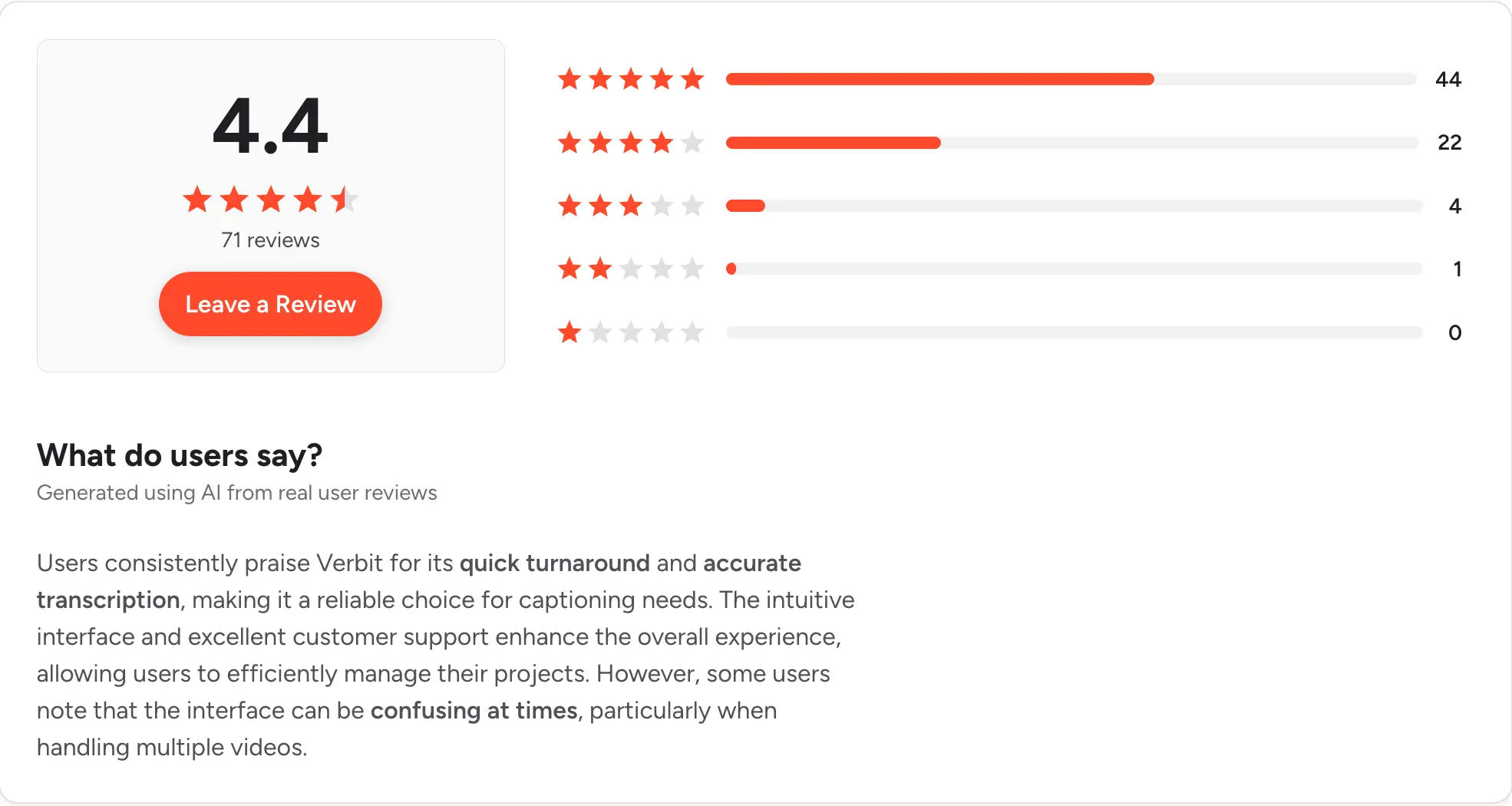
G2: 4.4/5 (60+ reviews) | Capterra: 4.5/5 (20+ reviews)
19. Nextiva

Best for: Teams that want a unified phone, video, and messaging system with transcription available as they scale.
Nextiva is a business phone system with call recording, transcription, and AI summaries on higher plans. Native integrations with HubSpot, Salesforce, and Zoho make it a common pick for mid-market teams consolidating vendors.
Transcription features typically sit on the Enterprise plan, so budget accordingly.
Key features:
- Cloud calling and video meetings
- Call recording on Professional and up
- Transcription on Enterprise plan
- HubSpot, Salesforce, Zoho sync
- Team messaging included
Transcription details: Call recording standard on Professional. Transcription and AI on Enterprise.
CRM integration: Native HubSpot, Salesforce, and Zoho on Professional and up.
Pricing: Digital from $20/user/month billed annually. Core at $30/user/month. Engage at $40/user/month. Power Suite at $60/user/month for full AI.
Pros:
- Solid unified communications platform
- Reliable enterprise infrastructure
- Good analytics for larger teams
Cons:
- Transcription only on top tier
- Real cost climbs with add-ons
- Overkill for small teams
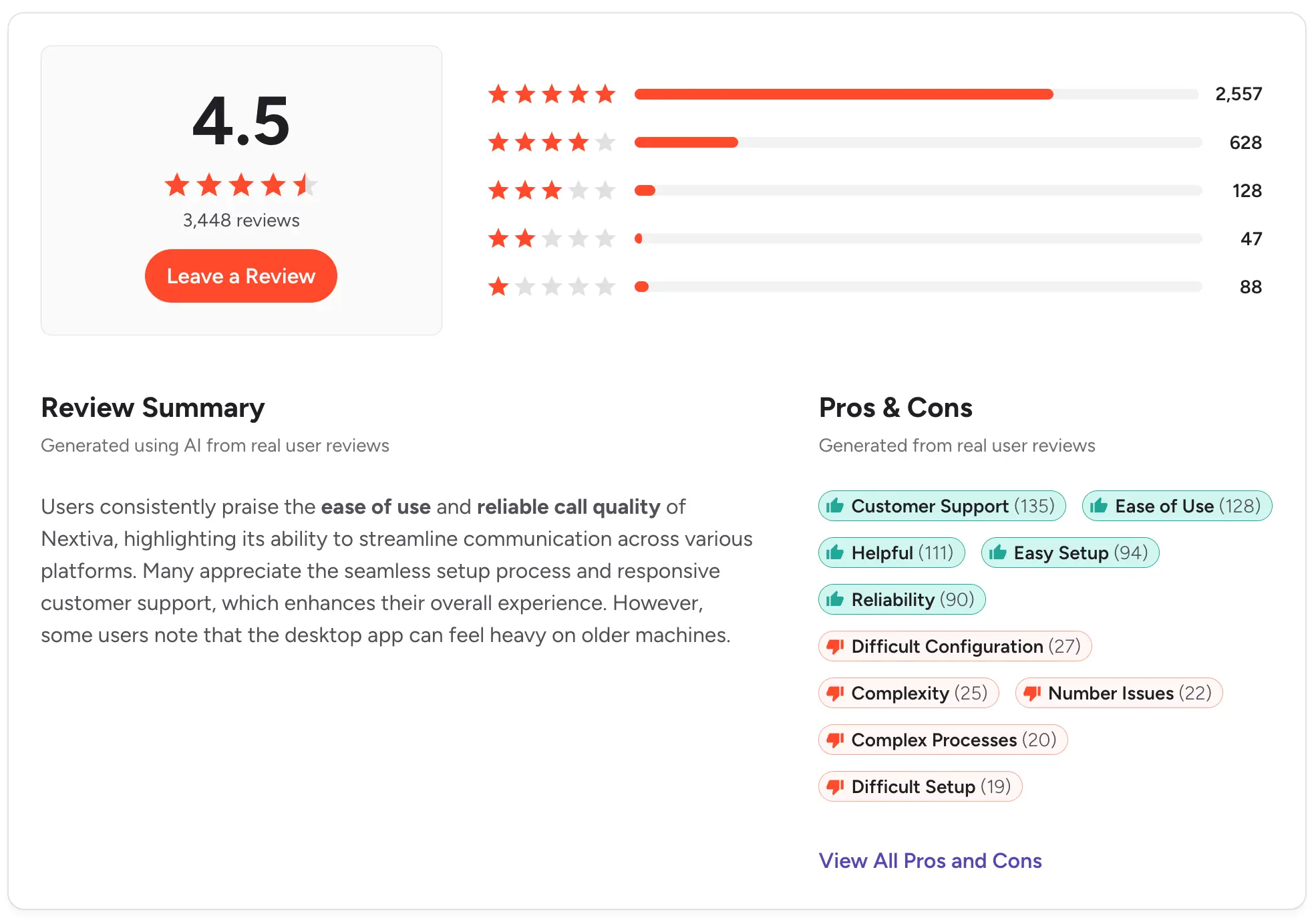
G2: 4.5/5 (3,000+ reviews) | Capterra: 4.6/5 (900+ reviews)
20. RingCentral
.webp)
Best for: Large organizations that need a single vendor for company-wide calling, video, and desk phone infrastructure with AI transcription bolted on.
RingCentral is a unified communications platform with call recording, AI meeting insights via RingSense, and 350+ integrations. Native HubSpot and Salesforce sync. It is built for scale, so this is heavier than most SMB teams need.
RingSense AI features are priced separately from the base plan, and the SMS side is capped for most tiers.
Key features:
- Enterprise VoIP with 350+ integrations
- Call recording on Advanced and up
- RingSense AI transcription and summaries
- HubSpot and Salesforce native sync
- Video conferencing and team messaging
Transcription details: RingSense provides transcription, AI summaries, and coaching insights. Priced separately from the base plan.
CRM integration: Native HubSpot and Salesforce on Advanced plan and up.
Pricing: Core from $30/user/month billed annually. Advanced at $35/user/month. Ultra at $45/user/month. RingSense AI add-on priced separately.
Pros:
- Proven enterprise reliability
- Wide integration library
- Compliance tools for regulated industries
Cons:
- SMS caps make it poor for text-heavy sales
- AI features are an add-on cost
- Admin overhead is significant
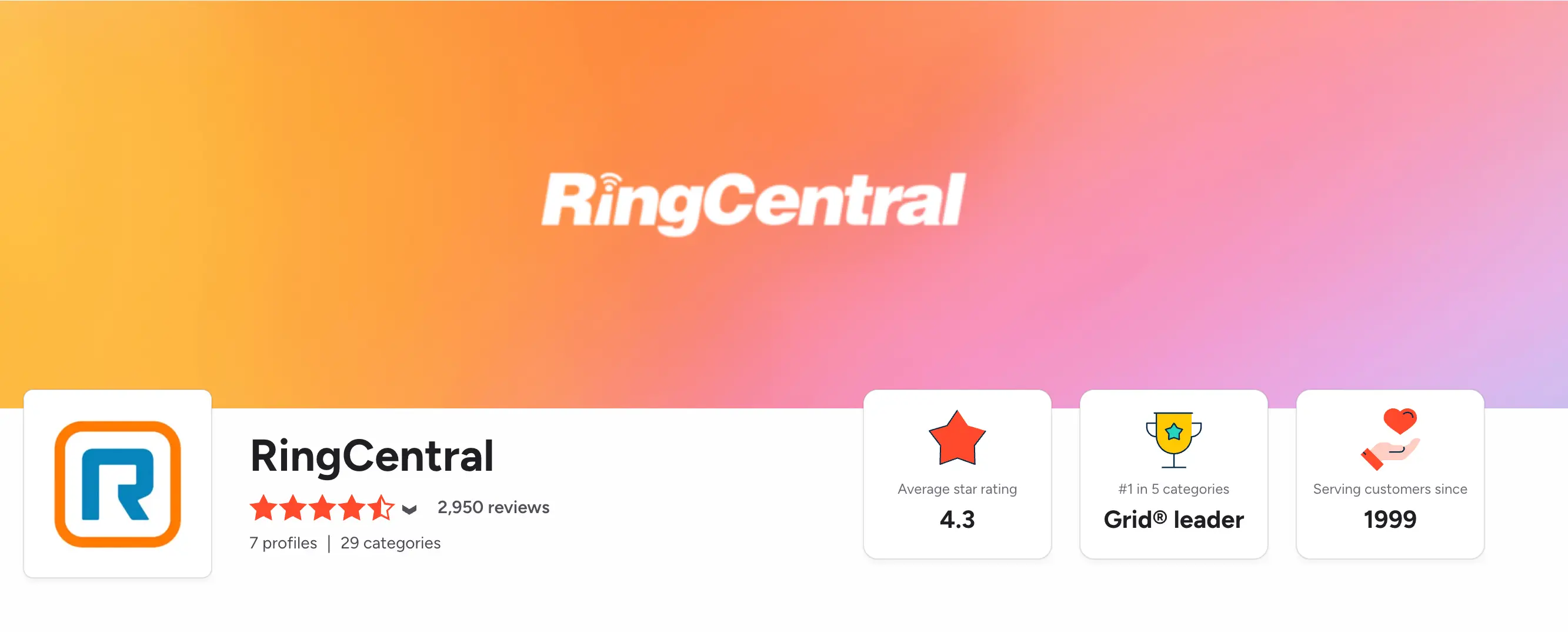
G2: 4.2/5 (1,300+ reviews) | Capterra: 4.2/5 (1,200+ reviews)
How to choose the right call transcription tool
Before you evaluate any tool on this list, nail down what specifically you need transcription to solve. The answer narrows your options fast.
1. Decide if you need phone calls or video calls transcribed
The single biggest split in this category is whether the tool handles inbound phone calls or joins video meetings. Salesmsg, Dialpad, CloudTalk, Aircall, JustCall, Nextiva, and RingCentral transcribe phone calls. Fireflies, Otter, Fathom, tl;dv, and Grain join Zoom, Meet, and Teams.
Gong, Chorus, Rev, Sonix, Trint, Descript, Notta, and Verbit sit outside both buckets and cover specific use cases like coaching, high-accuracy transcripts, or content editing.
Pick the bucket first. It removes half the list.
2. Verify native CRM sync, not Zapier
This is where teams waste the most time. For HubSpot teams, Salesmsg, Dialpad, Aircall, JustCall, Fireflies, Gong, and Nextiva have native integrations. For Salesforce, most of the same list plus Chorus.
Tools that only sync via Zapier introduce delay and can break silently. If transcripts and summaries need to hit the CRM the moment the call ends, native sync matters. See our guide to the best HubSpot integrations for related context on what native looks like in practice.
3. Test accuracy on real phone audio
Vendor demos use clean studio recordings. Your team's calls have background noise, accents, crosstalk, and poor line quality. AI transcription accuracy typically sits between 85% and 95% on clear phone audio and drops fast under real conditions.
Run a trial on three real recorded calls before you commit. Vendors know this, which is why free trials exist.
4. Compare per-minute vs per-seat pricing
Per-minute pricing looks cheap on paper. For teams doing high call volume, it gets expensive fast. A flat per-seat price is more predictable once your team is past a few hundred call minutes a month.
Credit-based pricing, like Salesmsg uses, sits in between and scales with usage rather than headcount, which suits growing teams.
5. Confirm AI summaries include action items
A transcript alone is not the finish line. The difference between a good tool and a great one is whether the AI extracts action items, next steps, and objections into a summary your reps can act on in 30 seconds.
Ask specifically: does the AI generate a next-step note that pushes to the CRM? Or does your rep still have to read the whole transcript and write it themselves? For teams working on speed-to-lead follow-up, that difference is minutes per call, and minutes per call adds up.
Is it legal to record and transcribe a call
It depends on the state. Federal law and most US states follow one-party consent, meaning at least one person on the call has to consent to being recorded, and that person can be you. But 11 states, including California, Florida, Illinois, Massachusetts, and Pennsylvania, require every party on the call to consent before recording begins.
For a state-by-state breakdown of consent laws, the Digital Media Law Project maintains the most cited reference. Best practice is to add a short recording disclosure at the start of every call regardless of state, and to check your specific state's rule before turning recording on. This is not legal advice, and you should confirm any specifics with your legal counsel.
For SMS-specific rules like TCPA and 10DLC, see our SMS marketing compliance guide.
What is the best call transcription tool for your team
The right answer depends on where calls fit in your workflow.
Gong and Chorus are built for revenue teams where call analysis drives forecasting. Fireflies, Otter, Fathom, tl;dv, and Grain fit teams that meet on video. Dedicated services like Rev, Sonix, Trint, Descript, and Verbit handle one-off or specialized transcription needs.
Dialpad, CloudTalk, Aircall, JustCall, Nextiva, and RingCentral cover phone call transcription when the priority is the phone system itself.
But for sales, support, and CS teams that need transcripts, AI summaries, and CRM logging tied to a real follow-up motion, none of those tools were built for that specific workflow.
Salesmsg was. Calls and texts share a number and a thread. Transcripts and AI summaries push to HubSpot or Salesforce as soon as the call ends. And you can text the caller back seconds after hanging up, without switching tools.
Start your 14-day free trial of Salesmsg and see how it fits your CRM.
Frequently asked questions
What is call transcription software?
Call transcription software converts recorded phone calls and voicemails into written text using speech-to-text AI. Most modern tools add an AI-generated summary and a next steps note on top of the raw transcript. They push both to a CRM contact record so your team does not have to copy and paste.
Is it legal to record and transcribe a call?
It depends on the state. Most US states allow recording with one party's consent, but 11 states require every party on the call to consent. Check your state's rule before enabling recording. This is not legal advice.
How accurate is AI call transcription?
AI call transcription accuracy typically sits between 85% and 95% on clear phone audio, and modern tools handle standard business calls well. Accuracy drops with heavy background noise, strong accents, crosstalk between speakers, or poor line quality. For very high-accuracy needs, some tools like Rev and Verbit offer human review on top of AI at extra cost.
Can call transcripts sync to a CRM like HubSpot or Salesforce?
With the right tool, yes. Salesmsg pushes call transcripts and AI summaries directly to the HubSpot or Salesforce contact timeline as soon as a call ends, without Zapier. Dialpad, Aircall, JustCall, and Gong also offer native CRM sync. Tools that only sync via Zapier add delay and can break silently, so check for native integration when it matters.
What is the difference between call recording and call transcription?
Call recording captures the audio of the call as an MP3 or similar file. Transcription turns that audio into searchable text. Most modern platforms do both together and add an AI-generated summary on top, so you get the recording, the transcript, and the summary in one workflow. See our guide to call recording software for more on the recording side.
Does call transcription work for voicemails too?
In most platforms that support it, yes. Salesmsg transcribes voicemails the same way it transcribes live calls, so a missed call still leaves a readable record in the contact thread. This matters when a lead calls after hours and leaves a message you need to act on the next morning.
What is the cheapest call transcription software?
Fathom offers unlimited free transcription for individual users on video calls. Otter.ai has a free tier with 300 monthly transcription minutes. For phone call transcription, Salesmsg starts at $25/month and CloudTalk starts at $25/user/month, though transcription features live on higher tiers for CloudTalk. Always verify pricing and included features before committing.
What should I look for when comparing call transcription tools?
Accuracy on real phone audio (not a demo file), native sync with your CRM (not just Zapier), whether AI summaries include action items and next steps, and whether pricing is per minute or flat per seat. Per-minute pricing gets expensive fast for teams doing high call volume. If your team already texts customers, choose a tool that lets you follow up by SMS in the same thread as the transcript.