AI texting & calling agents
First to reply wins. Salesmsg AI agents make sure that's you
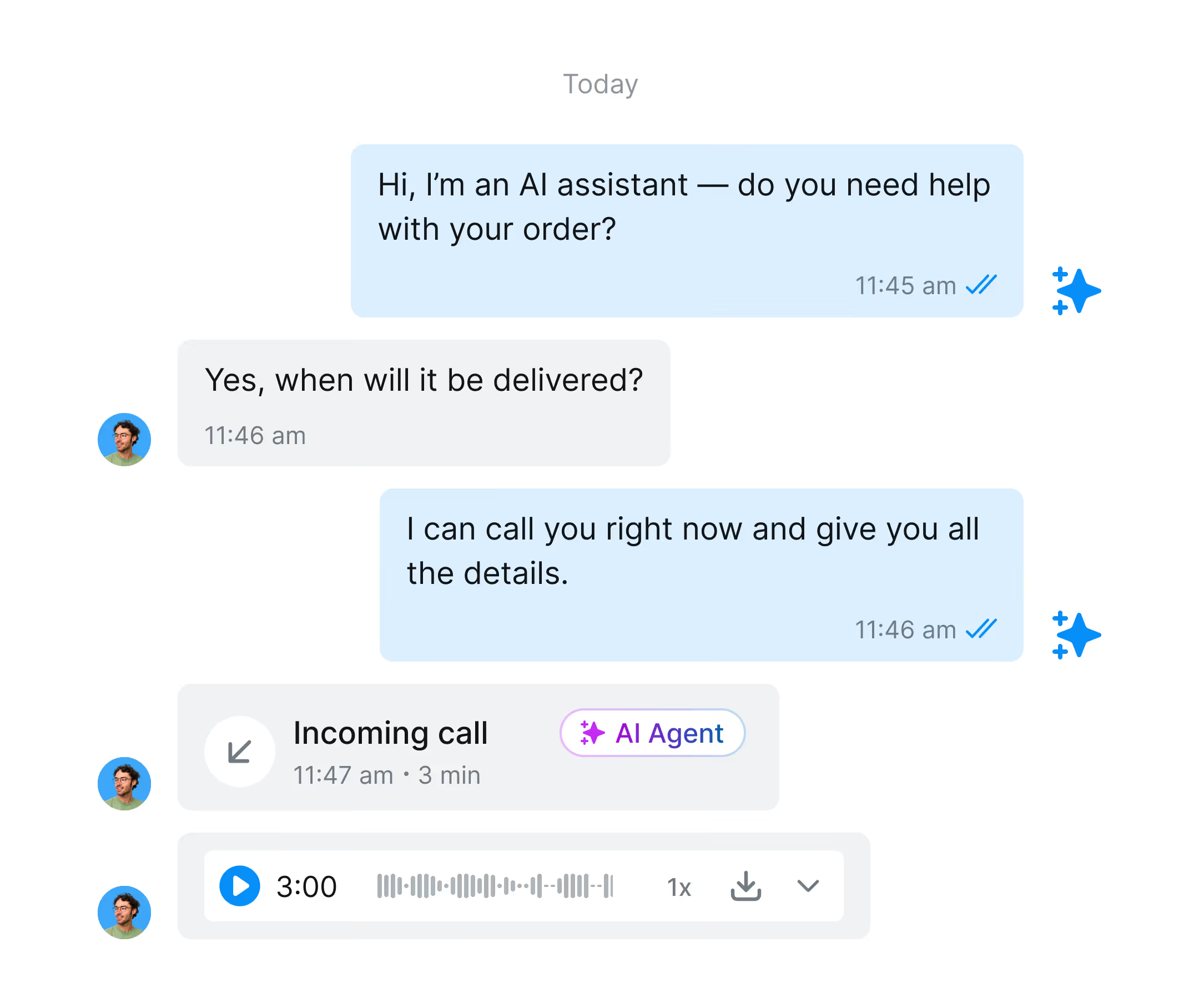
Salesmsg AI agents respond to inbound leads, qualify contacts, book meetings, and answer calls automatically, inside your CRM, around the clock.
4.7 on G2
4.6 ease of use on Capterra
a gif for sms ai agent

Reply instantly with AI

Qualify leads while you sleep

icon for calendar with a check mark

Book more meetings automatically

Answer every call around the clock

The numbers behind AI-powered response

88%
Lift in response rate with AI agents vs. manual follow-up
< 60 sec
How fast Salesmsg AI agents respond to inbound leads
78%
Of buyers go with the first vendor to respond
40%
Of inbound inquiries arrive outside business hours
What you can do with Salesmsg AI texting and calling agents
icon for a clock with a check mark
Respond to every inbound lead in under 60 seconds, even at 2am.
icon for users with 2 human bodies
Qualify leads automatically before your rep gets involved.
icon for a calendar with a check mark inside
Book meetings directly to your calendar through a text conversation.
icon for a phone
Answer every inbound call with a natural AI voice.
icon for an open book
Train your agent once with your docs, URLs, and FAQs.
message icon with a check mark
Keep every conversation logged automatically in your CRM.
From first reply to booked meeting. Your AI texting agent covers it all.
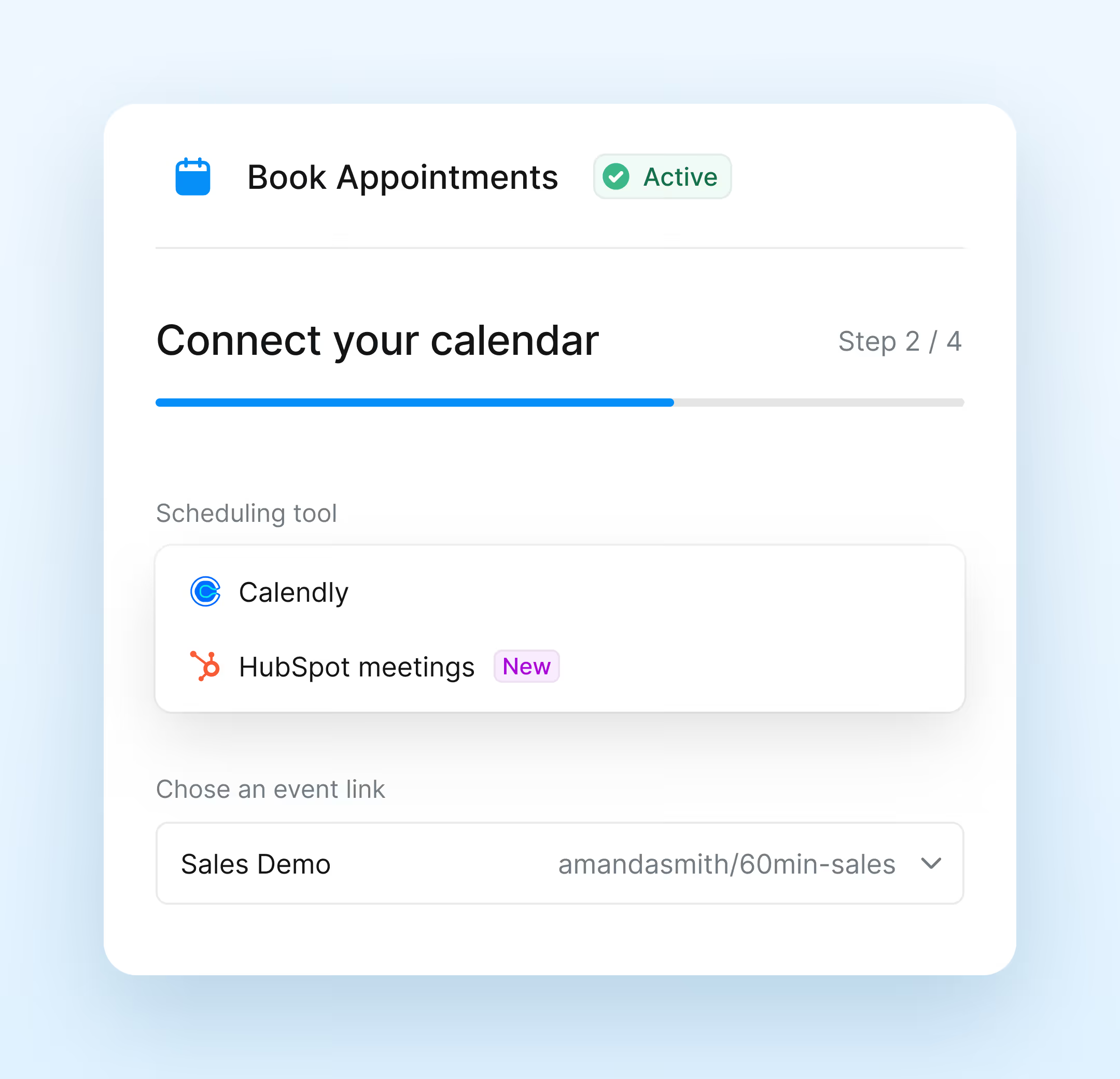
image of a booking ai agent in action
Book meetings through a text conversation. No back-and-forth
Your AI agent handles scheduling from first message to confirmed meeting.
Connect your Calendly or HubSpot Meetings calendar
Collect lead details before confirming the meeting
icon for a speech bubble with a check mark
Send booking confirmations the moment a time is locked
icon for a circle with an x inside
Handle cancellations and reschedules automatically
Track bookings with real-time conversation analytics
Qualify every lead before your rep picks up the phone
The AI agent gathers the details that matter, evaluates fit against your criteria, and stops conversations with contacts who don't qualify.
icon for a circle with a question mark
Ask qualifying questions through natural conversation
Evaluate contacts using conversation data and CRM properties
icon for text input
Store collected fields directly in your CRM record
icon for arrow to the right
Route qualified leads to your rep with full context
icon for a circle with an x inside
Stop unqualified contacts with a configured final message
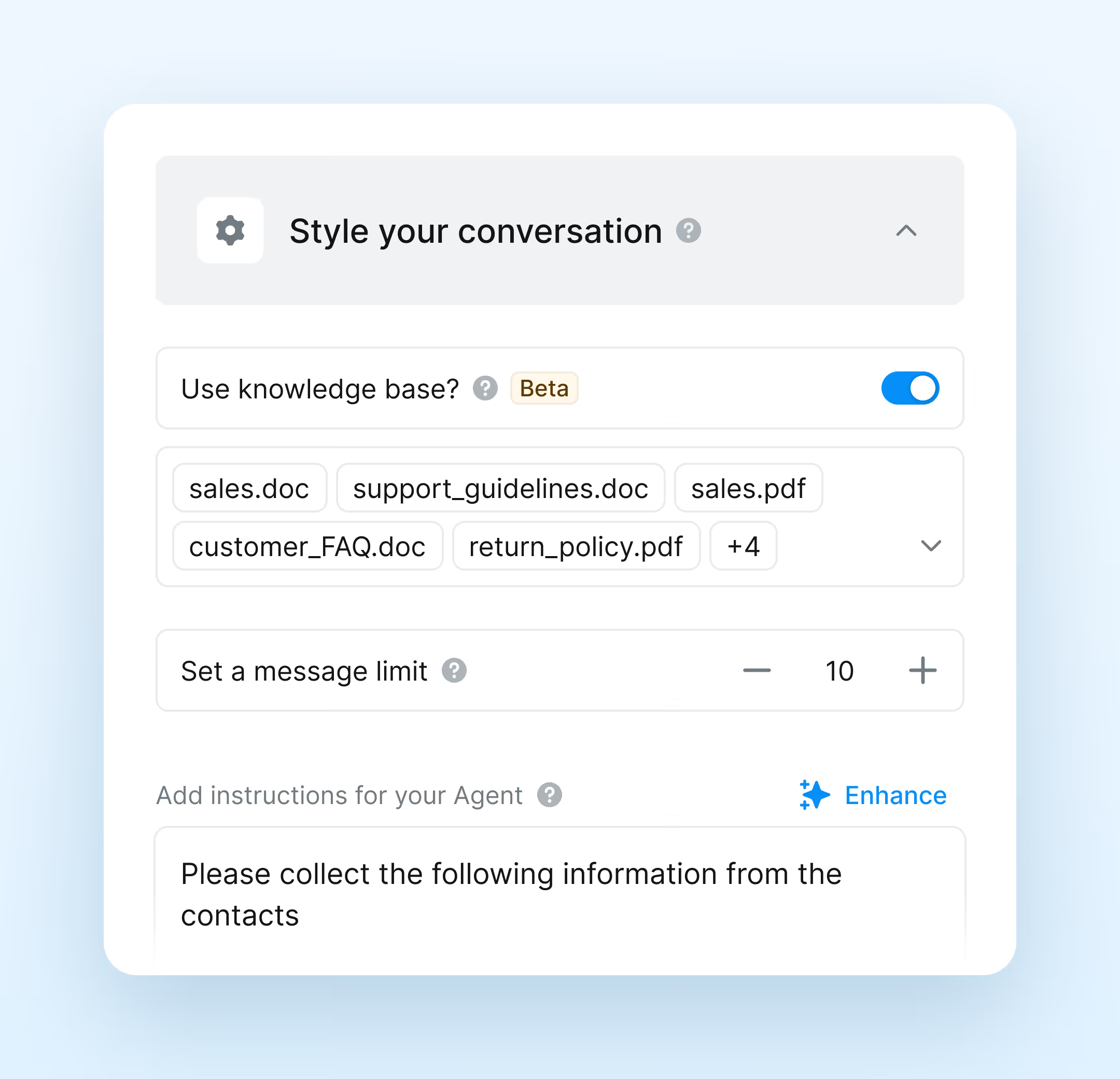
Image of an ai agent that qualify every lead
Image of an ai agent built to answer questions
Answer every question instantly. Without a rep on standby
The AI agent pulls accurate answers from your Knowledge Base and responds to common questions about your business, products, or services, around the clock.
Connect docs, URLs, Google Sheets, and custom text
Generate accurate answers from your Knowledge Base
Respond to inbox conversations and broadcast replies
Hand off to a rep when a question needs one
Track every conversation with built-in performance metrics
Handle customer requests without a rep in the loop
The AI agent resolves common customer issues, answers product questions, and escalates to a human when the situation needs one.
Collect customer details before your rep gets involved
Qualify contacts so your team handles only what matters
icon for repeat
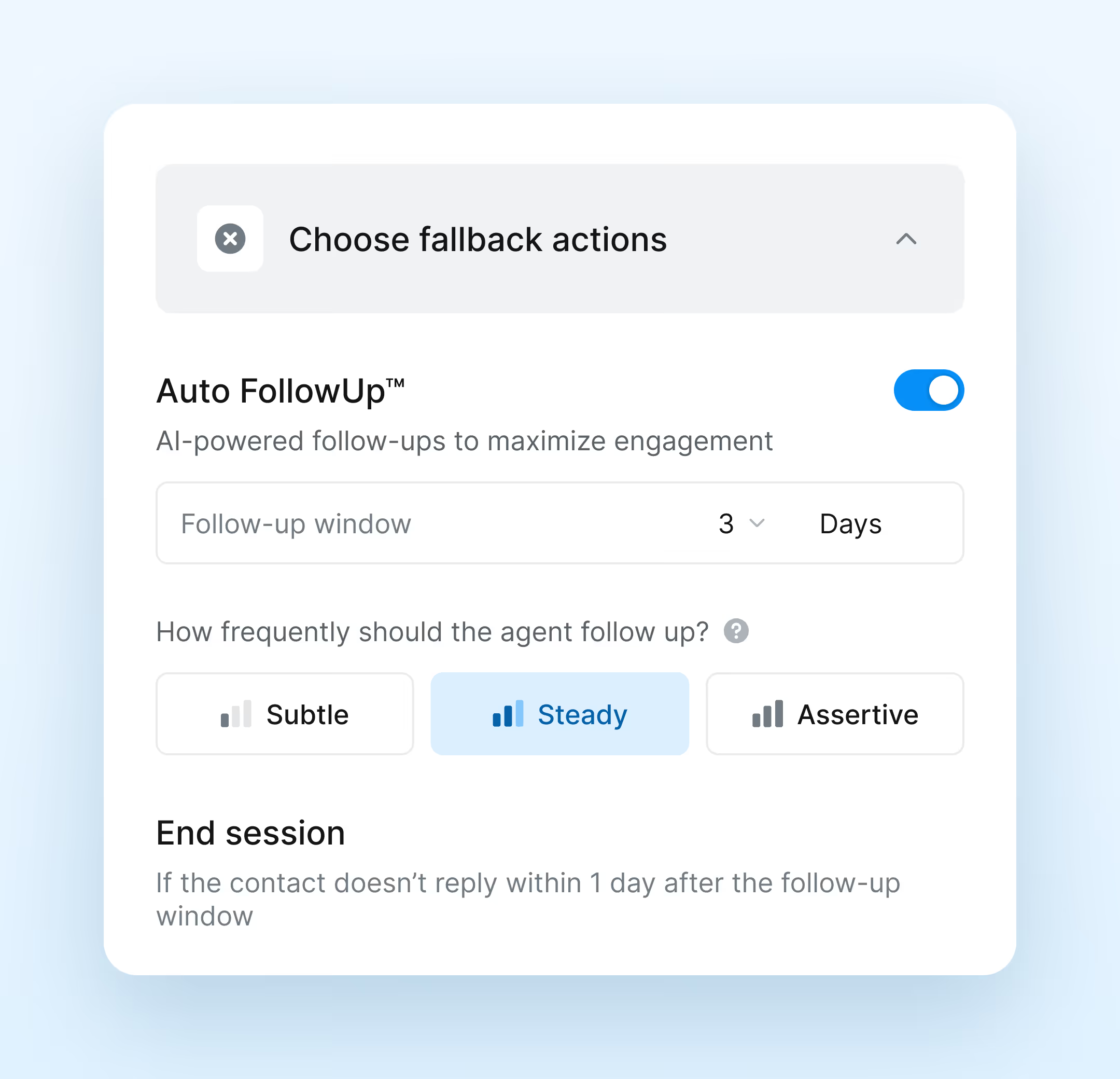
Follow up automatically until someone replies
icon for three dots
Choose your follow-up pace: subtle, steady, or assertive
icon for a circle with an x inside
Close out cold conversations automatically
image of an ai agent fallback loops
Try it free

The AI Calling Agents. Answer every call. Capture every detail
image of an ai agent choosing a natural voice for answering
Answer every inbound call with a natural AI voice
Your AI calling agent picks up, listens, and responds accurately from your Knowledge Base.
Answer calls with a natural AI voice, 24/7
Pull accurate answers from your Knowledge Base live
icon for a circle with a question mark
Cover questions about your business, hours, and pricing
Hand off to a rep when the call needs one
Test your agent before going live
Every missed call becomes a logged lead
Your AI agent captures caller details and message so your rep has full context before calling back.
Answer calls automatically when your team is unavailable
Collect caller name, number, and message naturally
Store all details in your Salesmsg inbox instantly
Log every interaction in your CRM automatically
Monitor call performance with built-in analytics
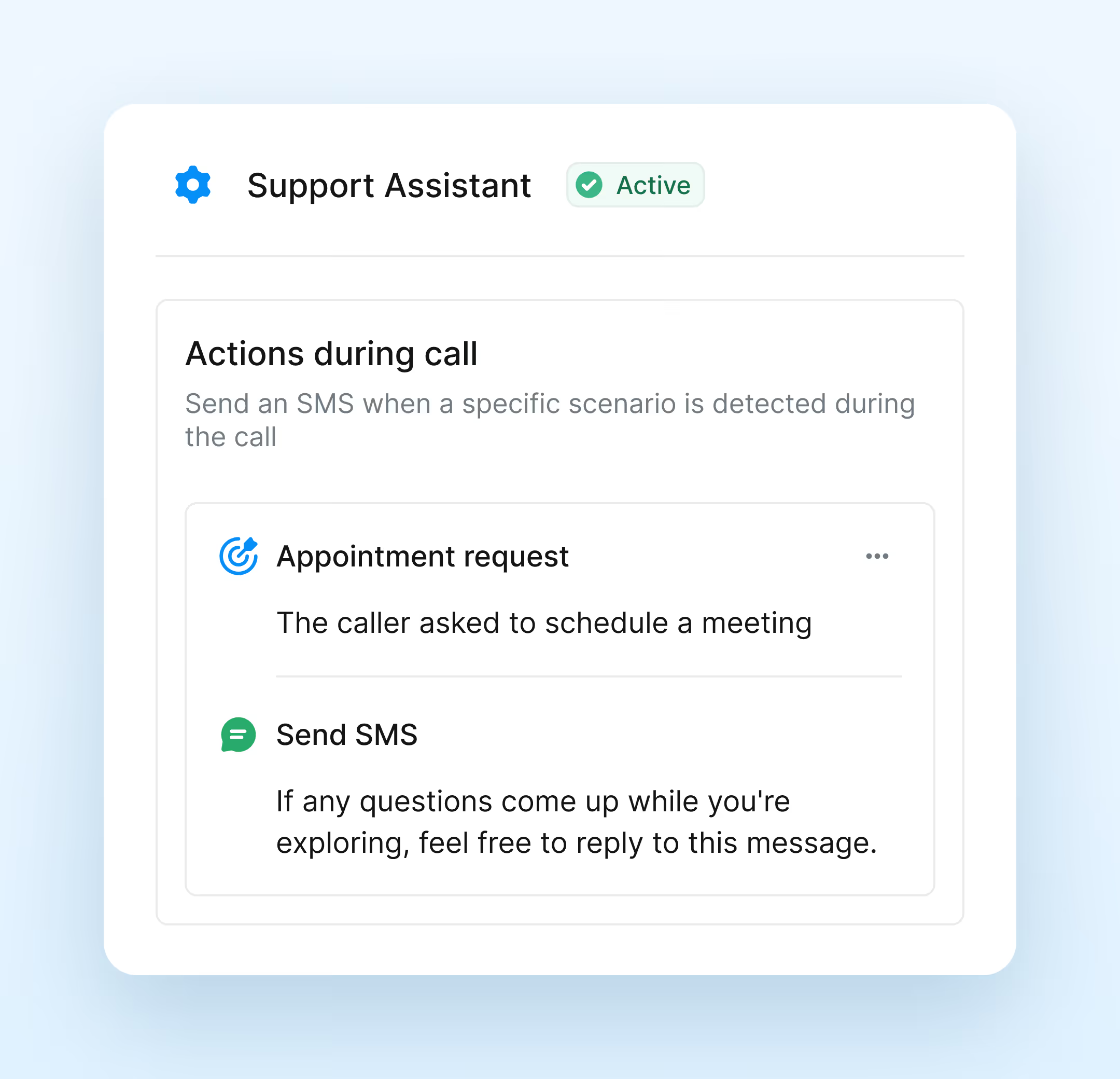
image of an ai agent taking actions during the call and summarizing them
Try it free
Teams that can't afford a missed lead run on Salesmsg AI agents.

Trusted by some of the best companies in the world...

logo of arcis golf company
logo of company named adtc
logo of company named the art of living
logo of apollo company
logo of company named cbre

Kellie Barker

Recruiting and Operations, ADTC

Salesmsg transformed efficiency at ADTC!

The time difference is huge. Now there's so much more time to create the bots that we use and do other things within the company to help us grow and make things more streamlined.

Everything your team needs to text, call, and convert
Two-way texting
Send and receive SMS and MMS from your business number on any device.
Shared team inbox
Assign conversations, collaborate, and track every reply in one place.ment.
icon for sent message
Broadcasts
Send personalized SMS or MMS to your full list or any segment in one send.
icon for arrow to the right
Campaigns
Multi-step sequences with delays, dynamic dates, and CRM-triggered enrollment.
Workflows
Visual drag-and-drop automation with branching logic and pre-built templates.
Business calling
Make and receive calls from your business number with recording and routing.
Power dialer
Auto-dial your next contact on completion and drop ringless voicemails.
CRM integrations
Every conversation logs automatically in HubSpot, Salesforce, and ActiveCampaign.
Mobile app
Mobile app: Full texting and calling from iOS and Android, inbox, calls, and AI all included.
RCS messaging
Rich texts with branding, media, and interactive buttons. SMS fallback included.
icon of a shield with a check
Compliance tools
TCPA consent capture, opt-out management, and a full conversation audit trail.
Analytics and reporting
Real-time visibility into message performance, response rates, and conversion data.
Built to meet highest compliance standards
We built robust tools and safeguards to protect, keep you safe, and
keep you compliant.
SOC2 compliance
Enterprise-grade security backed by a completed SOC 2 Type II certification, ensuring your data is protected by independently audited controls.
HIPAA compliance
Secure messaging and calling supporting HIPAA compliance for teams communicating with patients and protected health information.
TCPA compliance
Equipped with opt-out management, double opt-in, and many other robust features to keep you on the right side of the law.
Questions teams ask before going live
What does a Salesmsg AI agent actually do?

A Salesmsg AI agent handles inbound conversations automatically. It responds to new leads, asks qualifying questions, routes hot contacts to your rep, books meetings via Calendly, and answers calls without a human in the loop. You set the goal, tone, and Knowledge Base. The agent runs from there.

What is the difference between the Texting Agent and the Calling Agent?

The Texting Agent handles inbound SMS conversations and can also auto-enroll contacts based on filters in your CRM. It has five templates: Book Appointments, AI Data Collection, FAQ, Support, and Custom. The Calling Agent handles inbound calls with a natural AI voice and works at the inbox level. It has three templates: FAQ, Take Message, and Custom.

How is this different from a chatbot?

Chatbots follow a fixed decision tree. Salesmsg AI agents generate context-aware replies based on the full conversation history and your Knowledge Base. They adapt to what the contact says, not just which button they pressed. Everything logs directly to your CRM.

Does it work inside HubSpot?

Yes. Salesmsg integrates natively with HubSpot. AI agent conversations log directly to the contact record, workflows trigger based on agent outcomes, and your team never has to leave the CRM to manage conversations.

Can a human take over a conversation at any point?
How long does it take to set up an AI agent?

Most teams are live within an afternoon. Connect your CRM, upload your Knowledge Base content, set your agent's goal and tone, and run a test conversation before going live. No code required.

What happens when the AI agent cannot answer a question?

You configure how the agent handles edge cases. It can collect the question and flag it for a rep, send a fallback message, or transfer the conversation to your inbox with full context so a human can pick it up immediately.

g2 best meets requirements badge for summer 2026g2 momentum leader badge for summer 2026
See your AI agents in action
image of a salesmsg ai agent in action