Holiday SMS Marketing 2026: Dates, Legal Hours and New Opt-Out Rule




Holiday SMS marketing means texting opted-in customers time-sensitive offers, reminders and service updates between Thanksgiving and early January. In 2026, a good plan has four parts: a dated calendar sent inside legal hours, opt-out handling that meets the FCC rule taking effect November 25, a few campaigns that fit your business, and a person or AI agent ready for the replies.
Holiday SMS marketing: how do you plan it for 2026?
The four parts, one line each:
- Calendar: dated sends from Thanksgiving (November 26) to early January, each one between 8 a.m. and 9 p.m. in the recipient's local time.
- Opt-outs: STOP and the six other standard words honored, plus plain-words requests such as "stop texting me".
- Campaigns: a few message types that suit your business, sent to the people most likely to want them.
- Replies: a named person, or an AI agent with a hand-off to a person, answering the inbox on every peak day.
This plan is for businesses that hold conversations by text (sales teams, service businesses, lenders, agencies, anyone who books appointments), not only online stores sending discount codes. It covers the dates, the legal hours and the new opt-out rule first, then the campaigns and the inbox.
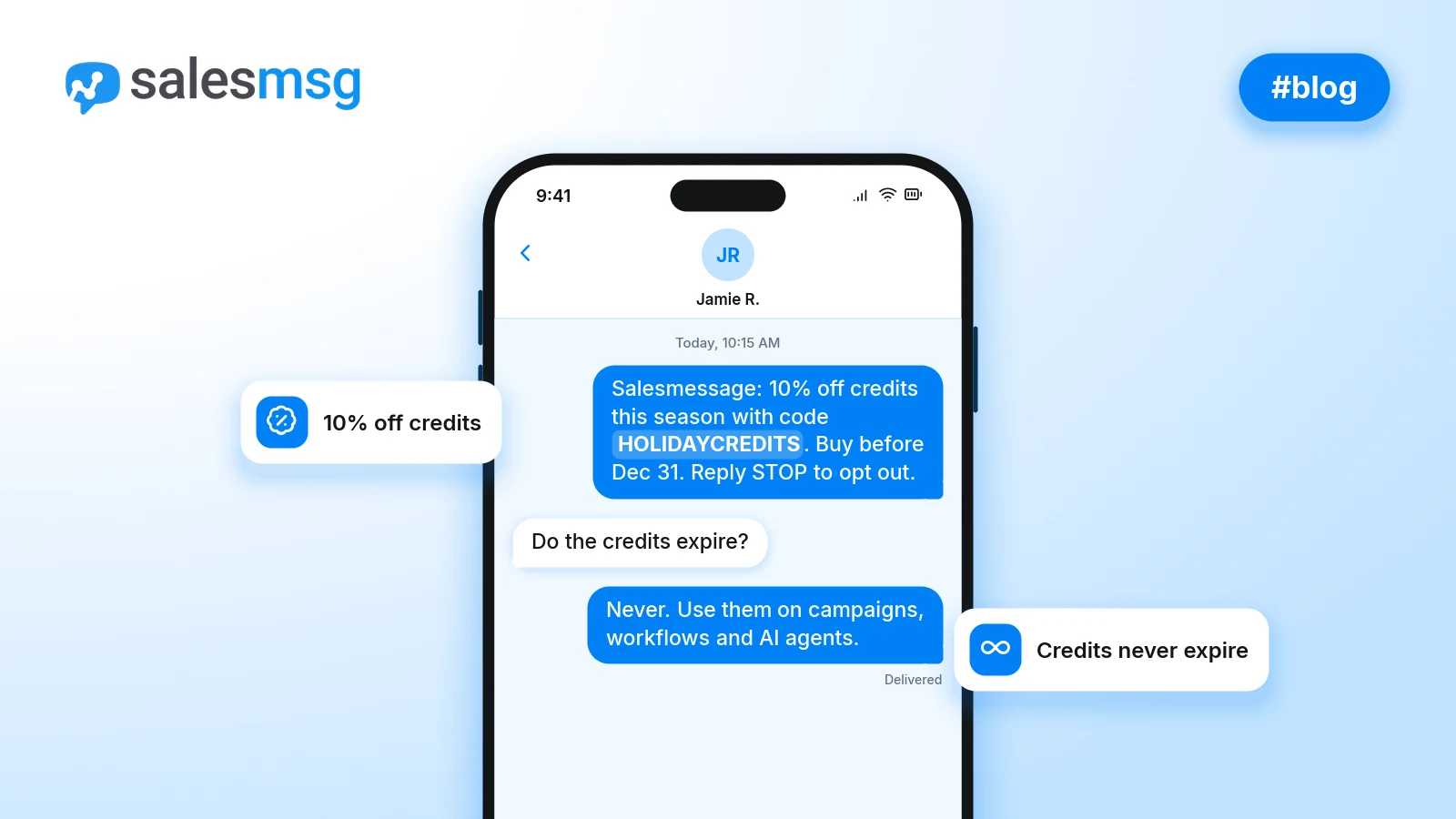
Salesmessage holiday offer: Buy credits with the promo code HOLIDAYCREDITS before December 31 and get a 10% discount. Credits don't expire, and you can use them on campaigns, workflows and AI agents. See the details on the Salesmessage holiday offer page, or add credits with HOLIDAYCREDITS now.
When should you send holiday texts in 2026?
About six weeks of sending fit into this calendar:
- Now to Wednesday, November 25: grow your opt-in list, for example with text-to-join keywords that tag everyone who texts in. Check your 10DLC registration, write the messages and set up opt-out handling before the new FCC rule takes effect.
- Thursday, November 26 (Thanksgiving): an early-access text to subscribers.
- Friday, November 27 (Black Friday): the main sale text, sent once.
- Monday, November 30 (Cyber Monday): a reminder for people who haven't bought yet.
- Tuesday, December 1 (Giving Tuesday): a donation or volunteer message, if it fits your business.
- Mid-December: last-chance and shipping-deadline texts. Check your shipping carrier's published cutoff dates rather than guessing them.
- Thursday, December 24 and Friday, December 25: restraint. One message at most, or none.
- Saturday, December 26 to early January: thank-you texts, returns and exchanges, gift cards and new-year bookings.
Service and B2B teams can run the same calendar for last-of-year appointments, year-end renewals and setting January meetings.
The legal window. Federal rules bar telephone solicitations, which can include marketing texts to cell phones, before 8 a.m. or after 9 p.m. in the recipient's local time (47 CFR 64.1200(c)(1) and (e) on eCFR). Texts sent with permission may fall outside that definition, but staying inside 8 a.m. to 9 p.m. is the safe default under federal rules.
Some states are narrower. Texas limits telephone solicitors' calls to consumers to 9 a.m. to 9 p.m. Monday through Saturday and noon to 9 p.m. on Sunday (Tex. Bus. & Com. Code 301.051 via Public.Law). The 2025 texting law didn't amend those calling hours, but lawyers at Kelley Drye say it would be reasonable to apply them to marketing texts. If you have customers in other states, check those states' rules too.
The practical rule: schedule by each recipient's time zone, not your office's, and switch on quiet hours so nothing goes out at night.
Salesmessage quiet hours hold workflow, broadcast and campaign messages until your window opens in each contact's time zone, and warn you if the window is wider than 8 a.m. to 9 p.m. Switch them on for every holiday send, and use scheduled and recurring broadcasts with Use customer timezone so a 10 a.m. text lands at 10 a.m. local time.
What changes for holiday texting on November 25, 2026?
The FCC adopted a new opt-out (consent revocation) order on September 30, 2026. It was published in the Federal Register on October 26 and takes effect November 25, 2026, the day before Thanksgiving (Nelson Mullins).
It replaces the broader "revoke all" provision that had been delayed to January 31, 2027, and the FCC refused a request to push the date back by up to 12 months (the order on the Federal Register's public inspection site). This is the first holiday season run under it.
Marketing and informational opt-outs now differ. An opt-out sent in reply to a marketing text still ends all of that sender's marketing texts and calls. An opt-out sent in reply to an informational text, one with no advertising in it, may be treated as covering only that category.
So keep order, shipping and appointment updates separate from promotions. A STOP to a sale text is then handled correctly, and a STOP to a reminder isn't over-applied.
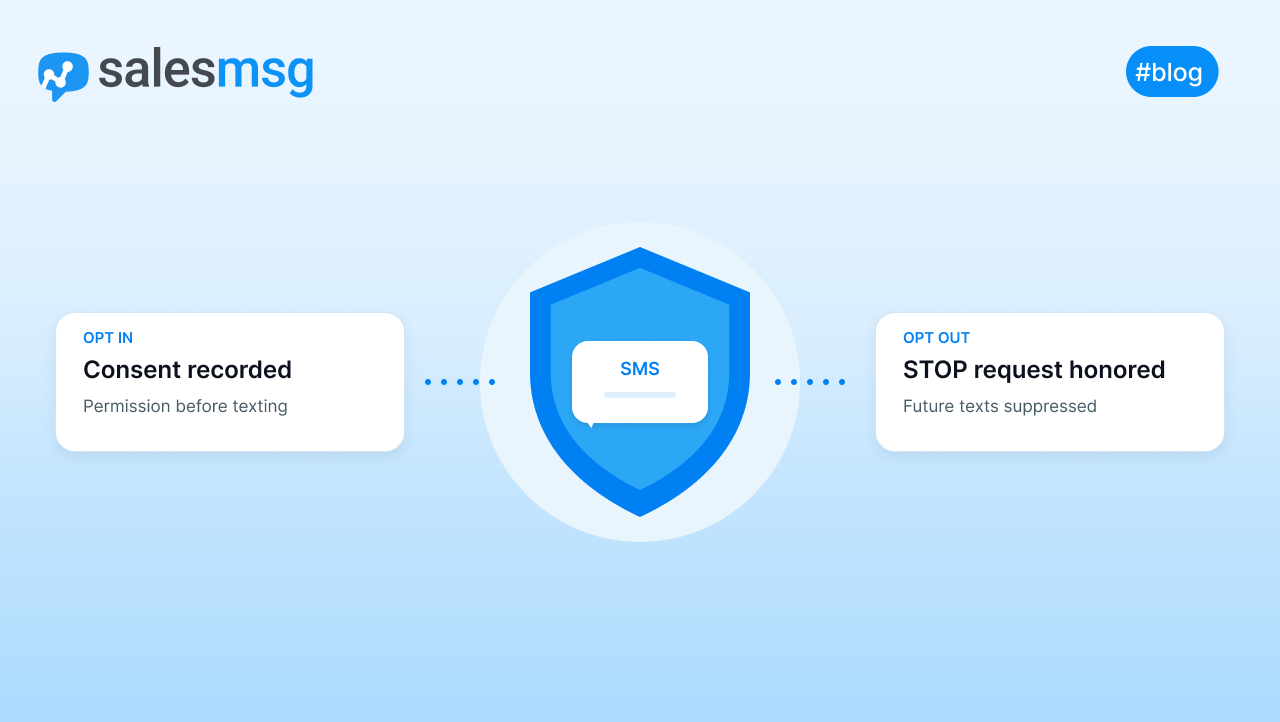
The opt-out words are fixed. A sender may make a reply text the only way to opt out, but only with the seven standard words: stop, quit, end, revoke, opt out, cancel and unsubscribe. If you take that route:
- Show at least one of the words in every text, such as "Reply STOP to opt out".
- Accept all seven, not only the one you show (Ashurst Perkins Coie).
- Don't swap in a festive word. A keyword like HOHO can't be your exclusive opt-out method.
A sender that doesn't designate an exclusive method must honor opt-outs made in any reasonable way, such as "please stop texting me". Either way, every opt-out must be honored within a reasonable time, no more than ten business days. The FCC has only proposed cutting that limit to seven.
Consent and registration still apply. The Eleventh Circuit vacated the FCC's one-to-one consent rule on January 24, 2025 (the Eleventh Circuit's opinion). Consent is still required before you send marketing texts: prior express written consent remains the standard for automated marketing texts (Kelley Drye).
Texas SB 140 brought texts under the Texas telephone solicitation law from September 1, 2025 (the enrolled bill on Texas Legislature Online). Carrier 10DLC registration is a separate requirement. For more, see TCPA compliance for text messages and 10DLC registration and compliance.
This is not legal advice; check your obligations with counsel.
Which holiday SMS campaigns work best?
Six campaign types cover most businesses. Each example is short, names its sender and ends with the opt-out line.
- Subscriber early access. Suits stores and online shops with a list of past buyers. "Northside Outfitters: Our holiday sale opens a day early for text subscribers. Shop now on our site. Reply STOP to opt out."
- Black Friday or Cyber Monday reminder. Suits any business running a sale that weekend. "Maple Street Bakery: Holiday pre-order pricing ends tonight at 9. Order on our site. Reply STOP to opt out."
- Last-chance or shipping-deadline text. Suits stores that ship gifts. "Northside Outfitters: Today is the last day to order for holiday delivery with standard shipping. Reply STOP to opt out."
- Holiday hours and order or appointment status. Suits everyone. It's an informational message, so it carries no offer. "Riverbend Dental: We're closed Dec 24-25. Your cleaning is still booked for Tue Dec 29 at 10 a.m. Reply STOP to opt out."
- Year-end booking or renewal. Suits service businesses and B2B sales teams. "Dana at Northside Plumbing: Want a furnace check before January? Text back a day that suits you. Reply STOP to opt out."
- Post-holiday thank-you. Suits any business with happy customers. "Maple Street Bakery: Thanks for ordering with us this season. A quick review on our site would mean a lot. Reply STOP to opt out."
One Salesmessage Campaign holds up to 10 message steps. Each step can go out immediately, after a delay, at a set date and time, or on a date stored on the contact. A single multi-message campaign can carry a subscriber from Thanksgiving early access to the new-year follow-up. Service and B2B teams can use dynamic dates in campaigns to send a reminder before each appointment or renewal.
For more ready-made messages, see the holiday texting guide and templates.
How many holiday texts is too many?
There's no universal number. Match the frequency to what subscribers were told when they opted in, and say it again in the first holiday text, for example "Up to 4 texts from us this season".
Segment instead of repeating yourself. Send the sale to people who bought or asked before, and fewer messages to everyone else. Don't send the same blast to the whole list five times.
In Salesmessage, broadcasts and campaigns let you exclude contacts, such as everyone who already bought, and a campaign can unenroll anyone who replies, so a customer in a conversation stops getting the sequence. Watch the opt-out count after each send (a campaign's report shows it as Unsubscribed) and cut back when it climbs.
Who answers the replies during the holiday rush?
Every holiday text invites replies: sizes, stock, store hours, order status, bookings. A text that sits unanswered over a holiday weekend loses the sale the campaign was meant to win.
Some replies are opt-outs. As the November 25 section explains, plain-words requests can count as opt-outs. Whoever reads the inbox has to catch "no more texts, thanks" as well as STOP, and mark that contact opted out by hand. Salesmessage lets staff change a contact to opted out, and opted-out contacts are then skipped by broadcasts, campaigns, workflows and triggers.
You may send one reply that confirms the opt-out, as long as it has no promotion in it. A confirmation sent within five minutes is presumed to be fine.
Plan the inbox like a shift:
- Name who owns the inbox on Thanksgiving, Black Friday and the week of Christmas.
- Set an auto-reply for outside business hours that gives your holiday hours (a shared inbox and auto-replies handle this).
- Assign every conversation to a person so none sits unowned.
- Agree a clear hand-off for when a customer asks for a person.
For routine questions, Salesmessage texting workflows can wait for a reply, branch on its keywords and tag the contact (say, holiday-sale-interest). A workflow can then hand the contact to one of your AI agents for texting, which answer from your own documents and pass the conversation to a rep when needed. For setup ideas, read our post on AI holiday texting agents.
Holiday SMS checklist for 2026
Finish these checks before Wednesday, November 25:
- Consent records on file for everyone on your marketing list.
- 10DLC registration current.
- Every marketing text shows "Reply STOP to opt out", and all seven standard words are honored. Check that your texting tool recognizes each one, including "revoke" and "opt out".
- Informational messages (orders, shipping, appointments) kept separate from promotions.
- Every send inside the 8 a.m. to 9 p.m. window above (narrower where a state requires), with quiet hours switched on for each holiday campaign, broadcast and workflow.
- Messages written, shortened and read by a second person.
- An inbox owner named for each peak day, an after-hours auto-reply set and a way agreed to mark free-text opt-outs.
- Post-holiday follow-up scheduled from December 26.
- A reminder set to switch holiday workflows off in January. In Salesmessage, workflows keep running until someone turns them off.
Holiday texts work when people asked for them, they arrive at a decent hour and someone answers back. Start with the consent and 10DLC checks today, then put your Thanksgiving send on the calendar. To cover the season's sends for less, add credits with HOLIDAYCREDITS and take 10% off before December 31, as set out in the Salesmessage holiday offer.
FAQs
Is it too late to start holiday SMS marketing in mid-November?
No. Six weeks is enough if you stay focused. Use the days before Thanksgiving to confirm consent, check carrier registration and fix how unsubscribe requests get processed. Then schedule a handful of sends around Black Friday, Cyber Monday and mid-December. Skip building a big new list from scratch and text the people who already agreed to hear from you.
Can I text past customers about a holiday sale if they never opted in to marketing texts?
Not with promotions. A purchase alone isn't permission for automated marketing texts; federal rules call for prior express written consent before those go out. Invite past buyers to join through another channel, such as email or a sign-up keyword printed on receipts, and send offers by text only after they say yes.
Can I use a holiday keyword like HOHO instead of STOP for opt-outs?
Not as a replacement. When a text reply is the sole way customers can unsubscribe, the FCC requires you to accept unsubscribe, cancel, stop, end, quit, opt out and revoke, with one of them shown in each message. A themed word can't stand in for those seven, so keep STOP visible.
Do I need to register in Texas before sending holiday texts to Texas customers?
Probably not, if you text with consent. As Nixon Peabody reported in December 2025, the Texas Secretary of State's guidance says businesses sending texts with the consumer's prior consent need not register. Registration still applies to non-exempt solicitations made without consent, and private lawsuits remain possible, so confirm your situation with counsel.
Should a business text customers on Christmas Day?
Usually one message at most, and often none. Christmas falls on a Friday in 2026. A brief greeting or a note that you're closed can be welcome, while a sales pitch that day tends to feel intrusive. Save offers for December 26, and keep anything you do send inside each customer's local sending window, which is narrower in some states.
Do order and shipping updates need the same consent as holiday promotions?
No. Promotional texts need prior express written consent. Purely informational texts, like delivery notices or appointment confirmations with no advertising, don't fall under that marketing standard, though you still need the customer's permission to text that number. Under the new FCC rule, an unsubscribe from those updates may be limited to that type of message.
How do I schedule holiday texts so they arrive at the right local time?
Store a time zone on each contact, or let your texting tool estimate one from the phone number, and schedule in the customer's zone rather than your office's. In Salesmessage, a Broadcast set to Use customer timezone delivers a 10 a.m. message at 10 a.m. wherever each person lives, and quiet hours hold scheduled sends until your window opens.