Start Your Free 14-Day Trial
Create your account & start texting today!

Launch Quiet Hours with Salesmsg to control when messages and calls are sent, automatically schedule outreach during off-hours, and apply timing rules across automations and dialing.
_Reach%20Contacts%20at%20the%20Right%20Time%20with%20Quiet%20Hours.webp)
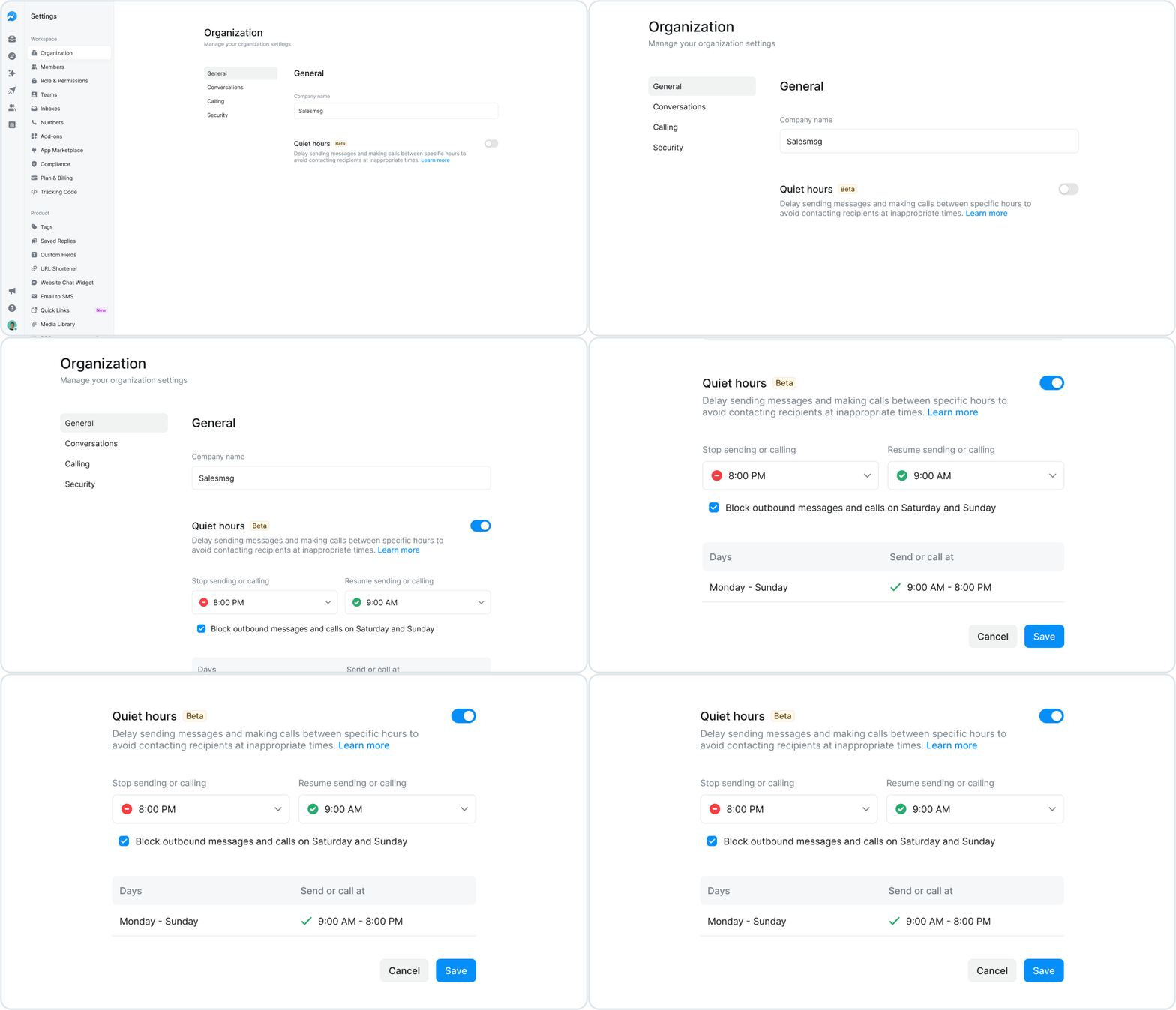
Set quiet hours for each of your inboxes to define when outreach should pause. Customize non-contact hours by inbox to match your business needs, helping ensure messages and calls are only sent during appropriate times.
Delay message delivery when quiet hours are active by automatically scheduling messages to send once quiet hours end. This keeps conversations moving without late or early outreach.
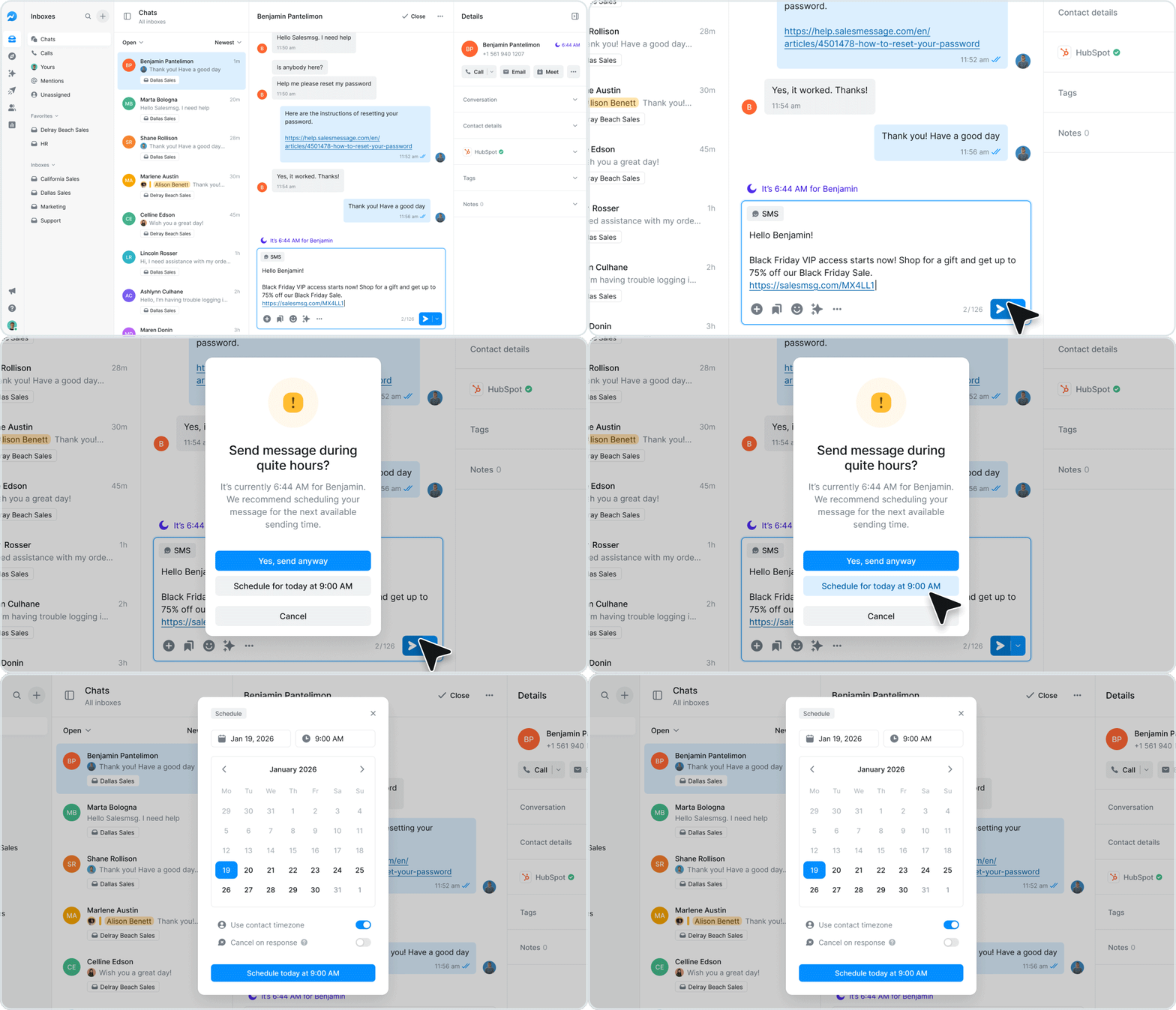

Display the contact’s time zone and current day within each conversation when quiet hours are enabled. This provides immediate context before sending messages or placing calls.
Apply quiet hours sending limits and scheduling to workflows, broadcasts, and agents such as calling agents or AI texting agents. Automatically enable the agents to send once the next allowed sending window begins.

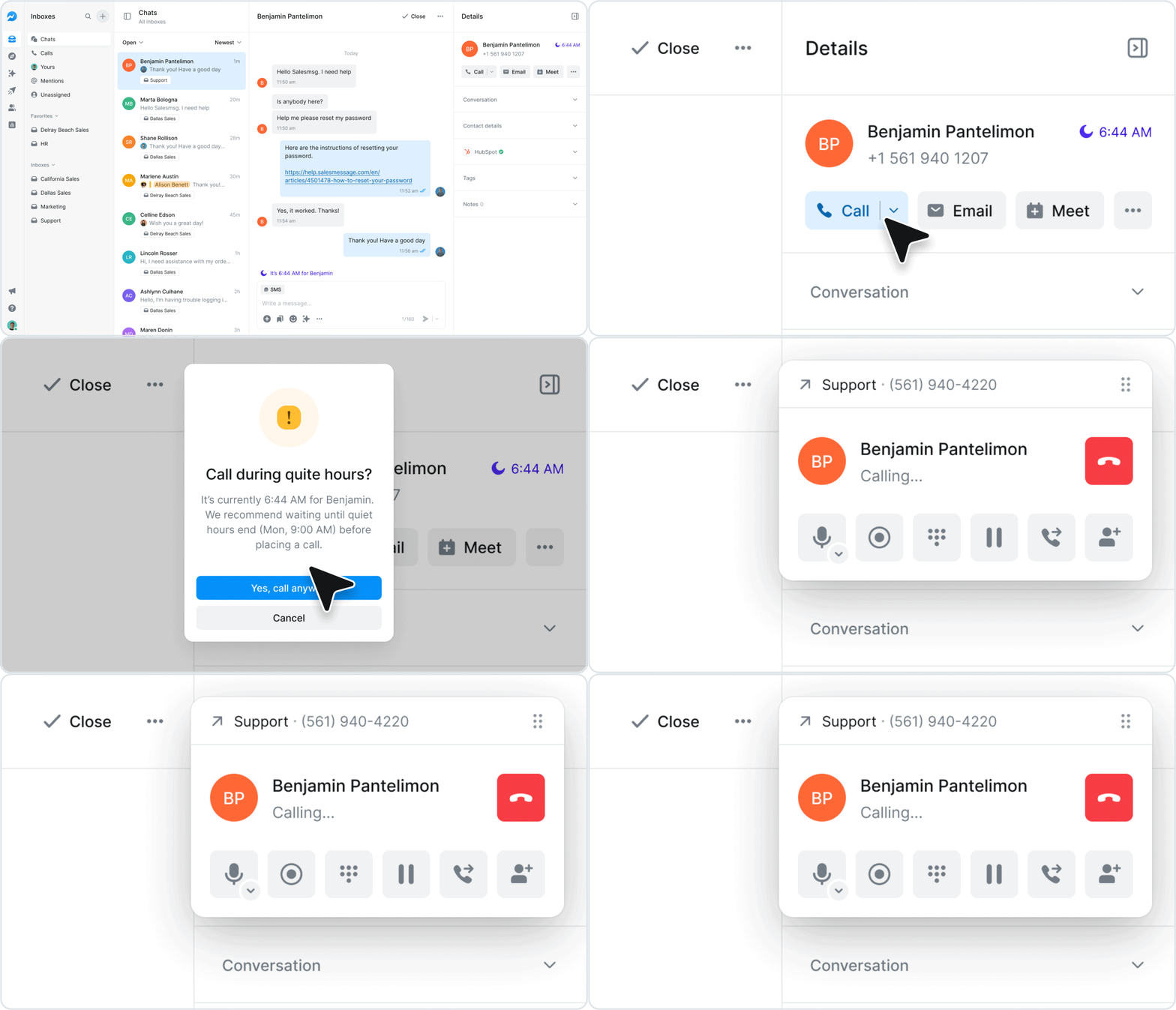
Optimize calling workflows by automatically skipping contacts who are in quiet hours when using call flows or the power dialer. Calls can be scheduled for callbacks once quiet hours end, helping teams stay efficient while respecting contact availability.
Simplify, scale, and streamline your business by connecting your tech stack with our apps





%20(3).webp)


Sign up here for a 14-day trial and be on your way to engaging with your customers faster than ever before.

