Sales follow up templates: 25 SMS templates that get replies in 2026



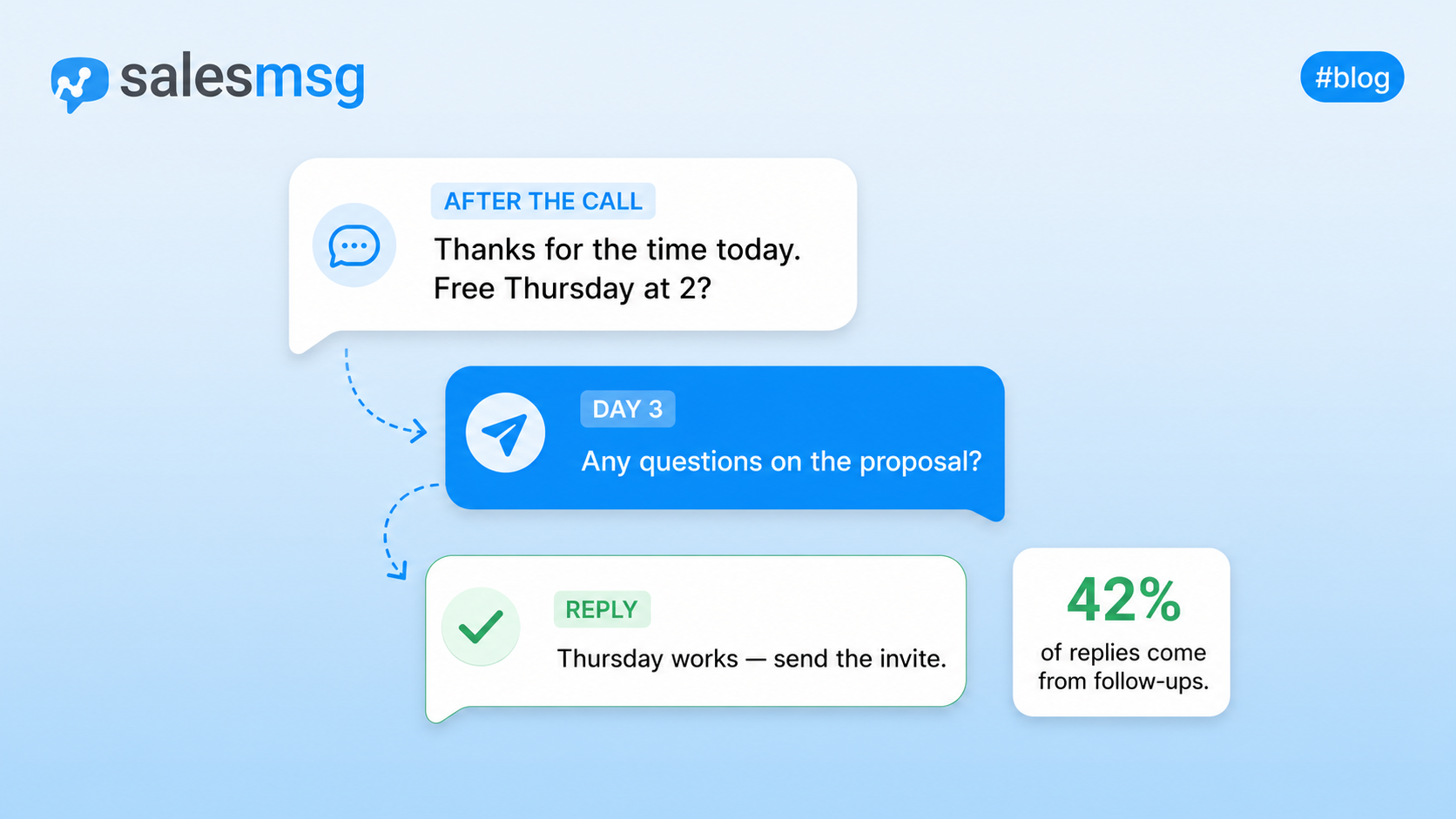

The short version. If your follow-up templates are not getting replies, the problem is the channel, not the copy. Switch from email to SMS, send at the right moment, and keep each message under 160 characters. Below are 25 SMS follow-up templates grouped by pipeline stage, the exact time to send each one, and the 5-part framework behind them. Copy the ones that fit and send them from your CRM in the next five minutes.
Cold email open rates fell below 20% in 2023, reply rates below 2%. On SMS, 98% of messages get opened and 42% of sales replies come from follow-ups rather than the first outreach. If you have already compared SMS to email, you know the gap.
These templates work whether you are chasing a stalled quote, reactivating a cold lead, or trying to keep momentum after a discovery call. They pair naturally with the 29 general follow-up text examples already published on the Salesmsg blog, but every one here is written specifically for a sales rep working a pipeline.
Why sales follow up templates fail in 2026
Three failure modes explain why most follow-up templates go nowhere.
Wrong channel. The average B2B inbox now receives 121 emails a day. Your follow-up sits between a Slack notification and a shipping receipt. On SMS, it sits at the top of a screen the prospect checks 96 times a day. The reason SMS marketing works is not novelty. It is placement.
No timing. Most templates tell you to "follow up in a few days." A post-demo follow-up sent 90 minutes later performs completely differently from one sent on day three. Timing is the template. Teams that master speed to lead book 21% more meetings than teams that do not.
Generic copy. When 12 competitors publish variations of the same "just checking in" message, prospects have learned to ignore all of them. The template is not the differentiator. The channel and the context are.
The numbers make the case cleaner than any argument.
Source: Salesmsg 2026 State of SMS Benchmark Report.
If your follow-up cadence is 100% email, you are asking prospects to see and reply to messages they never opened.
Where follow-up templates fit in the Four Cs
Every sales conversation moves through four stages: Capture, Connect, Convert, Care. Follow-ups happen at every one of them, and the template you send should match the moment. This mirrors the Salesmsg conversational SMS approach, which treats the whole journey as one live conversation instead of a series of disconnected touches.
Capture
The moment a lead raises their hand. Your job is to keep the momentum from the first touch. Follow-ups here confirm the next step, reduce no-shows, and keep new leads warm. Teams that respond in the first 5 minutes are 21x more likely to qualify the lead than teams that wait 30 minutes.
Connect
Where the actual conversation happens. Post-demo and post-quote follow-ups live here. Timing matters more than copy.
Convert
Where deals go quiet. This is the graveyard of most pipelines and the biggest opportunity for SMS. When someone stops replying to email, a short text often re-opens the thread.
Care
Starts the day a deal closes. Onboarding check-ins, renewal reminders, and upsell nudges all live here. Most sales teams stop at close. The ones that keep texting see referrals and expansion revenue that others miss.
The 5-part framework for a follow-up that gets replies
Every winning SMS follow-up template has five parts. Miss any of them and reply rates drop.
Context anchor. Reference something the prospect said or did. "After our call yesterday" beats "just checking in" every time.
Single ask. One yes or no question. Never two. Never three. If you ask two things, they answer neither.
Timing hook. Anchor the text to a specific moment. "Before your Thursday deadline." "Ahead of the trial ending Friday." This gives the prospect a reason to reply now instead of later.
Personal signal. Sign with a first name only. No title, no company, no signature block. A text that looks like it came from a person gets treated like it did.
Opt-out. Include "Reply STOP to opt out" in the first message you send to any prospect. Most SMS platforms handle this by default. Compliance covered, no drop in reply rate.
25 sales follow up templates by pipeline stage
Every template below is under 160 characters where possible (one SMS segment). The scenario, exact send timing, and why it works come with each one. Replace anything in brackets with real details before sending.
Capture: after a discovery call (3 templates)
1. The immediate recap
Hey [name], thanks for the time today. Sending the [resource] we discussed to your email now. Free to jump on a demo Thursday at 2pm ET?
Send: 15 minutes after the call ends. Why it works: hits while the conversation is still fresh and gives them a specific yes or no.
2. The no-show recovery
Hey [name], missed you today. No stress, life happens. Want to try [day] at [time] or [alt day] at [alt time]?
Send: 10 minutes after the missed meeting. Why it works: assumes best intent, offers two options, no guilt.
3. The 24-hour nudge
Hey [name], any questions come up after our call yesterday? Happy to send more detail on [specific thing they cared about].
Send: 24 hours after the discovery call. Why it works: references a specific detail, shows you were listening.
Capture: trial and free signup nurture (3 templates)
4. The day-one welcome
Hey [name], you're in. If you get stuck on setup, text me here. Want a 10-min walkthrough tomorrow instead?
Send: 30 minutes after signup. Why it works: offers immediate human help without pressure.
5. The mid-trial check-in
Hey [name], how's [product] treating you so far? Anything I can help unblock before your trial wraps?
Send: day 4 of a 14-day trial. Why it works: catches friction while there is still time to fix it.
6. The trial ending reminder
Hey [name], trial ends Friday. Want to keep going or wrap it up? Either way is fine, just want to make it easy.
Send: 48 hours before trial ends. Why it works: gives permission to say no, which makes yes easier.
Connect: after a demo (3 templates)
7. The 90-minute follow-up
Hey [name], loved the questions today, especially on [feature]. Sent the recap to your inbox. What did the team think?
Send: 90 minutes after the demo ends. Why it works: hits before other priorities take over their afternoon.
8. The internal champion assist
Hey [name], anything you need from me for the [stakeholder] meeting Thursday? Happy to send a one-pager or hop on a call.
Send: 24 hours before the internal meeting they mentioned. Why it works: makes them look prepared without doing extra work.
9. The next-step confirm
Hey [name], quick one: still on for [next step] on [day]? Want to make sure I've got the right people looped in.
Send: 48 hours before the next scheduled step. Why it works: gets confirmation without a formal calendar poll.
Connect: after sending a proposal or quote (3 templates)
10. The proposal delivered
Hey [name], quote just landed in your inbox. Anything look off or unclear? Happy to walk through it.
Send: 15 minutes after sending the proposal. Why it works: signals you are available and confident about the pricing.
11. The 3-day nudge
Hey [name], where did you land on the [product] proposal? Happy to adjust anything that isn't quite right.
Send: 3 business days after the proposal. Why it works: opens the door for negotiation without discounting yourself.
12. The decision deadline
Hey [name], the [special term or price] we discussed holds through [date]. Want me to send a fresh quote or is it a no for now?
Send: 24 hours before the offer expires. Why it works: real deadline, real out. No manufactured urgency.
Convert: after no response (3 templates)
13. The gentle bump
Hey [name], want to make sure this didn't get buried. Still worth a conversation or should I close the loop?
Send: 5 business days after your last email got no response. Why it works: gives them a clean exit, which most reply to.
14. The permission ask
Hey [name], no response usually means bad timing or no fit. Which is it? No hard feelings either way.
Send: 10 days after your last touch. Why it works: names the reality, respects their time, gets an honest reply.
15. The final close
Hey [name], going to close your file for now. If [pain point] becomes a priority again, text me here anytime.
Send: 14 days after the permission ask if no reply. Why it works: replies to breakup texts run 20-30% because loss aversion kicks in.
Convert: reactivating a cold lead (3 templates)
16. The trigger event
Hey [name], saw [company] announced [news]. Congrats. Curious if it changes anything on the [product] side we talked about.
Send: within 48 hours of a funding round, hire, product launch, or similar. Why it works: relevance beats persistence.
17. The new feature nudge
Hey [name], we just shipped [feature] that fixes the [thing] you mentioned. Worth a 10-min look?
Send: within one week of shipping a feature the prospect specifically flagged. Why it works: shows you remembered and delivered.
18. The check-in with new context
Hey [name], quarter is wrapping up. Any of the [pain point] issues still on your radar? Happy to skip the pitch and just help.
Send: last week of the quarter. Why it works: aligns with when priorities get real.
Care: post-close and onboarding (2 templates)
19. The welcome from close
Welcome aboard, [name]. Onboarding kicks off [date]. Text me here anytime if you need something before then.
Send: 30 minutes after the contract is signed. Why it works: makes the transition from sales to CS feel human.
20. The 30-day check-in
Hey [name], one month in. What's working, what's clunky? I actually read replies.
Send: 30 days after go-live. Why it works: invites honest feedback while there is time to fix churn signals.
Care: renewal and upsell (2 templates)
21. The renewal warm-up
Hey [name], renewal date is [date]. Want to lock in current terms or should we talk about what's changed for [team]?
Send: 60 days before renewal. Why it works: opens the conversation before procurement gets involved.
22. The expansion nudge
Hey [name], noticed your team crossed [usage threshold] last month. Might be time to look at [next tier], happy to run the numbers.
Send: within 5 days of hitting the usage milestone. Why it works: grounded in their actual behavior, not a script.
Care: event and webinar follow-up (3 templates)
23. The event no-show
Hey [name], missed you at [event]. Sending the recording your way, want a 15-min recap call this week?
Send: 4 hours after the event ends. Why it works: no-shows convert 3x higher when the follow-up is same-day.
24. The event attendee
Hey [name], thanks for coming to [event]. What resonated most? Curious what to send you next.
Send: 24 hours after the event. Why it works: personalizes the follow-up without asking for a meeting up front.
25. The 5-day event nudge
Hey [name], any questions come up from [event] this week? Happy to grab 15 mins if [specific topic] is still on your mind.
Send: 5 business days after the event. Why it works: reactivates interest right before the event fades from memory.
When to text and when to email
Text and email are not competitors. They are tools for different jobs. Use the wrong one and results drop, no matter how good the copy is.
Text when:
- Prospect is warm and has opted in
- You need a quick yes or no
- Timing matters (before a call, after a demo)
- You are chasing a stalled email thread
- The message fits in 160 characters
Email when:
- Initial cold outreach without opt-in
- You need to attach a document or long proposal
- The message needs 3+ paragraphs of context
- Legal or contract redlines require a paper trail
The teams that see the biggest reply lifts do not pick one channel. They pair them. Post-demo email recap plus post-demo SMS ping equals 2.6x engagement versus either channel alone. Add a call to that mix and the numbers climb further.
Follow-up timing cadence at a glance
SMS follow-up compliance essentials
Texting a prospect in the US is legal if you follow three rules. Skip any of them and you risk a TCPA lawsuit that starts at $500 per message.
Get explicit opt-in. A verbal "yeah, text me" on a discovery call is not enough. You need a checked box on a form, a signed contract clause, or a written confirmation. Log it in your CRM.
Include an opt-out. The first message to any prospect includes "Reply STOP to opt out." Most SMS platforms, including Salesmsg, handle this by default.
Register your business number for 10DLC. Any business texting from a US 10-digit number needs to be registered with The Campaign Registry. This is not optional. Salesmsg handles 10DLC registration inside the platform, but any provider you use should walk you through it. The full SMS marketing compliance guide covers the detail. Read it once before your team sends the first template.
How to send sales follow-up templates from your CRM
Sending 25 texts a day manually does not scale past one rep. Sending them from your CRM does. Salesmsg installs natively inside HubSpot and Salesforce, which means the templates below trigger from your existing workflows, log to the contact record, and route to the right rep without anyone touching a separate tool.
Send from HubSpot in 5 steps
- Install Salesmsg from the HubSpot App Marketplace or connect from Salesmsg Settings > App Marketplace. The Organization Owner connects once, and every team member gets access.
- Contacts sync automatically in both directions. Property changes in HubSpot flow to Salesmsg, and Salesmsg activity (opt-in status, last SMS, message counts) flows back to HubSpot contact properties.
- Open your HubSpot workflow builder and add a new action. Search for "Salesmsg: Send SMS." The action supports Contact, Company, Deal, Ticket, Quote, and Feedback workflow types.
- Configure the message. Pick the phone number property, choose your sending inbox (or use dynamic Contact Owner routing so texts come from the assigned rep), then write your template with HubSpot merge fields for personalization.
- Set the trigger. Enroll contacts on form submission, deal stage change, meeting completed, or any custom HubSpot event. Every reply lands in the HubSpot contact timeline next to the original workflow.
Full setup takes under 10 minutes. See the Salesmsg HubSpot integration for feature detail, or read the step-by-step help doc for the workflow builder walkthrough.
Send from Salesforce
Same idea. Automate the initial follow-up SMS from a Salesforce workflow rule or Flow, then let reps take over the conversation from the record. Every message logs in the activity timeline. Managers get visibility without asking. See the Salesforce integration for the workflow builder.
Shared inbox for the conversational middle
Automation gets the initial nudge out. A human sends the reply. Canned automation on a personal response is the fastest way to lose a deal. Use a shared team inbox so any rep on the account can pick up the conversation where the last one left off. Every message stays logged, every rep has context, and no lead falls between reps when someone is out.
Where Salesmsg fits
Follow-up templates are the tactic. The platform underneath them is what makes the tactic scale. Salesmsg is the two-way SMS and calling platform 3,500+ businesses use to run these plays inside HubSpot, Salesforce, and other CRMs. A few things worth knowing.
Two-way SMS and calling on the same number. Your reps can text a prospect, then call them from the same platform without switching apps or losing thread history. Every text and call logs to the contact record with a transcript and recording. Teams that pair SMS with calling see 2.6x engagement versus either channel alone.
Native CRM workflows, not sync-based add-ons. Salesmsg adds SMS actions directly to the HubSpot workflow builder and to Salesforce Flow. Not a sync, not a Zapier bridge. Reps never leave their CRM.
AI Sales Agents that qualify and book 24/7. When a lead comes in outside business hours, an AI agent picks up the conversation, asks qualifying questions, and books the meeting. Live in production today at Denver Lens, Priority1, WIBC, and Texas Sports Academy. Response lift with AI agents versus manual follow-up runs at 88%.
Real numbers from real teams:
- ADTC (American Diesel Training Centers): cut daily recruiting work from 4 hours to 30 minutes with AI qualification. 90% reduction in candidate response time. 500-700 candidates processed weekly by a 2-person team.
- Envoy Mortgage: average response time dropped from 27 minutes to 21 minutes. Reps hitting quota went from 3 to 13 after conversation visibility was enabled.
Compliance built in. SOC 2 Type II certified. HIPAA-compliant messaging for healthcare teams. TCPA opt-out management and 10DLC registration handled inside the platform.
Support you can text. When something breaks, a real named rep answers. Not a chatbot. Not a ticket queue. G2 and HubSpot reviews name individual Salesmsg support reps by name, which is rare for any software product.
Ready to run these templates from your CRM? Start a 14-day free Salesmsg trial and send the first one in five minutes.
FAQs about sales follow-up templates
How many times should I follow up with a sales prospect?
Most B2B deals close between the third and eighth touch. Stop at two and you leave most of your revenue on the table. Space your follow-ups across at least three weeks and vary the channel between SMS, email, and a phone call. Our 2026 benchmark data shows 42% of replies come from follow-up messages, not the first outreach.
Should I follow up by email or text after a sales meeting?
Text if the prospect has opted in and the meeting was a discovery call, demo, or any high-intent conversation. SMS has a 98% open rate versus roughly 22% for email, and prospects reply within minutes rather than days. Save email for the recap, the proposal, the contract. Use text for the quick nudge, the confirmation, and the "still interested?" ping.
Is it legal to text a sales prospect?
In the US, yes, if you have explicit opt-in and you comply with TCPA. Include an opt-out (STOP works by default in most SMS platforms) in your first message, register your business number for 10DLC, and never text anyone who did not agree to receive texts. Verbal consent plus a CRM note does not count. You need documented opt-in, usually a form or check box.
What is the best time to send a sales follow-up text?
Between 10am and 12pm local time on Tuesdays, Wednesdays, and Thursdays performs best in our data. Avoid before 9am and after 6pm local time. Never send on weekends unless the prospect specifically told you they prefer weekend outreach. For post-demo and post-quote follow-ups, timing to the prospect's stated next step matters more than the day of the week.
How long should a sales follow-up text be?
Under 160 characters where possible. That is one SMS segment. Anything longer gets split into 2-3 segments, which increases cost and can arrive out of order on some carriers. Cut greetings, drop your title, skip pleasantries. If you cannot say it in 160 characters, ask yourself whether it belongs in an email instead.
Can I automate sales follow-up texts from HubSpot or Salesforce?
Yes. Salesmsg integrates natively with both, so you can trigger SMS follow-ups from workflows, sequences, or manually from the contact record. Automated templates work for confirmations, reminders, and initial nudges. For anything conversational, let a human send the reply. Canned automation on a personal response is the fastest way to lose a deal.
The bottom line on sales follow up templates
Your follow-ups are not getting ignored because the copy is wrong. They are getting ignored because they are landing in inboxes that nobody opens. Switch the channel and the templates start working. Add timing, keep messages short, and let your CRM do the sending.
The 25 templates above are a starting kit. The framework behind them, and the Four Cs journey they map to, is the durable part. Own the whole conversation, not just one touch. That is where reply rates actually move.
Start sending these templates from your CRM in five minutes. Try Salesmsg free.
_6%20confirmation%20call%20scripts%20to%20cut%20no-shows%20(2026%20guide).webp)

_What%20is%20conversational%20SMS.webp)