10 Best TextMagic Alternatives for Sales Teams in 2026


_10%20Best%20TextMagic%20Alternatives%20for%20Sales%20Teams%20(2026).webp)

If you're looking for the best TextMagic alternatives, here are the 10 worth considering for sales teams in 2026: Salesmsg, SimpleTexting, SlickText, EZTexting, Textline, OpenPhone, Podium, Twilio, Attentive, and Klaviyo.
The right pick depends on what TextMagic features are missing for you. For most sales teams, it comes down to three things: no calling, no shared inbox, and no native CRM integration that keeps up with a real sales workflow.
This guide covers all 10 alternatives with verified pricing, honest pros and cons, and a close look at CRM integration depth and calling support so you can find the right fit for your team.
Quick Comparison: TextMagic Alternatives at a Glance
Pricing reflects starting rates at the time of publishing. Verify current pricing directly with each vendor before committing.
The 10 Best TextMagic Alternatives
1. Salesmsg. Best for Sales, Marketing, and Support Teams Using HubSpot or Salesforce
.svg)
Best for: B2B sales, marketing, and support teams that need two-way texting and calling from one platform, with everything logged natively in their CRM.
Most TextMagic users who switch to Salesmsg are solving the same problem. They outgrew one-way SMS and need a tool built around conversations, not blasts.
Salesmsg runs two-way SMS and calling from the same number and the same inbox. When a lead texts back, it shows up alongside the call history. When a rep picks up the phone, the text thread is right there. Everything is visible to the whole team, not just the rep who sent the first message.
For HubSpot and Salesforce users, the integration runs natively inside the CRM. Reps can text and call from a contact or deal record without opening a second tab. Every message and call log is automatically added to the contact timeline, with no manual entry.
Key features:
- Two-way SMS and calling from one local or toll-free number
- AI Agents that respond to new leads instantly, qualify them, and book meetings around the clock
- Shared team inbox with full conversation history across reps
- Native HubSpot, Salesforce, Pipedrive, and ActiveCampaign integrations with automatic logging
- Power dialer, call recording, voicemail drop, and call transcription
- Built-in 10DLC registration and TCPA compliance tools with guided onboarding
CRM integration: Salesmsg embeds a widget directly inside HubSpot and Salesforce. Texts and calls both log automatically to the relevant contact or deal record.
HubSpot workflows and Salesforce Flows support automation triggers based on Salesmsg activity, so you can fire a follow-up text when a deal stage changes or a form gets submitted.
SMS support: Native two-way SMS. No Zapier connection here. Calls and texts share the same number and inbox, so there is no separate thread to track down when a lead switches channels.
Pricing: Starts at $25/month for 500 message credits. Credit-based pricing scales with message volume rather than headcount, which tends to work better for growing teams than per-seat models. Additional user seats are available at graduated pricing.
Pros:
- The only tool on this list that combines SMS and calling natively in one platform
- Full conversation history in HubSpot or Salesforce with no manual logging
- AI Agents handle qualification and meeting booking before a rep needs to step in
- Credit-based pricing does not multiply with team size
Cons:
- Teams with complex automation needs should plan extra time for initial setup
- Calling features are more limited than dedicated dialer-first platforms
CRM integrations: HubSpot, Salesforce, Pipedrive, ActiveCampaign, and more.
Ratings: G2: 4.7/5 (370+ reviews) | Capterra: 4.6/5 (75+ reviews)
Try Salesmsg free for 14 days and see how it handles two-way SMS and calling together.

2. SimpleTexting. Best for Marketing Campaign Broadcasts

Best for: Marketing teams running high-volume SMS campaigns that do not need CRM-connected follow-up or calling.
SimpleTexting is built for SMS broadcasts. If you need to send a promotional message or a keyword campaign to an opted-in list, it does that well and fast.
The ceiling is low for sales teams. No calling is included. HubSpot and Salesforce require Zapier connections rather than native integrations, which limits what you can automate.
The inbox is built around outbound volume, not managing back-and-forth conversations with individual leads.
If your use case is marketing broadcasts, it’s a solid tool. If leads are replying and your team needs to manage those conversations inside a CRM, you will outgrow it quickly.
Key features:
- SMS and MMS broadcasts with audience segmentation
- Keyword-based opt-in campaigns
- Scheduled messages and drip automations
- Basic two-way inbox
- Zapier integrations for connecting third-party tools
CRM integration: No native HubSpot or Salesforce integration. Connects via Zapier, which works for basic tasks but limits automation depth.
SMS support: Outbound-focused with basic two-way reply capability. Not designed for managing ongoing lead conversations.
Pricing: Starts at $39/month for 500 message credits. Pricing scales with message volume across several plan tiers.
Pros:
- Fast to set up with a clean, easy interface
- Strong keyword and opt-in campaign tools
- Good for marketing teams that need simple broadcast capability
Cons:
- No native CRM integration with HubSpot or Salesforce
- No calling feature of any kind
- Two-way inbox is basic and not built for active sales conversations
CRM integrations: Zapier only for HubSpot and Salesforce.
Ratings: G2: 4.6/5 (600+ reviews) | Capterra: 4.7/5 (240+ reviews)
3. SlickText. Best for Loyalty Programs and Promotional Messaging

Best for: Retail, hospitality, and local businesses running keyword-based loyalty or promotional SMS campaigns.
SlickText is the right tool for a specific job. Keyword-based loyalty campaigns, promotional SMS to a subscriber list, and text-to-join for in-store signups. That use case is well served here.
B2B sales teams will find that the platform does not translate. No voice channel is included. HubSpot and Salesforce connections run through Zapier. The whole product is oriented around consumer marketing, not pipeline management.
If you run a retail or hospitality brand with a loyalty program, SlickText is worth evaluating. If you need SMS connected to a sales workflow, it is not the right category of tool.
Key features:
- Text-to-join keywords with custom short codes
- SMS and MMS broadcasts
- Loyalty program tools and coupon delivery
- Autoresponders and drip sequences
- Zapier integrations for third-party tools
CRM integration: No native HubSpot or Salesforce integration. Zapier is required for connecting to most CRM tools.
SMS support: Strong for outbound promotional messaging. Two-way texting is available, but not the core use case.
Pricing: Starts at $29/month for 500 texts. Pricing scales by message volume across several plan tiers.
Pros:
- Strong keyword and opt-in campaign toolset
- Clean loyalty and promotion workflow management
- Easy to use with no technical setup required
Cons:
- No calling capability
- Not designed for B2B sales workflows
- CRM integration requires Zapier and lacks automation depth
CRM integrations: Zapier only.
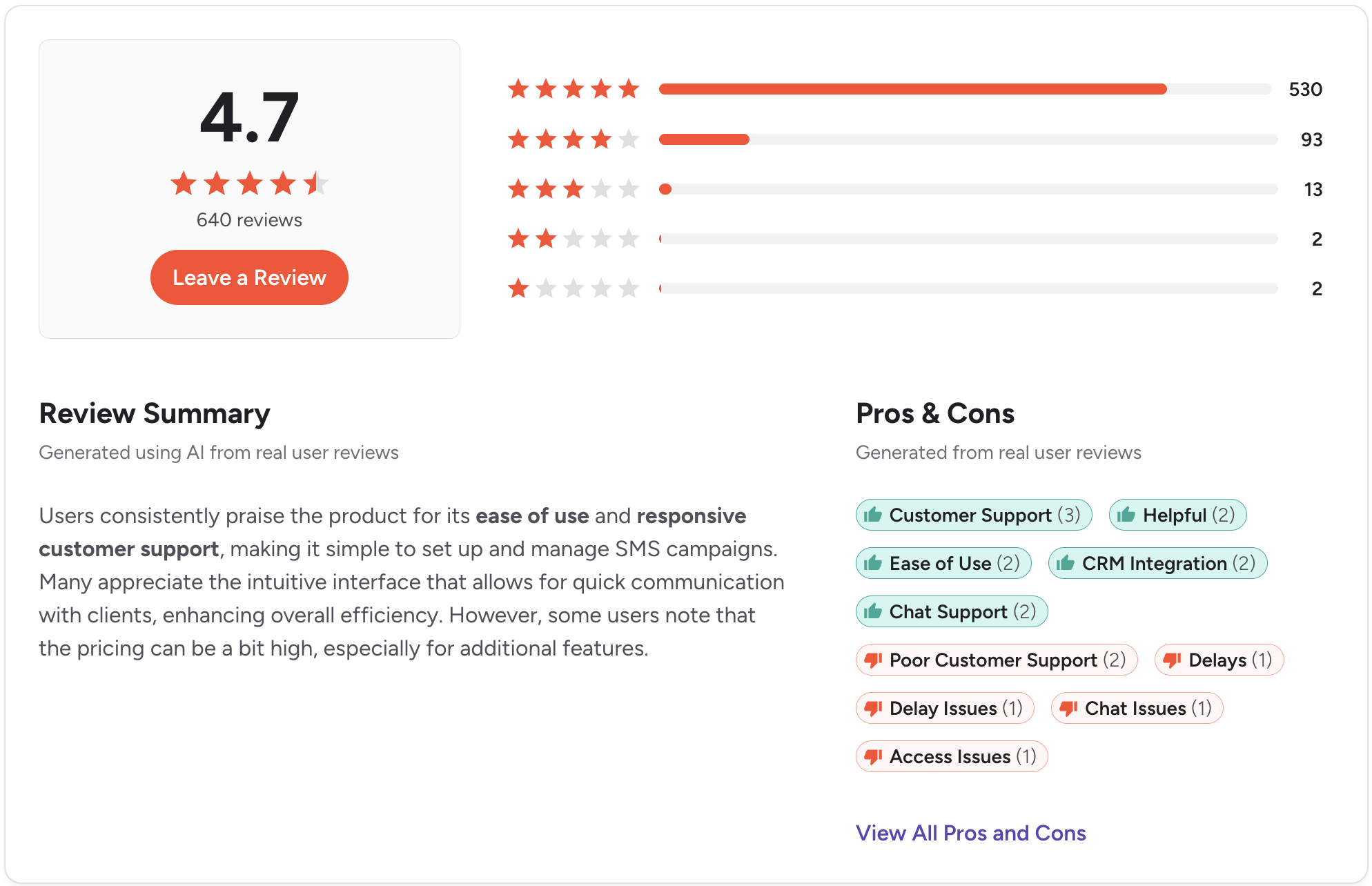
Ratings: G2: 4.8/5 (1800+ reviews) | Capterra: 4.8/5 (250+ reviews)
4. EZTexting. Best for Growing Small Businesses
Best for: Small businesses that need a straightforward SMS tool for simple outbound campaigns without a steep learning curve.
EZTexting gets teams sending fast. Minimal setup, approachable interface, accessible pricing for small businesses. For appointment reminders or basic promotional messages, it covers the job.
The gaps show up when sales workflows get involved. No calling. No native CRM integration. Two-way conversation management is basic enough that active lead follow-up becomes hard to manage.
Plus, the 10DLC and TCPA compliance tooling is less developed than platforms built specifically for sales outreach, which matters before you start texting at any real volume.
Key features:
- SMS and MMS broadcasts
- Contact list management and segmentation
- Scheduled messages and autoresponders
- Basic campaign analytics
- Zapier integrations
CRM integration: No native HubSpot or Salesforce integration. Basic integrations available through Zapier.
SMS support: Outbound-focused. Two-way messaging is limited compared to platforms built around sales conversations.
Pricing: Starts around $25/month for 500 message credits. Pricing scales with message volume.
Pros:
- Very fast to set up with minimal technical requirements
- Affordable entry point for small teams
- Clean interface with a good customer support reputation
Cons:
- No calling
- No native CRM integration
- Two-way conversation tools are too basic for active sales use
- Compliance support for 10DLC is less developed than sales-focused platforms
CRM integrations: Zapier only.
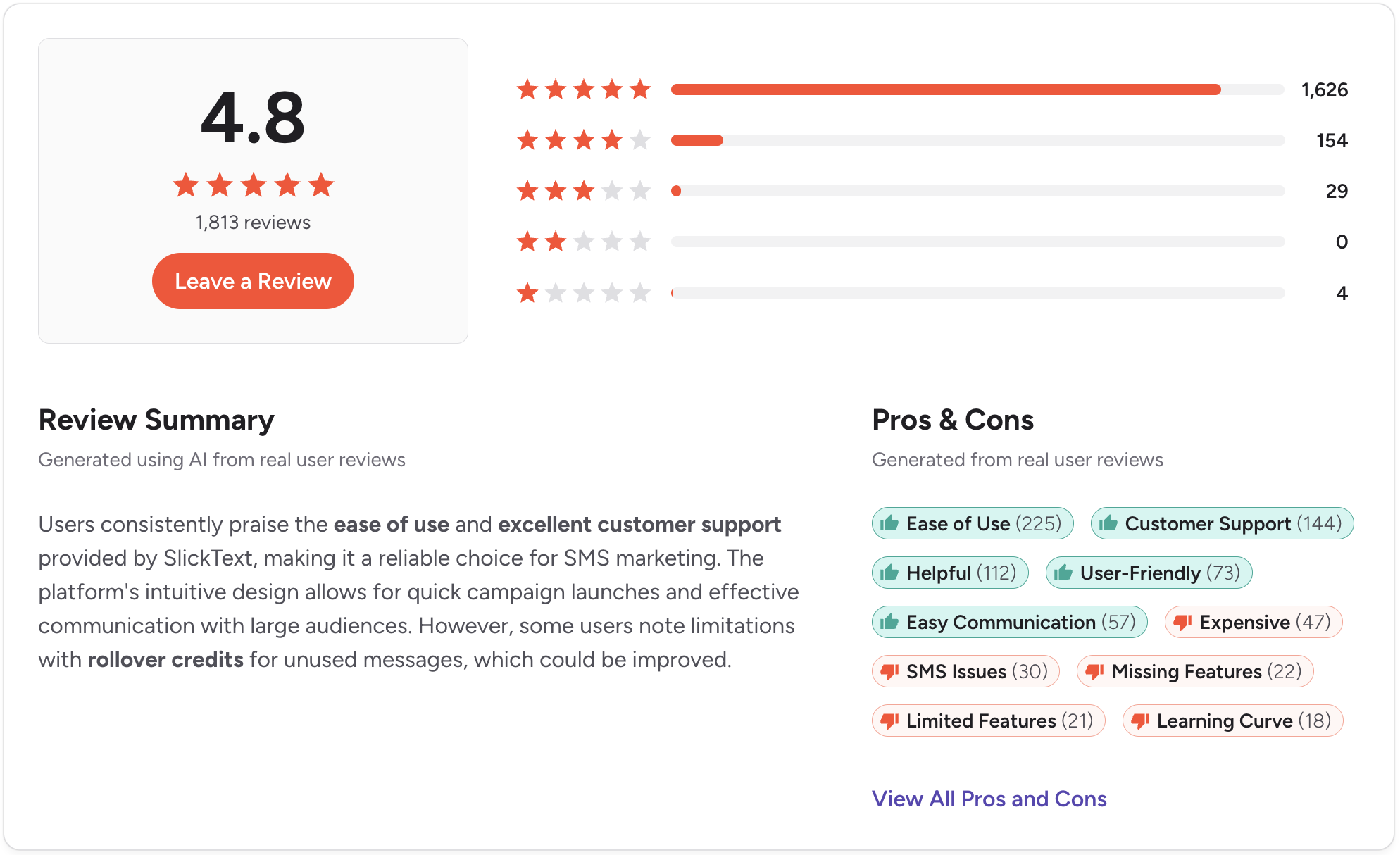
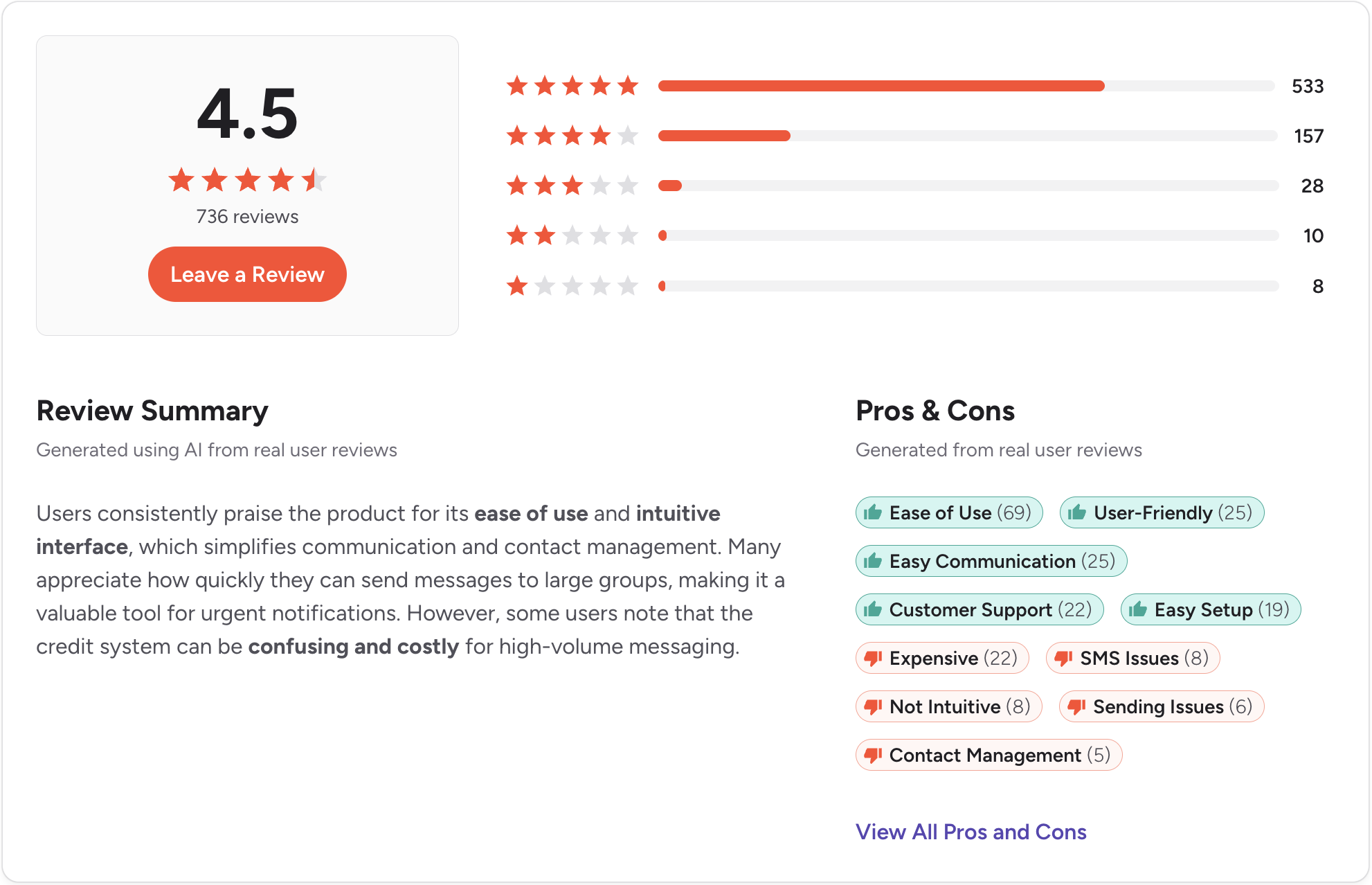
Ratings: G2: 4.5/5 (700+ reviews) | Capterra: 4.4/5 (240+ reviews)
5. Textline. Best for Customer Support Teams
.svg)
Best for: Support and customer success teams handling high volumes of inbound text conversations who need strong team inbox controls and conversation routing.
Textline was built for inbound. Teams handling high volumes of customer messages, routing conversations to the right agent, and passing threads between departments with internal notes attached. For healthcare, logistics, and B2C support operations, it solves a real problem well.
The outbound side is where sales teams will feel the gap.
Automated follow-up sequences and CRM deal-stage triggers are not what the platform was designed for. Teams working leads across voice and text will also need a separate calling tool, since calling is not part of what Textline does.
Key features:
- Shared team inbox with conversation assignment and routing
- Internal notes are visible across the team on individual threads
- Automated greetings and away message responses
- Salesforce, HubSpot, Zendesk, and Slack integrations
- HIPAA-compliant messaging available as an add-on
- SMS and MMS support
CRM integration: Native integrations with Salesforce, HubSpot, Zendesk, and Pipedrive. Integration depth varies by plan tier.
SMS support: Full two-way SMS with strong inbox management. No calling.
Pricing: Custom pricing based on team size and message volume. Some third-party sources report starting prices around $20/user/month, but contact Textline directly for a current quote. Message credits are purchased separately from the base plan fee.
Pros:
- Strong routing and assignment tools for high-volume inbound teams
- HIPAA-compliant option makes it viable for healthcare organizations
- Native connections to multiple support platforms
Cons:
- Pricing is not published and requires a direct conversation with their team
- Outbound sales automation is limited for teams driving pipeline
- No calling
CRM integrations: Salesforce, HubSpot, Zendesk, Pipedrive, Slack.
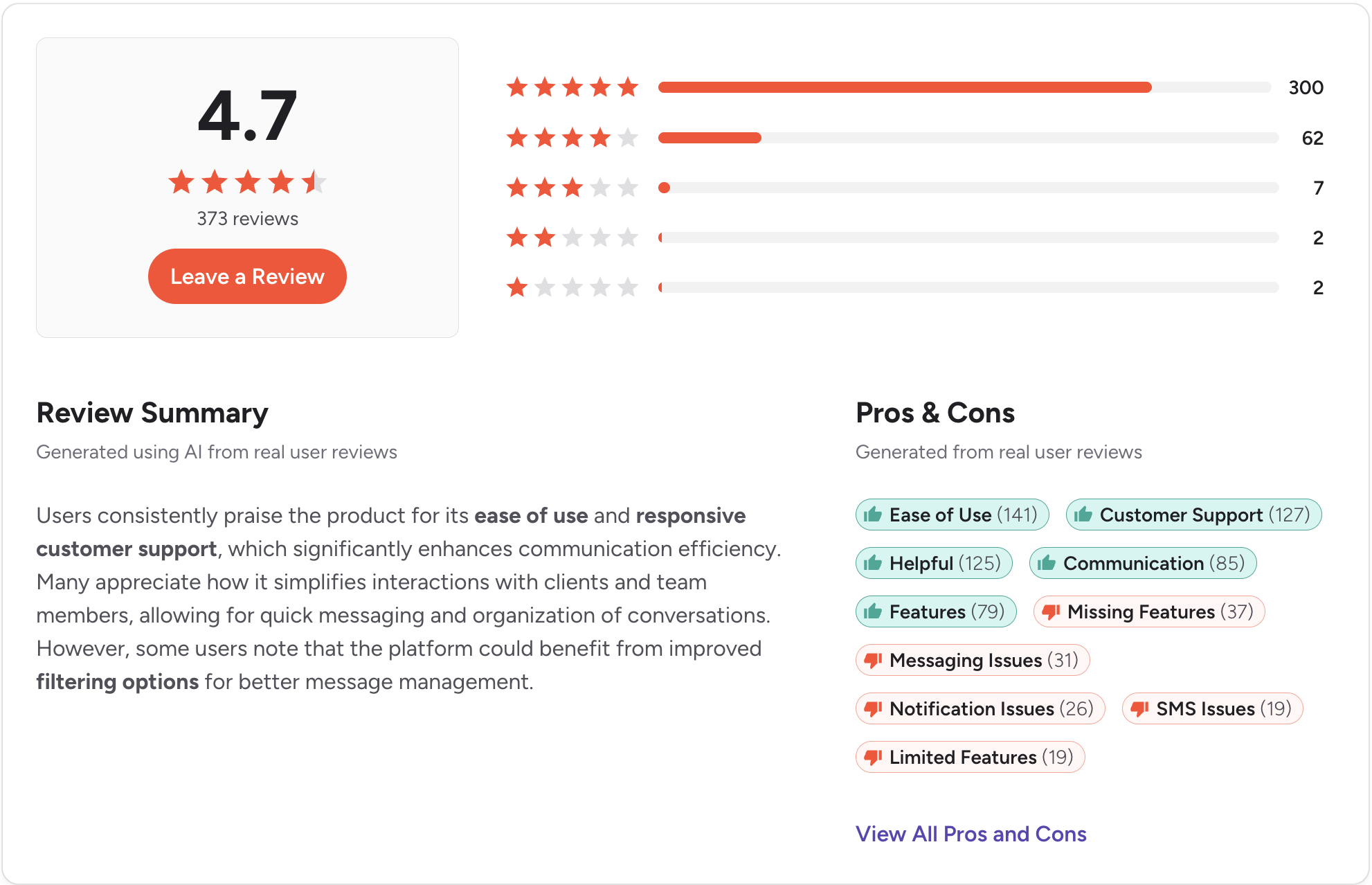
Ratings: G2: 4.7/5 (370 reviews) | Capterra: 4.9/5 (160+ reviews)
6. OpenPhone (now Quo). Best for Small Teams Replacing a Business Phone
.svg)
Best for: Early-stage teams or small businesses that want a shared business number with basic calling and SMS before they need a full sales communication platform.
Quo is built for teams that need a professional number fast without spending time on configuration. You can have a shared number live in under an hour. For founders and small teams, separating personal and business calls, that speed has real value.
The limitations show up once the team starts growing or the CRM becomes central to the workflow. HubSpot and Salesforce connections are only available on the Business plan, which nearly doubles the starting price.
Key features:
- Shared business number with team inbox
- Calling and two-way SMS from one platform
- Auto-replies and scheduled messages
- HubSpot and Salesforce integrations on the Business plan
- AI call summaries and voicemail transcription
CRM integration: HubSpot and Salesforce require the Business plan at $33/user/month. The Starter plan does not include these connections.
SMS support: Native two-way SMS. Works for low-to-moderate volume texting and basic follow-up.
Pricing: Starter plan begins at $19/user/month. Business plan is $33/user/month and required for CRM integrations.
Pros:
- Fastest path to a shared business number with calling and SMS included
- Clean interface that most users pick up without any formal onboarding
- Affordable entry point for very small teams
Cons:
- CRM integrations require an upgrade that nearly doubles the starting cost
- Call quality inconsistencies appear across recent review platforms
- Not built for complex outbound workflows or high-volume sales outreach
CRM integrations: HubSpot and Salesforce on the Business plan. Zapier available for other tools.
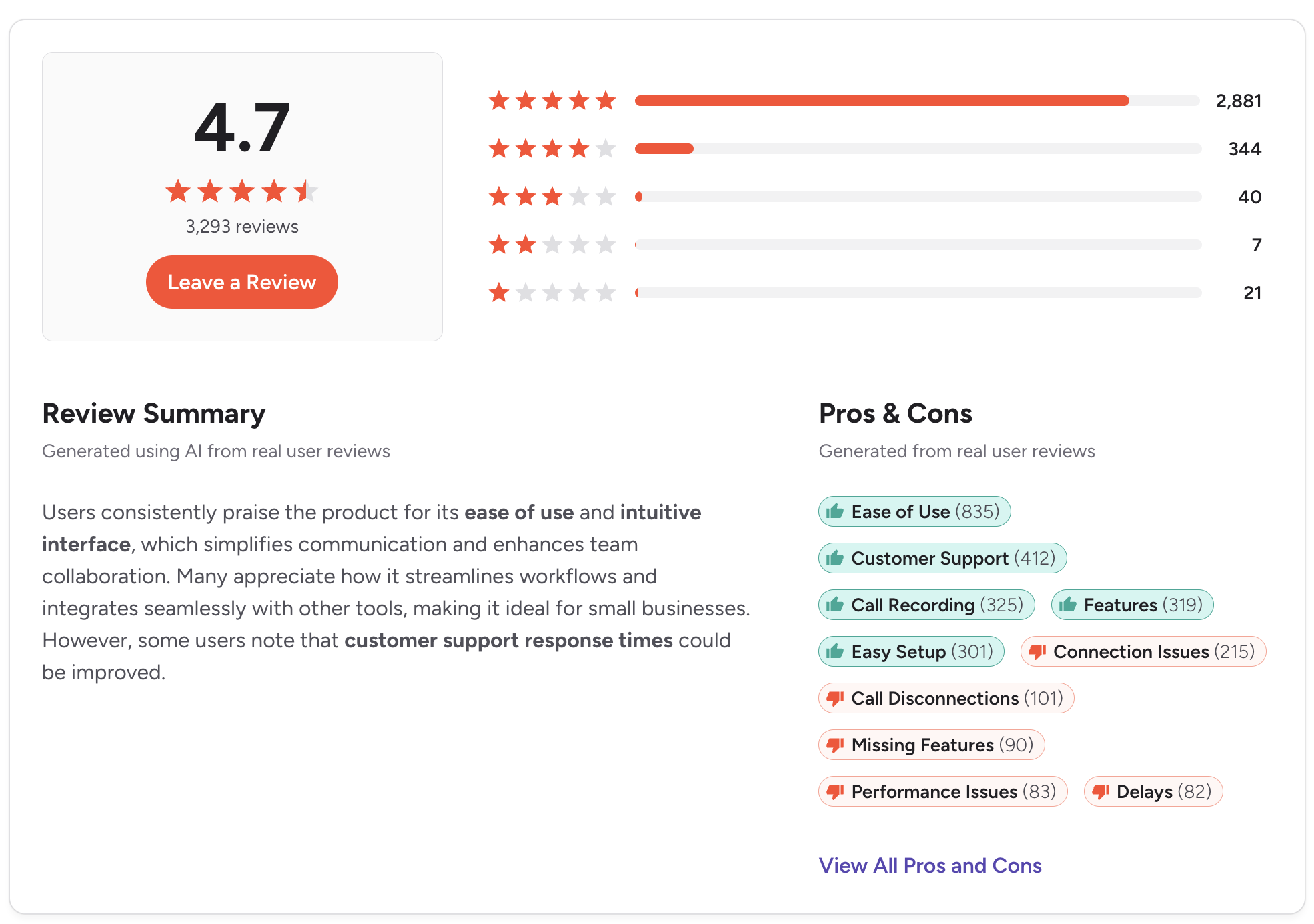
Ratings: G2: 4.7/5 (3,000+ reviews) | Capterra: 4.2/5 (60+ reviews)
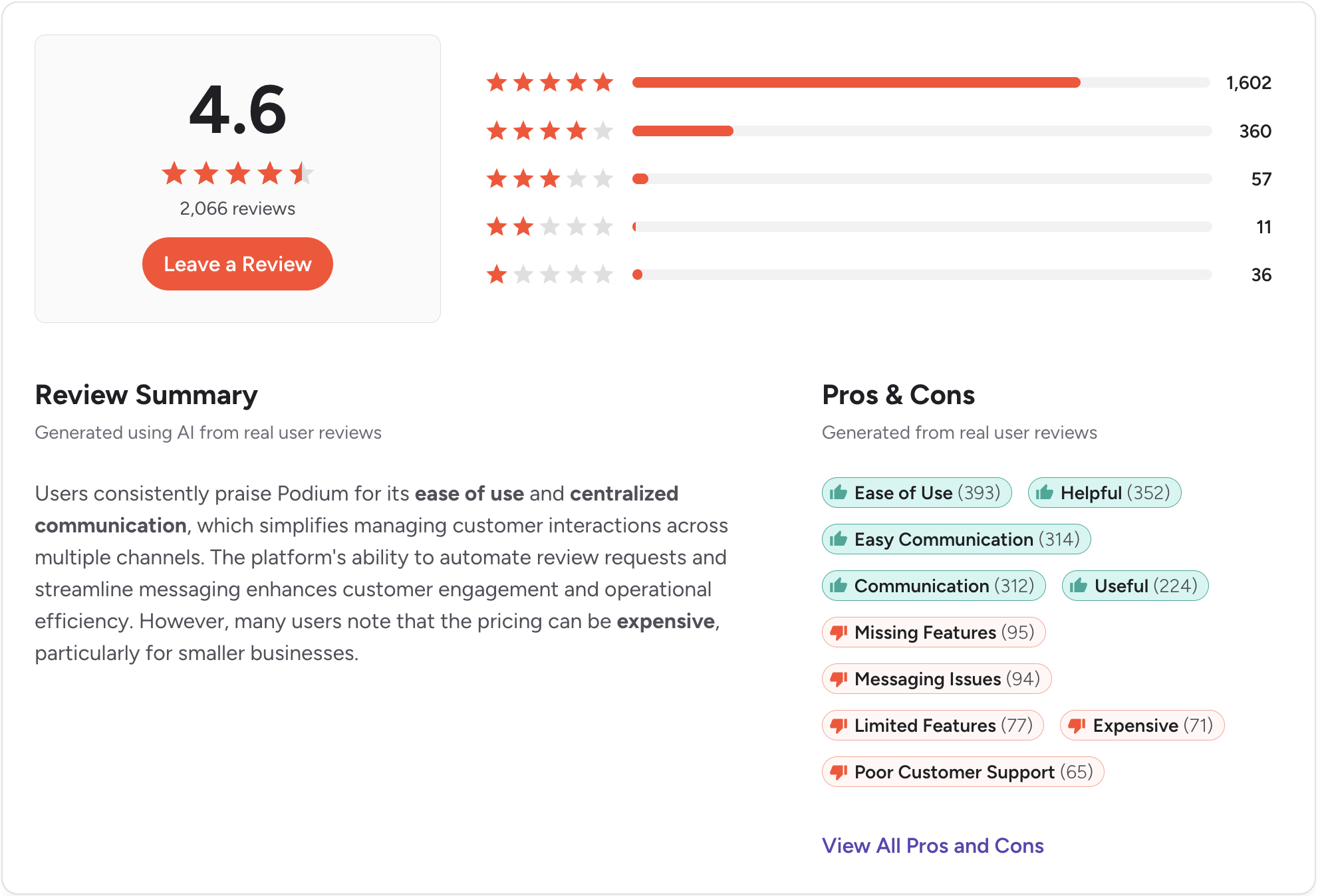
7. Podium. Best for Local Businesses That Also Need Review Management

Best for: Local service businesses that want to combine SMS customer communication with online review generation in one platform.
Podium connects two things that local service businesses care about. Customer text conversations and online review generation. A job finishes, an automated text goes out, and the customer leaves a Google review. For that specific loop, it works.
For B2B sales teams, the platform pulls in the wrong direction. No calling. Sales workflow automation is limited. Pricing requires a conversation before you see a number.
If reviews drive new customers for your local business, it is a category worth exploring. For managing a pipeline, it is not the right tool.
Key features:
- Two-way SMS with shared team inbox
- Automated review request messages after service interactions
- Webchat-to-SMS lead capture
- Payments via text
- Basic CRM and industry-specific integrations
CRM integration: Integrates with some industry-specific platforms. Limited native HubSpot or Salesforce connections across most plan tiers.
SMS support: Two-way SMS with decent shared inbox features. Not built for pipeline-driven sales follow-up.
Pricing: Custom pricing. Podium does not publish plan rates on its website. Expect a sales conversation before you see a number.
Pros:
- Practical combination of SMS and review management for local service brands
- Webchat-to-text is a useful lead capture tool
- Payment collection via text is a meaningful feature for service businesses
Cons:
- Pricing requires a sales conversation before you see a number
- No calling
- Not designed for B2B sales or CRM-connected follow-up workflows
CRM integrations: Industry-specific integrations. Limited native HubSpot or Salesforce support.
Ratings: G2: 4.6/5 (2000+ reviews) | Capterra: 4.3/5 (500+ reviews)
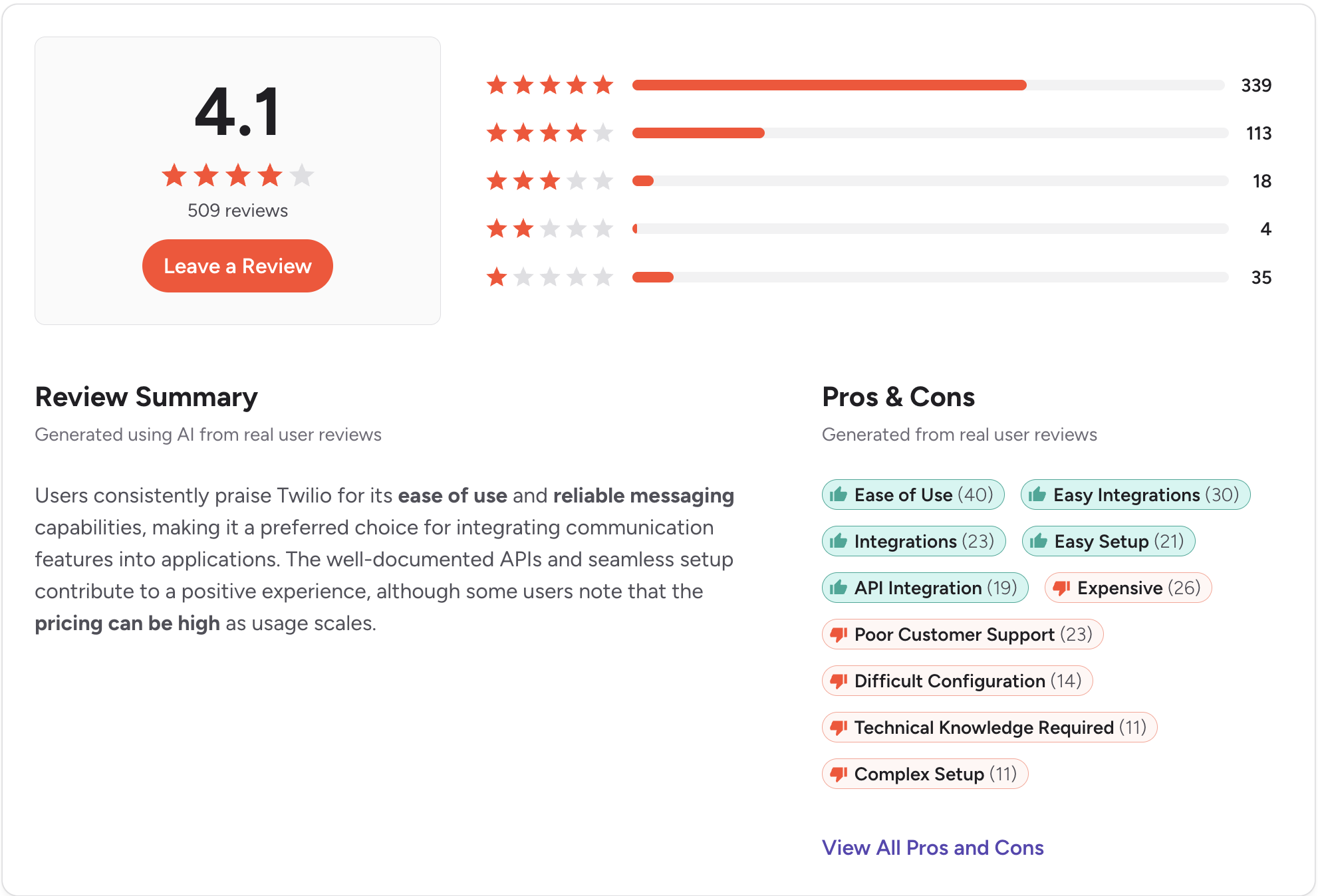
8. Twilio. Best for Developer Teams Building Custom SMS Workflows
Best for: Engineering teams that need maximum flexibility to build custom SMS workflows, integrations, or applications from scratch.
Twilio gives you the infrastructure to build almost anything. Global carrier coverage, programmable SMS and voice, webhook-based automation. Teams with specific workflow requirements that no off-the-shelf platform can meet often end up here.
The practical reality is that none of it arrives ready to use. No shared inbox. No team interface. No CRM connection without custom development.
A sales team that needs to start texting leads this week should look elsewhere. An engineering team with a longer runway and the resources to build and maintain a custom solution may find it the right foundation.
Key features:
- Programmable SMS and MMS via API
- Global carrier coverage across 180 countries
- Voice calling via the Twilio Voice API
- Webhook-based automation and event triggers
- Extensive developer documentation and support resources
CRM integration: API only. Any CRM connection requires custom development or a middleware tool.
SMS support: Full SMS and MMS capability via API. No out-of-the-box inbox or conversation management.
Pricing: Pay-as-you-go, starting at approximately $0.0083 per SMS segment in the U.S. Phone number rental and additional features are billed separately.
Pros:
- Maximum flexibility for teams with engineering resources to build on it
- Global coverage and reliable carrier infrastructure
- Can integrate with virtually any system, given sufficient development time
Cons:
- Requires ongoing engineering resources to implement and maintain
- No shared inbox or team communication UI without custom development
- Total cost of ownership is higher than it appears once development time is included
- Not a realistic option for sales teams without dedicated technical support
CRM integrations: API only. No native connectors included.
Ratings: G2: 4.2/5 (1800+ reviews) | Capterra: 4.4/5 (500+ reviews)
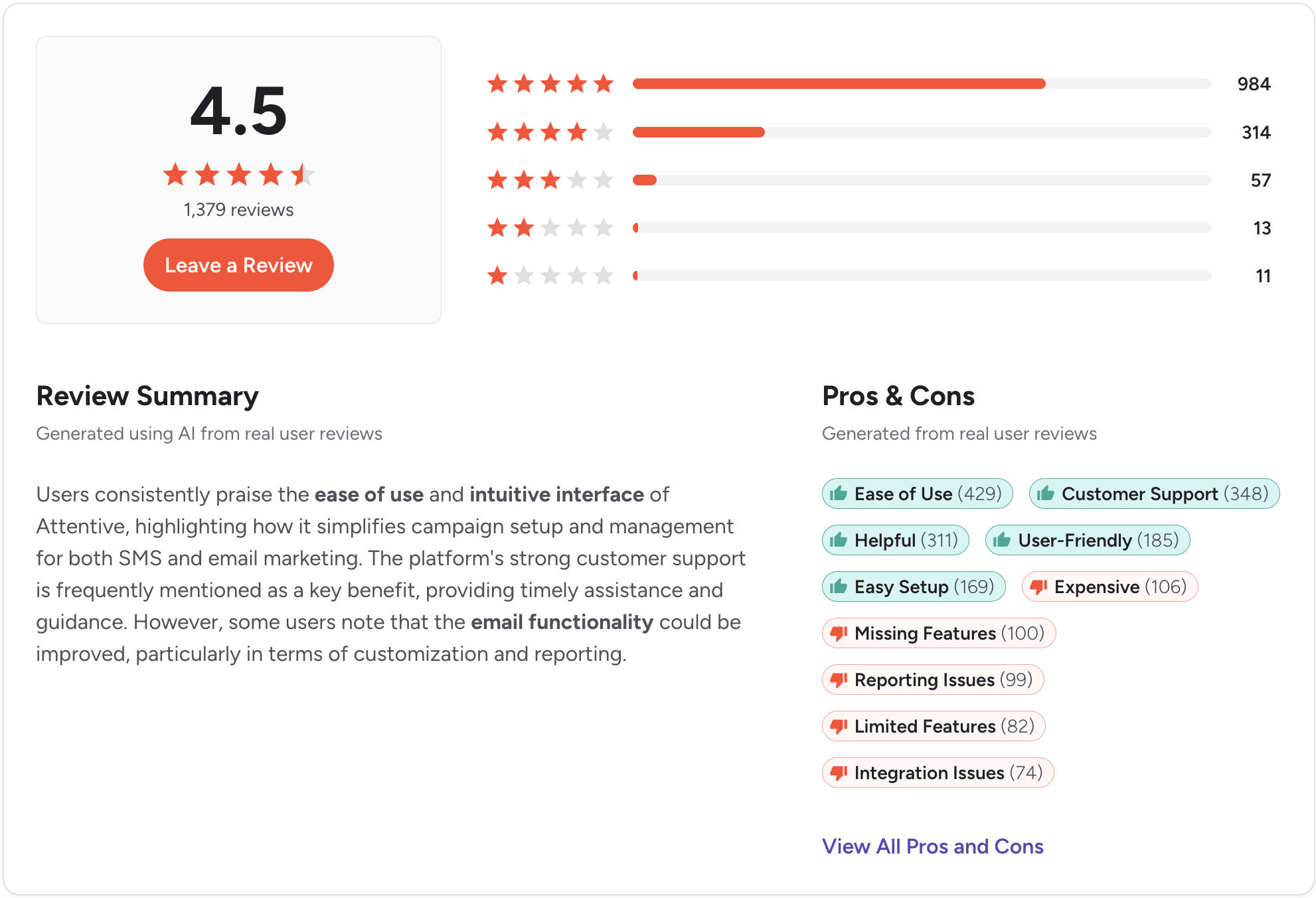
9. Attentive. Best for High-Volume E-commerce SMS Marketing
.svg)
Best for: Direct-to-consumer brands running large-scale SMS marketing programs as part of a broader e-commerce growth strategy.
Attentive is a consumer SMS platform at scale. AI-driven personalization, large subscriber list management, and deep e-commerce integrations. For DTC brands sending millions of messages to opted-in customers, it is a serious tool.
For B2B sales teams, it is simply a different category of product. No calling, no shared sales inbox, no pipeline-focused CRM integration. If you run an e-commerce brand, evaluate it on those merits. If you are trying to text business leads through a Salesforce or HubSpot workflow, it’s not the right tool.
Key features:
- High-volume SMS and MMS for e-commerce campaigns
- AI-powered message personalization and send-time optimization
- List growth tools, including pop-ups and text-to-join flows
- Shopify, Klaviyo, and e-commerce platform integrations
- Campaign analytics with revenue attribution
CRM integration: E-commerce platform integrations. No native HubSpot or Salesforce connection designed for B2B sales workflows.
SMS support: One-way broadcast SMS at scale. Not designed for two-way sales conversations.
Pricing: Custom pricing. Attentive does not publish rates publicly. Contact their team for a quote.
Pros:
- Strong personalization tools for consumer SMS marketing programs
- Solid list growth features for e-commerce brands
- Revenue attribution across campaigns is useful for DTC teams
Cons:
- No calling
- No B2B CRM integration
- Custom pricing requires a sales conversation
- Built entirely for consumer e-commerce
CRM integrations: Shopify, Klaviyo, and e-commerce-specific platforms.
Ratings: G2: 4.5/5 (1300+ reviews) | Capterra: 4.8/5 (100+ reviews)
10. Klaviyo. Best for E-commerce Brands Already Using Klaviyo for Email
Best for: E-commerce businesses already running Klaviyo for email marketing that want to add SMS inside the same platform without introducing a new tool.
Klaviyo’s SMS works well if you are already there. Email and SMS flows are built in the same automation builder. Segmentation uses the same customer data across both channels. For existing Klaviyo customers, adding SMS is a natural extension of what they already do.
Outside of that context, it is not a tool worth adopting on its own. No calling. No shared inbox for a sales team. No meaningful HubSpot or Salesforce connection for B2B pipeline work. Adding Klaviyo specifically for SMS, without already using the email platform, adds cost without a clear reason.
Key features:
- SMS and email flows are built in the same automation builder
- Shared segmentation and customer data across both channels
- Shopify, BigCommerce, and WooCommerce integrations
- Campaign analytics with revenue attribution across email and SMS
- AI-powered send-time optimization
CRM integration: E-commerce platform integrations. No native HubSpot or Salesforce connection for B2B use cases.
SMS support: Outbound SMS and MMS for marketing campaigns. Not designed for two-way sales conversations.
Pricing: A free tier is available for up to 250 active profiles with 150 SMS credits included. Paid plans start at $20/month for email. SMS credits are $15/month for up to 1,250 credits, bringing the starting total to $35/month for email and SMS combined. Costs scale based on message type (MMS, RCS, etc.) and message volume beyond that.
Pros:
- Unified email and SMS automation is a real advantage for existing Klaviyo users
- Strong segmentation using shared customer data across channels
- Revenue attribution across both channels is useful for e-commerce teams
Cons:
- No calling
- No B2B sales workflow or pipeline-focused CRM integration
- SMS credits add to the base platform cost
- Not worth adopting as a standalone SMS tool without the broader Klaviyo email context
CRM integrations: Shopify, BigCommerce, WooCommerce, and e-commerce-specific tools.
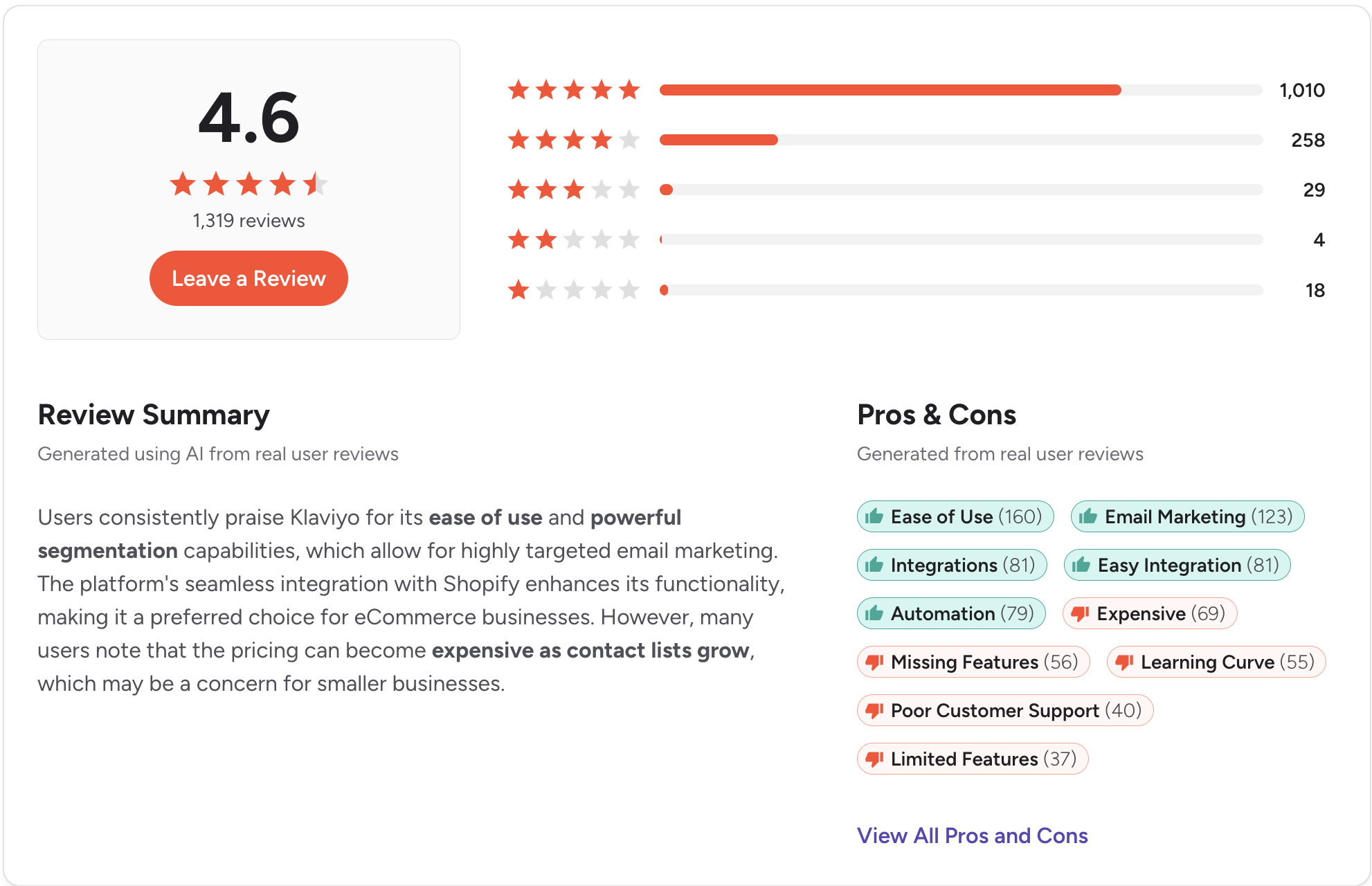
Ratings: G2: 4.6/5 (500+ reviews) | Capterra: 4.6/5 (1300+ reviews)
How to Choose a TextMagic Alternative
Five questions will make it easier to make your decision:
Does it connect natively to your CRM?
Zapier handles basic triggers. It does not handle reliable two-way sync, workflow automation, or automatic activity logging at the level a sales team needs. If a vendor says “connects via Zapier,” find out exactly what syncs and what does not before you commit.
Do you need two-way conversations or one-way broadcasts?
Several tools on this list were built to send, not to receive. If your leads reply and your team needs to manage those conversations in a shared inbox, that needs to be a core feature before you sign up.
Does calling live in the same platform?
Most SMS tools on this list have no calling at all. If your reps are texting and calling the same leads, keeping those in separate tools means conversation history is split across two places, and your CRM reflects neither completely.
What does compliance actually look like during setup?
10DLC registration is required for U.S. business texting. TCPA requires documented consent before a single marketing message goes out. Some platforms walk you through both during onboarding. Others hand you a help article. The difference matters, especially for teams in healthcare, finance, or legal.
What does this actually cost at your real send volume?
Per-message pricing, per-seat pricing, and credit-based pricing produce very different invoices at scale. Run the numbers based on actual message volume and actual team size, not the number on the pricing page.
Not sure which tool fits your team? Try Salesmsg free for 14 days, no credit card required.
The Bottom Line on TextMagic Alternatives
The tools on this list cover a wide range of use cases. SimpleTexting, SlickText, and EZTexting are solid choices if your primary need is marketing broadcasts and you are not running a CRM-connected sales workflow.
Textline handles high-volume inbound support well. Podium makes sense for local businesses where reviews and SMS overlap. Twilio works if you have engineering resources and requirements that no off-the-shelf tool can meet.
Finally, Attentive and Klaviyo are built for e-commerce brands with large subscriber lists, not B2B pipelines.
For sales teams, the answer is more specific. You need two-way conversations, a shared inbox, CRM logging that happens without anyone thinking about it, and ideally calling in the same place as texting. That combination is what Salesmsg was built for.
Start your free 14-day trial of Salesmsg and see what SMS and calling looks like when everything connects to your CRM.
Frequently Asked Questions
What is TextMagic best used for?
TextMagic is a bulk SMS platform suited for sending one-way notifications, alerts, and mass messages. It works well for simple outbound campaigns but lacks native CRM integrations and built-in calling, which limits it for B2B sales workflows.
What is the best TextMagic alternative for sales teams?
Salesmsg is the strongest option for sales teams because it combines SMS and calling in one platform with native Salesforce and HubSpot integrations. It supports two-way conversations, shared team inboxes, and is built around outbound and follow-up workflows rather than bulk marketing.
Does TextMagic integrate with Salesforce or HubSpot?
TextMagic does not have native Salesforce or HubSpot integrations. You can connect it via Zapier, but that adds complexity and limits functionality. If CRM integration is a priority, Salesmsg or another alternative with native connectors will serve you better.
How much does TextMagic cost compared to alternatives?
TextMagic charges per message sent, which can get expensive at higher volumes. Most alternatives offer monthly subscription plans with included message credits. Always compare the per-message rate versus flat monthly pricing based on your actual send volume.
What should I look for when switching from TextMagic?
The most important factors are CRM compatibility, whether you need two-way or one-way messaging, team inbox features, calling capability, and compliance support. If your team uses a CRM actively, native integration rather than a Zapier workaround will save significant time.
Is there a TextMagic alternative with SMS and calling combined?
Yes. Salesmsg offers both SMS messaging and calling in a single platform. This is uncommon in the SMS software space and especially useful for sales teams that want a unified communication tool rather than separate apps for texting and calling.