SMS Event Marketing: The Playbook That Actually Converts [2026]



_SMS%20Event%20Marketing_%20The%20Playbook%20That%20Actually%20Converts.webp)

SMS event marketing is the use of opt-in text messages to drive attendance, engagement, and follow-up across the life of an event. Done well, it sends the check-in ticket the moment registration closes, alerts a rep when a key account walks in the room, and writes lead capture to your CRM so the next workflow runs without anyone touching a spreadsheet.
Most event teams skip this and rely on email. Then half the room shows up, leadership asks if the event drove pipeline, and the data needed to answer lives in a spreadsheet disconnected from HubSpot. The fix is not more email. It is moving event communication into the same system as your sequences, your workflows, and your reporting.
This guide breaks down how to run SMS event marketing inside HubSpot: the workflows to build, the AI agent setup that captures booth leads in 5 minutes, the dashboard that proves ROI, and the compliance rules to get right before the first message goes out. Salesmsg's Chris Doore and hapily's Dax Miller walked through every piece of this on a recent live session, and the specific examples and quotes below come from that work.
Watch the live walkthrough. See the workflows built on screen, the AI agent demo, and the HubSpot ROI dashboard. Watch the 30-minute replay.
What is SMS event marketing
SMS event marketing is the use of text messages to communicate with event attendees across the registration, attendance, and follow-up stages. It covers confirmation texts with QR codes, day-of reminders, real-time logistics like room changes, lead capture at the booth, and post-event nurture, all tied to a single CRM record.
It works because of where it sits. People keep their phone in hand at an event. Not their inbox. A text about a session starting in five minutes gets read in five minutes. The same information in an email gets read on the flight home.
Two things separate SMS event marketing from generic SMS blasts. The consent is explicit, tied to a registration or a QR code scan. And the messages are tied to a moment the attendee actually cares about, not a recurring marketing send.
That distinction is the whole reason the channel works. As Chris Doore, Head of Partnerships at Salesmsg, put it on a recent walkthrough:
"The real reason texting works at events isn't the open rate. It's the relevance plus the timing. You're reaching someone in the channel they actually check, at the exact moment the information matters. 'We're starting, room change, don't miss the session,' that's not marketing. That's a service. People don't opt out. They reply, they respond, they engage."
SMS vs. email for events: the data
SMS has a 98% open rate as an industry benchmark. Event texting click-through runs 16 to 30%. Email click-through on a good day might hit 3 to 4%, and event reminder open rates sit at 20 to 30%, a number that has gotten softer as Apple and other providers preload tracking pixels.
The volume gap matters less than the quality gap. SMS event marketing is not about sending more messages. It is about sending the right message at the moment it changes a behavior, like getting an attendee out of a hallway and into a session.
Opt-out rates on event texting run under 3%. If the channel felt intrusive to attendees, they would leave. They do not, because the messages are useful.
When to send a text at an event
The risk with adding SMS to an event mix is over-sending. The fix is to use SMS only for moments where a delayed read defeats the message. Six moments earn a text.
- Confirm registration with the QR code
- Remind the day before with the ticket
- Share parking, directions, and entry
- Push room changes in real time
- Announce a session, lunch, or party
- Follow up the same evening
Everything else belongs in email. Agendas, session recordings, post-event content, sponsor offers, anything that benefits from length or formatting. Send too many texts and the channel loses the trust that makes it work.
How to build the check-in workflow in HubSpot
The core workflow triggers the moment a registrant's QR code is generated, so the ticket lands on the attendee's phone before they leave home. It runs natively in HubSpot using Salesmsg as the SMS layer and hapily's registrant object as the event-specific record.
- Trigger on the QR code being known. The workflow fires off the registrant record, not the contact. A registrant is one instance of a contact attending one event, with QR code, t-shirt size, dietary notes, event date, and calendar links all in one place.
- Send the SMS using the custom object. Pull tokens directly from the registrant. A simple message works: "Hey {first name}, you're confirmed for {event name}. Here's your check-in QR code below."
- Insert the QR code as a URL. The check-in code lives as a URL on the registrant, so it drops straight into the text.
- Send from the inbox you choose in Salesmsg. The text routes through your business number, not a personal phone.
- Add a reminder branch. Wait until the day before, then send again so the ticket sits at the top of their messages.
The reason this matters more than it sounds is the data model. Most event integrations write every field onto the contact record, where the next event will overwrite it. A dedicated registrant object means one contact can show every event they have ever attended, each with its own dietary notes, ticket type, and check-in record.
"Usually integrations will just jam everything on the contact, so it gets overwritten all the time. You're sitting with contacts with 10,000 properties that you used one time. hapily memorializes the information from that event, t-shirt size, dietary restrictions, QR code, event time, name, date, calendar links, all in one place."
— Dax Miller, co-founder, hapily
How to use an AI agent at the booth
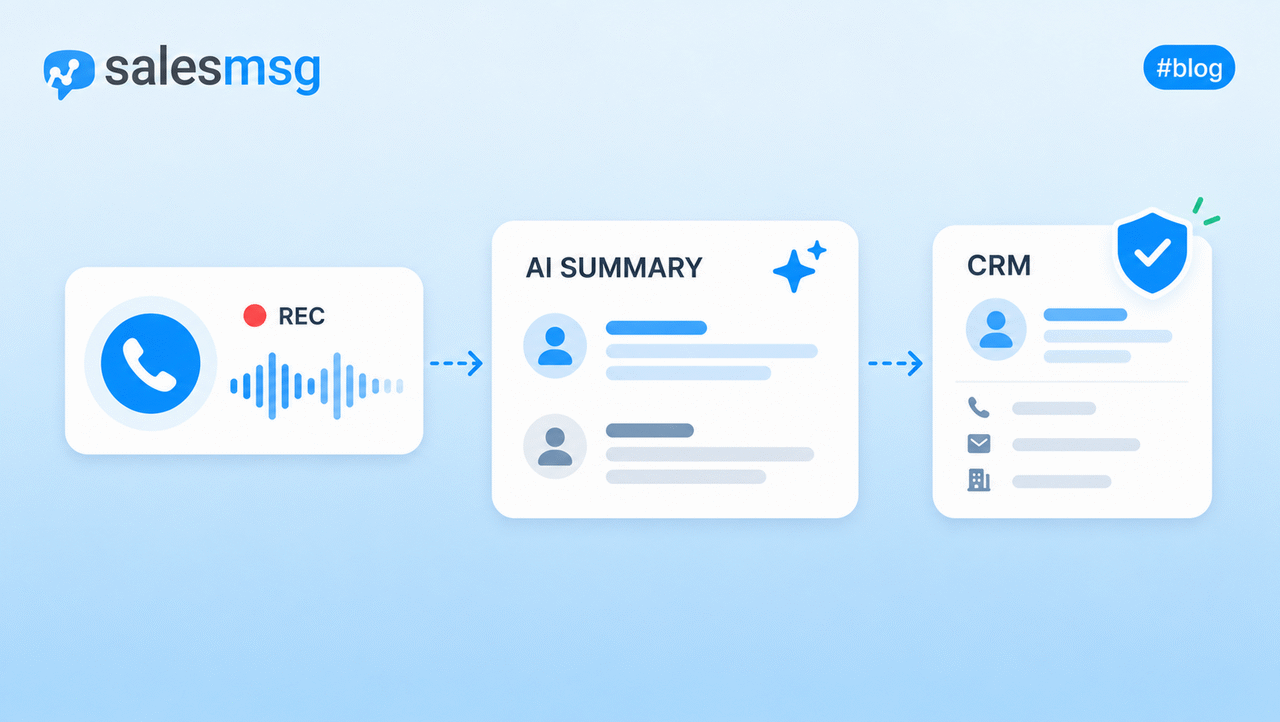
Manual lead capture at a booth breaks down fast. You meet someone, mean to write down what you talked about, and three booths later you have forgotten. An AI texting agent fixes this by holding the conversation, qualifying the lead, and writing answers straight to HubSpot.
The setup is three steps. Train the agent on the event details (venue, speaking sessions, value props, booth location). Put it behind a QR code on slides, signage, or booth materials. Define what success and fallback look like in HubSpot.
When an attendee scans, three things happen at once:
- Captures explicit, time-stamped consent
- Tags the contact to the HubSpot campaign
- Writes name, company, and email to HubSpot
Because Salesmsg integrates with HubSpot both ways, the agent can ask any qualifying question you point it at and write the answer back to a HubSpot field. Budget, location, number of locations, biggest pain point. Whatever data the next workflow needs.
The Endless Customers Live example
Salesmsg ran exactly this play at Endless Customers Live with partner IMPACT in March 2026. Chris trained the agent on the venue, IMPACT's value props, the speaking sessions, and the booth location, then embedded the QR code on IMPACT's keynote slides and around the ballroom. Total setup time: 5 to 10 minutes.
When an attendee scanned, the agent opened with "Just arrived at Live 2026. Don't let me miss a thing." The conversation that followed captured first name, company, email, and one qualifying question chosen for the event: "What's the biggest gap if your team follows up with leads right now?"
One attendee, Amy, scanned the QR code during a session. The agent collected her details and her answer (her team had no system for tracking follow-up and no protocol for when to follow up), and wrote everything to HubSpot. Chris met her at the booth later that day, looked up the record, and set up a demo from the conversation she had already had with the agent.
The QR code pulled a 16% click-through rate, which is in line with Salesmsg's broader event-texting benchmarks.
The 90/10 rule for AI agents
An AI agent at an event is not a replacement for your team. It is a way to handle the logistics layer of every conversation so reps can focus their attention where it matters.
"An agent handles 90% of the logistics, so your people can spend their attention on the 10% that's actually revenue generating."
— Chris Doore, Head of Partnerships, Salesmsg
Two guardrails protect the channel. Cap messages per person at 20 so a single conversation cannot spiral into token overages. Build an escalation rule that routes a frustrated tone to a real rep through a HubSpot workflow.
The agent also needs a definition of done. Tag "bot success" and route to sales on a qualified conversation. Tag "bot fallback" and nurture later if there is no engagement after a day. No pushiness on the fallback. Wait a week, then send a soft text or email.
Sponsors can run this play too
The booth agent works whether you are the event organizer or a sponsor. You do not need to control the event app to use texting as your engagement layer. Run your own QR code behind your own agent, augment the official app, and capture leads with consent.
This is the move Dax flagged for sponsors with small floor teams:
"Maybe you gamify it. We've done that before, just pull the list, randomize it, give away espresso machines. If you only have 2 people at a 500 or even a 5,000 person event, you can do far more impact with texting as engagement."
— Dax Miller, co-founder, hapily
How to branch follow-ups by session attendance
Once hapily writes session check-ins to the contact record, the HubSpot workflow can branch follow-up on real behavior, not registration alone.
- Attended Session A: send the session-specific recap
- Skipped Session A: send the on-demand link
- Attended and clicked the link: flag hot, route to rep
The most useful version of this is the real-time alert. A key account walks into the keynote, the rep assigned to them gets a text: "Account X just walked into the room." That alert cannot work as an email, because reps are not checking email at an event.
"I'm not checking email at events. My inbox is normally 100, 200 by the time I get home from travel. Are you going to use the vehicle that people prioritize the least, or the one that's going to draw the most eyes and attention?"
— Chris Doore, Head of Partnerships, Salesmsg
Session-based branching also handles the post-event opportunity most teams miss. The attendee who showed up and engaged is a different lead than the no-show, and the follow-up should reflect that. Same event, same workflow, different paths.
How to prove event ROI inside HubSpot
Events get treated as a cost center because the data lives outside the CRM. Move attendance, leads, and spend into HubSpot custom objects, and the reporting writes itself.
A HubSpot dashboard built on three hapily custom objects (event, session, registrant) can report on the metrics event teams need to defend their budget:
- Registrations, no-shows, and attendance percentage
- Event expenses by cost category
- Cost per lead, by event
- Event leads by lifecycle stage
- Average net revenue, cost, and ROI per event
- Ticket sales, refunds, and revenue by ticket type
- Ticket registrations by sales rep
Attribution runs automatically. Set the lookback period and the model, first event, most recent, or every event, and you can finally answer the question leadership keeps asking. Did the event drive pipeline? Should we do more, or fewer?
"This is usually what we call the knife fight in the parking lot. Sales is like, no, no, no, that event, not the event, it was me, I called them, I followed up. When you can see this person went to these events, which influenced, sourced, or accelerated these deals, now you're in the business."
— Dax Miller, co-founder, hapily
Without this layer, you cannot justify the next event. Event teams are usually one or two people carrying a major revenue channel, and clean ROI reporting in the same dashboard as every other marketing metric is what gets the next event approved.
Compliance: 10DLC, opt-ins, and STOP/HELP
Event SMS marketing is opt-in by design, which makes compliance simpler than most teams expect. Three things matter, in order.
- Capture explicit, documented consent. When an attendee scans a QR code or texts a keyword to enroll, that is the consent. Salesmsg captures and time-stamps it automatically inside the workflow.
- Honor STOP and HELP. Clear sender identity and automatic opt-out handling are built in by default. An attendee texts STOP, they are unenrolled instantly, with no manual cleanup.
- Register for 10DLC before the first send. Any US or Canada business texting at volume requires 10DLC registration approved first. It is the carrier-level registration that keeps you deliverable. Salesmsg has a dedicated team that walks customers through submission and keeps the registration documented.
Texting outside North America is possible. Salesmsg supports roughly 150 countries, and every carrier is regulated separately. You register per country, not all at once.
Frequently asked questions
What is SMS event marketing?
SMS event marketing is the use of opt-in text messages to communicate with event attendees across registration, attendance, and follow-up. Typical use cases include sending the check-in QR code at registration, reminding the day before, pushing real-time room changes, capturing booth leads through an AI agent, and following up after the event. It works best when integrated with a CRM like HubSpot so every text is tied to a contact record.
Does SMS event marketing feel too intrusive to attendees?
No, because event texting is opt-in and timely. Opt-out rates run under 3%, well below what email achieves. Attendees keep messages they find useful in the moment, like a room change or a recording link, and ignore everything else. The mistake to avoid is treating SMS as a second email channel and using it for marketing blasts.
Can I trigger different texts based on which sessions someone attended?
Yes. When session check-ins write to the contact record in HubSpot, the workflow can branch on that data. One follow-up for attendees, another for no-shows, and a hot-lead route for anyone who attended and clicked a link. The same approach drives real-time rep alerts when a key account walks into the room.
What is 10DLC and do I need it for event texting?
10DLC is the US and Canada carrier registration that lets a business text consumers legally and stay deliverable. Any meaningful volume requires it to be approved before the first message goes out. Salesmsg has a dedicated team that guides customers through submission and keeps the registration documented.
How does an AI texting agent qualify leads at an event?
You train the agent on your event and brand, then put it behind a QR code on slides, signage, or booth materials. When attendees scan, the agent opens a two-way conversation, collects name, company, and email, and asks any qualifying question you point it at, like budget or location. Answers write back to HubSpot through the two-way Salesmsg integration in real time.
How do I measure event ROI from SMS marketing inside HubSpot?
Build the dashboard on hapily custom objects for events, sessions, and registrants. Salesmsg and hapily write attendance, lead capture, and engagement data into those objects automatically. Attribution runs on the look back period and model you set, so revenue per event sits next to every other marketing metric.
Can I run SMS event marketing if I'm a sponsor, not the event organizer?
Yes. You do not need to control the event app to use SMS as your engagement layer. Run your own QR code behind your own AI agent, augment the official app, and capture leads with consent. This is especially useful for sponsor teams of two or three people working a 500-person or 5,000-person event.
Run your events where your revenue lives
The teams that win at events are not the ones that send the most emails. They are the ones that move event communication into the same system as their workflows and reporting, and use SMS for the moments that matter most: the check-in ticket, the room change, the booth conversation, the real-time rep alert.
Build the check-in workflow. Run an AI agent at the booth. Branch follow-up on session attendance. Prove ROI in the HubSpot dashboard. The compounding effect is what turns events from a cost center into a defensible revenue channel.
Watch the full live walkthrough. Chris Doore (Salesmsg) and Dax Miller (hapily) built every workflow on screen, demoed the AI agent live, and walked through the HubSpot ROI dashboard end to end. Watch the 30-minute replay on YouTube, or book a demo to see the event workflows in your own HubSpot.