The 9 Best Aircall Alternatives for Sales Teams in 2026



_The%209%20Best%20Aircall%20Alternatives%20for%20Sales%20Teams%20in%202026.webp)

Quick Summary
Looking for an Aircall alternative?
This guide compares nine alternatives for sales teams who have outgrown it, with verified pricing, honest pros and cons, and a close look at SMS support and CRM integration.
Teams evaluating alternatives to Aircall aren't always looking to spend less. Many are looking for a platform that handles both calling and texting without requiring a second tool, a second login, and a second sync to their CRM.
Here’s how the top options stack up.
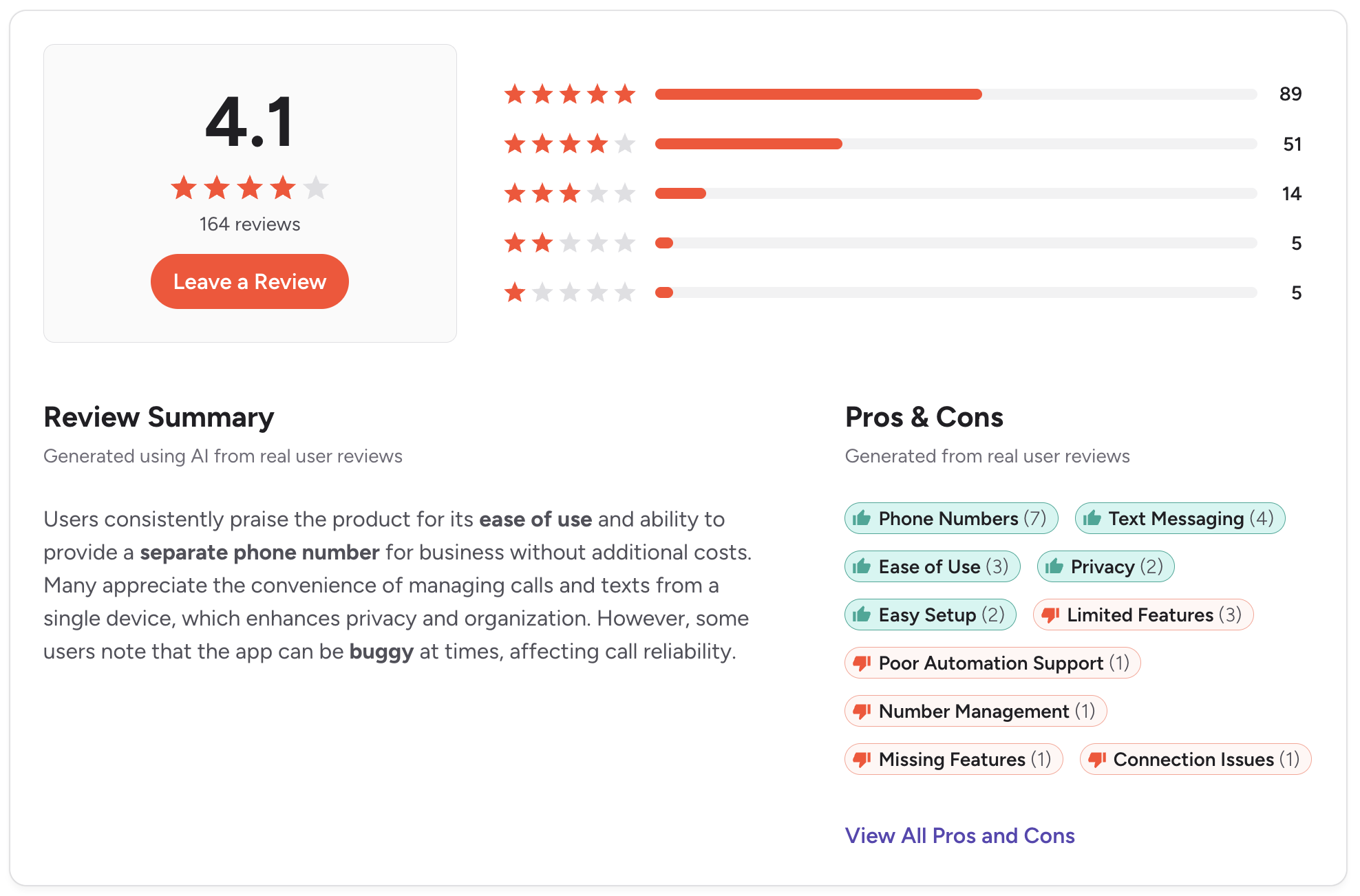
Quick Comparison: Aircall Alternatives at a Glance
Use this table to orient yourself before reading the full reviews. Note that the pricing reflects starting plans at the time of publishing. Always verify on the vendor's pricing page before committing.
If you need SMS and calling in one platform with native Salesforce and HubSpot sync, Salesmsg is worth checking out first.
The 9 Best Aircall Alternatives
1. Salesmsg — Best for Sales, Marketing, and Support Teams Who Need SMS + Calling Combined
Best for: B2B sales, marketing, and support teams running HubSpot or Salesforce workflows who need two-way texting and calling from a single platform.
Salesmsg is built for teams that live inside their CRM. Unlike most tools on this list, it combines calling and two-way SMS on a single platform, with both channels automatically logging to your Salesforce or HubSpot records. Reps don't switch tabs, don't use a second tool, and don't manually log anything.
Most Aircall alternatives replace the calling piece. Salesmsg replaces calling and fills the SMS gap at the same time.
Key features:
- Two-way SMS and calling from one local or toll-free number
- AI Agents that respond to new leads instantly and qualify them around the clock
- Shared team inbox so multiple reps can work the same pipeline without missing conversations
- Native HubSpot and Salesforce integrations with automatic call and text logging
- Power dialer, call recording, voicemail drop, and call transcription
- Built-in 10DLC registration and TCPA compliance tools
CRM integration: Salesmsg has a native widget that lives inside HubSpot, Salesforce, Pipedrive, ActiveCampaign, and many other tools.
Reps can text and call directly from a contact, lead, or deal record. Every conversation is logged automatically. HubSpot workflows and Salesforce Flows are both supported for automation triggers.
SMS support: Native two-way SMS. Not an add-on, not a third-party connector. Texts and calls run from the same number and the same inbox.
Pricing: Starts at $25/month for 500 message credits. See the current pricing here.
Credit-based pricing scales with message volume rather than headcount, which works better than per-seat models for growing teams. Additional user seats are available at graduated pricing.
Pros:
- The only tool on this list that natively combines SMS and calling
- Deep, two-way CRM sync with both HubSpot and Salesforce
- AI Agents handle lead qualification and meeting booking automatically
- Credit-based pricing scales better than per-user models for small and mid-sized teams
Cons:
- Advanced automation workflows take some time to configure for new users
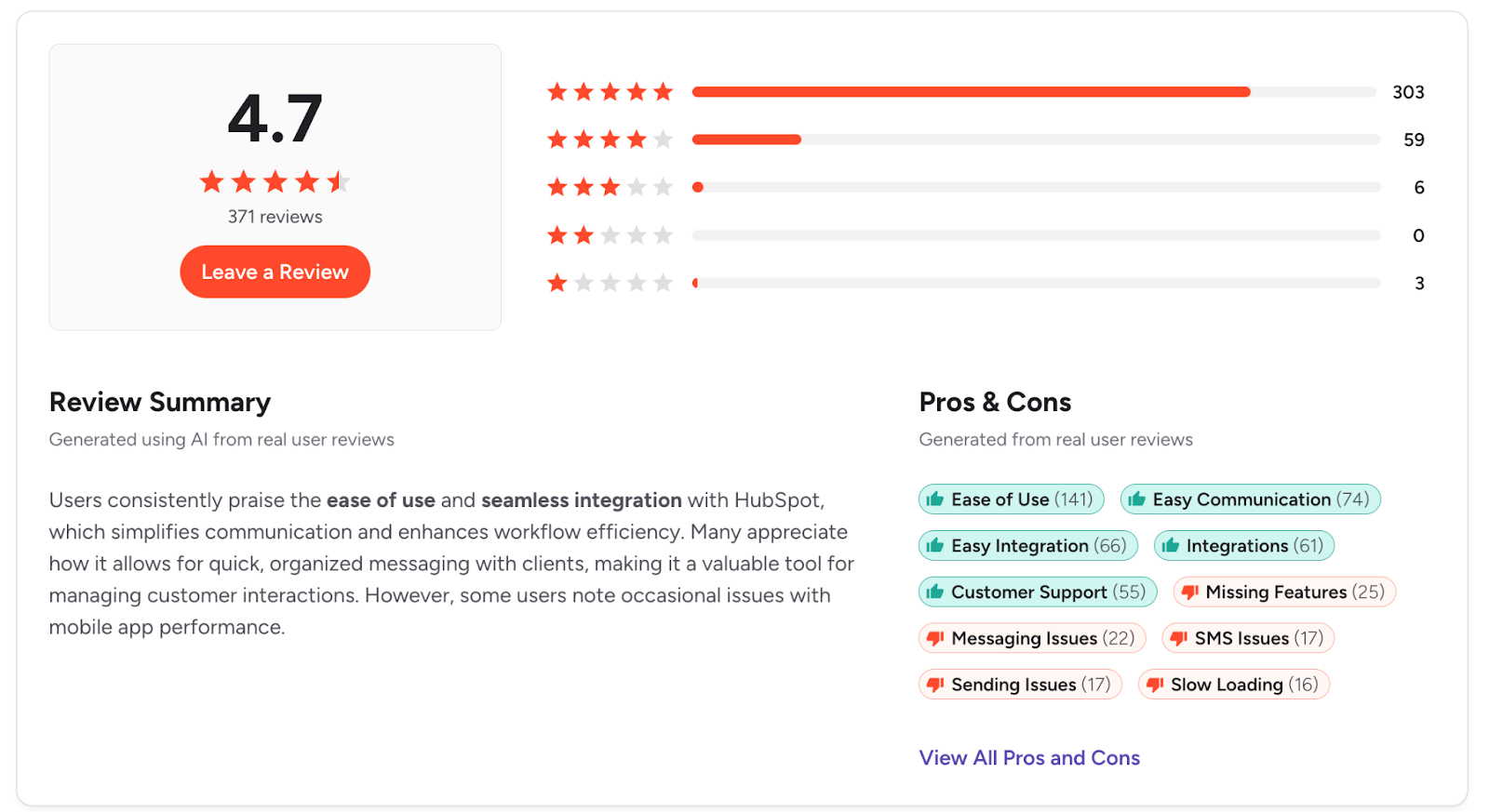
G2 rating: 4.7/5 (370+ reviews)
See how Salesmsg works for sales teams and start your free 14-day trial.
2. JustCall — Best for High-Volume Outbound Calling
Best for: Sales teams running high-volume outbound campaigns who need a dialer-first platform with SMS included.
JustCall competes directly with Aircall on calling features and adds native SMS on top. The dialer toolset is strong, and the CRM integration library covers over 100 platforms. For teams that make a lot of calls and want texting in the same place, it covers most of the ground.
Key features:
- Power dialer, predictive dialer, and auto dialer
- Two-way SMS and MMS
- Call recording, transcription, and rep coaching tools
- 100+ CRM integrations, including HubSpot, Salesforce, and Pipedrive
- AI call scoring on higher-tier plans
CRM integration: Native integrations with HubSpot, Salesforce, and Pipedrive. Calls and texts are logged automatically. HubSpot workflow triggers are supported.
Note: Salesforce integration is only available on the Pro plan ($49/user/month), not the base Team plan.
SMS support: Native two-way SMS included on most plans.
Pricing: From $39/user/month (with a minimum of two users) for the Team plan. Salesforce users and teams needing advanced dialers will need the Pro plan at $69/user/month.
Pros:
- Strong dialer toolset for outbound-heavy teams
- Broad CRM integration library
- SMS and calling in one platform
Cons:
- Salesforce integration requires upgrading to the Pro plan, nearly doubling the base cost
- AI features and advanced analytics are locked behind higher plans
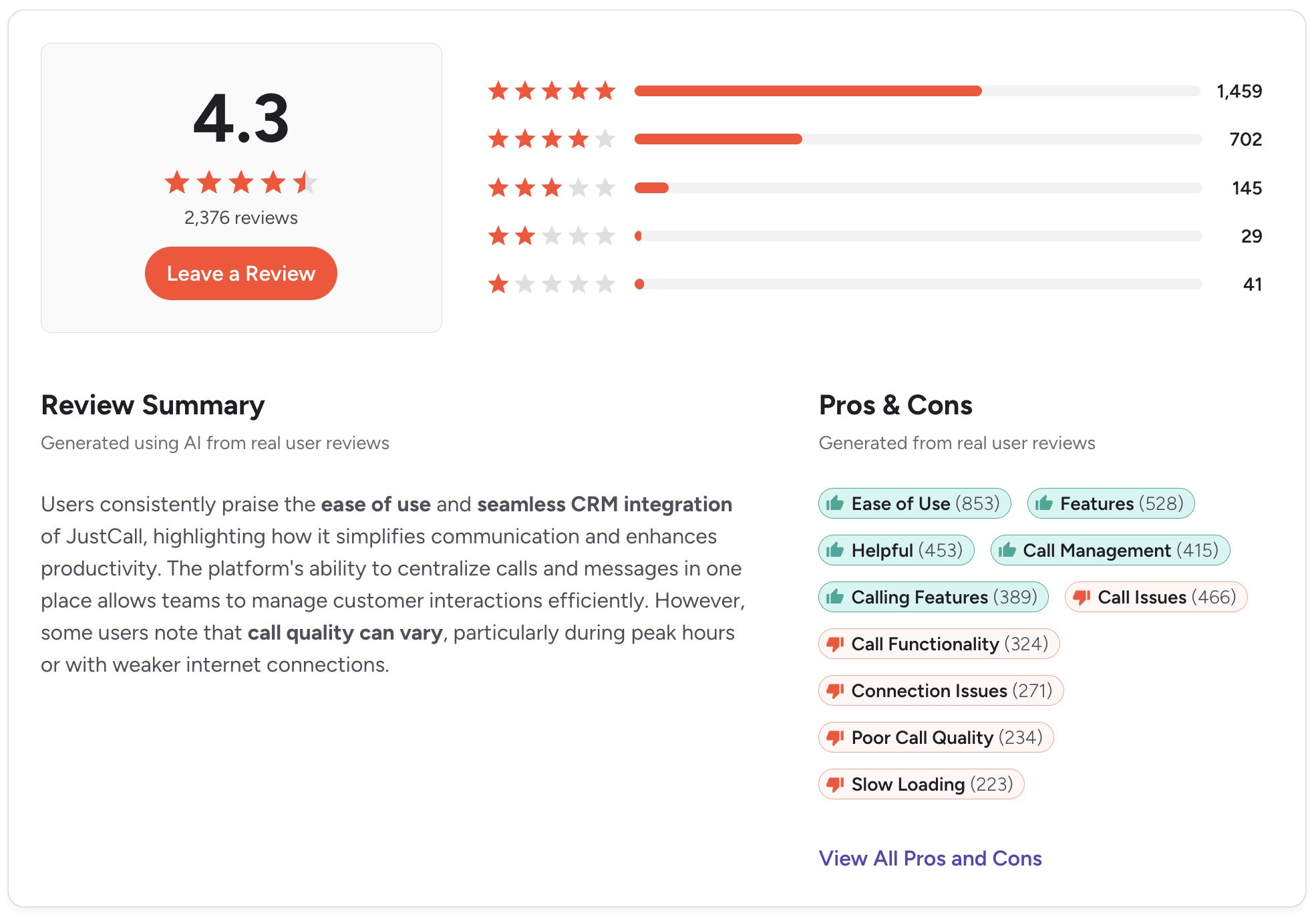
- Some users report call quality inconsistencies in specific regions
G2 rating: 4.3/5 (2,300+ reviews)
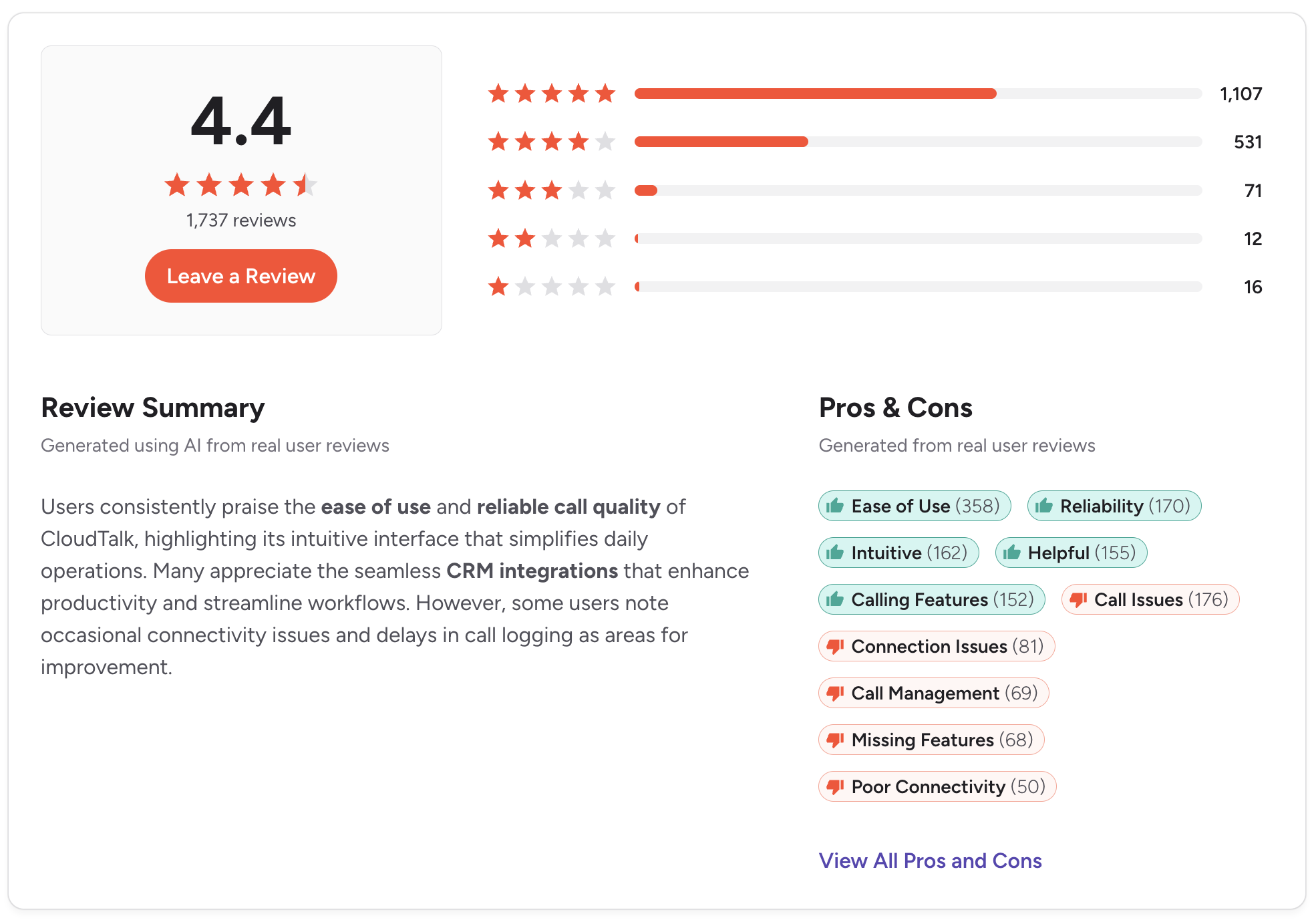
3. CloudTalk — Best for Support Teams Wanting Aircall's Closest Equivalent

Best for: Customer support and inside sales teams that want a feature set similar to Aircall with stronger call analytics.
If Aircall's interface and call center features are what you want to keep, CloudTalk is the closest match. Inbound routing, queue management, and real-time dashboards all feel familiar to Aircall users. Teams moving over won't face much of a learning curve.
The tool is built more for support than outbound sales. Hybrid teams handling both inbound and outbound calls will find it covers enough ground to work.
Key features:
- Smart call routing and queue management
- Real-time dashboards and call analytics
- Call recording, voicemail, and IVR
- HubSpot and Salesforce integrations
- Power dialer for outbound calling
CRM integration: Native HubSpot and Salesforce integrations. Call activity logs to contact records. HubSpot workflow automation is supported.
SMS support: Available as an add-on. Not included in base plans, and not as tightly integrated as the calling features.
Pricing: From $27/user/month (billed monthly).
Pros:
- Most similar to Aircall in terms of UX and feature set
- Strong inbound routing and queue tools
- Good call analytics for support team managers
Cons:
- SMS is an add-on, not native to the core platform
- Less suited for outbound sales than support teams
- Total cost rises once add-ons are included
G2 rating: 4.4/5 (1,700+ reviews)
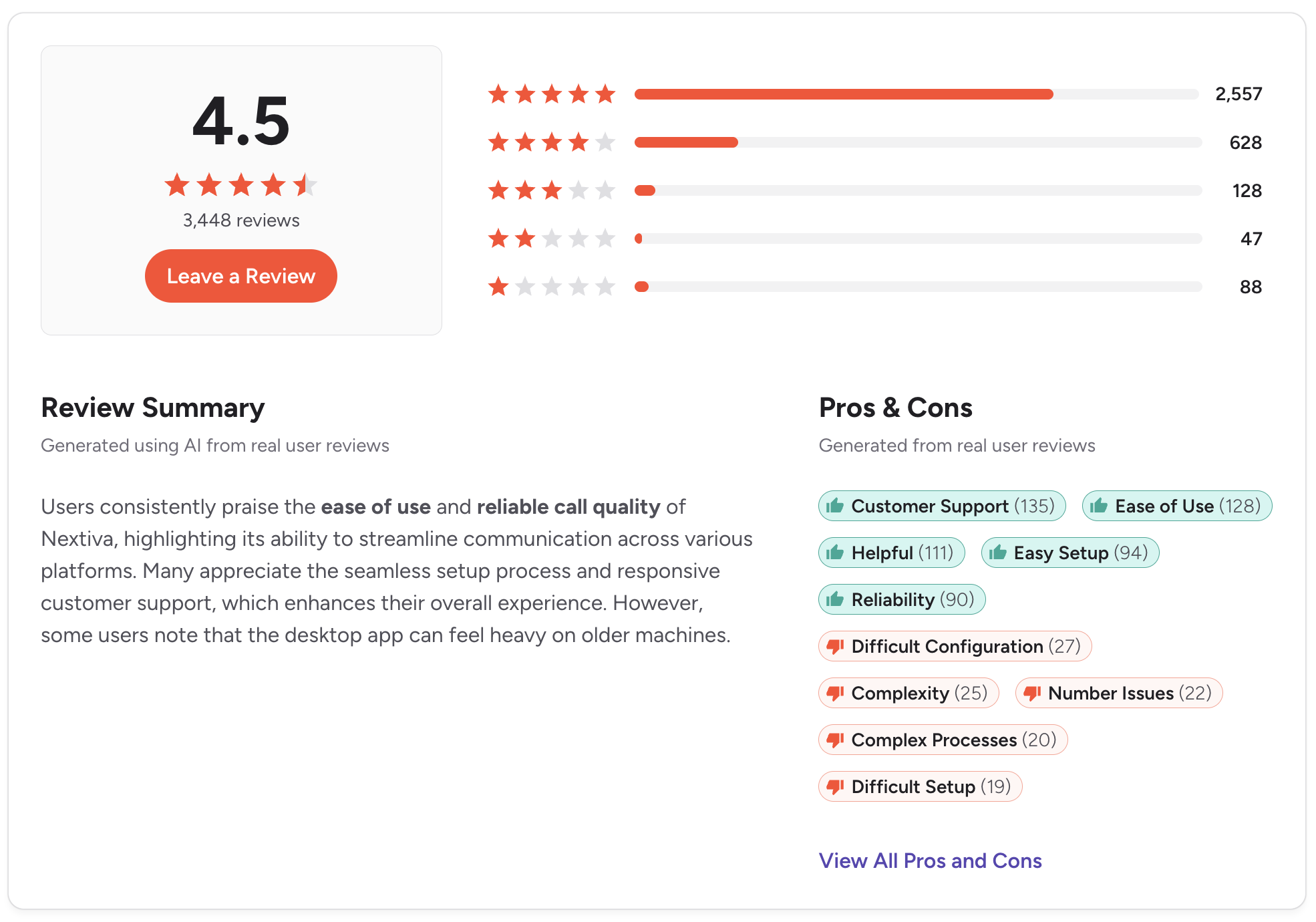
4. Nextiva — Best for Businesses Wanting an All-in-One UCaaS Platform
Best for: Mid-sized businesses looking to consolidate phone, video, team messaging, and customer experience tools under one vendor.
Nextiva goes well beyond what most sales teams need from a phone system. Video meetings, internal messaging, and customer experience tools are all part of the platform. For companies looking to replace several vendors at once, it makes sense.
That breadth comes with tradeoffs. The pricing and setup reflect the scope, and for a team that mostly needs calling and texting, much of the platform goes unused.
Key features:
- VoIP calling with advanced call routing
- SMS and MMS messaging
- Video meetings and team messaging
- Customer experience and CRM tools built in
- HubSpot and Salesforce integrations
CRM integration: HubSpot and Salesforce integrations are available, but only as add-ons across all plans. Factor in those costs before committing.
SMS support: SMS is included but capped at 100 messages per user per month on the Core plan. Less suited to high-volume two-way conversational texting without upgrading.
Pricing: From $23/user/month on the Core plan. CRM integrations and more advanced features are available only in higher-tier plans.
Pros:
- Broad feature set covering phone, video, and messaging in one place
- Strong uptime and call reliability
- Good option for businesses consolidating multiple vendors
Cons:
- CRM integrations with Salesforce and HubSpot are add-ons, not included
- SMS is capped on entry-level plans
- More than most pure sales teams need
G2 rating: 4.5/5 (3,400+ reviews)
5. RingCentral — Best for Larger Teams With Enterprise VoIP Needs

Best for: Larger organizations that need a proven enterprise phone system with compliance controls and a wide integration library.
RingCentral has been around long enough that its reliability is not really in question. It handles enterprise call volumes, has serious compliance tooling, and integrates with most major business applications. At scale, the infrastructure holds up.
For smaller sales teams, the platform is overkill. Setup takes longer, pricing reflects an enterprise focus, and the experience isn't designed for how a 10-person sales team actually works.
Key features:
- Enterprise VoIP with advanced call routing and IVR
- Team messaging and video conferencing
- SMS and fax
- Salesforce and HubSpot integrations
- Compliance and security controls for regulated industries
CRM integration: Native integrations with Salesforce and HubSpot. The Salesforce integration is particularly strong for enterprise workflows.
HubSpot and Salesforce integrations are available on the Advanced plan ($25/user/month) and above.
SMS support: SMS is available but functions as a secondary feature. The Core plan limits SMS to 25 texts per user per month. Two-way conversational texting is limited compared to SMS-first platforms.
Pricing: From $30/user/month on the Core plan. HubSpot and Salesforce integrations require the Advanced plan at $35/user/month.
Pros:
- Extremely reliable at enterprise scale
- Strong compliance tools for regulated industries
- Wide integration library across business applications
Cons:
- SMS is limited on base plans and is not a core strength
- CRM integrations require upgrading beyond the entry-level plan
- Onboarding takes more time than the lighter tools on this list
G2 rating: 4.5/5 (2,900+ reviews)
.png)
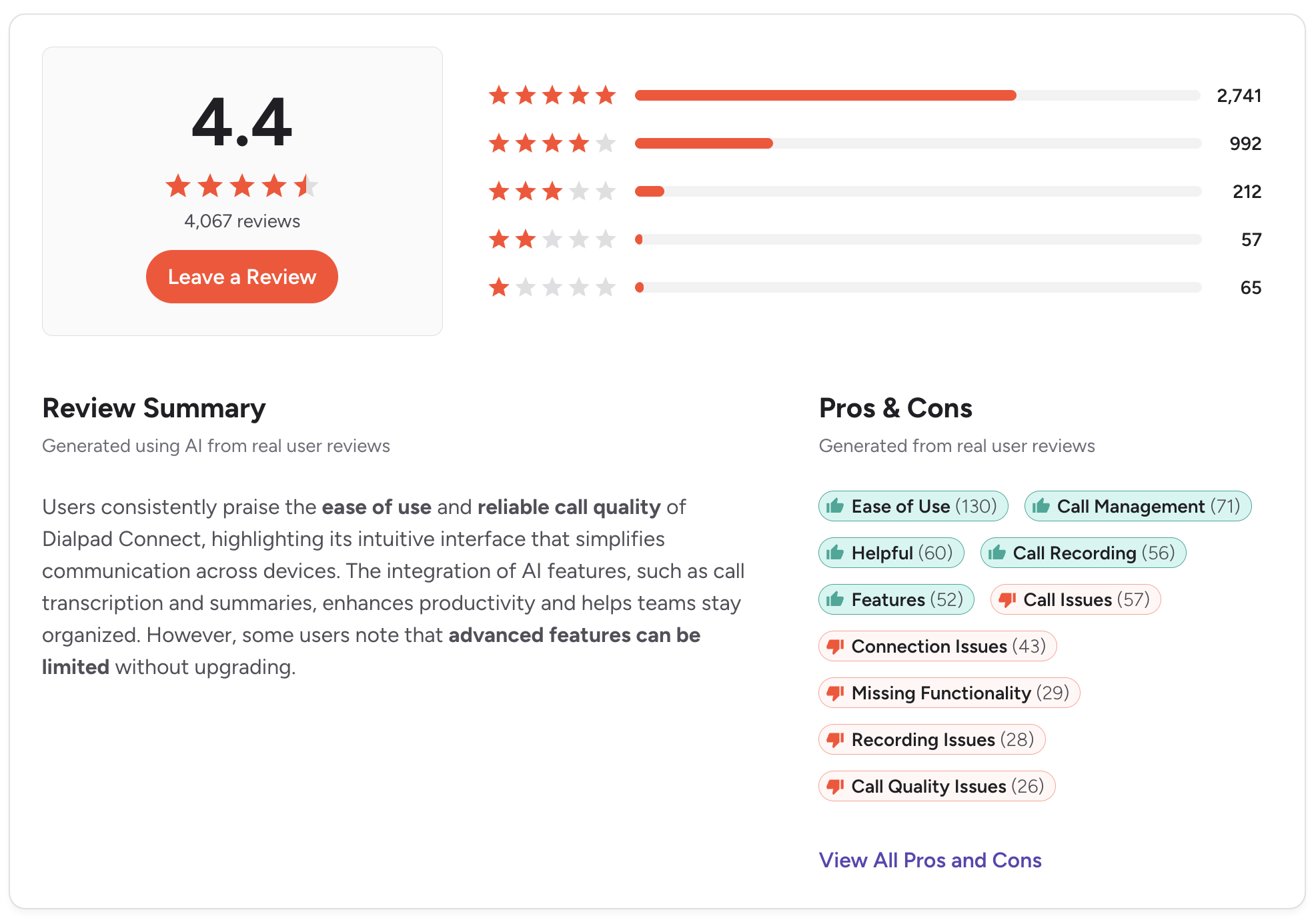
6. Dialpad — Best for AI-Powered Call Intelligence
Best for: Sales teams that want real-time AI transcription, live coaching prompts, and post-call summaries built directly into the phone system.
Dialpad has put more into AI call features than any other tool on this list. Real-time transcription, sentiment analysis, live coaching, and post-call summaries are all standard. Sales managers who want visibility into what reps are saying on calls will find it genuinely useful.
The tradeoff is SMS.
It's included, but it's clearly secondary. Teams that text as much as they call will find the experience falls short of dedicated SMS platforms.
Key features:
- Real-time call transcription and AI summaries
- Live coaching and sentiment analysis
- Built-in SMS and MMS
- HubSpot and Salesforce integrations
- Video meetings included
CRM integration: Native HubSpot and Salesforce integrations. Call transcripts and summaries sync automatically with CRM records, which is a real differentiator for teams that want more than basic call logs.
SMS support: SMS is included. Functional for outbound messaging, but the two-way conversational experience is not as developed as SMS-first tools.
Pricing: From $27/user/month (billed annually) on the Standard plan. AI features are included across most plans.
Pros:
- Best AI call intelligence of any tool on this list
- Real-time coaching is useful for ramping new reps faster
- Transcripts and summaries sync directly to CRM without manual input
Cons:
- SMS is clearly secondary; not built for teams that text as frequently as they call
- Some users report inconsistent call quality on the mobile app
- Can feel like more than needed for teams that want straightforward calling and texting
G2 rating: 4.4/5 (4,000+ reviews)
7. Quo (previously OpenPhone) — Best for Small Teams or Startups on a Budget
Best for: Small sales teams or early-stage startups that need a shared business number with basic calling and texting at a low cost.
OpenPhone recently rebranded to Quo. Same platform, same experience. It's fast to set up, the interface is clean, and most teams are live within an hour.
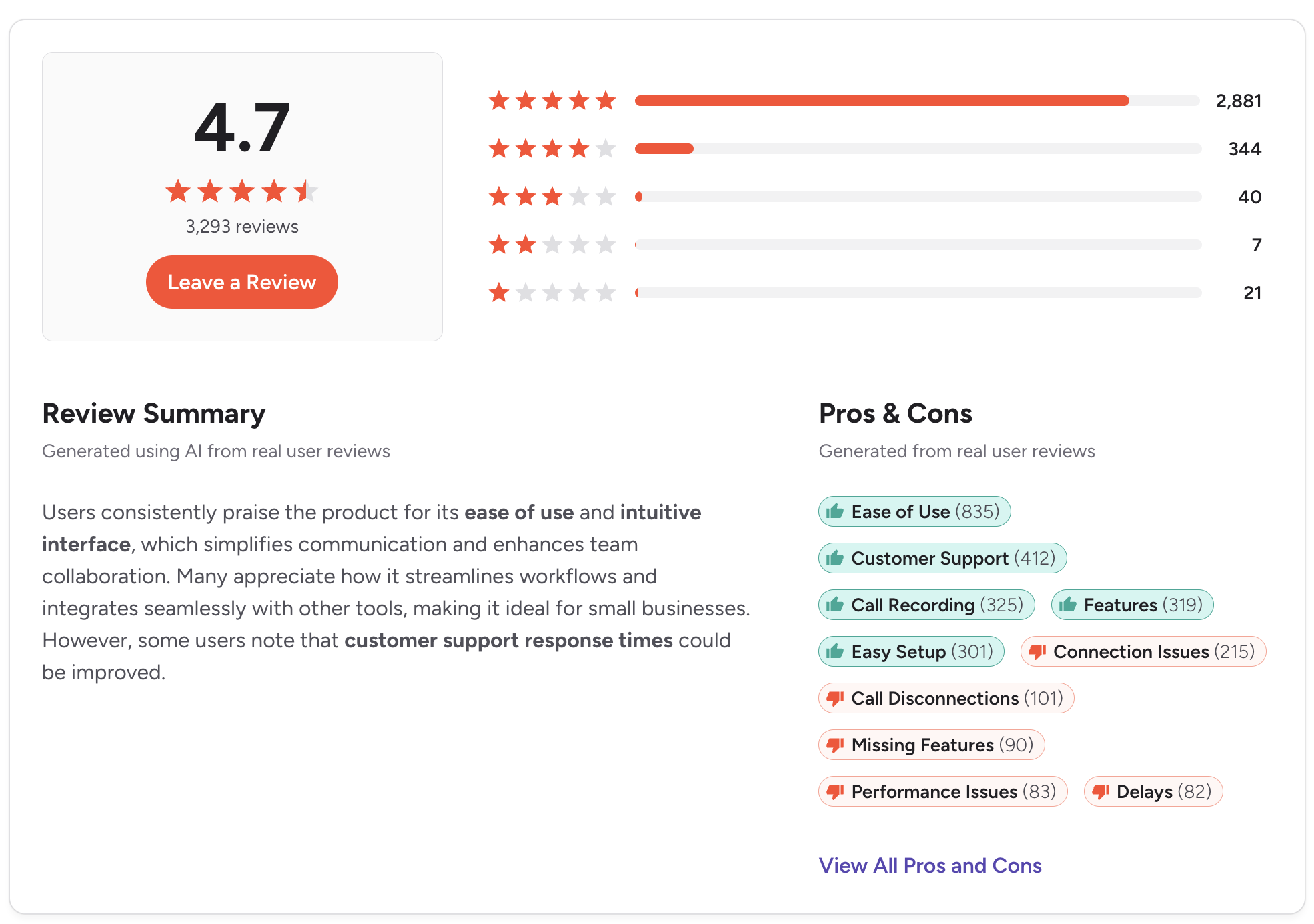
Past the early-stage, the limitations start to show. The HubSpot integration is basic compared to what purpose-built sales tools offer, and call quality inconsistencies are a recurring theme in recent reviews.
Key features:
- Shared phone number with team inbox
- SMS and MMS included
- HubSpot, Salesforce, and Zapier integrations
- Auto-replies and message snippets
- Call recording and voicemail transcription
CRM integration: HubSpot and Salesforce integrations are available, but they require the Business plan ($33/user/month). Zapier is available as a workaround for other CRMs.
SMS support: Native two-way SMS. Works well for small-volume texting and basic follow-up.
Pricing: From $19/user/month (billed annually) on the Starter plan.
Pros:
- Very fast setup with no technical requirements
- Affordable for small teams
- Clean, simple interface with low learning curve
Cons:
- Call quality issues are a recurring complaint in recent G2 and Trustpilot reviews
- Salesforce integration requires upgrading to the Business plan
- Not built for high-volume outbound or complex workflow automation
G2 rating: 4.7/5 (3,000+ reviews)
8. Grasshopper — Best for Solopreneurs and Very Small Businesses

Best for: Solo operators or very small businesses that need a professional phone number separate from their personal cell.
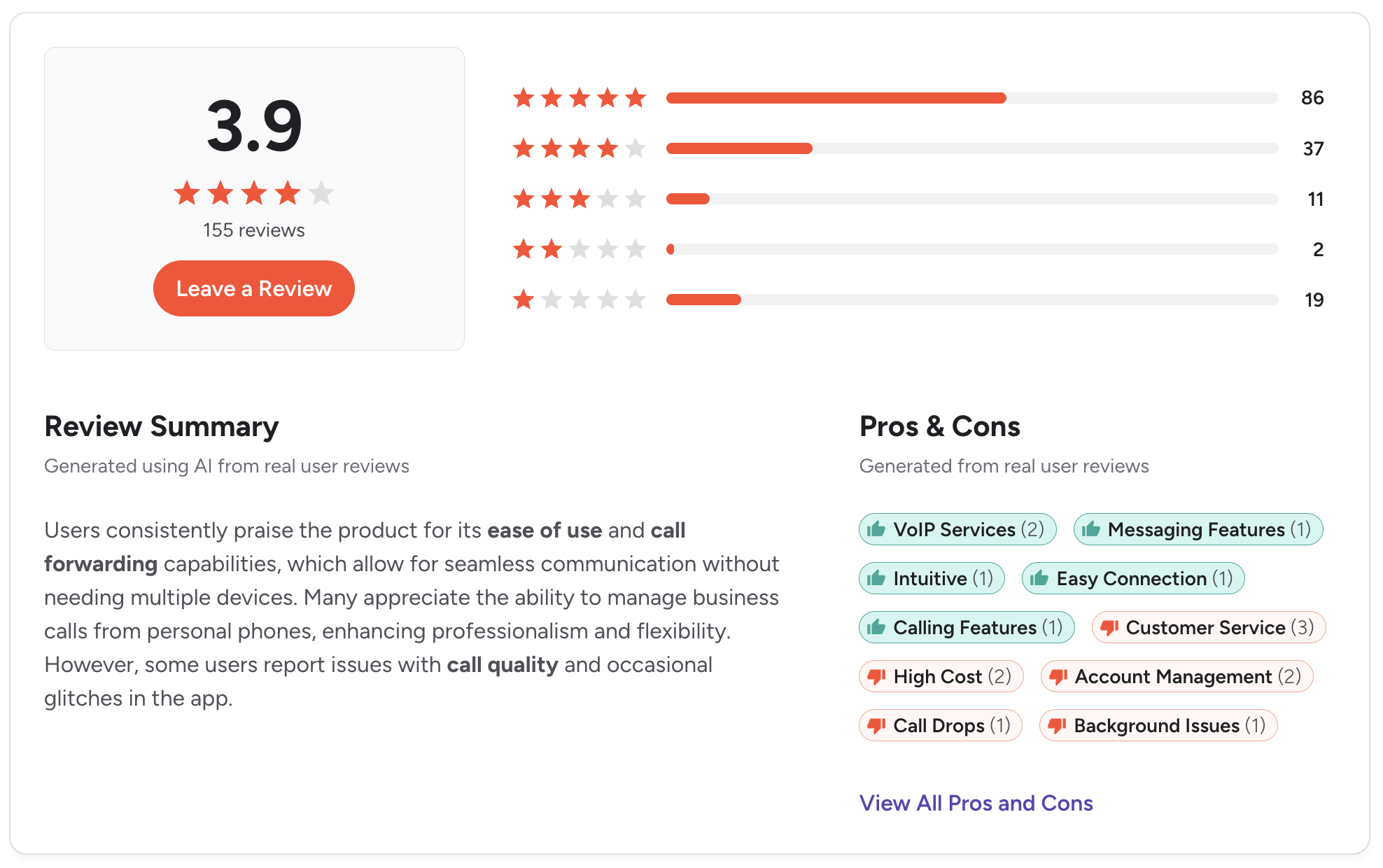
Grasshopper is a virtual phone system. It gives you a business number, handles call forwarding, and transcribes voicemails. There's no CRM integration, and SMS is limited to basic outbound notifications rather than two-way conversations.
It shows up in searches for Aircall alternatives, so it's worth including here. It's a business number solution, not a sales communication platform.
Key features:
- Business phone number with call forwarding
- Voicemail transcription
- Basic SMS (outbound notifications, not conversational)
- Mobile and desktop apps
- Multiple extensions
CRM integration: No native CRM integrations.
SMS support: Very limited. Not designed for two-way sales texting.
Pricing: From $18/month for a single user or $32/month for the Solo plan with one number and three extensions.
Pros:
- Flat-rate pricing is predictable for solo operators
- Fast setup with no technical requirements
- Cleanly separates personal and business calls
Cons:
- No CRM integration of any kind
- SMS is too limited for active sales use
- Not suitable for actual sales team workflows
G2 rating: 3.9/5 (150+ reviews)
9. Google Voice — Best for Google Workspace Users Who Need Basics

Best for: Teams already on Google Workspace that need a simple business phone number and have minimal calling or SMS requirements.
Google Voice is the lowest-cost option here, per user. It connects to Google Workspace, works inside Gmail and Calendar, and handles basic call routing and voicemail. For organizations already inside Google's ecosystem with simple needs, it's functional.
Google Voice requires an active Google Workspace subscription ($6/user/month and up) on top of the Voice cost, so the true starting price for a business user is closer to $16/user/month.
For sales teams that need CRM logging, shared inboxes, automated follow-up, or two-way SMS, it falls well short.
Key features:
- Business phone number linked to a Google account
- Basic calling, voicemail, and SMS
- Google Workspace integration (Calendar, Gmail)
- Call forwarding and do-not-disturb settings
CRM integration: Google Workspace only. No native Salesforce or HubSpot integration.
SMS support: Basic SMS included. Not built for sales workflows.
Pricing: From $10/user/month, but requires a Google Workspace subscription ($6+/user/month), not included in that price.
Pros:
- Very affordable for teams already paying for Google Workspace
- Simple setup with no technical requirements
- Reliable call quality
Cons:
- No Salesforce or HubSpot integration
- SMS is too limited for active sales use
- No shared inbox, call analytics, or dialer
G2 rating: 4.1/5 (160+ reviews)
How to Choose the Right Aircall Alternative
There's no single right answer. The best tool depends on what's actually broken in your current setup.
Start with why you're considering leaving Aircall
If the main issue is pricing, tools like Quo and Google Voice start at lower prices.
If the issue is SMS, you need a platform that treats texting as a first-class feature rather than an add-on.
If the issue is CRM logging, focus on integration depth before anything else.
Match the tool to your CRM
For HubSpot teams, Salesmsg, JustCall, and CloudTalk all have strong native integrations.
For Salesforce teams, Salesmsg, JustCall, RingCentral, and Dialpad are the better fits.
Quo and Grasshopper have limited or no Salesforce support on base plans.
Decide early whether you need SMS
If your reps text leads at any meaningful volume, you want a platform where SMS is native, not bolted on. Tools that treat SMS as an add-on tend to have weaker deliverability and less consistent CRM sync for text messages.
Think about team size and pricing model
The per-user pricing compounds quickly.
A 10-person team at $30 per user is $300 a month before add-ons.
Credit-based pricing, like Salesmsg's model, lets you control cost by message volume rather than headcount.
Factor in compliance before you start texting at volume
If you're texting U.S. numbers, 10DLC registration is not optional. TCPA violations carry real financial penalties. Choose a platform that handles compliance as part of onboarding, not as documentation you're expected to interpret on your own.
Bottom Line
Most teams switching from Aircall are looking for one of two things, lower cost or more capability. Sometimes both.
For teams that only need calling and want something simpler and cheaper, Quo is the easiest starting point.
For teams that want Aircall-level call center features, CloudTalk is the closest match.
For enterprise teams that need proven infrastructure at scale, RingCentral holds up.
For sales teams that have realized calling alone isn't enough, Salesmsg is the tool built for that specific gap. Two-way SMS and calling from one number, everything logged in HubSpot, Salesforce, or other CRM, with AI Agents that follow up when your reps can't.
If the reason you're leaving Aircall is that SMS is missing from your workflow, Salesmsg was built for exactly that.
Start your 14-day free trial of Salesmsg and see how it compares.
Frequently Asked Questions
What is the best Aircall alternative for sales teams?
It depends on what's driving the switch. If you need SMS and calling in one tool with native Salesforce or HubSpot sync, Salesmsg is the strongest fit. If you want a feature set closer to Aircall's call-center model, CloudTalk is the closest equivalent. For high-volume outbound with AI coaching, Dialpad is worth evaluating.
Is there an Aircall alternative that includes SMS texting?
Most Aircall alternatives are VoIP tools that treat SMS as a secondary feature or paid add-on. Salesmsg is one of the few platforms that treats two-way SMS and calling as equally core, running both from the same number, with everything logging to your CRM automatically.
How much does Aircall cost, and are alternatives cheaper?
Aircall starts at $40 per user/month and requires a minimum number of users, making it expensive for small teams. Several alternatives start lower, including Quo (OpenPhone) ($19/ user/mo), Grasshopper ($15/user/mo) and Google Voice ($16/user/mo).
Salesmsg's credit-based model starts at $25 per month regardless of seat count, which works out better for smaller teams.
Can I keep my existing phone number if I switch from Aircall?
Most alternatives support number porting. The process usually takes a few business days and requires submitting paperwork with your current carrier.
What integrations should I look for in an Aircall alternative?
For sales teams, the most important integrations are your CRM, your calendar, and any sales engagement tools you're running. The depth of CRM integration varies significantly across tools.
Basic call logging is table stakes. What separates platforms is whether they support workflow automation, bi-directional sync, and activity logging for both calls and texts.
Is switching from Aircall complicated?
It depends on the platform. Salesmsg, Quo (OpenPhone), and JustCall are known for fast onboarding, with most teams live in under a day. The main time investment is number porting and rebuilding any automations you had in Aircall. Platforms with heavier enterprise features, like RingCentral and Nextiva, take more configuration time.

_Best%20SMS%20Tools%20for%20HubSpot%20in%202026.webp)