Best SimpleTexting Alternatives in 2026: Reviewed and Compared



_Best%20SimpleTexting%20Alternatives%20in%202026.webp)

The 10 best SimpleTexting alternatives in 2026 are Salesmsg, Textline, TextUs, Heymarket, SlickText, Podium, TextMagic, MessageDesk, EZTexting, and Twilio.
SimpleTexting is great for sending broadcasts. But once your team needs SMS to actually run inside a sales workflow, the gaps add up fast. 2026 benchmark data shows 36% of teams now trigger SMS straight from their CRM. SimpleTexting can't do that without Zapier in the middle.
This guide breaks down all 10 alternatives with real pricing, honest pros and cons, and verified user quotes, so you can pick the best fit.
Quick Comparison: SimpleTexting vs. Top Alternatives
Pricing reflects starting rates at publishing. Verify with each vendor before committing.
Running HubSpot or Salesforce? See how Salesmsg integrates natively.
The 10 Best SimpleTexting Alternatives
1. Salesmsg. Best for Sales, Marketing, and Support Teams on HubSpot or Salesforce

Best for: B2B sales, marketing, and customer success teams that need two-way SMS and calling from one platform, with everything logged natively to HubSpot, Salesforce, or another CRM.
The biggest reason teams move from SimpleTexting to Salesmsg is the CRM issue.
SimpleTexting connects to HubSpot and Salesforce through Zapier.
Salesmsg sits inside the CRM as a widget. Reps text and call from a contact or deal record without leaving the page, and every message logs automatically.
The second reason is calling. SimpleTexting has none.
Salesmsg runs SMS and calling from the same number and the same shared inbox.
Our recent report shows why this combination is so valuable. Pairing SMS with calling drives 2.6x the engagement of SMS alone.
Key features:
- Two-way SMS and calling from one local or toll-free number
- AI Agents that respond to new leads, qualify them, and book meetings 24/7
- Shared team inbox with full conversation history visible to every rep
- Native HubSpot, Salesforce, Pipedrive, and ActiveCampaign integrations with automatic logging
- Power dialer, call recording, voicemail drop, and transcription
- Built-in 10DLC and TCPA compliance with guided onboarding
CRM integration: Salesmsg embeds inside HubSpot and Salesforce as a widget. Texts and calls are logged automatically. HubSpot workflows and Salesforce Flows trigger SMS based on deal stage changes, form submissions, or any other event.
SMS support: Native two-way SMS. Calls and texts share the same number and inbox.
Pricing: Starts at $25/month for 500 message credits. Credit-based pricing scales with message volume rather than headcount, which works better for growing teams than per-user SMS pricing models.
What users say:
“The Salesforce integration and the ability to add Salesmsg SMS webhooks to Salesforce flows have been really helpful. It lets us keep both email and SMS together within a single Salesforce flow.” (G2, verified review)
“It would be nice to have more channel options for different groups, like categories of Important vs not as high priority.” (G2, verified review)
Pros:
- The only tool here that combines SMS and calling natively in one platform
- Full conversation history in HubSpot or Salesforce with no manual logging
- AI Agents handle qualification and booking before a rep needs to step in
- Credit-based pricing does not multiply with team size
Cons:
- Teams with complex automation should plan extra time for setup
- Calling features are lighter than dedicated dialer-first platforms
CRM integrations: HubSpot, Salesforce, Pipedrive, ActiveCampaign, and more.
Ratings: G2: 4.7/5 (370+ reviews) | Capterra: 4.6/5 (75+ reviews)
Try Salesmsg free for 14 days and see what SMS and calling look like in one platform.

2. Textline. Best for Regulated Industries Needing Compliance Coverage
.svg)
Best for: Healthcare, legal, and financial services teams that need HIPAA-compliant messaging, documented consent tracking, and native HubSpot or Salesforce integration.
Textline is built around shared inbox management with strong compliance tooling.
Consent tracking is built in, and HIPAA-compliant messaging is available as a paid add-on for healthcare teams that need it. For regulated industries where a TCPA violation is a real risk, that meets a higher bar than SimpleTexting.
But, there are some trade-offs. Outbound sequences and CRM-triggered automations are lighter than sales-first platforms, and there's no calling.
Key features:
- Shared team inbox with conversation assignment and routing
- Internal notes visible to the team on individual threads
- HIPAA-compliant messaging available as an add-on
- Native Salesforce, HubSpot, Zendesk, and Pipedrive integrations
- Automated greetings and away messages
CRM integration: Salesforce integration is on the Pro plan. HubSpot, Zendesk, and Pipedrive integrations are available across all plan tiers.
SMS support: Full two-way SMS with strong inbox management.
Pricing: Custom pricing based on team size and message volume. Message credits are purchased separately.
What users say:
“Textline has simplified our approach to SMS in general. We have 5-6 staff members interacting and the platform just helps a lot in the daily communication with customers.” (Capterra, verified review)
“Keeping track of all conversations could be easier, and I wish there was more integration with current platforms.” (G2, verified review)
Pros:
- Strong compliance tooling for regulated industries
- HIPAA-compliant option makes it viable for healthcare
- Native connections to Salesforce, HubSpot, and major support platforms
Cons:
- Pricing is not published and requires a sales conversation
- Outbound sales automation is lighter than sales-first platforms
- No built-in calling
CRM integrations: Salesforce, HubSpot, Zendesk, Pipedrive, Slack.
Ratings: G2: 4.7/5 (370 reviews) | Capterra: 4.9/5 (160+ reviews)
3. TextUs. Best for Sales and Recruiting Teams Doing High-Volume Outreach

Best for: Sales development teams and staffing or recruiting agencies that text from inside Salesforce, HubSpot, Microsoft Dynamics, or Bullhorn at high volume.
The native Bullhorn integration is a real differentiator for staffing agencies. Plus, the Salesforce and HubSpot connections are deeper than what most SimpleTexting users are working with.
For VP of Sales teams running CRM-driven outbound, TextUs covers the basics. It offers two-way conversational SMS, automated sequences, and direct messaging from inside the CRM record.
However, it doesn’t have calling features, and pricing is custom rather than published.
Key features:
- Two-way conversational SMS at high volume
- Native Salesforce, HubSpot, Microsoft Dynamics, and Bullhorn integrations
- Automated sequences and templates
- Shared inbox with conversation assignment
- 10DLC registration support
CRM integration: Native integrations with Salesforce, HubSpot, Microsoft Dynamics, and Bullhorn. Texting happens inside the CRM record.
SMS support: Built specifically for two-way conversational SMS. No calling.
Pricing: Starts at $499/month.
What users say:
“TextUs has been a game-changer for our team’s communication. The platform makes it easy to connect with clients, candidates, and partners through real-time text messaging, which has helped us increase engagement and response rates significantly.” (Operations Manager, G2, verified review)
“There are definitely some limitations, especially as you scale. Managing large groups or sending mass texts can feel a little clunky and not as streamlined as you’d expect.” (G2, verified review)
Pros:
- Native Bullhorn integration is rare and useful for staffing teams
- Strong fit for high-volume CRM-driven outbound
- Solid two-way conversation tooling
Cons:
- No calling
- Pricing requires a sales conversation
- Character limits on text blasts frustrate users who rely on personalization
CRM integrations: Salesforce, HubSpot, Microsoft Dynamics, Bullhorn.
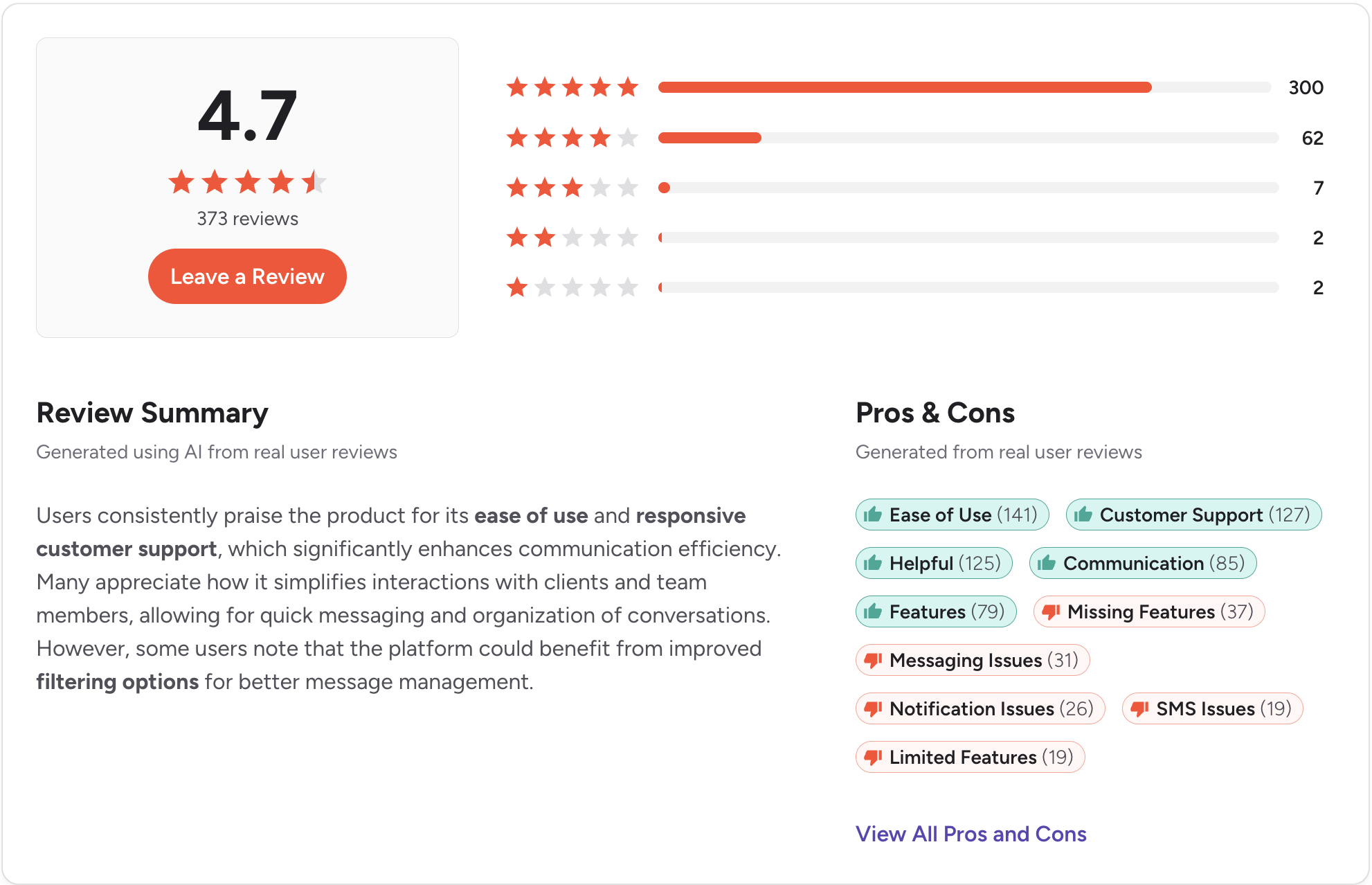
Ratings: G2: 4.7/5 (600+ reviews) | Capterra: 4.7/5 (120+ reviews)
4. Heymarket. Best for Teams Handling Conversations Across Multiple Channels

Best for: Customer-facing teams managing inbound conversations across SMS, WhatsApp, Facebook Messenger, Instagram, and Apple Messages for Business in one shared inbox.
Heymarket isn’t really an SMS-first tool. It’s a multi channel messaging platform that includes SMS as one channel among several.
For teams where customer conversations come from text, WhatsApp, Instagram DM, and Apple Business, Heymarket centralizes them. SOC 2 Type 2 and HIPAA compliance are out of the box too.
The Salesforce side is where things get tricky. The integration is connector-based, not native, and requires the Pro plan ($75/user/month) plus the add-on.
Key features:
- Shared inbox across SMS, WhatsApp, Facebook Messenger, Instagram, and Apple Messages
- Message templates, auto-replies, and drip campaigns
- SOC 2 Type 2 and HIPAA-compliant messaging
- Salesforce integration via a connector
- HubSpot integration is available on the Standard plan
CRM integration: Connector-based, not Salesforce-native. Logs messages as Salesforce activities. Salesforce requires the Pro plan plus an add-on.
SMS support: Full two-way SMS as part of a multi-channel inbox.
Pricing: Standard starts at $24/user/month (with a two-user minimum). Plus $49/user. Pro $75/user. Salesforce requires a Pro plan subscription.
What users say:
“I like that it allows for multiple agents to coordinate texting efforts across shifts.” (G2, verified review)
“They started charging us before they even started our training…Integration with Hubspot, doesn't work as expected” (G2, verified review)
Pros:
- Strong multi-channel coverage beyond SMS
- SOC 2 Type 2 and HIPAA compliance out of the box
- Clean interface with a low learning curve
Cons:
- Salesforce integration requires the Pro plan plus an add-on.
- Per-user pricing gets expensive at scale
- No calling
CRM integrations: Salesforce (via connector + add-on), HubSpot, Marketing Cloud connector.
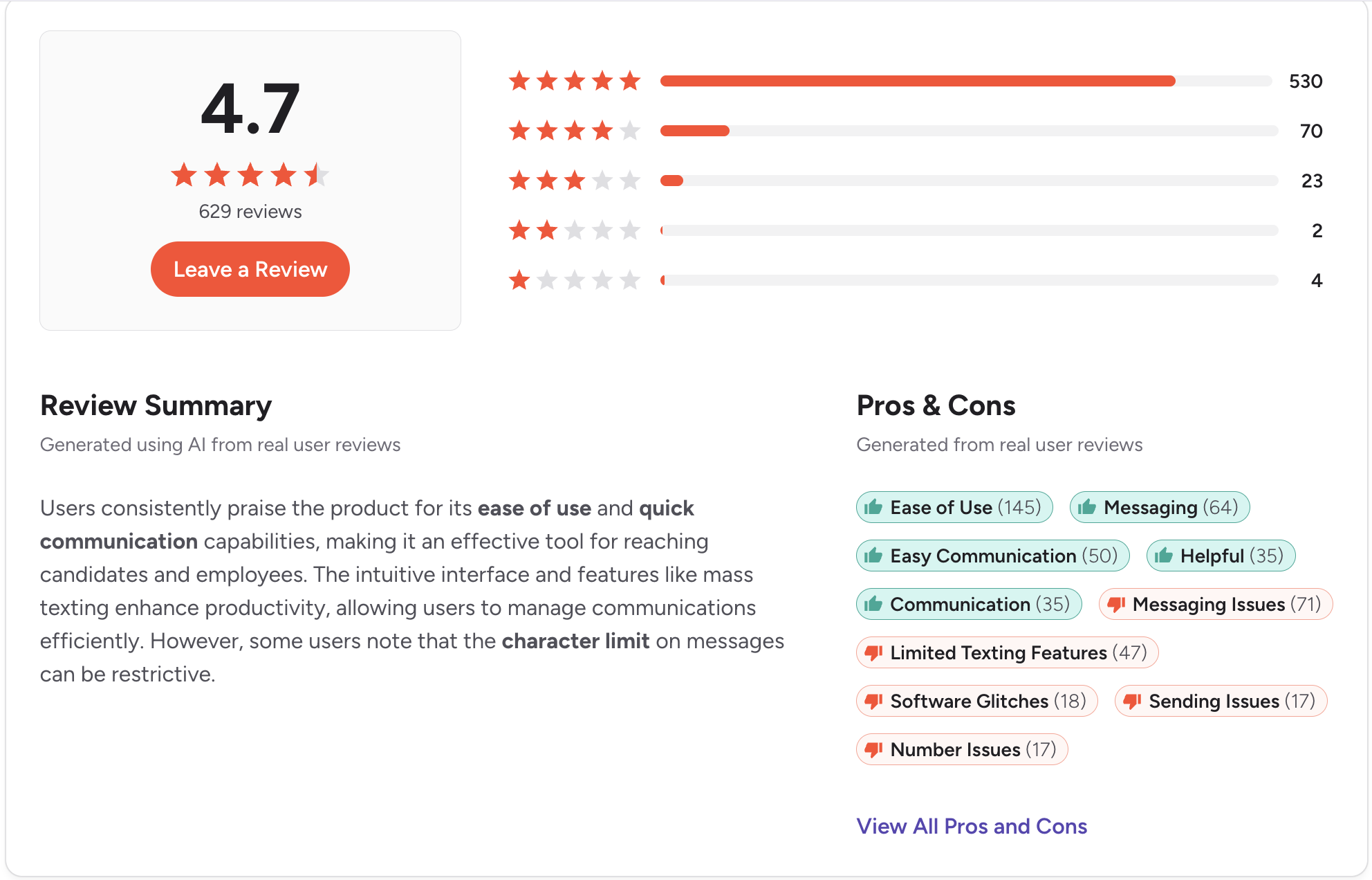
Ratings: G2: 4.6/5 (440+ reviews) | Capterra: 4.5/5 (45+ reviews)

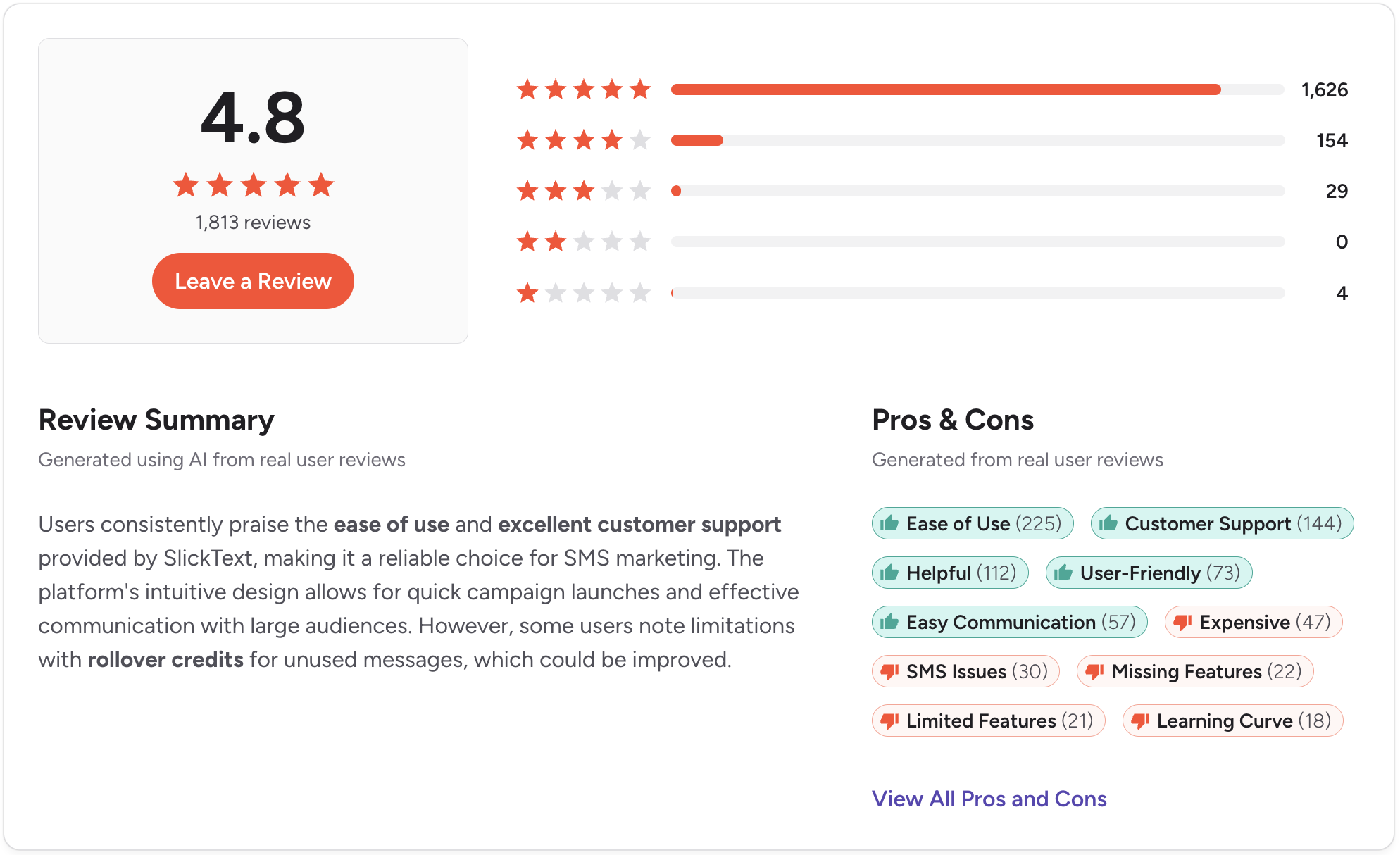
5. SlickText. Best for E-Commerce SMS Marketing and List Growth

Best for: E-commerce brands and consumer marketing teams running keyword-based list growth campaigns and high-volume promotional SMS.
SlickText is the right tool for a specific job. List growth through text-to-join keywords, promotional broadcasts to opted-in subscribers, and short code campaigns.
But for B2B sales, the platform doesn’t translate. CRM integrations run through Zapier, the inbox isn’t built for multi-rep sales conversations, and there’s no calling.
Key features:
- Text-to-join keywords with custom short codes
- SMS and MMS broadcasts with audience segmentation
- Autoresponders and drip sequences
- Popups and signup forms for list growth
- Zapier integrations
CRM integration: No native HubSpot or Salesforce. Zapier required.
SMS support: Strong outbound promotional messaging. Two-way is available but secondary.
Pricing: Starts at $29/month for 500 texts and scales by message volume.
What users say:
“SlickText is easy to use, even for beginners. I think it would be especially helpful for smaller companies or organizations who simply need an easy plug-and-play option. ” (G2, verified review)
“The interface is lacking some basic functionality like searching by phone number, opt-out lists, etc.” (G2, verified review)
Pros:
- Strong list growth and keyword campaign tooling
- Clean loyalty and promotion workflow management
- Easy setup with no technical requirements
Cons:
- No calling
- HubSpot and Salesforce require Zapier
- Not designed for B2B sales workflows
CRM integrations: Zapier only.
Ratings: G2: 4.8/5 (1,800+ reviews) | Capterra: 4.8/5 (260+ reviews)
6. Podium. Best for Multi-Location Businesses and Franchise Networks

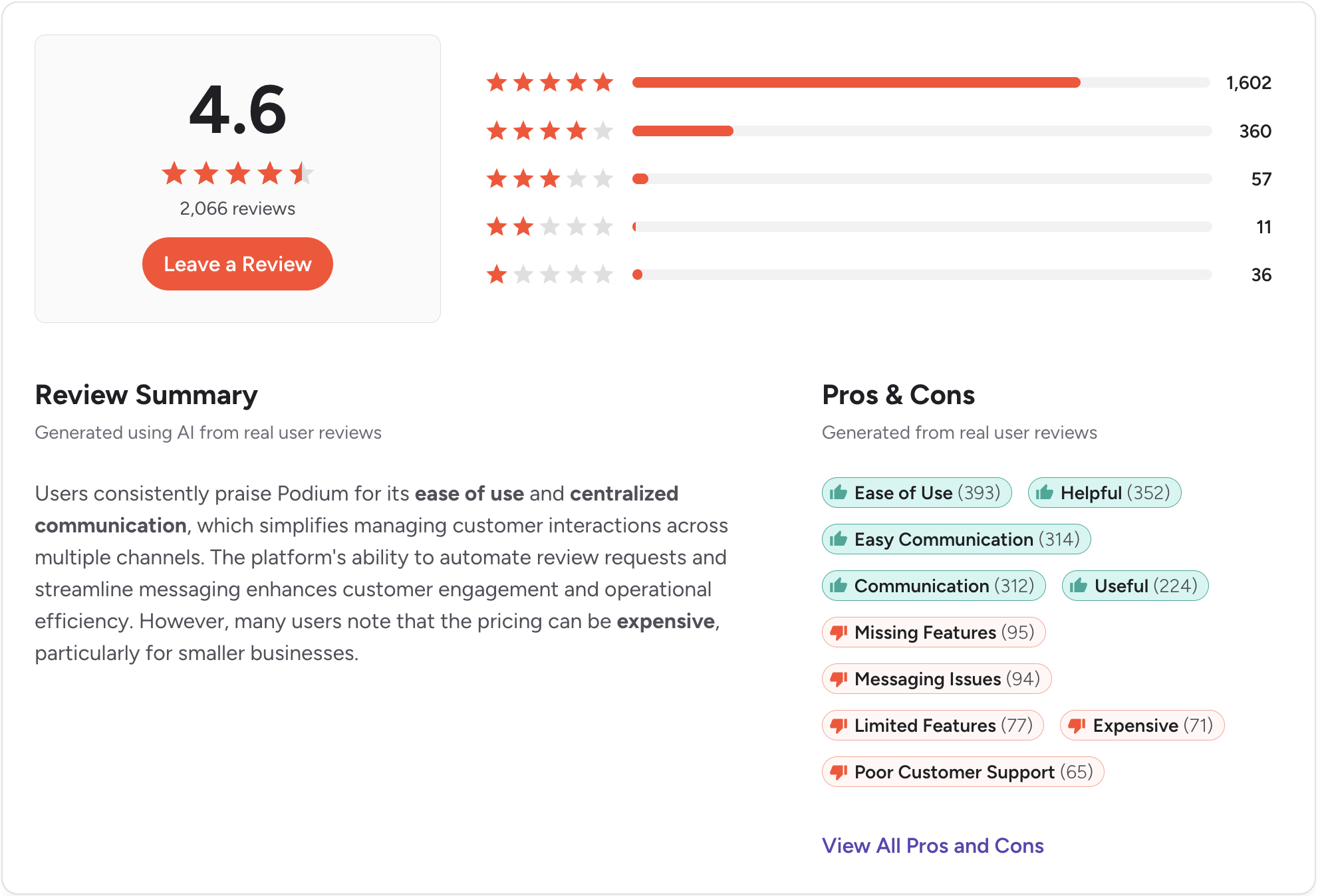
Best for: Multi-location service businesses and franchise networks that want SMS, online review generation, webchat, and payments in one platform.
Podium is built for multi-location service brands and franchise networks where each location needs its own number, its own review pipeline, and its own customer conversations rolling up to one parent dashboard.
Things like fitness studios, salon networks, and home services.
It combines SMS conversations, automated review requests, webchat-to-text capture, and payments all in one platform.
Key features:
- Two-way SMS with shared team inbox
- Automated review request messages
- Webchat-to-SMS lead capture
- Payments via text
- Multi-location dashboard
CRM integration: Standard HubSpot, Salesforce, Square, and Toast integrations included. Connector-style rather than deep widget-level.
SMS support: Two-way SMS with shared inbox. Not built for pipeline-driven follow-up.
Pricing: Custom quote on all three plan tiers. Third party sources range from $399 to $599/month.
What users say:
“Earlier, we had to keep track of calls, emails, and messages across different platforms, and it honestly got messy during peak hours. With Podium, everything lands in one place, so it’s easier to stay on top of conversations without missing anything important.” (G2, verified review)
“It can be expensive compared to similar tools, especially for small businesses. Some features feel limited unless you upgrade to a higher plan.” (G2, verified review)
Pros:
- Strong fit for multi-location and franchise networks
- Combined SMS, reviews, webchat, and payments
- Webchat-to-text lead capture is useful for local businesses
Cons:
- Pricing requires a sales conversation
- Not designed for B2B sales workflows
- No calling without add-on
CRM integrations: HubSpot, Salesforce, Square, Toast (standard, not deep native).
Ratings: G2: 4.6/5 (2,000+ reviews) | Capterra: 4.3/5 (500+ reviews)
7. TextMagic. Best for Variable-Volume Teams Needing Pay-As-You-Go Pricing

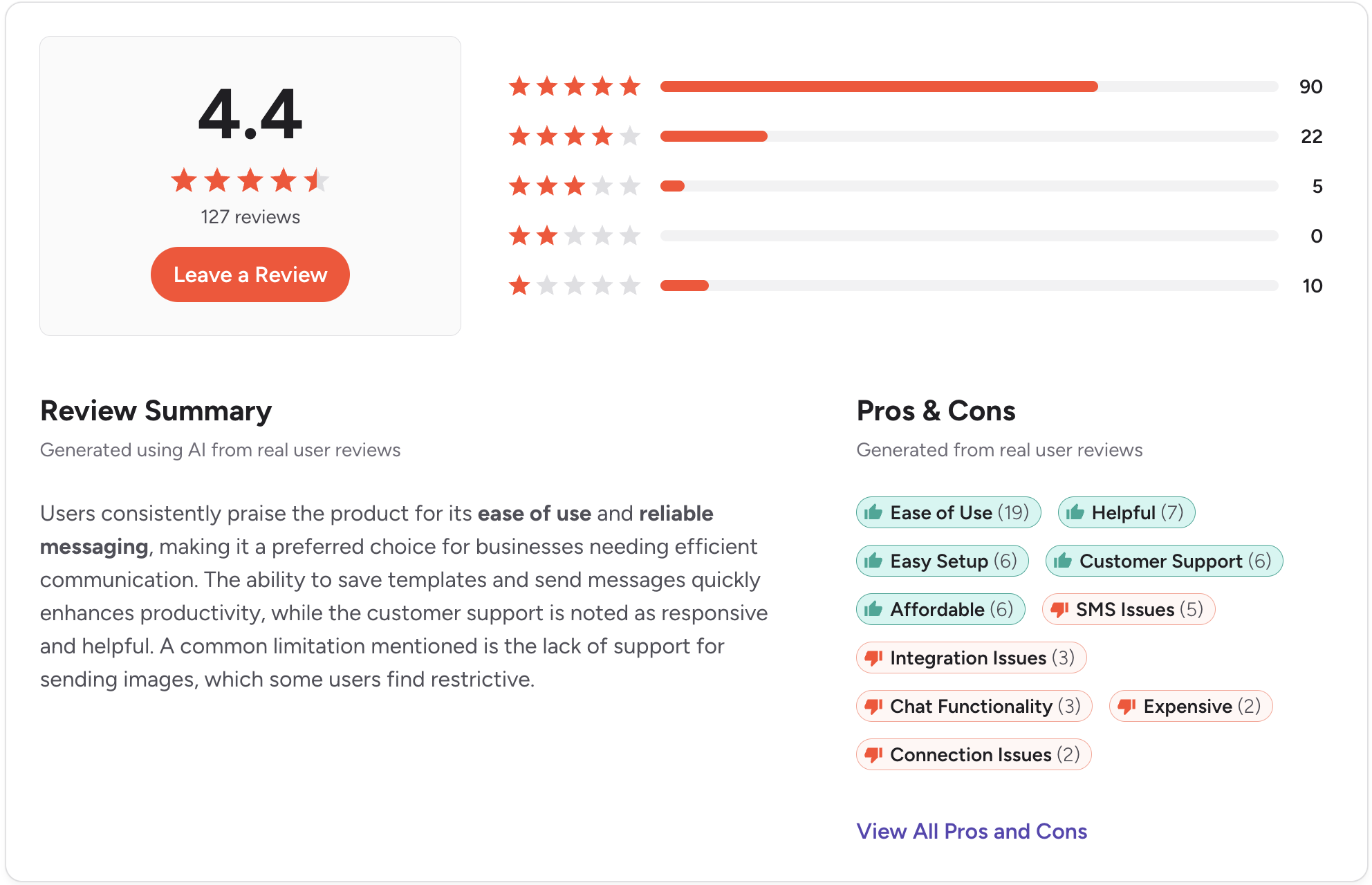
Best for: Teams with inconsistent monthly SMS volume who don’t want a subscription commitment.
TextMagic occupies a specific niche. Pay-as-you-go pricing instead of subscriptions is useful for teams whose volume swings month to month.
This can work great for real estate offices that text heavily during listing season. Or, seasonal service businesses with huge swings in customer needs.
For occasional bulk SMS, alerts, and notifications, the platform handles the basics.
Still, you run into the same issues like Zapier-only CRM, no calling, and per-message rate gets expensive at consistent volume.
Key features:
- Pay-as-you-go pricing per message sent
- Bulk SMS broadcasts and scheduled messages
- Two-way reply support
- Zapier integrations
CRM integration: No native HubSpot or Salesforce. Zapier required.
SMS support: Outbound-focused with basic two-way reply.
Pricing: Pay-as-you-go at $0.049 per US SMS. Toll-free numbers $10/month each (first month free). Inbound replies are free. Credits work across SMS and email, with no subscription commitment.
What users say:
“My entire texting history is stored, making it simple to search for old messages and resend them if needed. Group texting is effortless with Text Magic, there are no restrictions on how many people you can include in a group message.” (G2, verified review)
“It doesn't stay current. Our business needs a page to be as current as possible in regard to communication with our clients. I often find myself refreshing the page to find the message I know we received” (Capterra, verified review)
Pros:
- Pay-as-you-go works well for variable monthly volume
- No subscription commitment
- Simple setup with minimal learning curve
Cons:
- Per-message pricing gets expensive at consistent volume
- No calling
- CRM integrations require Zapier
CRM integrations: Zapier only.
Ratings: G2: 4.4/5 (120+ reviews) | Capterra: 4.6/5 (260+ reviews)
8. MessageDesk. Best for Small Teams Getting Started With Business Texting

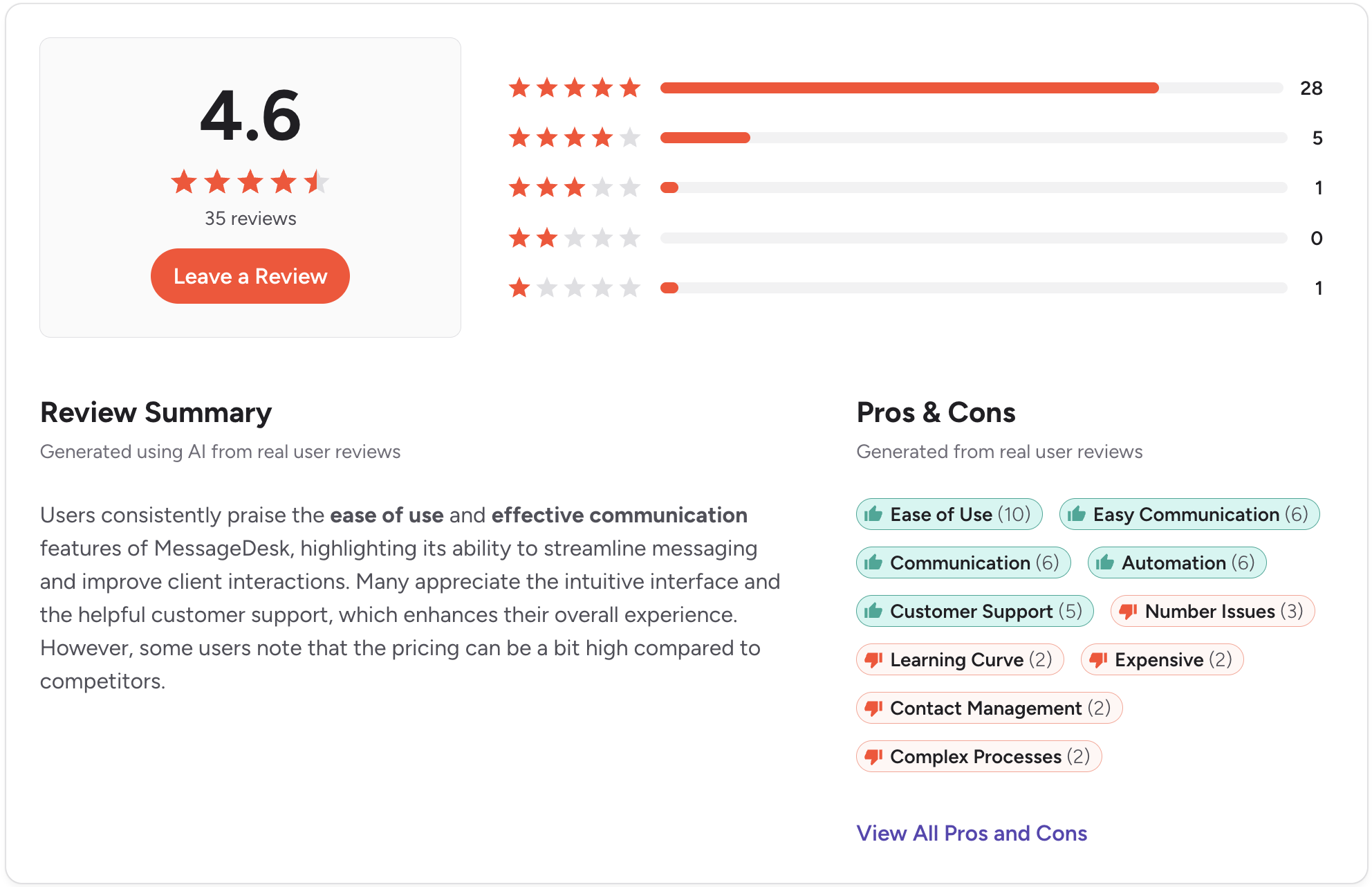
Best for: Small teams of two to five people that want a shared business texting number with a basic team inbox and don’t need deep CRM integration.
MessageDesk targets the team that’s outgrown personal cell phones for customer texting but isn’t ready for a sales-first platform. It’s a beginner friendly sms platform built around the basics, like, shared inbox, scheduled messages, templates, and text-enabling existing landlines.
For a service business, a small agency, or a startup support function, it does the job. CRM integration is Zapier-based. There’s no calling. As soon as your team grows, you’ll feel the ceiling.
Key features:
- Shared team inbox for business texting
- Text-enable existing landline or VoIP numbers
- Templates, scheduled messages, and autoresponders
- Zapier integrations for CRM
- 10DLC registration support
CRM integration: Zapier-based. No deep native HubSpot or Salesforce.
SMS support: Two-way SMS with basic shared inbox.
Pricing: $39/user/month for Team and $99/user/month for Pro. Enterprise is custom. Carrier registration is included too.
What users say:
“The platform is straightforward to use and track communications. The mobile app makes it easy to use anywhere.” (G2, verified review)
“When the client messages us and another recipient, it turns into multiple threads. There does not seem to be an easy way to participate in a group thread.” (G2, verified review)
Pros:
- Easy setup with no number porting required
- Good fit for small teams
- Strong customer support reputation
Cons:
- No calling
- Zapier-only integrations
- Limited automation depth as teams grow
CRM integrations: Zapier only.
Ratings: G2: 4.6/5 (30+ reviews) | Capterra: 4.8/5 (10+ reviews)
9. EZTexting. Best for Basic Bulk SMS Without CRM Complexity
Best for: Teams that need to send simple bulk text messages, like appointment reminders or one-off promotions, and don’t need their SMS marketing business connected to a CRM workflow.
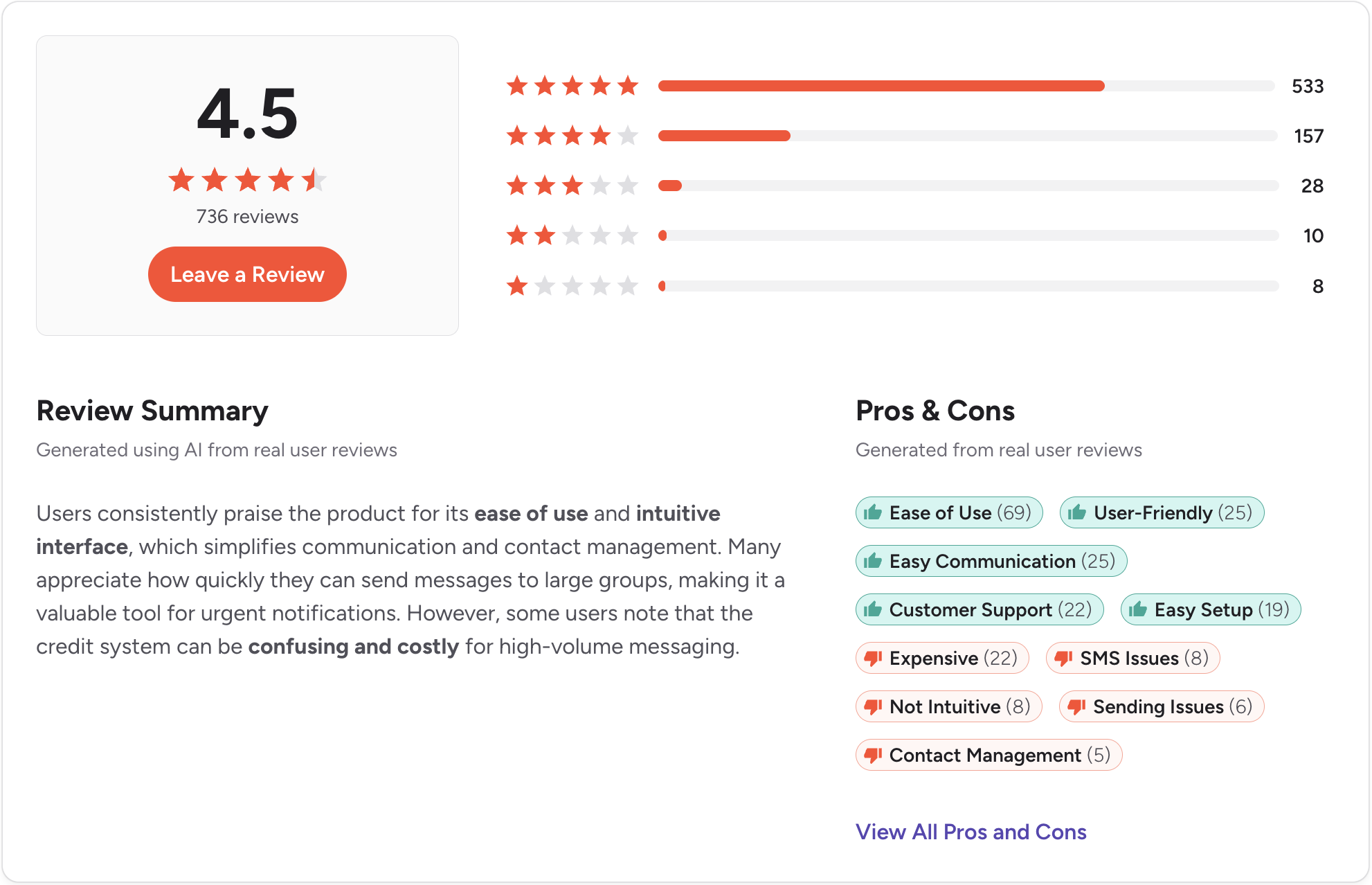
EZTexting is one of the older names in business SMS. The interface is familiar, setup is fast, and bulk send works the way you’d expect. For appointment reminders, event notifications, or basic promotional broadcasts, it handles those use cases.
What it isn’t built for is a CRM-connected sales workflow. No native HubSpot or Salesforce integrations, the inbox is light for active two-way conversations, and the compliance tooling is less developed than sales-first platforms.
Key features:
- SMS and MMS broadcasts
- Contact list management and segmentation
- Scheduled messages and basic autoresponders
- Campaign analytics
- Zapier integrations
CRM integration: No native HubSpot or Salesforce. Zapier required.
SMS support: Outbound-focused. Two-way is limited.
Pricing: Starts around $25/month for 500 message credits. Scales with message volume.
What users say:
“EZ Texting is very easy to use, even for team members who are not very technical. The interface is clean and intuitive, which makes it simple to create campaigns, manage contact lists, and schedule messages quickly.” (G2, verified review)
“Our team contacts customers from different offices across all time zones. With all responses going into the same inbox, organizing the feedback proves to be slightly difficult and time-consuming.” (G2, verified review)
Pros:
- Fast to set up with a minimal learning curve.
- Affordable entry point for bulk SMS
- Reasonable customer support reputation
Cons:
- No calling
- No native CRM integration
- Two-way conversation tools are too basic for active sales use
CRM integrations: Zapier only.
Ratings: G2: 4.5/5 (700+ reviews) | Capterra: 4.4/5 (240+ reviews)
10. Twilio. Best for Developer Teams Building Custom SMS Workflows

Best for: Engineering teams that need raw API access to build SMS into a custom application, with the resources to design, build, and maintain that solution.
Twilio is in a different category than every other tool on this list. It’s not a product, it’s infrastructure. The API gives you global SMS and MMS, programmable voice, webhook automation, and carrier coverage in 180+ countries.
A sales team that needs to text leads next week shouldn’t be evaluating Twilio.
An engineering team building customer communication into a larger product, on the other hand, will find Twilio one of the few platforms that scales the way they need.
Key features:
- Programmable SMS and MMS via API
- Voice calling via the Twilio Voice API (separate product)
- Global carrier coverage in 180+ countries
- Webhook-based automation
- Extensive developer documentation
CRM integration: API only. Any CRM connection requires custom development or middleware.
SMS support: Full SMS and MMS via API. No inbox without a custom build.
Pricing: Pay-as-you-go starting at $0.0083 per SMS segment in the US. Phone numbers and additional features are billed separately.
What users say:
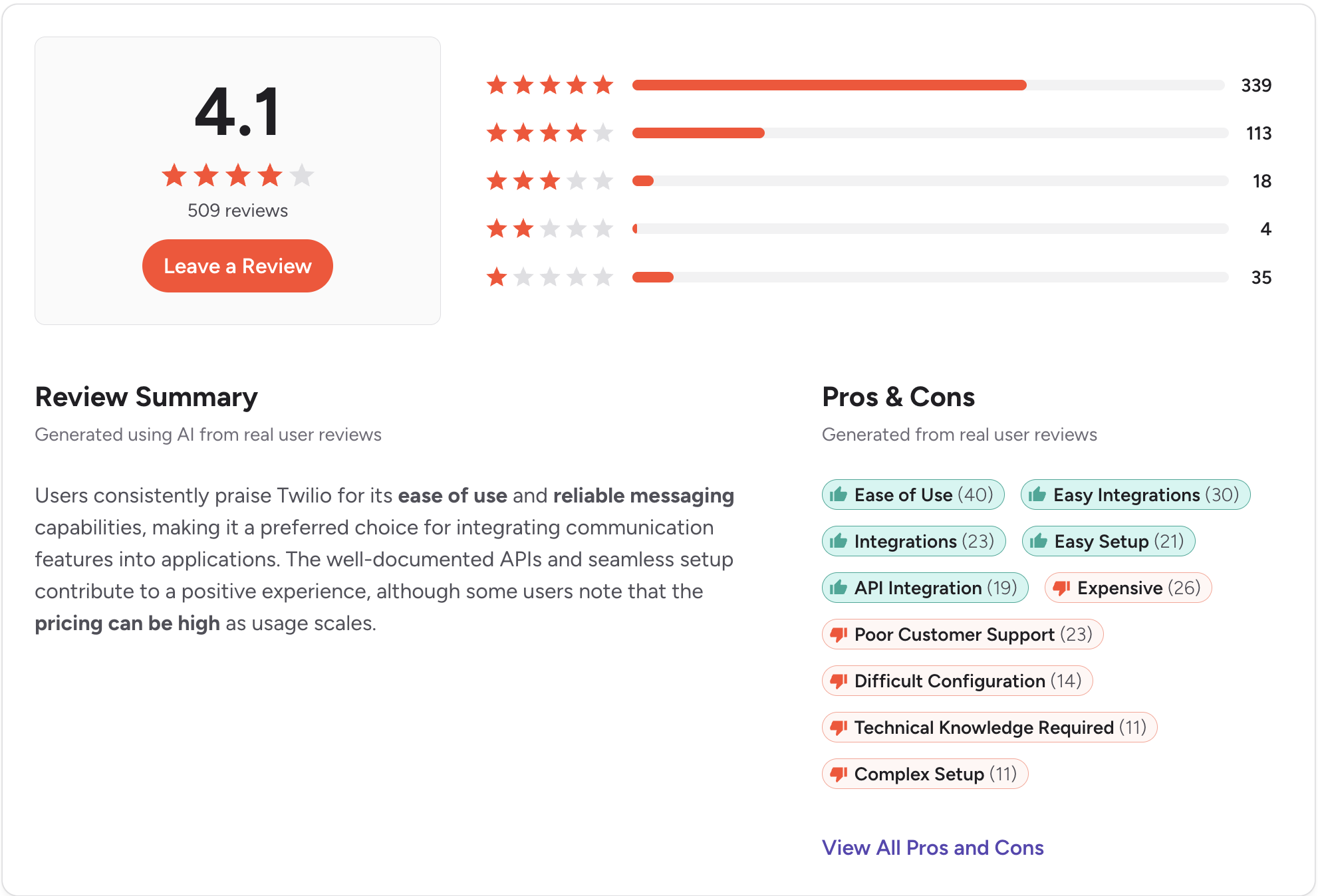
“Great system for managing SMS token based logins to our online platform. Deals with all the authentication so that we don't have to store personal data. We also use it to send SMS messages to users once they are registered.” (G2, verified review)
“Pricing can become expensive as usage scales, especially for SMS and WhatsApp. Initial setup and configuration may feel complex for non-technical teams, and some advanced features require deeper technical expertise.” (G2, verified review)
Pros:
- Maximum flexibility for teams with engineering resources
- Reliable global carrier coverage
- Can integrate with virtually any system, given enough development time
Cons:
- Requires ongoing engineering resources
- No shared inbox or team interface without custom development
- Total cost of ownership is higher than the per-message rate suggests
CRM integrations: API only. No native connectors.
Ratings: G2: 4.2/5 (1,900+ reviews) | Capterra: 4.4/5 (500+ reviews)
How to Choose the Best SimpleTexting Alternative
These questions will help you find the best SimpleTexting alternative for your business:
Is the CRM integration native, or does it run through Zapier?
Zapier connections handle basic triggers but break down for complex workflows and reliable activity logging. If a vendor calls their HubSpot or Salesforce integration “Zapier-based,” ask exactly what syncs and what happens when a sync fails.
Do you need two-way conversations or one-way broadcasts?
SlickText, EZTexting, and TextMagic handle outbound well but treat inbound as secondary. If your leads reply and your team manages those replies in a shared inbox, two-way needs to be primary.
Does calling live in the same platform?
Most tools on this list don’t include calling. If you need both in one platform, Salesmsg is the answer.
What does compliance look like during onboarding?
10DLC is required by US carriers for any business texting at meaningful volume. TCPA requires documented consent before a marketing message goes out. Some platforms walk you through both during onboarding. Others hand you a help article.
What does the tool actually cost at your real send volume?
Per-message, per-seat, and credit-based pricing produce very different invoices at scale. Run the math at your actual usage, not at the number on the pricing page.
Not sure which fits? Try Salesmsg free for 14 days, no credit card required.
The Bottom Line on SimpleTexting Alternatives
The right alternative depends on what specifically isn’t working with SimpleTexting.
For bulk marketing without CRM complexity, SlickText, EZTexting, or TextMagic each cover that use case from a different angle. For multi-channel inbound, Heymarket centralizes them. For multi-location service brands, Podium combines SMS with reviews and webchat. For developer teams with specific requirements, Twilio is the foundation.
For sales, marketing, and customer success teams running HubSpot or Salesforce, you need native CRM integration, two-way conversations, a shared inbox with rep-level visibility, and ideally calling on the same number as texting. That combination is what Salesmsg was built for.
Frequently Asked Questions
What is the biggest limitation of SimpleTexting for growing teams?
SimpleTexting is built primarily for broadcast SMS. Teams that need two-way conversations, native HubSpot or Salesforce integration, calling, or shared inbox visibility across multiple reps tend to outgrow it. It works well for simple use cases. It hits friction when SMS needs to be part of a broader sales or customer success workflow.
Does SimpleTexting integrate with HubSpot or Salesforce natively?
SimpleTexting connects with HubSpot and Salesforce through Zapier, not a native integration. For teams that need to trigger messages from deal stage changes, auto-log conversations, or run sequences from inside the CRM, a native integration like Salesmsg gives more control and fewer sync issues.
Is there a SimpleTexting alternative that includes calling?
Yes. Salesmsg combines SMS and calling on one platform, which matters if your team texts and calls the same contacts. Most alternatives, including SlickText, Textline, and TextMagic, are SMS-only.
What should I look for in a SimpleTexting alternative?
The five things that matter most are native CRM integration (not Zapier-bridged), two-way messaging with a shared team inbox, automation triggered from CRM events, 10DLC compliance built into onboarding, and pricing that scales predictably as the team grows.
Is Salesmsg a good SimpleTexting alternative?
For companies running high-volume SMS across sales, marketing, and customer success on HubSpot or Salesforce, yes. Salesmsg covers native CRM integration, calling, shared inbox, and automated sequences. SimpleTexting is the better fit for teams that only need simple broadcast SMS without CRM workflow depth.
How does SimpleTexting pricing compare to alternatives?
SimpleTexting starts around $39/month for 500 credits with a local number. All paid plans include 3 user seats, with additional users at $20/month each. Credit-based tools like Salesmsg start at $25/month and scale with message volume rather than headcount. Run the numbers at your actual usage before committing.
Can I migrate my contacts from SimpleTexting to a new platform?
Yes. Most platforms accept CSV imports. Re-confirm opt-ins per your new provider’s compliance requirements before sending. Some platforms, including Salesmsg, offer migration support during onboarding.