Best shared inbox software in 2027: 12 tools compared




TL;DR: What you get from this guide
- 12 shared inbox tools compared, covering email, SMS, calling, and multi-channel inboxes
- Each entry includes what the tool does, who it fits, G2 rating, pricing, and one honest trade-off
- A quick comparison table so you can shortlist in under two minutes
- Salesmsg leads the list as the only shared inbox that combines two-way SMS, calling, AI agents, and native CRM integration in one platform
- For email-first teams: Front for multi-channel collaboration, Hiver for Gmail-native, Help Scout for small support teams
- A buyer's guide and 7 FAQs to help you decide faster
Bottom line up front
If your team texts and calls customers from HubSpot or Salesforce, Salesmsg is the shared inbox built for that. It handles two-way SMS, inbound and outbound calling, AI agents, and conversation logging from one inbox, all synced to your CRM contact record. If your team mostly works in email, Front is the strongest multi-channel collaboration inbox on the market. And if you want a simple, clean support inbox at a fair price, Help Scout does that well for small teams. The rest of this guide breaks down all 12 options so you can pick the right one for how your team actually works.
Every article ranking for "shared inbox software" right now defines the category as email-only. That is incomplete. When your team also texts and calls customers, those conversations need the same visibility, assignment, and history that email gets. This guide covers the full picture.
Quick comparison: all 12 tools at a glance
G2 ratings pulled November 2026. Pricing is the publicly listed starting rate. Verify current pricing before buying.
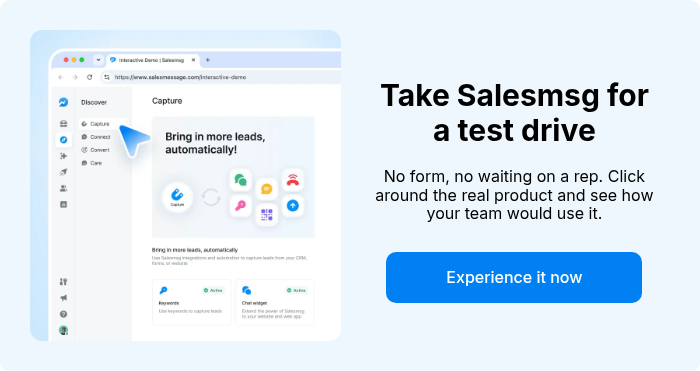
1. Salesmsg: best for SMS, calling, and AI-powered shared inbox on HubSpot or Salesforce
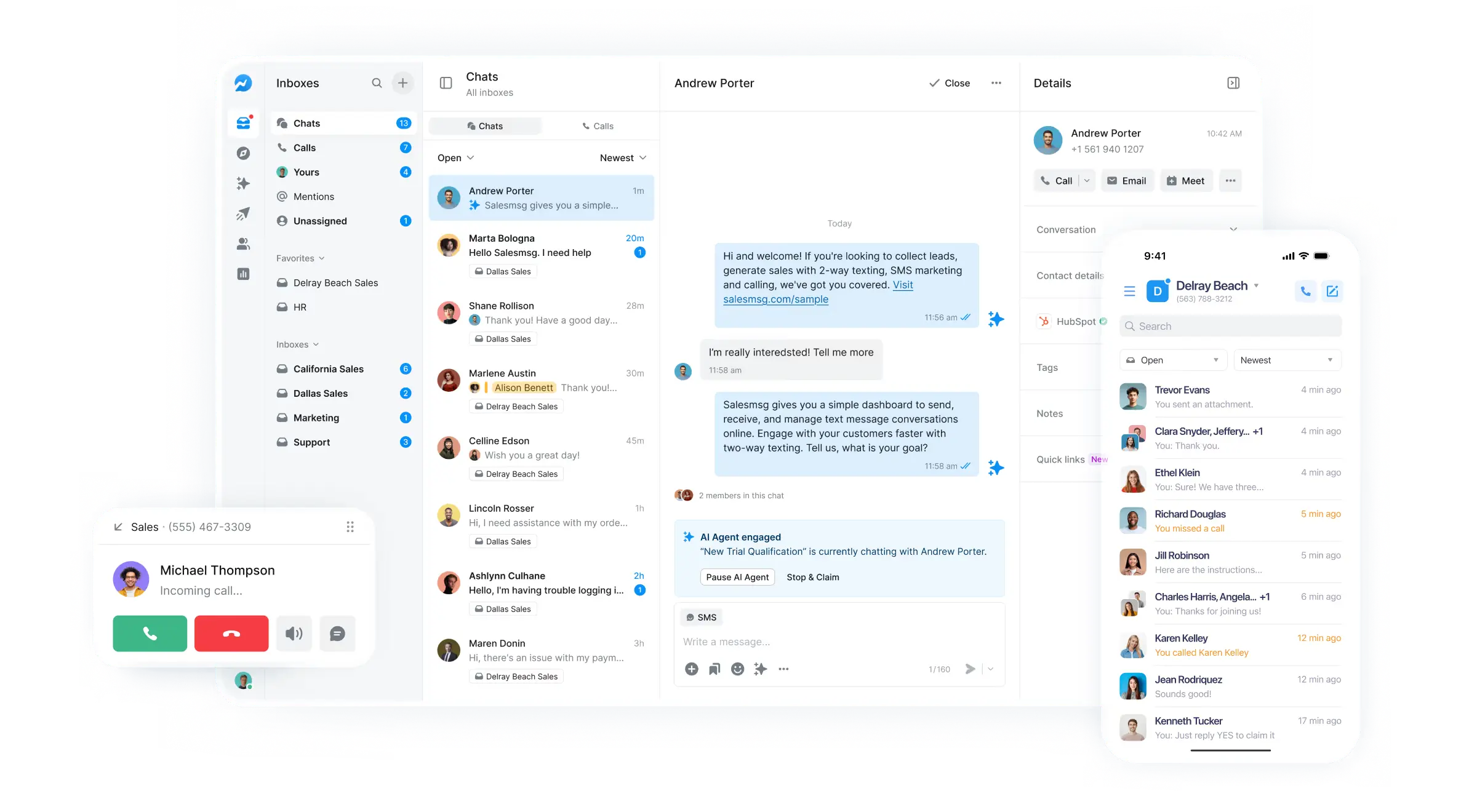
G2 rating: 4.7/5 (373 reviews). G2 reviewers highlight the native HubSpot and Salesforce integrations as the standout. On Capterra, the platform holds a 4.6/5 rating. One reviewer wrote: "The shared inbox model maps directly to a CS pod structure." Another G2 reviewer noted the "conversation assignment lets teams hand off mid-thread without losing context."
Best for: B2B sales, marketing, and CS teams on HubSpot or Salesforce who need SMS, calling, and AI follow-up running from one shared inbox.
What real users say: On Reddit, teams describe Salesmsg as the tool that fixed the "reps texting from personal phones" problem. G2 reviewers consistently cite CRM logging as the number one purchase driver. On Capterra, reviewers call out the fast setup time and responsive human support, with reps named by name in reviews (David, Amy, Shannon).
Key features:
- Send and receive SMS and MMS from a shared business number
- Handle inbound and outbound calls from the same number
- Deploy AI agents that qualify leads and respond 24/7
- Sync every text, call, and AI conversation to HubSpot or Salesforce
- Assign conversations, add internal notes, and tag threads
- Run TCPA-compliant broadcast campaigns with segmentation
Pricing: Starts at $25/mo. Plans scale by message volume. 14-day free trial, no credit card required.
Trade-off: Salesmsg is not an email shared inbox. It handles SMS, calling, and AI conversations. If your team needs email collaboration, pair it with a tool like Front or your CRM's built-in email tools. For teams that need business texting and calling alongside their CRM, this is the one tool that does both from one inbox.
Start a free Salesmsg trial or book a demo to see how the shared inbox connects to your HubSpot or Salesforce instance.
2. Front: best for multi-channel team collaboration
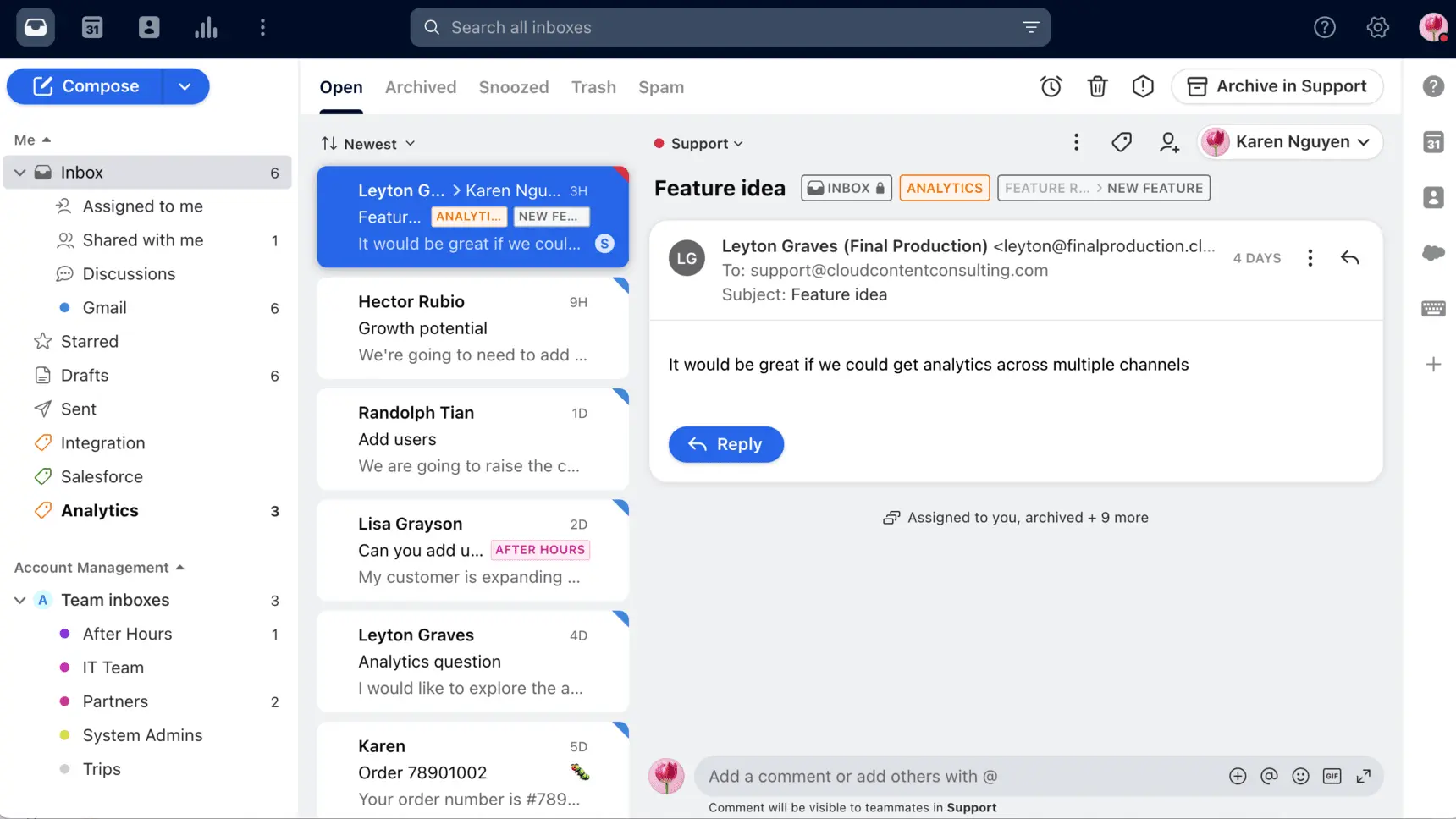
G2 rating: 4.7/5 (2,430+ reviews). G2 Winter 2026 awards include High Performer Enterprise and Easiest to Use. One Capterra reviewer called it "the best shared inbox tool we have found." G2 reviewers frequently praise the clean interface and shared drafts feature.
Best for: Teams that handle email alongside SMS, social DMs, and chat, and need deep assignment, comments, and routing across all of them.
What real users say: On Reddit, teams recommend Front when routing is the hard part: high volumes, multiple channels, complex rules. The most common criticism on G2 is pricing. Front becomes expensive as team size grows, and several Reddit threads flag this directly. Capterra reviewers note that the collaboration features (shared drafts, internal comments) are where Front really separates from simpler tools.
Key features:
- Unify email, SMS, social, and chat in one inbox
- Assign conversations with collision detection
- Write shared drafts before sending
- Build automated rules for routing and tagging
- Connect to 100+ integrations including Salesforce and HubSpot
- Access AI tools for suggested replies and analytics
Pricing: Starts at $19/seat/mo (Starter). Scales to $59/seat/mo (Scale) and $99/seat/mo (Premier). AI features cost extra on higher tiers.
Trade-off: Cost adds up fast for larger teams. The pricing jump from Starter to Scale is significant, and AI features layer on additional cost. If you have a 20-person team, do the math before committing. Smaller teams on Gmail may find Hiver or Drag more cost-effective.
3. Hiver: best for Gmail-native shared inbox
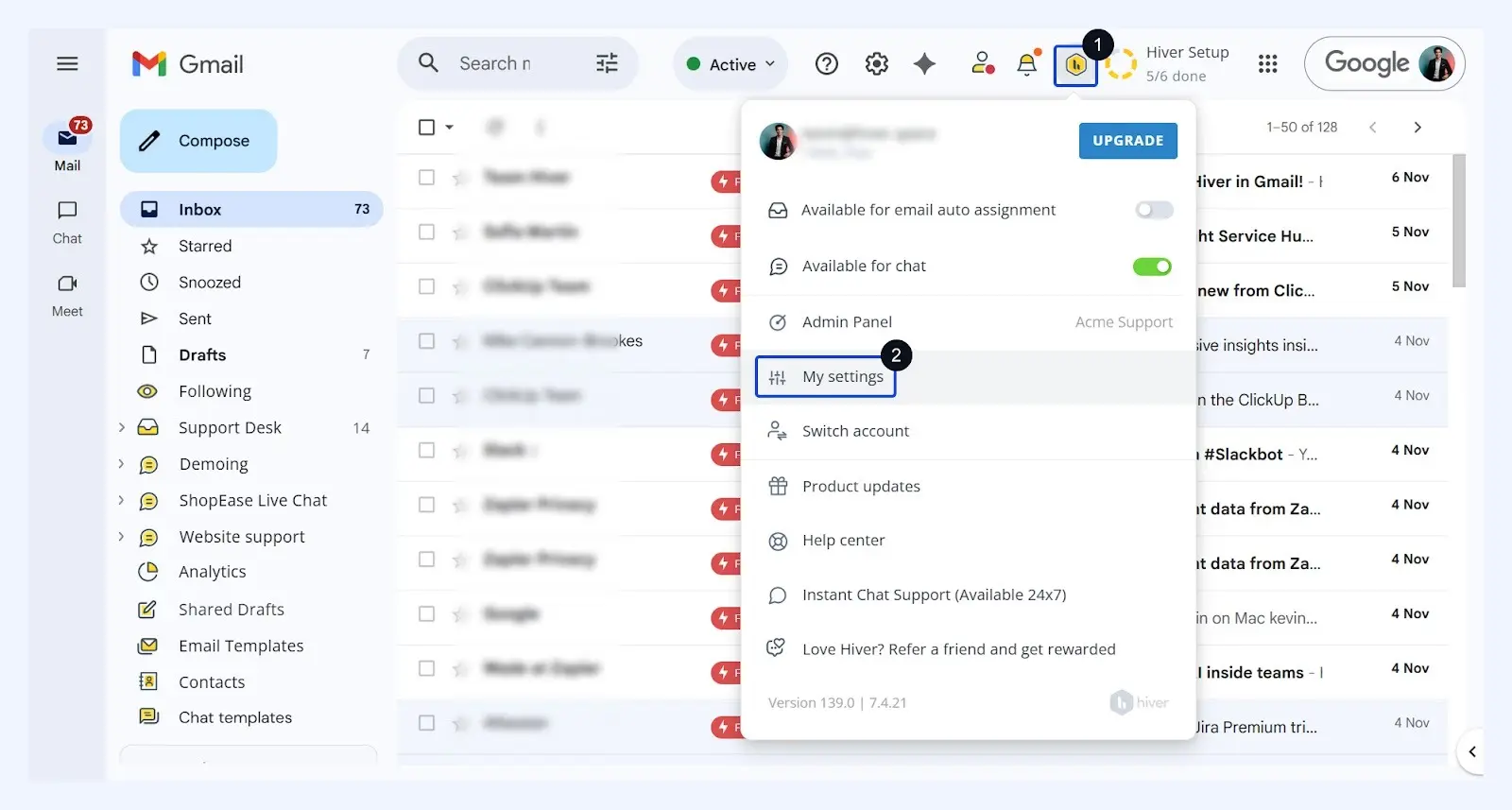
G2 rating: 4.6/5 (1,283 reviews). 74% of reviews are five-star. Net Promoter Score of 70.
Best for: Google Workspace teams that want a real shared inbox without leaving Gmail.
What real users say: On Reddit, the most common sentiment is "it just runs inside Gmail, so there wasn't much to learn." That low learning curve is the whole pitch for teams that do not want to adopt a new app. Some G2 reviews flag slowness with 1,000+ daily emails. The per-user pricing model changed in 2025, and that "left a trust scar that shows up in Reddit threads," though the current pricing structure is clear.
Key features:
- Assign emails and track status inside Gmail
- Add internal notes without leaving the thread
- Set SLA alerts and collision detection
- Automate routing based on rules
- Run basic analytics on response times and volume
Pricing: Free plan for up to 5 users (1 shared inbox). Paid plans from $25/user/mo. AI add-on is $20/user/mo extra.
Trade-off: Gmail-only (and now Outlook, but Gmail is the strength). No calling, no native SMS. The AI add-on pricing at $20/user/mo on top of the seat price makes the real cost higher than it looks. Teams that need SMS alongside their email will need a separate tool.
4. Help Scout: best for small support teams
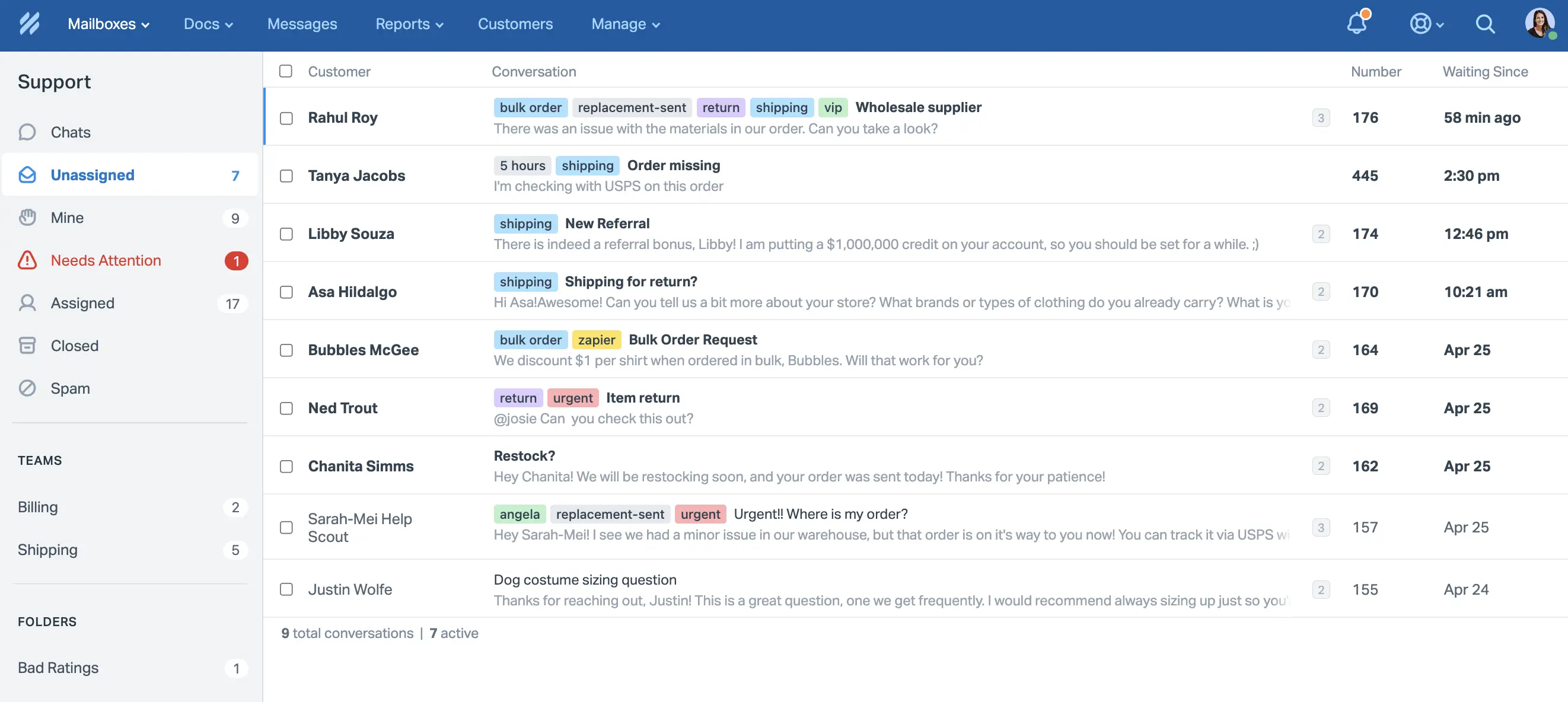
G2 rating: 4.4/5 (418 reviews). G2 reviewers appreciate the simple, human-feeling interface. On Reddit, one user summed up a three-year search: "Year 3: Help Scout. $25/month. Sweet spot found. What I actually needed: shared inbox."
Best for: Small support teams (under 25 people) that want a clean inbox with Docs and Beacon built in.
Key features:
- Manage shared email conversations with assignment
- Build a knowledge base (Docs) for self-service
- Embed a Beacon widget for on-site help
- Run saved replies and basic automations
- Access AI features included from day one
Pricing: Free plan available (up to 50 contacts). Standard from $25/user/mo. Plus from $50/user/mo.
Trade-off: Not built for sales teams. No calling, no SMS. Limited integrations compared to Front or Zendesk. If your team outgrows 25 people, you may find the reporting and automation too basic.
5. Freshdesk: best for budget-friendly help desk with shared inbox
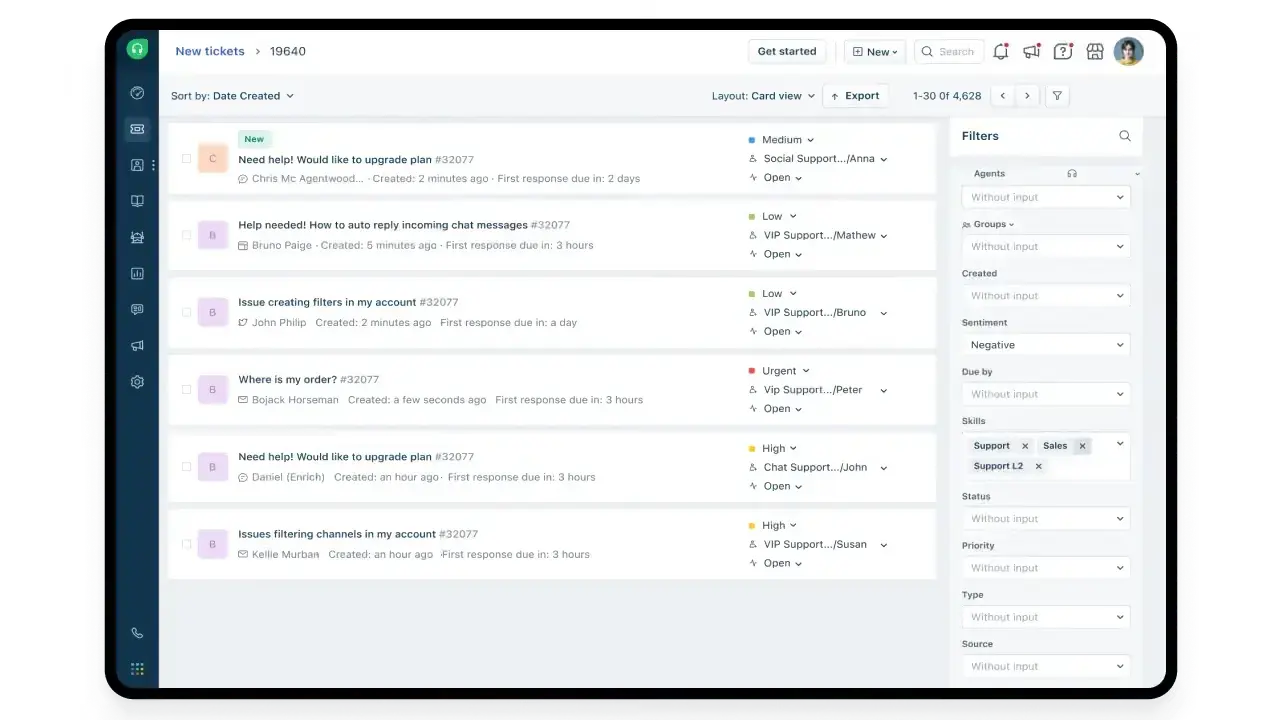
G2 rating: 4.4/5 (3,700+ reviews). The largest review base on this list.
Best for: Teams that want help desk features (ticketing, SLAs, knowledge base) with a shared inbox included, at a lower price than Zendesk.
Key features:
- Manage email, chat, phone, and social from one inbox
- Route tickets automatically based on rules
- Set SLAs and escalation workflows
- Build a customer-facing knowledge base
- Access Freddy AI for suggested replies and routing
Pricing: Free tier (up to 2 agents). Growth from $15/agent/mo. Pro from $49/agent/mo. AI features add per-resolution fees on some plans.
Trade-off: It is a help desk, not just a shared inbox. More features means more complexity. The free tier is limited. AI pricing follows a per-resolution model, which makes costs hard to predict at high volume.
6. Zendesk: best for enterprise support operations
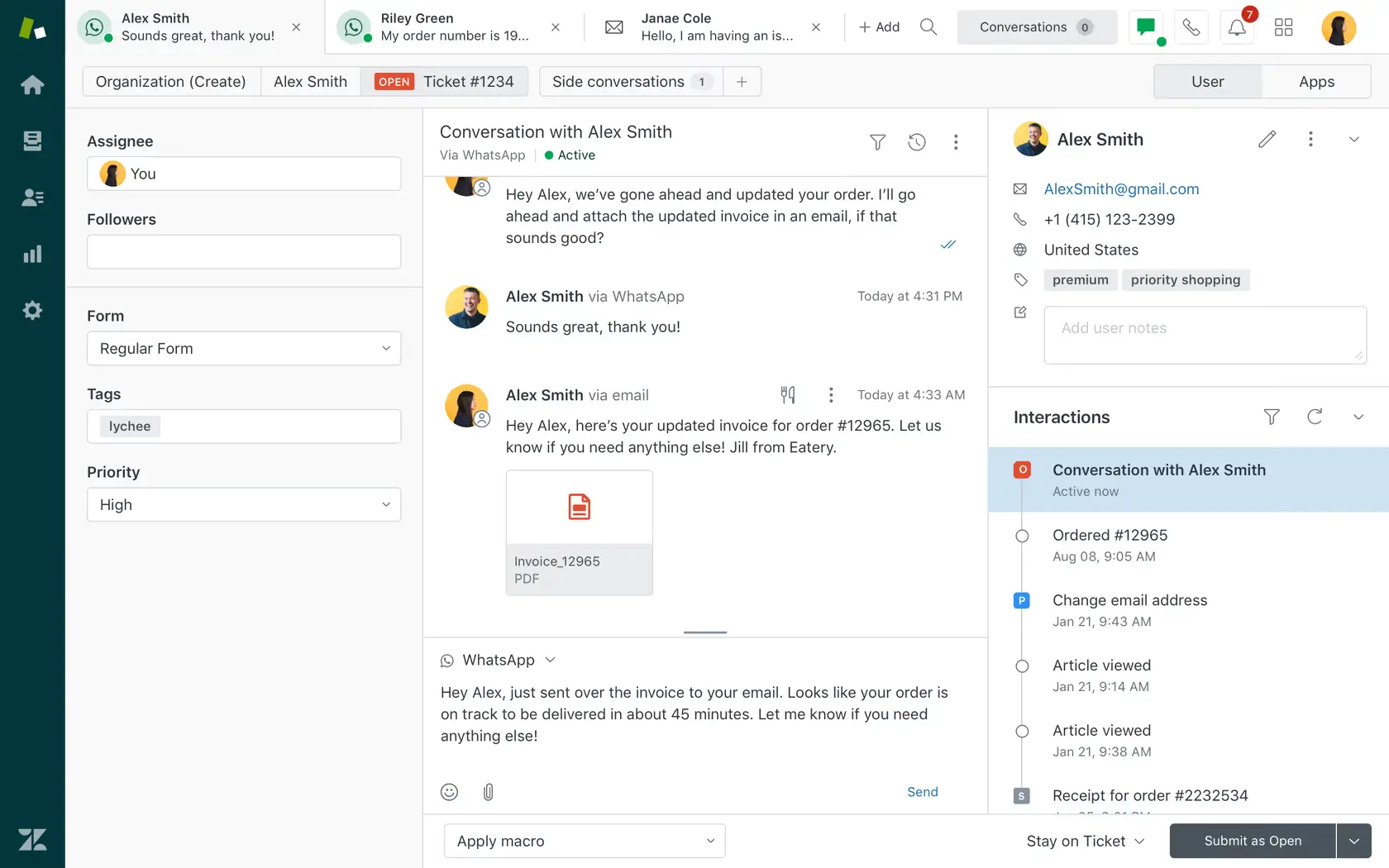
G2 rating: 4.3/5. The lowest G2 rating on this list, but also the most widely deployed at enterprise scale.
Best for: Large support organizations (50+ agents) that need deep ticketing, SLA management, routing, and reporting.
Key features:
- Handle email, chat, phone, social, and messaging
- Build sophisticated routing and escalation rules
- Run advanced reporting and workforce management
- Access a 1,800+ integration marketplace
- Deploy AI agents with per-resolution pricing
Pricing: Suite Team from $55/agent/mo. Suite Professional from $115/agent/mo. AI add-on runs $50/agent/mo plus per-resolution fees. Enterprise pricing requires a sales conversation.
Trade-off: Expensive and complex. A 10-person team on Suite Team plus AI costs roughly $12,600 a year before per-resolution fees. Overkill for small teams. Multiple Reddit threads describe long implementation timelines and the need for a dedicated admin. If you just need a shared inbox and not a full help desk, Zendesk is more than you need.
7. HubSpot Service Hub: best for HubSpot-native teams
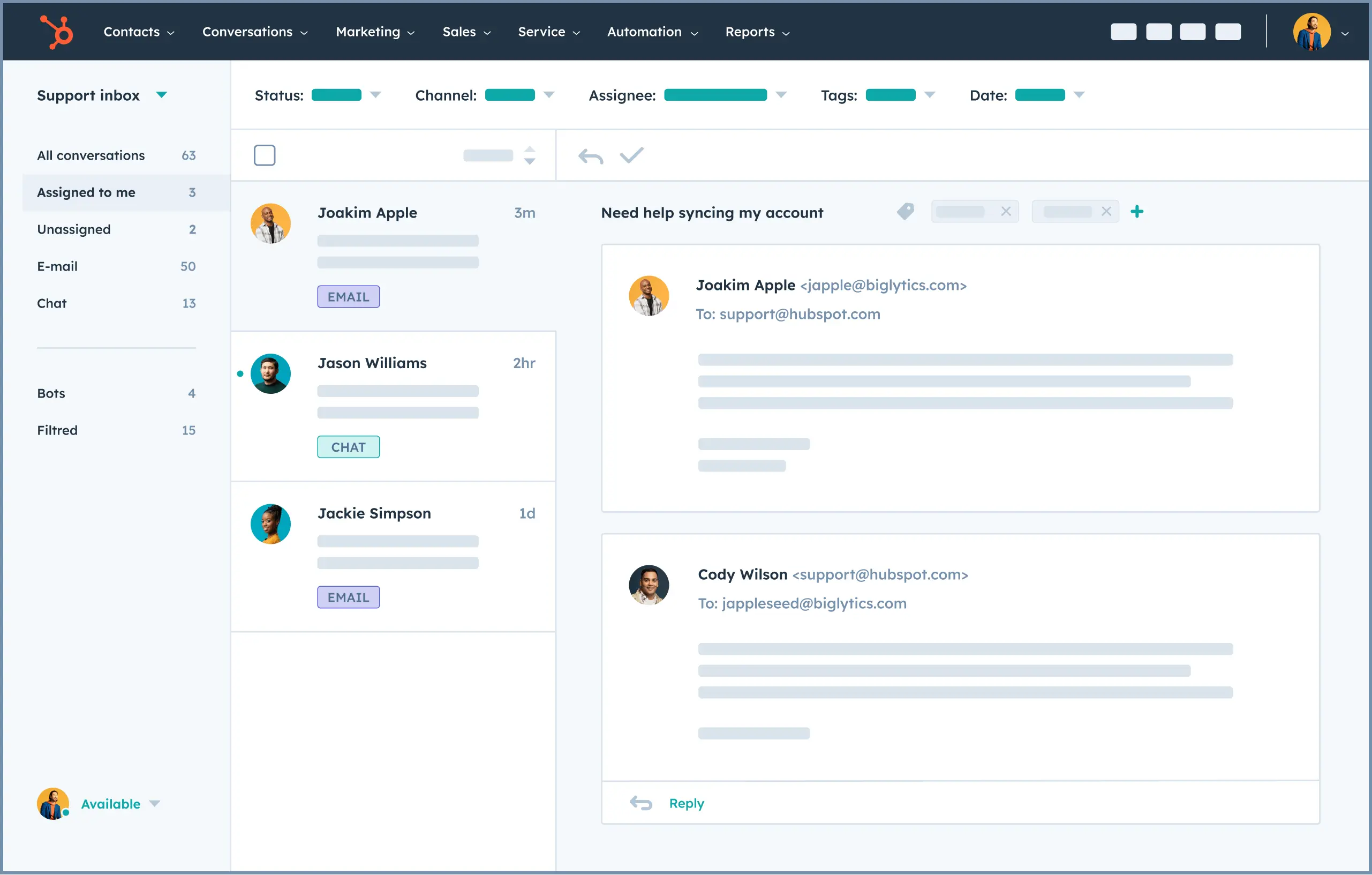
G2 rating: 4.4/5 (2,880+ reviews). G2 reviewers like that the inbox, CRM, and knowledge base all live in one system.
Best for: Teams already in HubSpot that want to add a shared inbox without introducing a separate platform.
Key features:
- Manage email and chat from a shared inbox
- Connect every conversation to CRM contact records
- Build a knowledge base for self-service
- Run automation with HubSpot workflows
- Access reporting tied to service metrics
Pricing: Free tier available. Starter from $20/seat/mo. Professional from $100/seat/mo.
Trade-off: The free and Starter tiers are limited. SMS is not native in Service Hub. Teams that need texting integrated with HubSpot will need Salesmsg or a similar add-on. The jump from Starter ($20) to Professional ($100) is steep. G2 reviewers mention a steeper learning curve compared to simpler shared inbox tools.
8. Drag: best for turning Gmail into a shared workspace
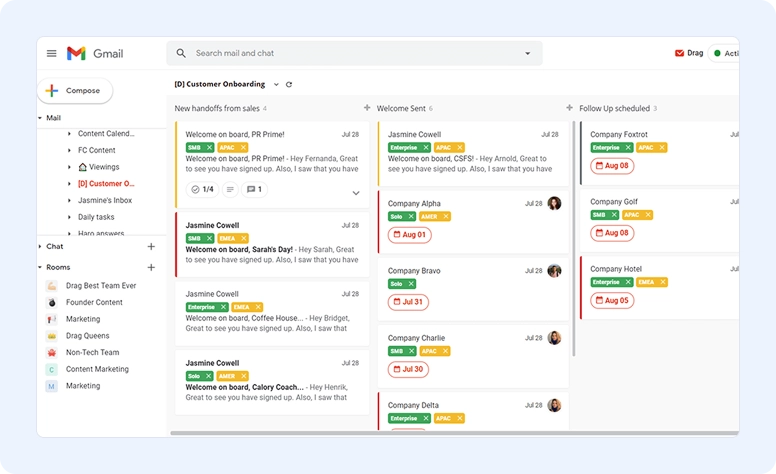
G2 rating: ~4.5/5. Drag positions itself as a Gmail shared inbox with AI included in the seat price, no per-resolution fees.
Best for: Gmail-based teams that want shared inboxes, Kanban boards, and AI included at a flat rate.
Key features:
- Turn Gmail into shared boards with drag-and-drop
- Assign emails and track status visually
- Access AI features included from $18/seat/mo
- Set automations and shared email templates
- Connect MCP integrations (Claude, ChatGPT)
Pricing: Starter from $12/seat/mo. Plus from $18/seat/mo (AI included). Pro at $24/seat/mo.
Trade-off: Gmail-only. Not a full help desk. Limited CRM integrations (Zapier required for most). Teams that need deep ticketing, SLAs, or multi-channel coverage beyond email should look elsewhere.
9. Missive: best for team chat plus shared inbox combined
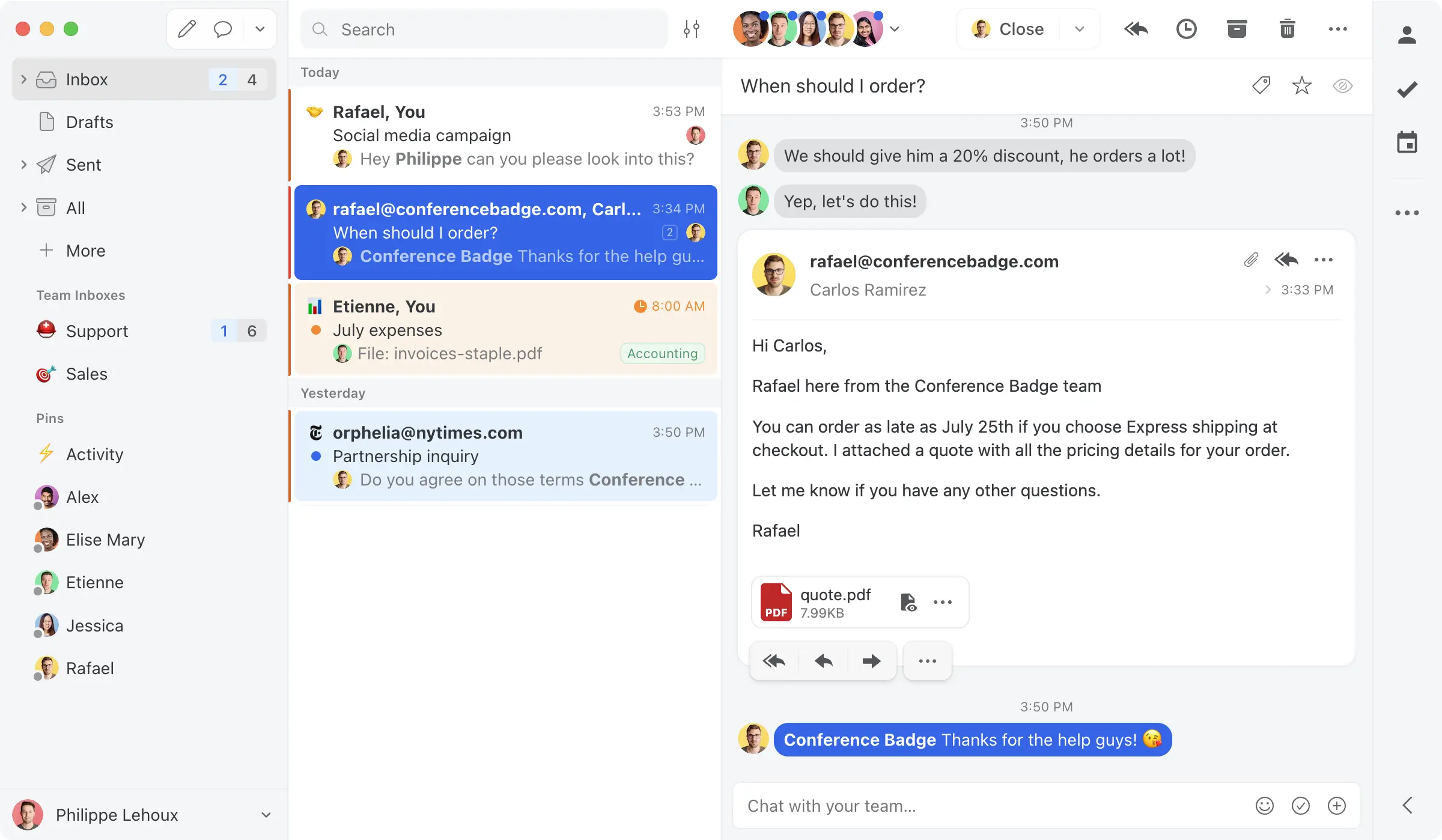
G2 rating: 4.7/5. One of the highest-rated tools in the category.
Best for: Teams that want shared inbox and internal team chat in one app, across Gmail, Outlook, iCloud, and IMAP.
Key features:
- Manage shared email, SMS, and social from one inbox
- Chat with teammates inside conversation threads
- Write shared drafts with real-time collaboration
- Automate routing and assign conversations
- Support multiple email providers (not just Gmail)
Pricing: Free plan (3 users). Starter from $14/user/mo. Productive from $24/user/mo. Business from $36/user/mo.
Trade-off: AI is bring-your-own-key, not bundled. Lighter on formal help desk reporting. Smaller ecosystem and integration library than Front or Zendesk.
10. HappyFox: best for IT and internal support teams
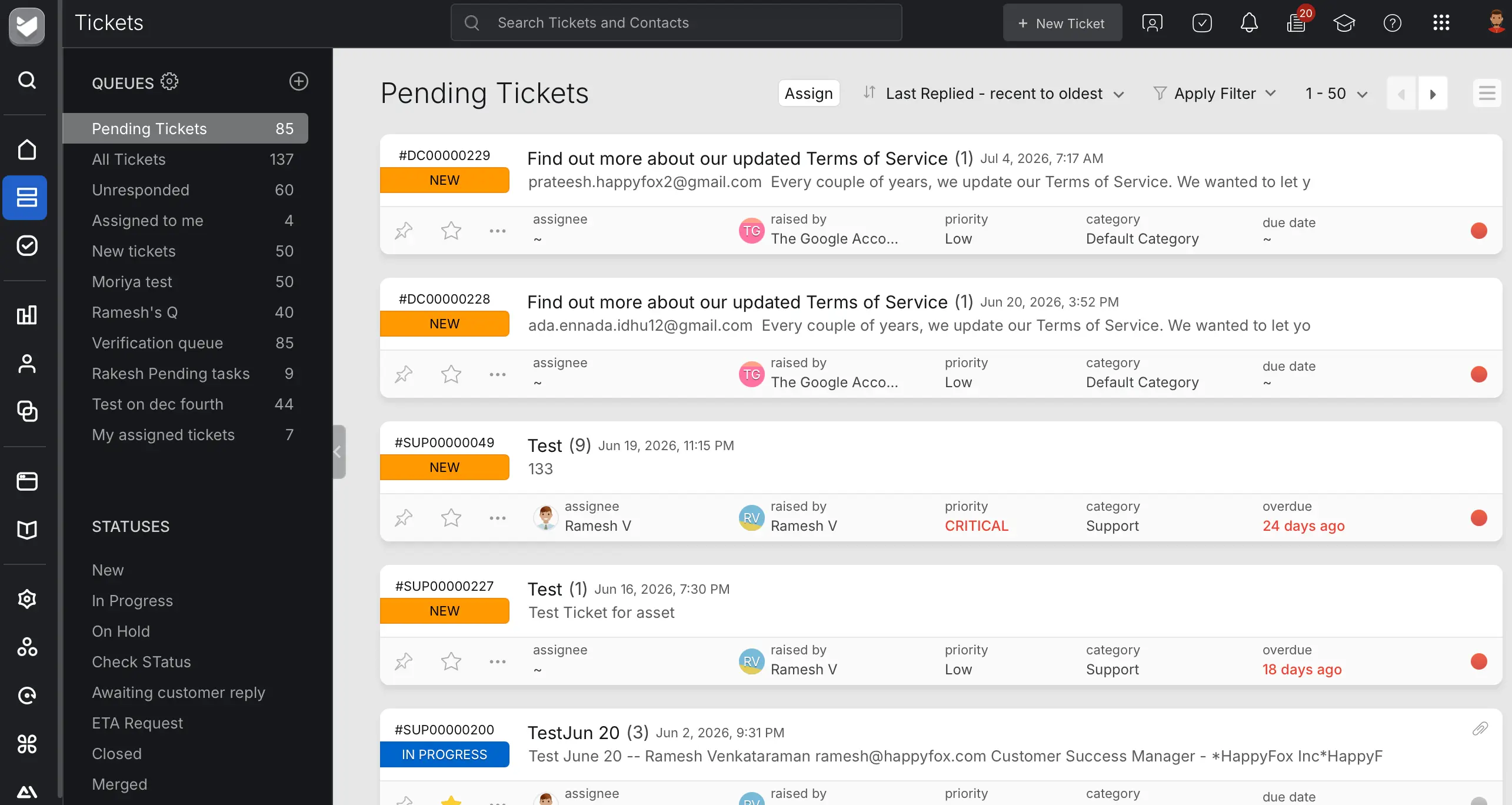
G2 rating: 4.5/5 (137 reviews). G2 reviewers highlight the intuitive interface and quick onboarding.
Best for: IT teams and internal support desks that need ticketing with a shared inbox layer.
Key features:
- Handle email, chat, and phone from a shared inbox
- Route tickets automatically with smart rules
- Track SLAs and generate performance reports
- Build an internal knowledge base
- Deploy canned responses for common requests
Pricing: Basic from $24/agent/mo. Team from $49/agent/mo. Enterprise plans available.
Trade-off: Smaller review base and community compared to Freshdesk or Zendesk. The pricing scales steeply at higher tiers. Less suitable for external customer-facing support at scale.
11. Gmelius: best for Gmail shared inbox with Kanban boards
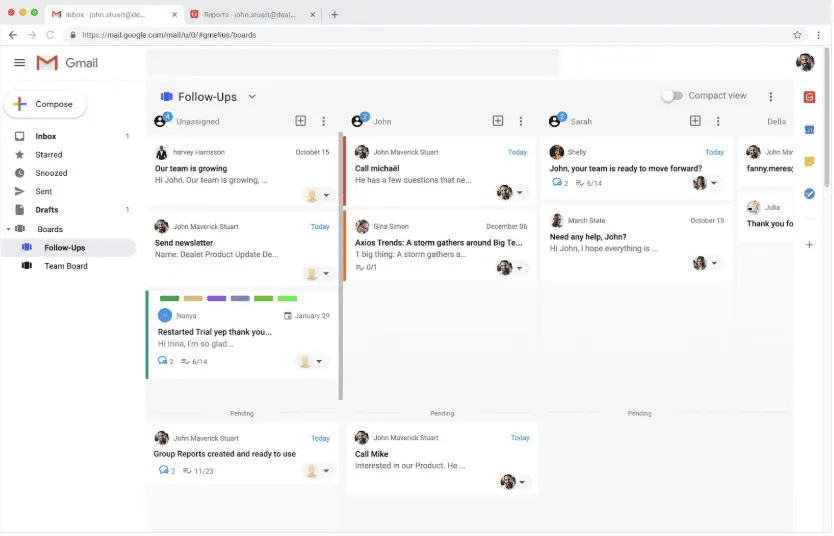
G2 rating: 4.4/5 (776 reviews). Capterra rates it 4.7/5 (43 reviews). Reviewers praise the assignment, notes, and SLA tracking features that feel "thought-through rather than bolted on."
Best for: Small Gmail teams on a budget that need basic shared inbox features without deep analytics.
Key features:
- Assign emails and track status inside Gmail
- View conversations as Kanban boards
- Set workflow automation rules
- Access unlimited shared inboxes and AI assistants
- Run outreach automation sequences
Pricing: Growth plan from $24/user/mo. Includes unlimited shared inboxes and AI assistants.
Trade-off: The cheapest plan no longer includes a shared inbox (that changed recently, and older reviews still reference the old pricing). Slowness is the most repeated G2 complaint. Conversation caps on lower tiers can become a bottleneck for teams with high email volume. The mobile app is weaker than the desktop experience.
12. Intercom: best for product-led growth teams
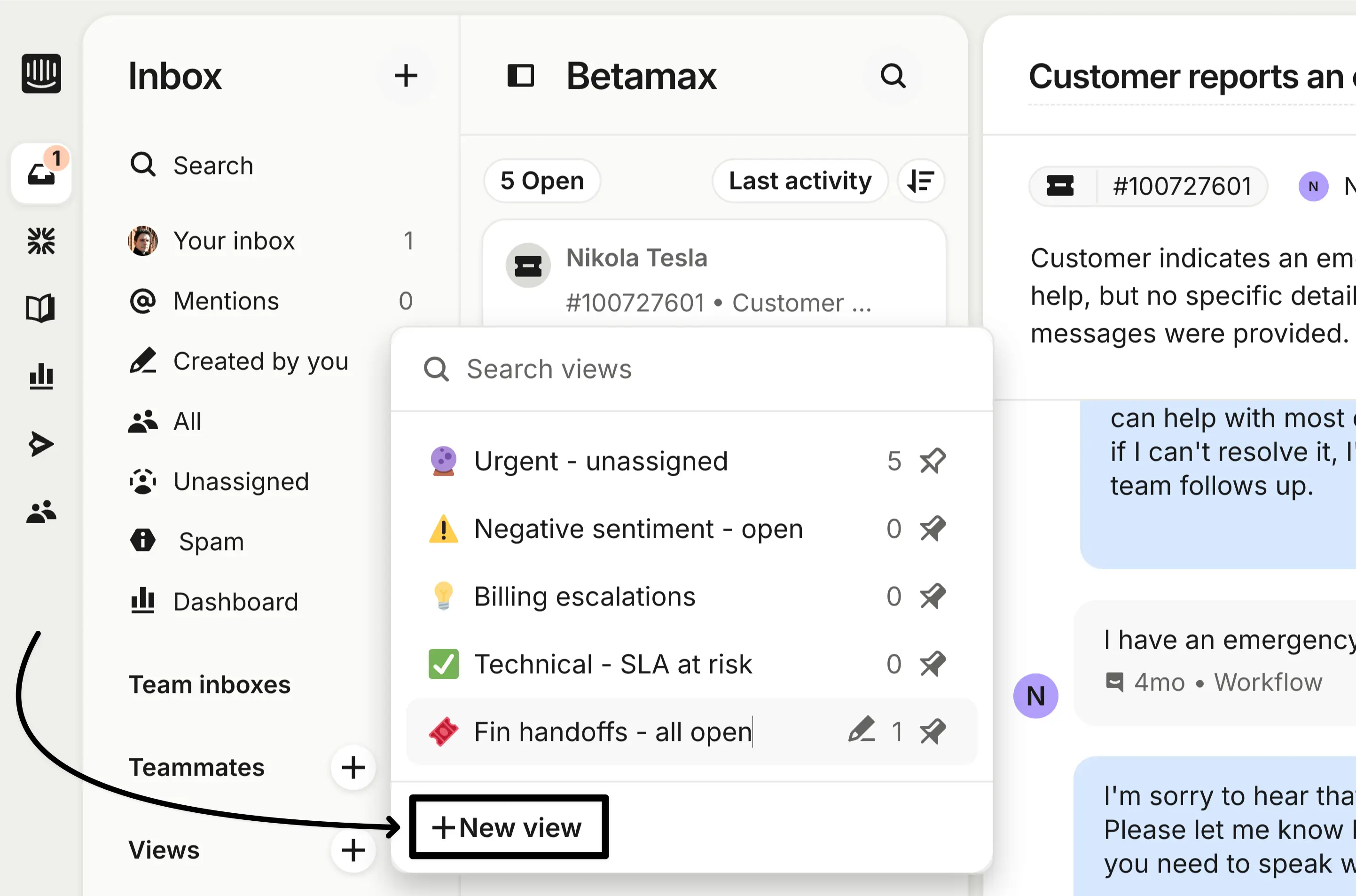
G2 rating: ~4.5/5. One of the most recognized names in customer messaging.
Best for: SaaS and product-led growth teams that want a customer-facing AI chatbot (Fin) alongside a shared inbox.
Key features:
- Handle email, chat, social, and SMS from one inbox
- Deploy Fin AI agent for automated customer resolution
- Build product tours and in-app messages
- Route conversations with advanced rules
- Access deep customer data and event tracking
Pricing: Seats from $29/mo (Essential) to $132/mo (Expert). Fin AI charges $0.99 per resolution on every plan. That per-outcome cost is hard to forecast at scale.
Trade-off: Expensive and unpredictable. The $0.99 per AI resolution adds up fast for teams with high inbound volume. Salesforce announced an agreement to acquire Intercom in June 2026 (not yet closed), which adds uncertainty. If you are a B2B sales team on HubSpot or Salesforce that needs texting and calling inside your CRM, Intercom is not the right fit.
How to choose the right shared inbox software
Before you evaluate tools, answer these five questions. They will cut your list from 12 to 2 or 3 options fast.
1. What channels does your team actually use?
Email only? Email plus phone? SMS? Social? Do not pay for a multi-channel platform if your team only uses email. But if SMS and calling are part of how you reach customers, your shared inbox needs to cover those channels natively. Bolted-on SMS through a separate tool means fragmented conversations and missed context.
2. What CRM does your team use?
This is the single biggest filter. Tools that connect natively to your CRM save reps from manual data entry and keep your pipeline accurate. If the only integration option is Zapier, expect that connection to break during a sales sprint. Salesmsg connects natively to HubSpot and Salesforce. Front and Zendesk offer direct CRM integrations too. Gmail-native tools (Hiver, Drag, Gmelius) connect through Zapier or limited native connectors.
3. How many people will use this?
Per-seat pricing matters a lot at 20+ users. A tool that costs $25/seat/mo is $6,000/year for a 20-person team. A tool at $55/seat is $13,200. Check whether pricing is per user, per agent, per inbox, or per message volume. Some tools (Drag, Missive, Hiver) offer free plans for small teams that let you try before committing.
4. Do you need AI, and how is it priced?
AI in shared inboxes ranges from suggested replies to fully autonomous agents. The pricing model matters more than the feature list. Some tools include AI in the seat price (Drag, Help Scout). Others charge per user add-on ($20/user for Hiver AI). Others charge per resolution ($0.99 per resolution for Intercom Fin, per-resolution fees for Zendesk and Freshdesk). If AI volume is high, per-resolution pricing can double your cost. Salesmsg includes AI agents that handle inbound conversations and qualify leads, without per-resolution fees.
5. Support or sales or both?
Most shared inbox tools are built for support. If your sales team also needs shared inbox functionality for lead follow-up, look at tools built for revenue teams, not just support. Sales teams need CRM integration, conversation history per contact, and the ability to text and call from the same shared number.
FAQs
What is shared inbox software?
Shared inbox software lets multiple team members view, assign, and respond to messages from a single inbox. Instead of forwarding emails between people or losing track of who replied, the whole team sees every conversation in one place. Some shared inboxes handle email only. Others, like Salesmsg, also handle SMS, calling, and AI-powered responses from the same inbox.
What is the difference between a shared inbox and a help desk?
A shared inbox focuses on team visibility and collaboration around incoming messages. A help desk adds ticketing, SLAs, knowledge bases, and routing rules on top. If your team needs simple collaboration and fast response times, a shared inbox is often enough. If you need structured ticket workflows and reporting, a help desk is the better fit.
Can I use a shared inbox for sales, not just support?
Yes. Sales teams use shared inboxes to manage lead follow-up, prevent duplicate outreach, and give managers visibility into rep conversations. Salesmsg is built specifically for this. Its shared inbox handles SMS and calling alongside lead conversations, with every message logged to HubSpot or Salesforce automatically.
What should I look for when choosing shared inbox software?
Start with channel coverage: does it handle email only, or also SMS and calling? Then check CRM integration, team size fit, pricing transparency, and whether AI features are included or cost extra. The right tool depends on how your team communicates with customers.
Is a shared inbox better than a distribution list or email alias?
Yes, for team use. An email alias (like support@yourcompany.com) forwards messages to everyone, but nobody knows who is handling what. A shared inbox gives you assignment, conversation history, internal notes, and collision detection so two people do not reply to the same message.
How much does shared inbox software cost?
Pricing ranges from free (Drag, Gmelius, Hiver free tiers) to $100+ per user per month (Zendesk, Intercom at higher tiers). Most mid-market tools cost $15-30 per user per month. Salesmsg starts at $25/month with SMS, calling, and AI agents included. Always check whether pricing is per user, per inbox, or per message volume, and whether AI features cost extra.
Can shared inbox software handle SMS and phone calls, not just email?
Most shared inbox tools are email-only. A few, like Salesmsg, are built specifically for SMS and calling. If your team texts or calls customers from a shared business number, look for a shared inbox that handles those channels natively rather than bolting them on through a separate integration. For teams on HubSpot or Salesforce, SMS marketing software that connects natively to your CRM makes the biggest difference.
Final verdict
There is no single best shared inbox software. The right pick depends on your channels, your CRM, and your team size.
For B2B teams on HubSpot or Salesforce that need texting, calling, and AI-powered follow-up from one shared inbox, Salesmsg is the platform built for that use case. It is the only tool on this list that handles two-way SMS, inbound and outbound calling, AI agents, and conversation logging from a single shared inbox, all synced natively to your CRM. You are not stitching together a dialer, an SMS app, and a shared inbox tool. It is one platform.
For email-first collaboration across multiple channels, Front is the strongest option. For Gmail-native teams, Hiver is the path of least resistance. For small support teams on a budget, Help Scout delivers the cleanest experience at a fair price.
Start a free Salesmsg trial or book a 20-minute demo to see how SMS, calling, and AI agents work from one shared inbox inside your HubSpot or Salesforce account.