Conversational Messaging Platform: Maximize Business ROI



_Conversational%20Messaging%20Platform_%20Maximize%20Business%20ROI.webp)

Your sales rep opens Monday morning to a trail of scattered texts, missed voicemails, and half-finished follow-ups spread across phone apps, personal inboxes, and a CRM that never quite tells the full story. A prospect asked for pricing on Friday. A customer wanted a callback. A manager still can't tell whether anyone replied. That's the hidden cost of fragmented communication, and it's exactly why a conversational messaging platform matters.
Texts get read fast: 98% open rates, with most read within three minutes, according to our own 2026 State of SMS Benchmark Report. The question isn't whether customers want to text your business. It's whether your systems can capture those replies, route them to the right person, and turn them into something a manager can actually measure, before the thread goes cold.
What a conversational messaging platform actually is
A conversational messaging platform is not the same thing as blasting texts or sending reminders. It's a two-way system that lets a business receive replies, route them correctly, log them into CRM records, and continue the conversation with context intact.
SMS is a channel. A conversational messaging platform is the operating layer that sits above the channel and decides where each message goes, who should answer, and what happens next. Sales, support, and operations all work from the same thread history instead of rebuilding the story every time a contact responds.
That distinction matters because of a gap in how businesses actually use messaging today. Consumers strongly prefer messaging for customer service, but most sales teams still haven't wired it into their CRM workflow, according to Sinch's research on conversational messaging. If the conversation isn't tied to the CRM, it can't be measured cleanly, which makes forecasting and attribution messy.
The platform starts acting like a revenue system once each reply can update a contact timeline, trigger a workflow, or surface a next step for the rep. The value isn't just that people can text back. It's that the reply doesn't disappear into a silo. If a message can't be traced back to a person, a pipeline stage, and a next action, it isn't operating as revenue infrastructure yet. For a broader look at how AI fits into this, see our guide to conversational AI SMS.
Core components of the platform

A strong platform is built like a system of connected rooms, not one big room with too much noise. Each component has a job, and when one part is weak, the whole workflow slows down.
Channels and routing
The front end is usually two-way SMS and MMS, plus business voice when teams need to call from the same number and keep the record together. A reminder might work fine as a text, while a complex objection might need a live call and transcription.
Behind the scenes, the platform needs to handle message volume reliably, so replies don't get delayed or dropped when campaigns, reminders, and inbound messages overlap at the same time.
Inbox, automation, and context
Shared inboxes are where operational mess turns into manageable work. A conversation with no clear owner tends to get dropped, and a dropped conversation costs both revenue and customer trust. Read and unread states, along with clear rep assignment, are what keep a shared inbox usable instead of chaotic.
Automation sits next to the inbox, not above it. Drip campaigns, broadcasts, scheduling, and auto-replies make follow-up consistent, while AI agents can qualify leads, answer common questions, and book meetings. A platform works best when automation speeds up the human response instead of replacing the record of the conversation.
CRM integration and compliance
The integration layer is what makes the system useful to revenue ops. If texts, calls, transcripts, and summaries log into Salesforce or HubSpot timelines automatically, managers can see what happened without asking reps to rebuild the story by hand.
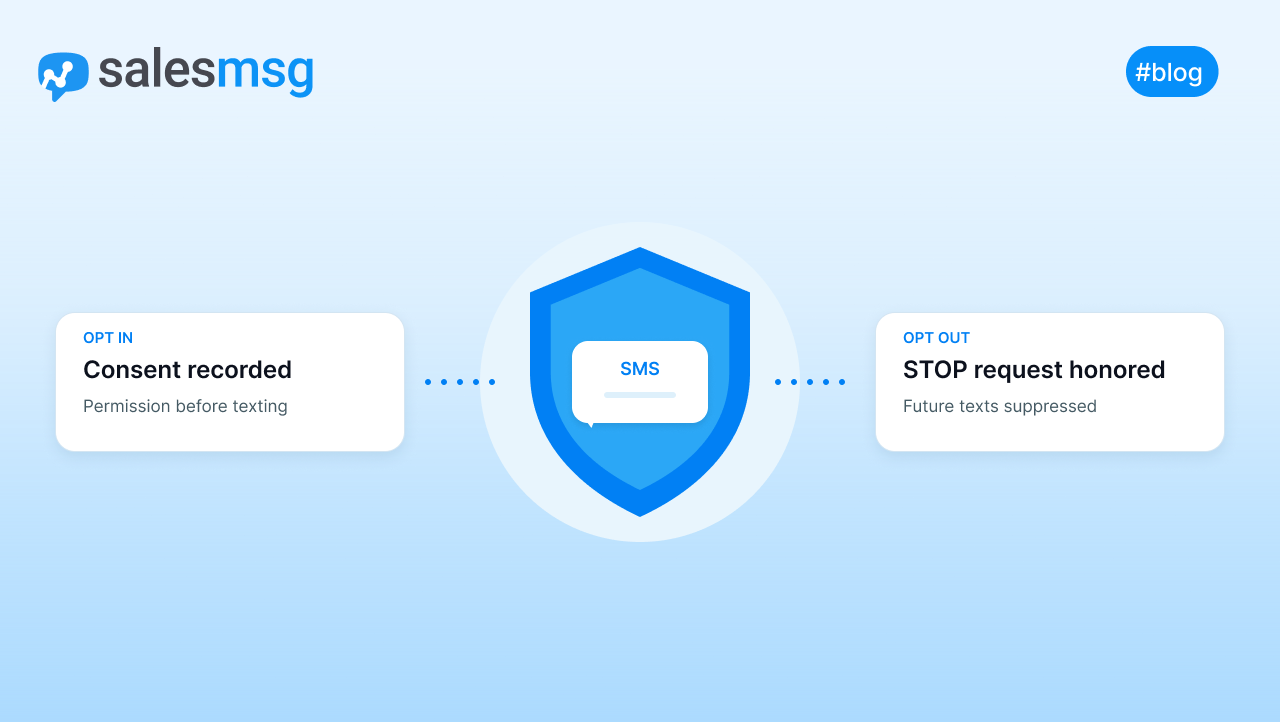
Compliance isn't optional. For regulated teams, opt-out handling, TCPA, 10DLC, and HIPAA support are part of the operating system, not extras. See our Salesmsg texting platform overview for how these pieces work together, and our SMS marketing compliance guide for the consent and registration rules themselves.
Real-world use cases
A useful platform changes what happens in the first few minutes after a contact replies. Sales, marketing, support, and healthcare are the clearest use cases because each one depends on speed, a consistent handoff, and a complete record.
Sales response that keeps the lead warm
Speed to lead decides a lot of deals. Our benchmark report found 57% of teams try to text a new lead within 30 minutes, but only 14% have it automated to go out in under a minute. Teams that close that gap with AI SMS agents see an 88% lift in response rate compared with manual follow-up.
For sales managers, the workflow should be simple: route the first reply automatically, log it to the CRM, and assign the contact to a clear owner. If the message needs qualification, an AI agent can handle the opening questions, then hand the thread to a rep with context intact.
Marketing follow-up that reduces no-shows
Messaging also works well when the goal is attendance, not an immediate close. A confirmation text is more likely to get seen before an appointment than a voicemail or an email buried in an inbox, which is why reminder sequences built around SMS are common for demos, consultations, and renewal touchpoints.
A simple workflow handles this well: send the initial invite, segment the list by intent, then use timed reminders to follow up only with contacts who still need a nudge. The point is relevance, not volume. Every missed reminder is more than a lost touchpoint, it can also leave a gap in CRM history that makes attribution harder later.
Support and healthcare with cleaner handoffs
For support teams, the value shows up in fewer internal handoffs and fewer duplicate replies. A shared inbox lets agents see the thread history, avoid stepping on each other, and keep the customer from repeating the same issue.
In healthcare, the same pattern matters even more because messaging has to stay aligned with privacy rules, consent, and audit trails. A missed opt-out or an unlogged message can create both service friction and compliance exposure, so the conversation needs rules attached to it from the start. If a thread includes scheduling or sensitive information, treat it like a workflow with rules, not a casual text exchange.
Messaging vs. other channels
Email, live chat, and contact centers all solve parts of the communication problem, but not in the same way. A conversational messaging platform wins when the business needs persistent, two-way, mobile-first communication that still belongs inside the CRM.
Messaging vs. email
Email is useful for long explanations, attachments, and formal communication. It's weaker when you need a quick back-and-forth that keeps momentum alive. Messaging fits better for reminders, qualification, rescheduling, and short replies because the thread stays alive across time and devices, and it creates less handoff fragmentation than email forwarded between inboxes.
Messaging vs. live chat and contact centers
Live chat works well on a website, but it usually depends on the customer staying on the page. Messaging continues after the browser closes, which makes it better for asynchronous support and sales follow-up.
Contact centers solve scale and voice routing, but they can be heavier to staff and harder to connect tightly to one-to-one CRM conversations. Messaging fits better when the team wants lower-friction engagement, automated follow-up, and a record that survives beyond the live session.

The smartest teams don't replace every channel. They use messaging where speed, persistence, and CRM continuity matter most, then let email or phone handle the rest.
Implementation checklist
Implementation goes wrong when teams buy software before they define the workflow. The fix is to move in order: use case, then routing, then compliance, so the platform supports the business instead of forcing the business to adapt around the tool.

Start with the operating model
- Define the use cases. Decide whether the first rollout is for leads, appointment reminders, support, or internal handoffs. That choice shapes everything else, from number selection to automation logic.
- Choose the vendor. Confirm the platform supports SMS, MMS, voice, shared inboxes, CRM syncing, and compliance features in one workflow, not spread across separate tools.
- Register phone numbers and messaging profiles. Pick numbers that fit your region and routing needs, then complete the required business registrations for A2P messaging.
Connect the workflow before launch
- Configure opt-in and opt-out handling. Make sure contacts can consent cleanly and stop messages just as easily.
- Integrate the CRM. Connect Salesforce, HubSpot, or your core system so every text, call, and transcript lands in the timeline where reps already work.
- Set up routing and automation. Build assignment rules, office-hours replies, and AI-assisted qualification paths so new conversations never sit unowned.
Good rollout rule: if a rep can't explain what happens after an inbound text arrives, the workflow isn't ready yet.
Train, test, and expand
- Train the team. Show agents how to use read and unread states, assignment controls, saved replies, and escalation paths.
- Pilot before full launch. Start with one team or one use case, then review message quality, response time, and handoff issues before expanding.
What to measure
A platform should be judged on whether it helps revenue teams move faster without creating risk. That means looking at operational fit and business outcomes together.

Start with scalability, since message volume can spike fast when campaigns, reminders, and inbound replies overlap. Then check reliability, since a platform that drops threads or lags under load creates hidden cost in missed replies and duplicate work. Integration depth matters just as much, since a shallow CRM sync usually means the team still copies data by hand.
AI capability belongs on the same scorecard, but only if it reduces repetitive work without creating confusion. Compliance belongs at the center of the evaluation, not the edge, because a compliance failure can wipe out the business value of a campaign fast.
A good dashboard shows response time, owned versus unowned conversations, handoff errors, conversion outcomes, and compliance exceptions in one place. If those metrics sit in separate reports, leadership will struggle to connect platform usage to revenue impact.
FAQ
What is a conversational messaging platform?
It's a two-way system that lets a business receive text replies, route them to the right person, log them into CRM records, and continue the conversation with full context, rather than treating each reply as a one-off message.
How is this different from SMS marketing software?
SMS marketing tools are mostly built for sending, broadcasts, drip campaigns, and reminders. A conversational messaging platform adds the receiving side: routing, shared inboxes, CRM logging, and automation for replies.
Does a conversational messaging platform work with HubSpot or Salesforce?
Yes, when built natively rather than through a workaround. Messages, calls, and transcripts should log automatically to the contact record so reps and managers see the full history without manual entry.
Is this compliant with TCPA and 10DLC rules?
It can be, but that depends on the platform, not the category. Look for built-in opt-in and opt-out handling and 10DLC registration support during onboarding, not left for your team to figure out.
Conclusion
A conversational messaging platform only pays off when it's treated like revenue infrastructure, not a loose collection of text tools. The strongest systems unify SMS, voice, automation, CRM logging, and compliance so every conversation stays attached to an owner and a next step.
If you're evaluating a rollout, start by auditing your current inboxes, CRM timelines, and compliance flow, then use the checklist above to launch in a controlled way. Start a free trial of Salesmsg or book a demo to see texting, calling, and CRM logging working in one platform.