Episode 26: Fill Your Google Calendar With Meetings Booked by Text
Hear how end-to-end AI booking now works with Google Calendar, so your AI agent books, reschedules, and cancels meetings over text while you focus on the conversations that matter.

Hear how end-to-end AI booking now works with Google Calendar, so your AI agent books, reschedules, and cancels meetings over text while you focus on the conversations that matter.

Chris: You know the moment a good sales conversation dies?
Elizabeth: When they stop replying?
Chris: Close. It's right before that. It's the text that says, "Let me check my calendar and get back to you."
Elizabeth: [laughing] Oh, and then nobody gets back to anybody.
Chris: Exactly. The lead was warm, they wanted to talk, and the meeting just evaporates in the back and forth.
Elizabeth: Or you send them a booking link and, I mean, you're kind of hoping.
Chris: Right. And that's the picture I want to keep coming back to today. A booking link is a note taped to the front door. Come in whenever. Here's the schedule. Good luck.
Elizabeth: Versus what?
Chris: Versus a receptionist who actually picks up, opens the calendar, finds a time that works for both of you, and writes it in before you hang up. Welcome back to the Salesmsg Deep Dive. I'm Chris, here with Elizabeth, and today we're talking about end-to-end AI booking from Salesmsg. And the new part, it now works with Google Calendar alongside Calendly and HubSpot.
Elizabeth: Okay, Chris. So end-to-end, what does that mean in plain words?
Chris: It means the AI agent handles scheduling from the first text to the confirmed meeting. It chats with the contact, collects their details, books the meeting, and when plans change, it handles reschedules and cancellations in that same conversation.
Elizabeth: And without a rep stepping in.
Chris: Without a rep stepping in. That's the whole point.
Elizabeth: So walk me through it. Where does it start?
Chris: It starts with the scheduling tool you already use. When you set up your agent, there's a booking step with OnePicker, the scheduling tool, and in it you choose Calendly, HubSpot, or now Google Calendar.
Elizabeth: OnePicker, so you don't have to switch tools to use it.
Chris: No, and that matters because teams don't all live in the same place. Some run on Calendly, some track everything in HubSpot, some are a Google Workspace shop.
Elizabeth: Give me an example.
Chris: Picture an insurance agency. A lead texts in after looking at a quote. The agency runs on HubSpot, so they pick HubSpot in the agent, and the agent books the call into HubSpot Meetings. Every meeting is tracked in the CRM. Nobody copies anything over.
Elizabeth: And what does the lead actually see?
Chris: Just a text conversation. The agent asks for their first name, last name, and email, asks when works for them, offers open times, and confirms the one they pick. Then it books the meeting and sends a confirmation right there in the thread.
Elizabeth: So the receptionist picked up.
Chris: [laughing] The receptionist picked up. And notice there's nothing to download and no booking page to load. The contact never leaves the text.
Elizabeth: Okay, let me push back a little, Chris. Booking links are fine. People know Calendly. Why does it matter that the agent books inside the chat?
Chris: Because a link puts the work back on the contact. They have to click, load a page, pick a slot, fill in a form. Every step is a chance to get distracted. Inside the chat, they just answer a question they were already answering.
Elizabeth: Right. It's the difference between, "Here's a form," and, "Does Wednesday at 9:00 work?"
Chris: Exactly. A meeting that used to take several texts and hours of waiting gets booked in one conversation.
Elizabeth: Okay. But booked isn't the end of the story. Plans change.
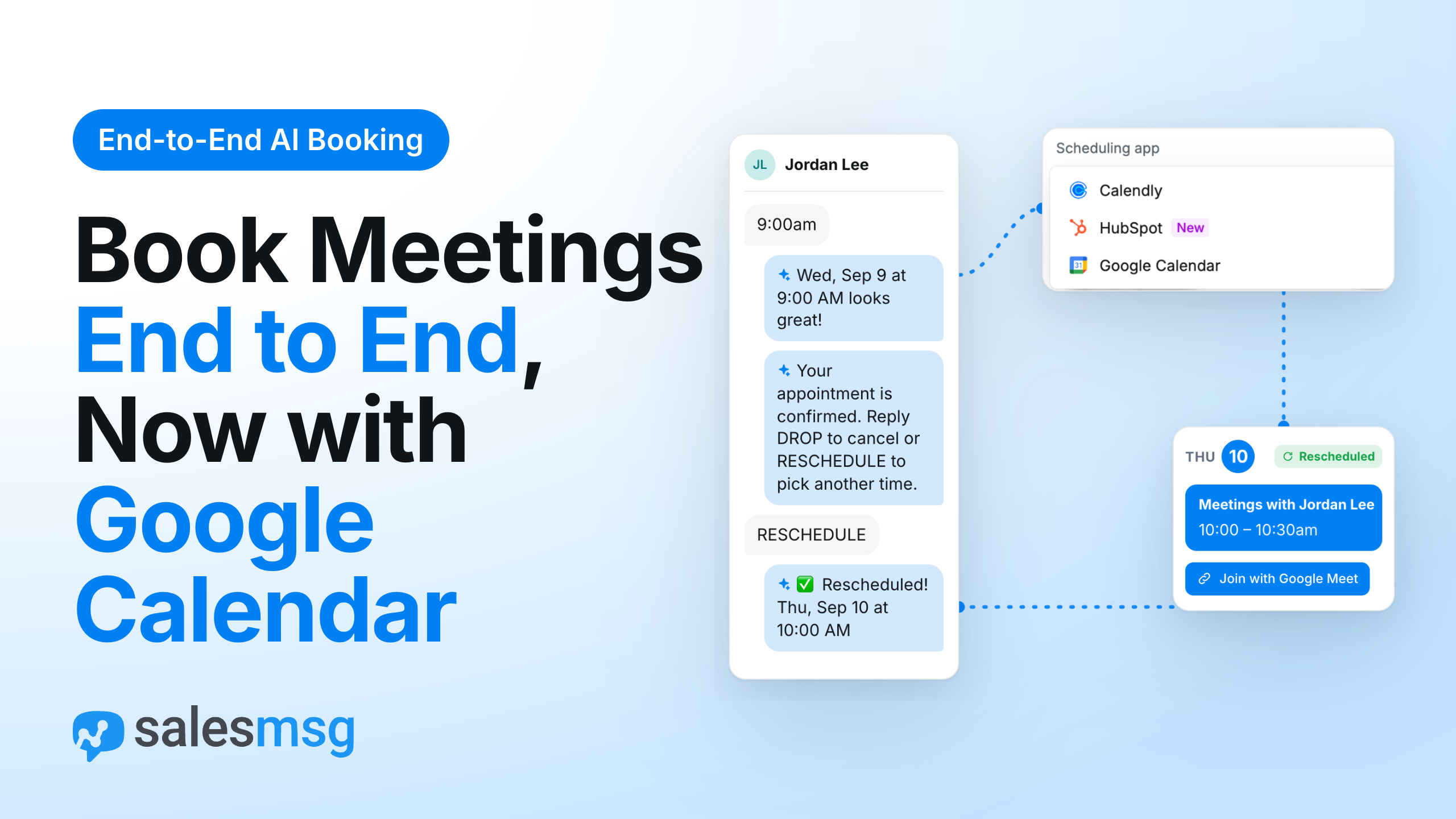
Chris: They always do, and that's where end-to-end really earns the name. There's a setting called Sales Msg Smart Meeting, and with it on, after booking, the contact gets a text along the lines of, "Your appointment is confirmed. Reply 'drop' to cancel or 'reschedule' to pick another time."
Elizabeth: Wait, so they just type one word?
Chris: One word. Reply "reschedule," and the agent offers new open slots and confirms the new time. Reply "drop," and it confirms which meeting they mean, and once they say yes, it cancels it and texts back a confirmation with the meeting name, date, and time.
Elizabeth: And this works in all three tools?
Chris: Good question, and I want to be precise here. Rescheduling and canceling by text are for Calendly and Google Calendar. Booking works in all three.
Elizabeth: Got it. Give me the story.
Chris: Think of a home services company. A homeowner books an estimate for Thursday, then something comes up. Old way, they call the office, someone digs through the calendar, finds a new slot, calls back, updates everything by hand.
Elizabeth: And probably misses the call the first time.
Chris: Probably. New way, the homeowner replies, "Reschedule," picks Friday from the open times, and it's done. Or they reply, "Drop," and the calendar is cleared. Your calendar reflects what's actually happening.
Elizabeth: So the receptionist also takes the call when someone needs to move.
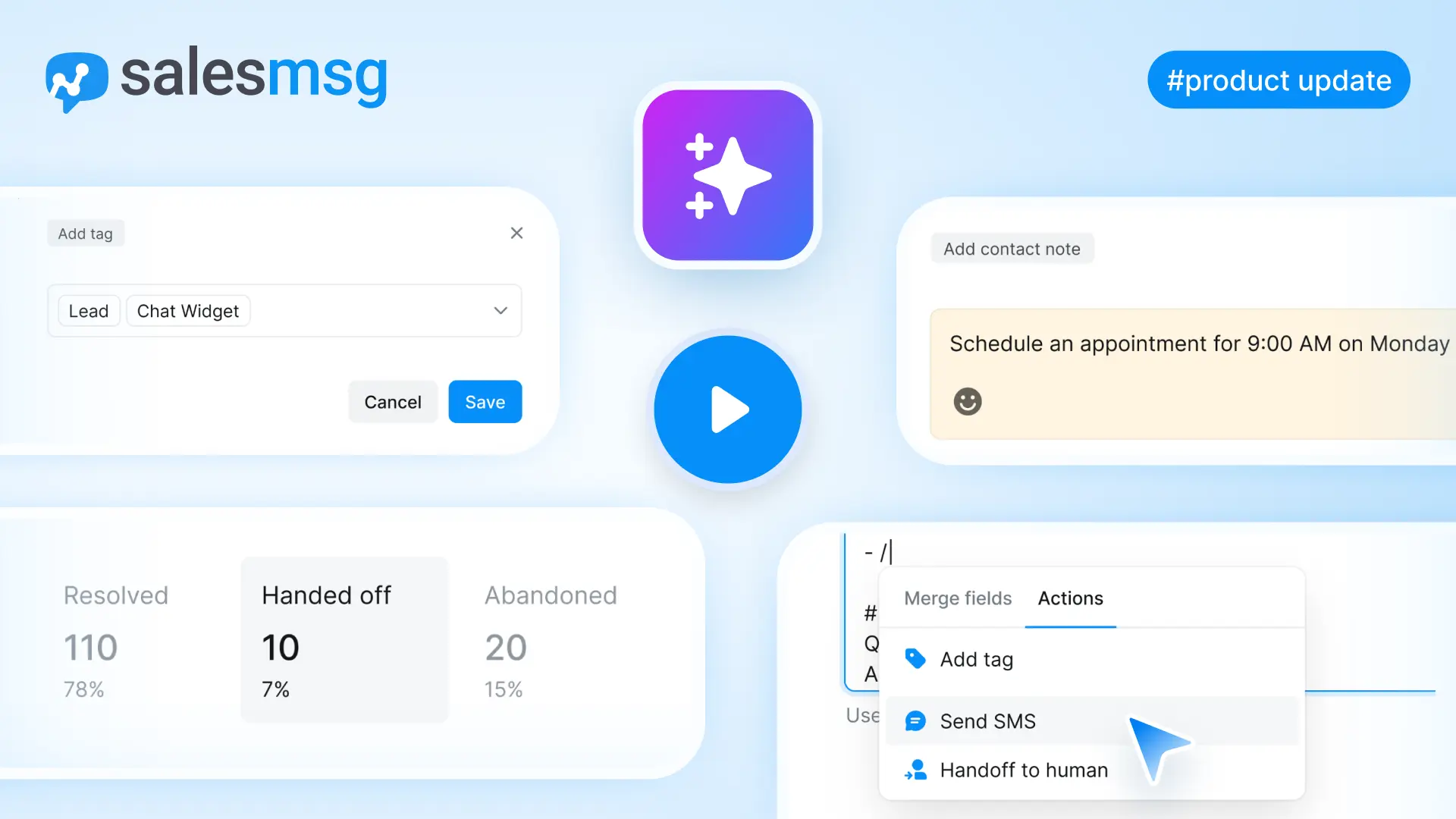
Chris: Exactly, and keeps the book tidy. Managers can see it too. The agent statistics show booked, rescheduled, and canceled counts.
Elizabeth: Okay, let's get to the new part. What does Google Calendar add?
Chris: Three things really. Google Meet links, a calendar invite for the contact, and offering only the times you're actually free.
Elizabeth: Start with the setup. How hard is it to connect?
Chris: A few minutes. You connect your Google account from the app marketplace or from your profile, or right inside the agent builder with Add Account. Then in the agent, you pick Google Calendar as the scheduling tool and choose a calendar.
Elizabeth: Any calendar?
Chris: One that has Google Meet available. If a calendar can't do Meet, you'll see a tooltip explaining why you can't pick it.
Elizabeth: Makes sense, since the Meet link is kind of the point.
Chris: It is. Every meeting the agent books on Google Calendar comes with a Google Meet link, so you're ready to talk the moment it starts.
Elizabeth: Picture it for me.
Chris: A small marketing agency that lives in Google Workspace. A prospect texts, "Can we talk Thursday?" The agent finds a time, confirms it, and a few messages later, the meeting is on the agency's Google Calendar with a Meet link, and the prospect has the invite in their inbox.
Elizabeth: And if they text, "Can we push to Friday?"
Chris: The agent moves it. With Google Calendar, the meeting is moved in place, so it keeps the same Meet link and the same attendees. Nobody on the team touches anything.
Elizabeth: That's the part I like. Nobody's forwarding a new link around.
Chris: Right. And what lands on your calendar is useful too. The event is titled "Meetings with," and then the contact's first and last name, with the Meet link and the contact as an attendee.
Elizabeth: So you know who you're talking to before you open it.
Chris: And you can go one step further. There's an optional meeting information field you can add to the agent's instructions. Then the agent asks, "Please share anything that will help prepare for our meeting," and whatever the contact says goes into the event description.
Elizabeth: Oh, that's nice. Give me a business where that matters.
Chris: A consultant. A contact books a call and mentions they're trying to fix their onboarding process. That note is sitting in the calendar event when the consultant opens it. They walk in prepared instead of starting with, "So, what brings you here?"
Elizabeth: Everyone shows up on the same page.
Chris: Literally on the same page.
Elizabeth: Okay, devil's advocate again. I hand my calendar to an AI. What stops it from booking me at 5:00 in the morning?
Chris: [chuckles] Your availability. That's the last piece, and honestly, it's the rule everything rests on. Only offer times you're actually free.
Elizabeth: How do you set that?
Chris: In the availability step, you pick the days the agent may offer, your available hours in the calendar owner's time zone, and one or more meeting lengths, 15, 30, 45 minutes, or an hour.
Elizabeth: And then it checks the calendar?
Chris: It checks your Google Calendar's free and busy times and only offers open slots inside those days and hours, so you never get double booked.
Elizabeth: And if someone really does ask for 5:00 a.m.?
Chris: That's in the walkthrough actually. A contact asks for 5:00 a.m. The agent explains, "That's outside the available hours," and offers times that are open, Wednesday between 9:00 and 6:00. The contact picks 9:00, and it's booked.
Elizabeth: Polite but firm. That's a good receptionist.
Chris: That's exactly the receptionist. Think of an SDR on a SaaS team who sets weekdays, 9:00 to 5:00, 30-minute calls, and turns the agent on. A lead texts in at night, the agent qualifies them, collects their name and email, offers two open times, and the call is on the calendar by morning.
Elizabeth: So the rep wakes up to a booked meeting instead of a to-do.
Chris: Instead of a to-do, and that's the business case in one sentence. Faster response to leads, less time chasing slots, more meetings on the books.
Elizabeth: How should a team choose between the three tools though?
Chris: Use the one you already run on. If your team books through Calendly, keep Calendly. If you want every demo tracked in HubSpot, pick HubSpot. And if you live in Google Workspace and want Meet links and the open times check, that's Google Calendar.
Elizabeth: Okay, let me try the recap. The agent books meetings by text in Calendly, HubSpot, or Google Calendar, handles reschedules and cancellations in Calendly and Google Calendar, and with Google, adds a Meet link, an invite, and only your open times.
Chris: One breath. Nicely done, Elizabeth.
Elizabeth: Here's what I keep thinking about though. If the booking happens inside the first conversation, the question for a sales team stops being, "Did they book?"
Chris: And starts being, "What do we talk about when they show up?" Which is a much better problem to have.
Elizabeth: The note on the door is gone. Someone's always picking up.
Chris: Someone's always picking up. If you want to try it, connect your calendar to your AI agent. The help center walks you through it, and the in-app chat is there if you get stuck. That's it for episode 26 of the SalesMsg Deep Dive on end-to-end AI booking, now with Google Calendar. Thanks for listening. From Elizabeth and me, Chris, we'll see you next time.
Sign up here for a 14-day trial and be on your way to engaging with your customers faster than ever before.