Start Your Free 14-Day Trial
Create your account & start texting today!

Text from any custom object, automate SMS Flow Actions, enroll contacts in AI agents and Power Dialer queues, and drop ringless voicemails from Salesforce Flows and Marketing Cloud.
_Your%20Salesforce%20integration%20just%20got%205%20new%20upgrades.webp)
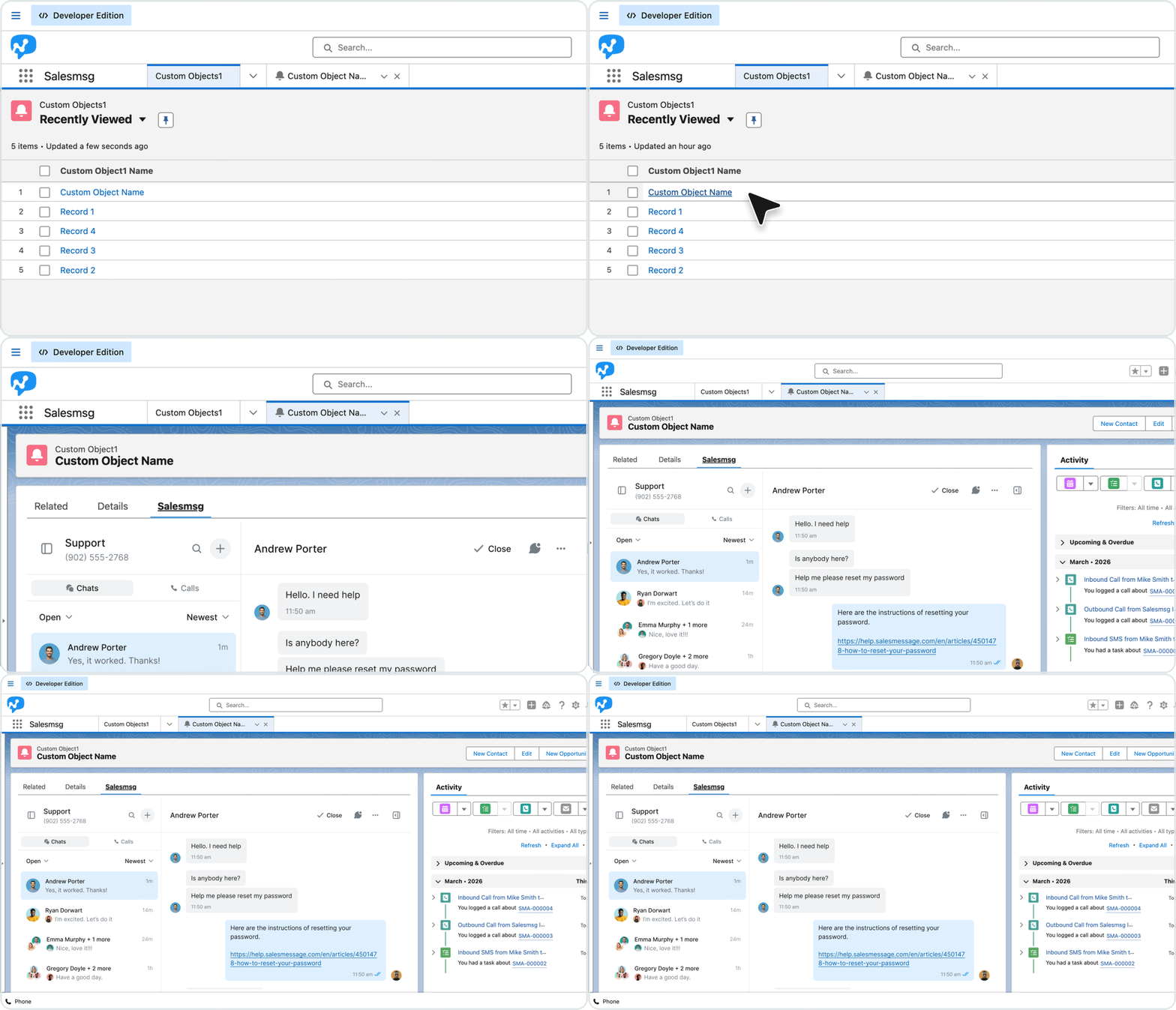
Connect Salesmsg to your custom Salesforce objects by selecting a phone number field in settings. Your team opens the widget, sends messages, and logs activity directly on the custom object record, right inside Salesforce.
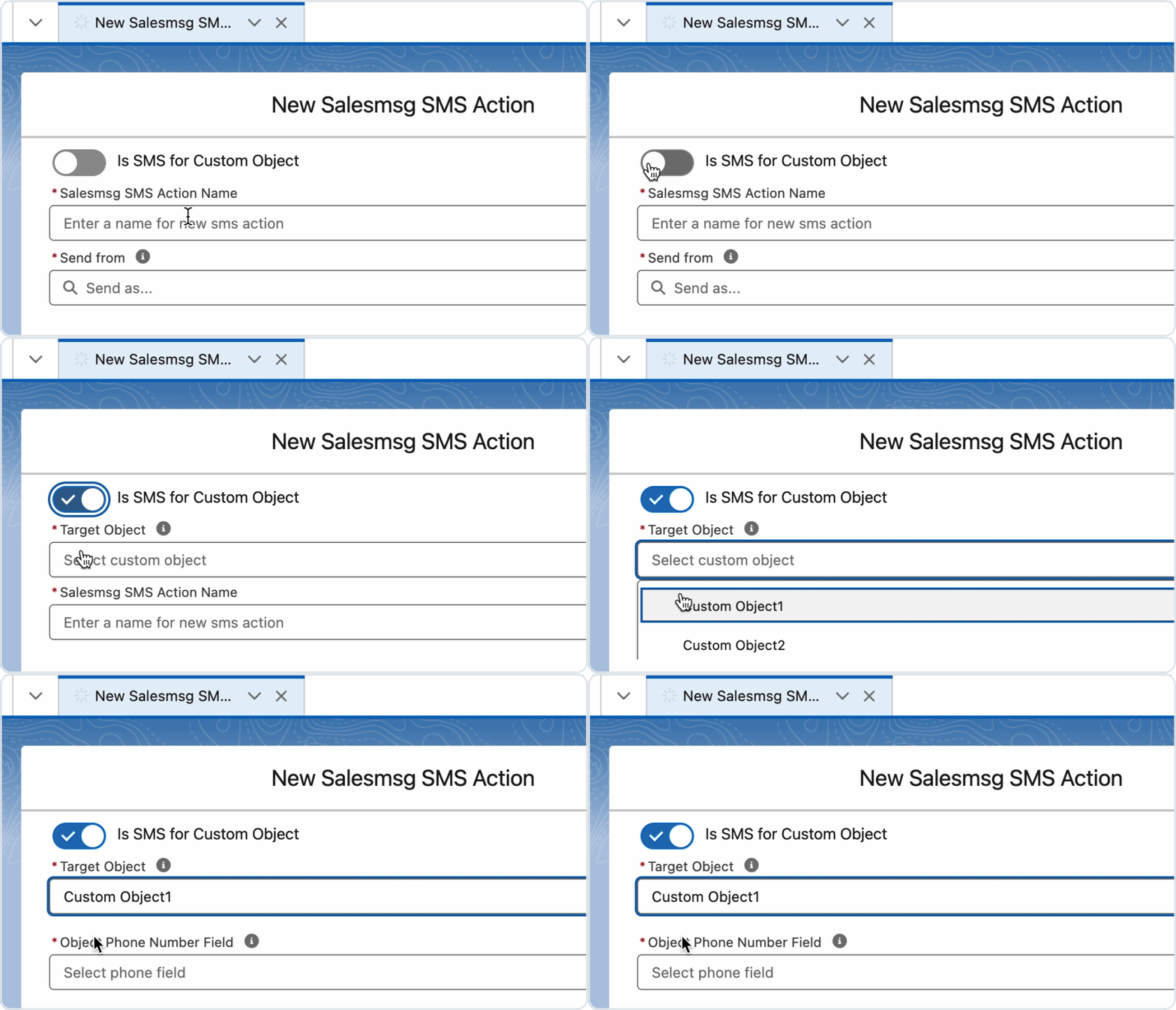
When building or editing the Salesmsg SMS Action, pick any custom object and its phone field as the recipient target. Merge fields work as expected and the phone number is validated before sending, so your automated texts reach the right record every time.
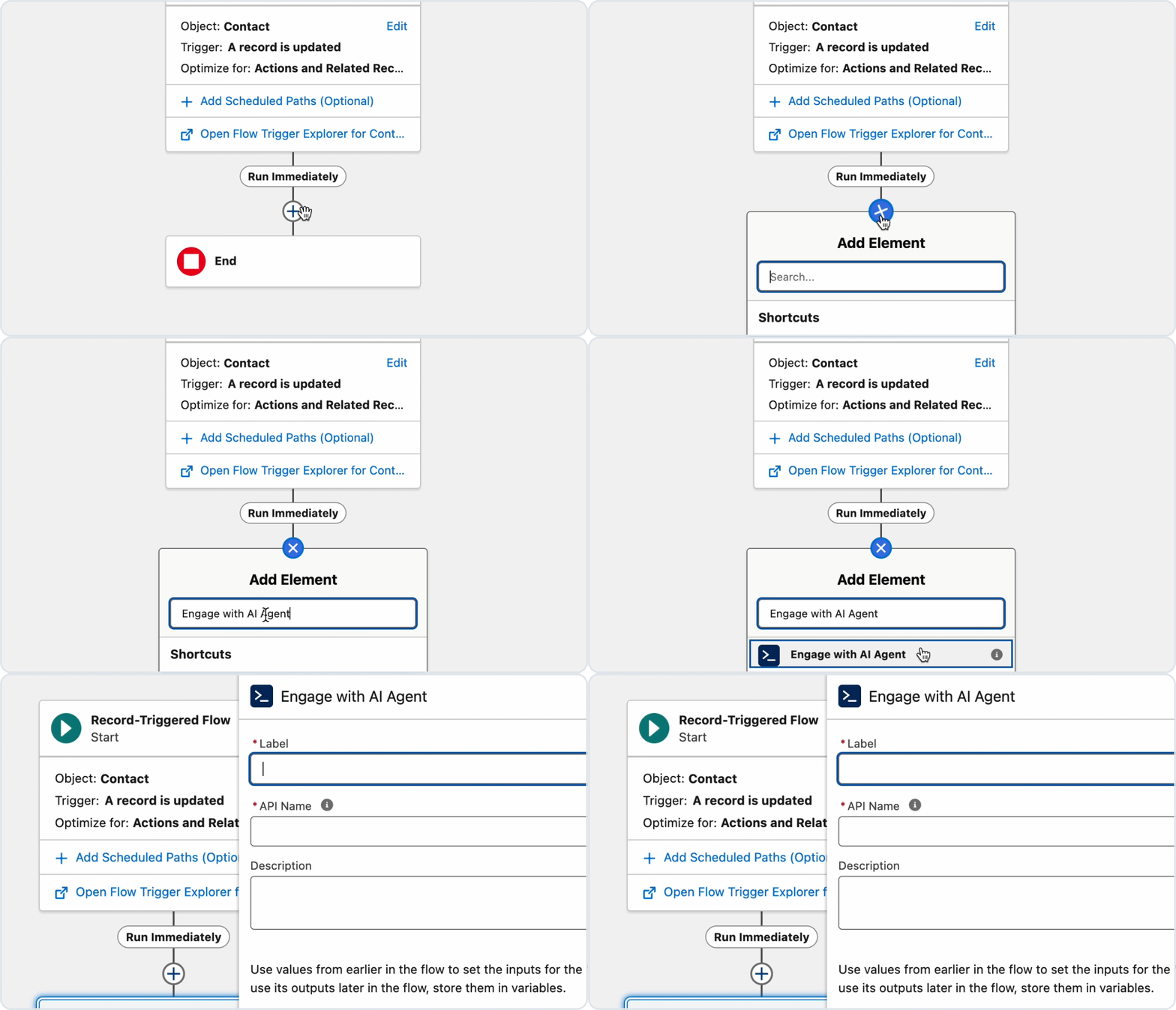
Pick which AI agent to assign and choose whether to apply enrollment criteria, then let the Flow handle the rest. Your AI agent qualifies and responds automatically, without your team getting involved until it is time to close.
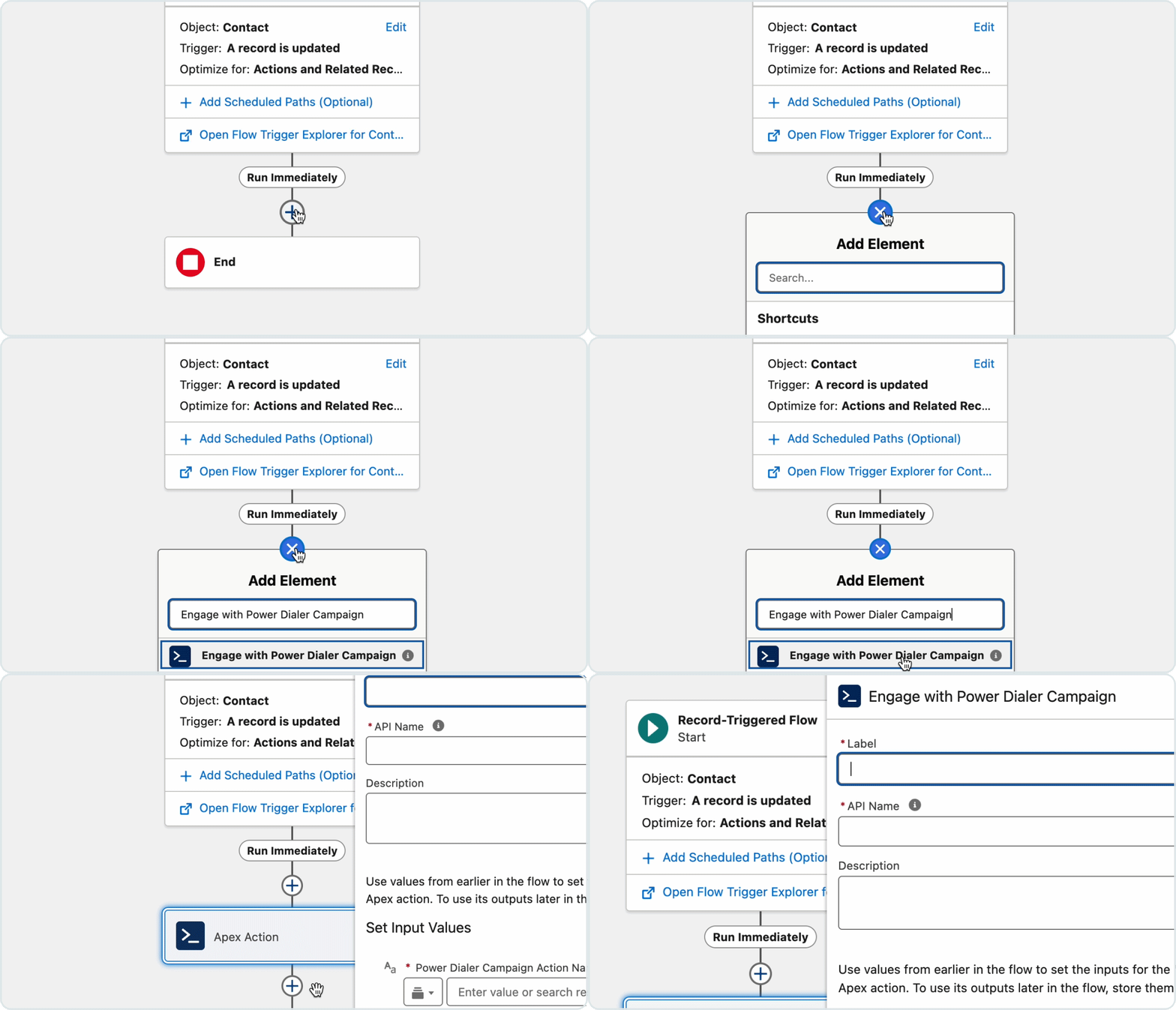
Add the Enroll in Power Dialer action to any Salesforce Flow and automatically queue contacts for your sales team to call. Set criteria, trigger enrollment on the right events, and keep your reps focused on conversations instead of manually building call lists.
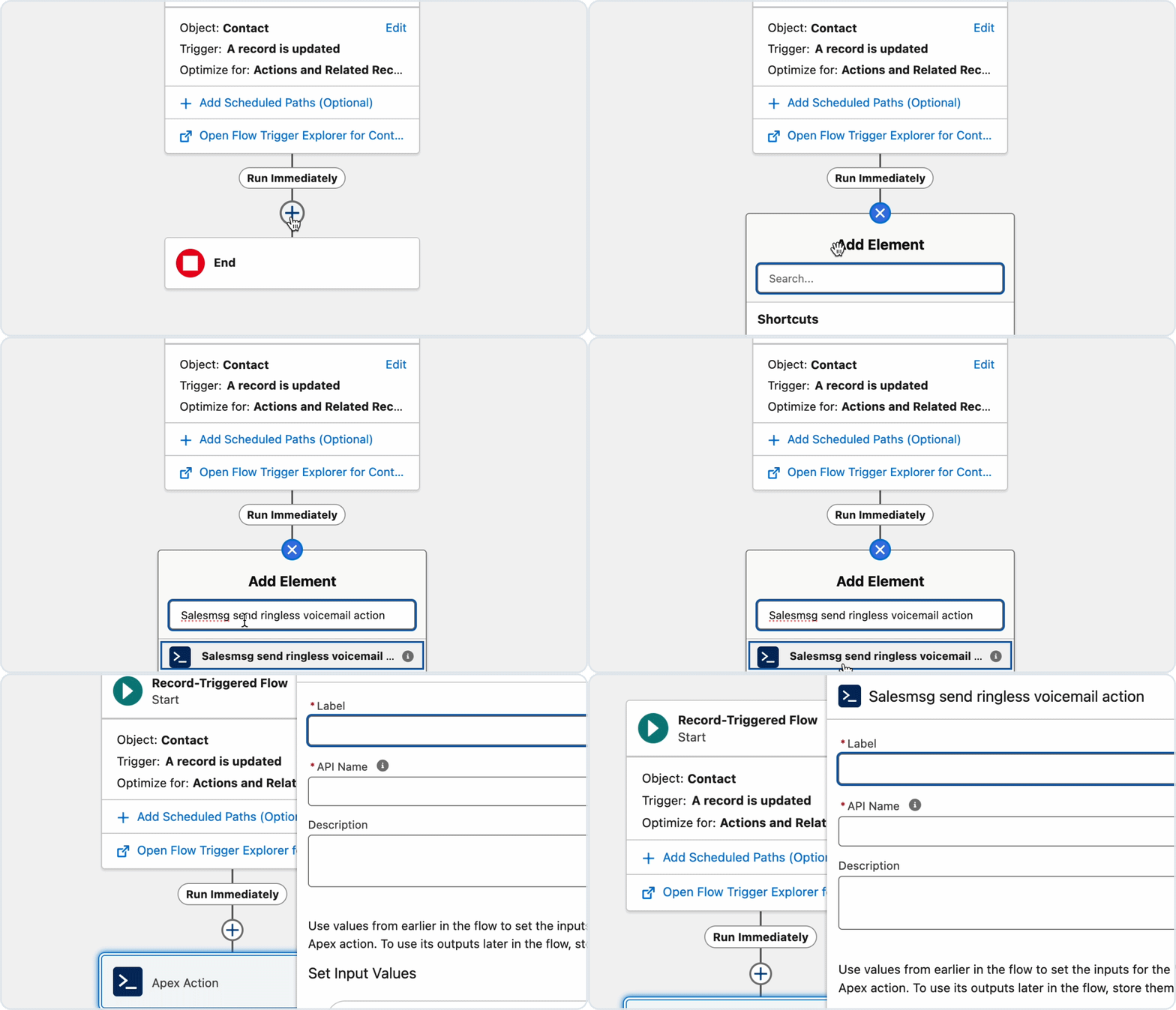
Add the Salesmsg RVM Flow Action to any Salesforce trigger and deliver a pre-recorded message the moment conditions are met. Marketing Cloud users can do the same inside Journey Builder, reaching contacts across both platforms without a single manual send.
Simplify, scale, and streamline your business by connecting your tech stack with our apps





%20(3).webp)


Sign up here for a 14-day trial and be on your way to engaging with your customers faster than ever before.

