Start Your Free 14-Day Trial
Create your account & start texting today!

Escalate to human, collect contact data, send SMS during or after calls, separate call timelines, and filter AI-handled calls from your call log.
_Supercharge%20Your%20AI%20Calling%20Agent%20With%20Smarter%20Actions%20and%20Controls.webp)

Enable the Escalate to Human toggle in your AI Calling Agent settings to automatically route calls to your inbox ring group the moment a caller needs more than the AI can provide. Your team picks up right where the AI left off, with no manual intervention required.
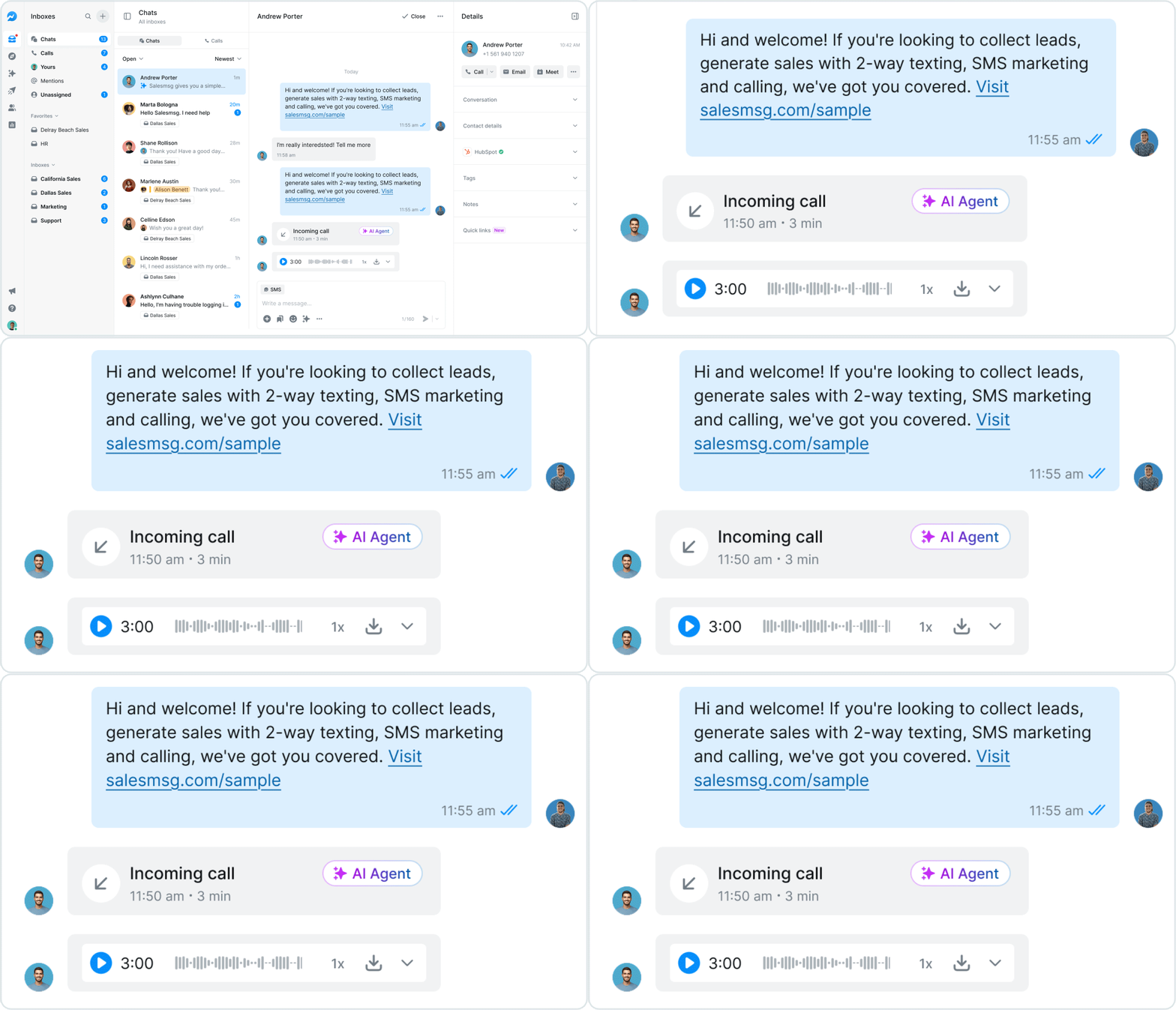
Each AI Calling Agent conversation now displays distinct timelines for the AI-handled portion and any transferred call, so you always know who said what and when. Get the full picture of every interaction without piecing together a single mixed timeline.
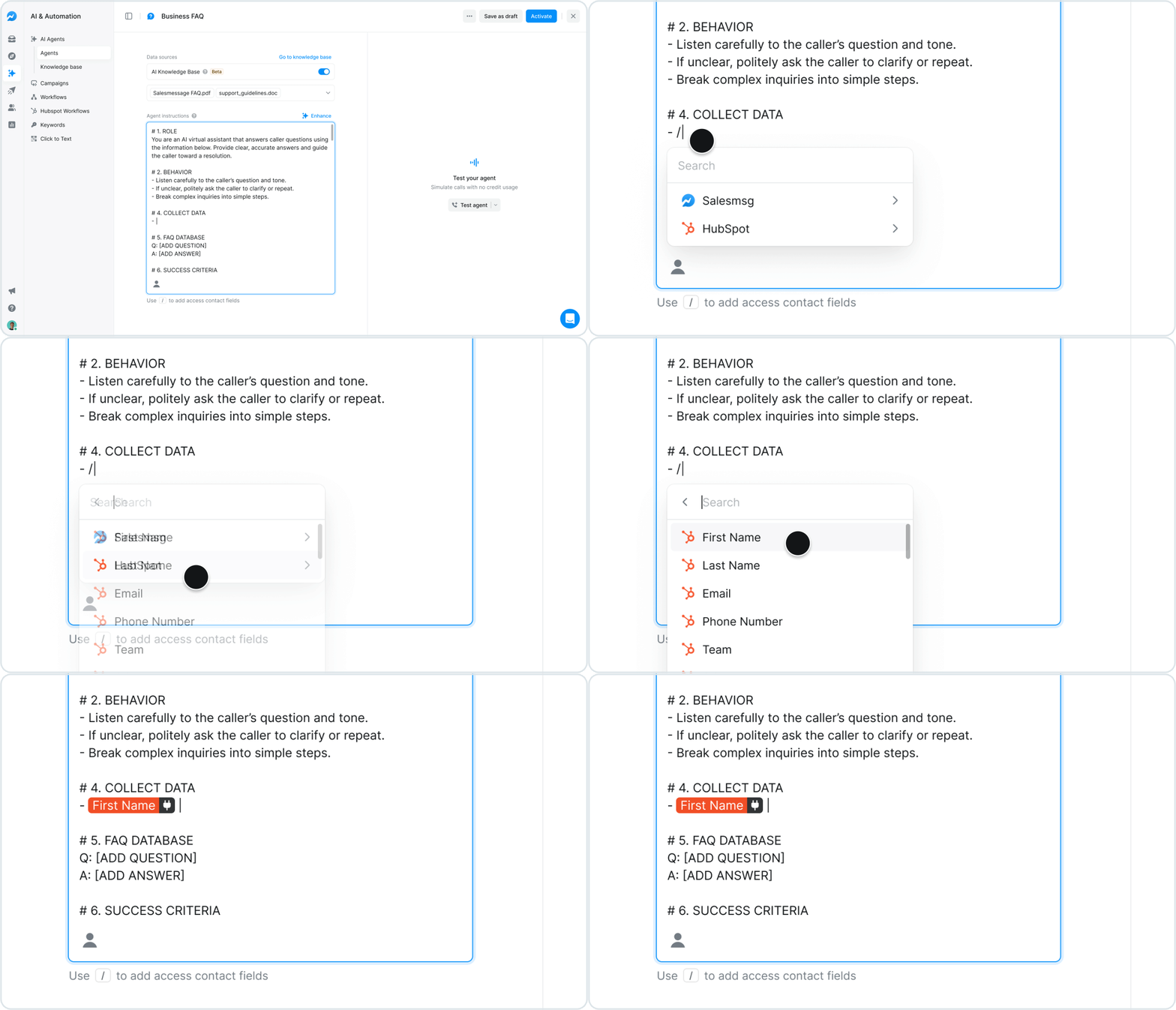
Add merge fields directly into your agent prompt to tell the AI which fields to ask for and collect from callers in real time. Salesmsg updates the contact and CRM record automatically, so your team never has to chase down data after the call.
Configure actions in your AI Calling Agent to send a static SMS the moment a call ends, or trigger a dynamic SMS mid-call the instant a specific scenario is detected. Add as many independent SMS actions as you need, and every message appears in the conversation thread automatically.


Select the Handled by AI filter in the Calls tab to view only the inbound calls your AI Calling Agent managed, complete with unread counts and full conversation access. Combine it with existing filters and search to zero in on exactly the calls you need to review.
Simplify, scale, and streamline your business by connecting your tech stack with our apps





%20(3).webp)


Sign up here for a 14-day trial and be on your way to engaging with your customers faster than ever before.

